
Sharing Fees
Fees can be shared between the Administrator/Platform Provider, Advisers, Brokerages and or Distributors on an Investor Account.
Setting up Fee sharing
- Fee sharing can be setup at a product level for all investors in that product
- Fee sharing can be setup at a contract level as an override on the contract
- For non-advisor related fees
- For advisor related fees
Product level setup
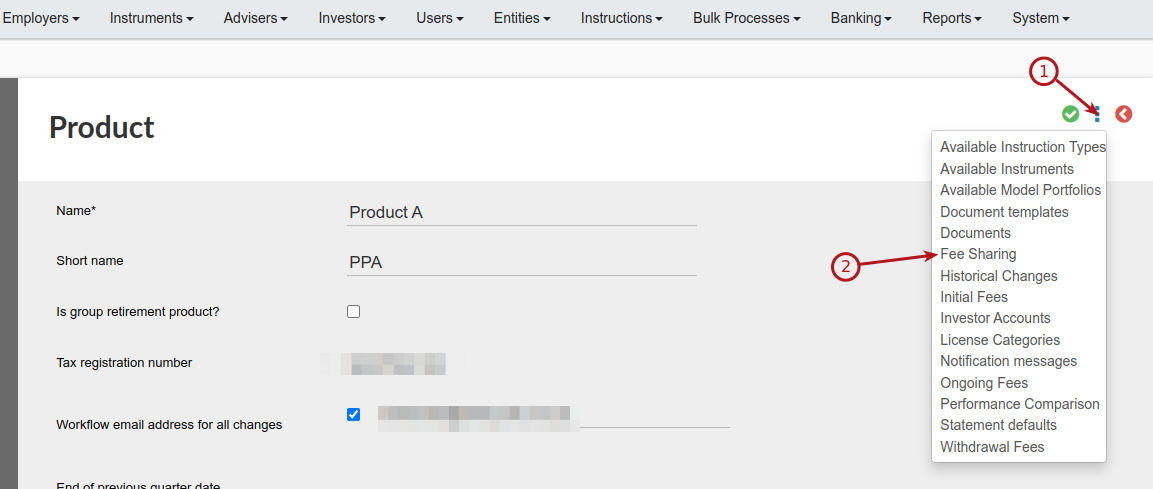
Navigate to System -> Product -> Select Product -> More Actions ->Fee Sharing. This will ensure that the fee sharing is done on all contracts in this product. The fee type has to exist on the product for this to be setup, and this could be advisor related or non-advisor related fees.
Contract level setup – non-advisor related
You can add a fee share on a contract or override a fee share, as setup on a product on a contract.
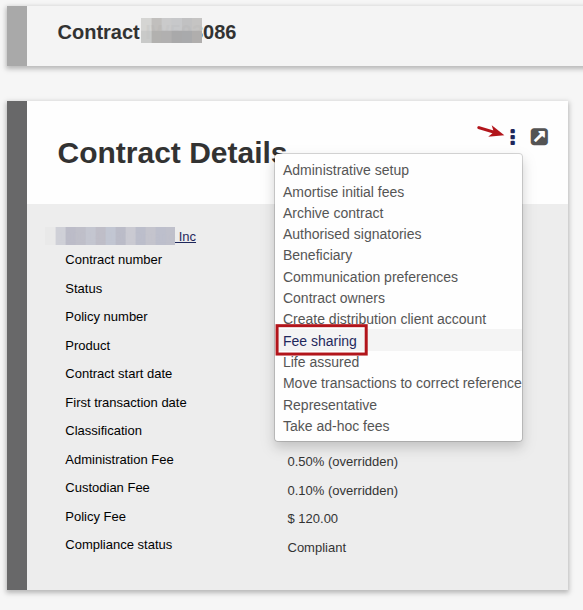
Go to the Investor Contract for which the fees must be shared. Select Contract Details card-> More Actions -> Fee sharing.
Contract level setup – advisor related
Navigate to the relevant contract -> Advisor Card -> view details:
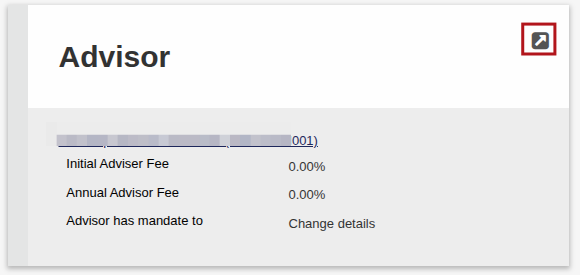
Then under more actions -> Fee sharing:

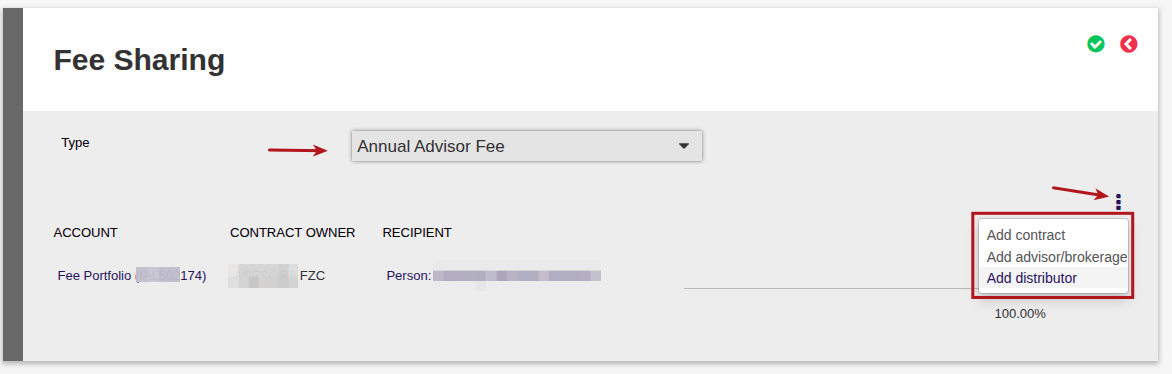
Select the relevant fee type to share, and under more actions choose whether you want to add a Contract, or an Advisor or Brokerage or Distributor.
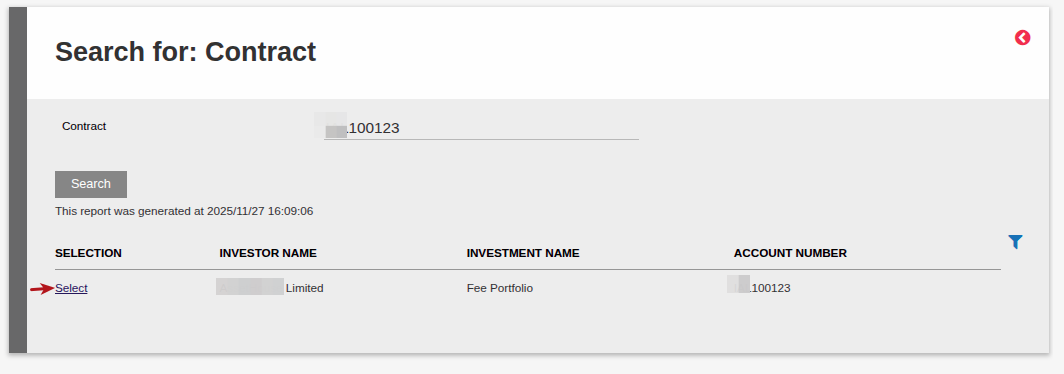
- By choosing Add contract, you have to choose an existing Fee Portfolio.
- By choosing Add Advisor/Brokerage or Add distributor the system will automatically derive the Fee Portfolio, based on the selected Advisor/Brokerage/Distributor. If a fee portfolio doesn’t exist yet for the Advisor/Brokerage/Distributor selected, then the system will automatically create a fee portfolio when the fee is allocated (during a fee run, or when authorizing an investment instruction for an initial fee.)
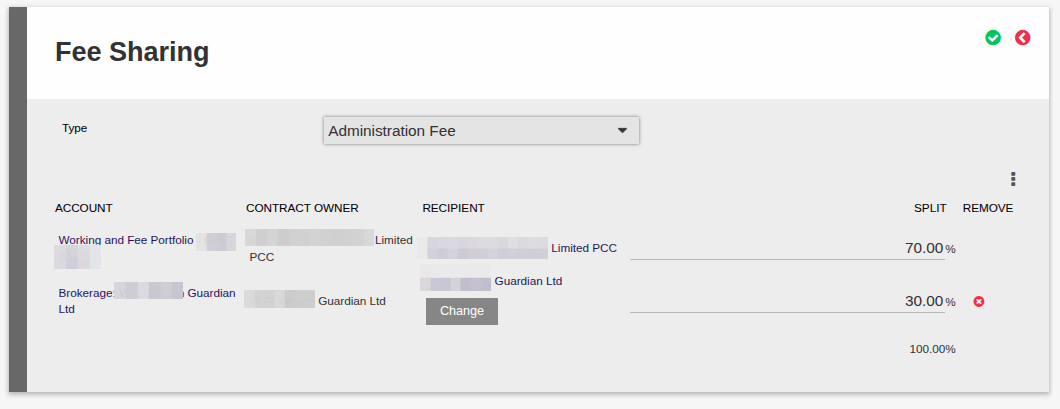
Note you can’t remove the original recipient of the fee, for example on an advisor fee the current advisor will always be the initial recipient, and any other recipients listed will receive their percentage from the current advisor. You can remove subsequently added recipients, but you can’t remove the original recipient.
If Advisor/Brokerage is selected you can search on the Brokerage Name or the Advisor Name, and choose Select for the appropriate Advisor/Brokerage. Similarly when you choose Add Distributor, you can search for the distributor name.
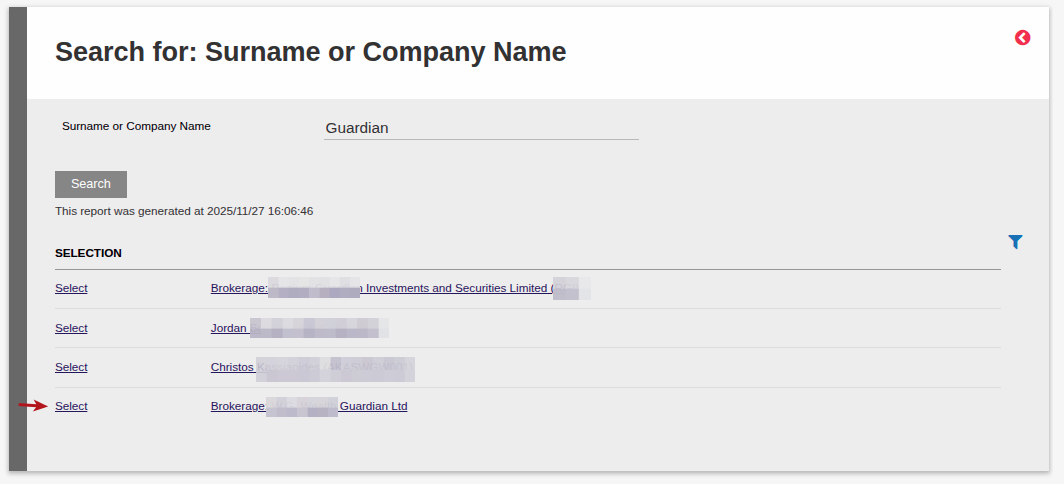
Alternatively, if searching on a Contract, you will search using the Fee Portfolio contract number:
Include the relevant percentages which must add up to 100% before saving
Last Updated on 6 months ago by Antoinette Van Meyeren