System order when buying and selling on the same day (historical transactions)
The purpose of this functionality is to change the order of a transaction on a instrument account.
Steps to follow:
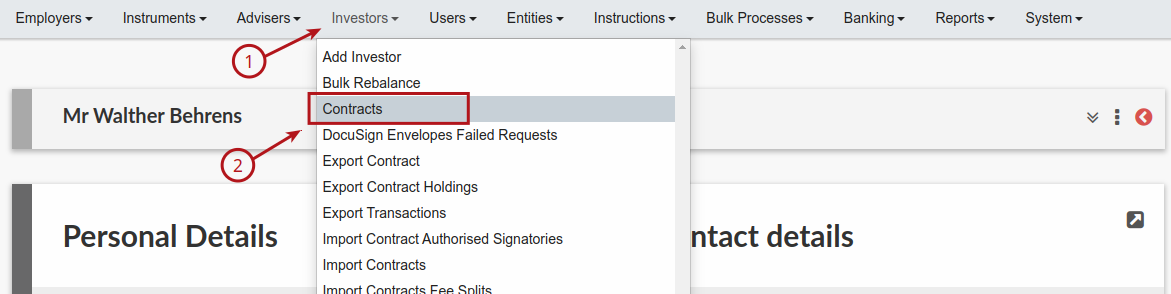
1. Go to “Investors” and then “Contracts” and select the contract you wish to work on.
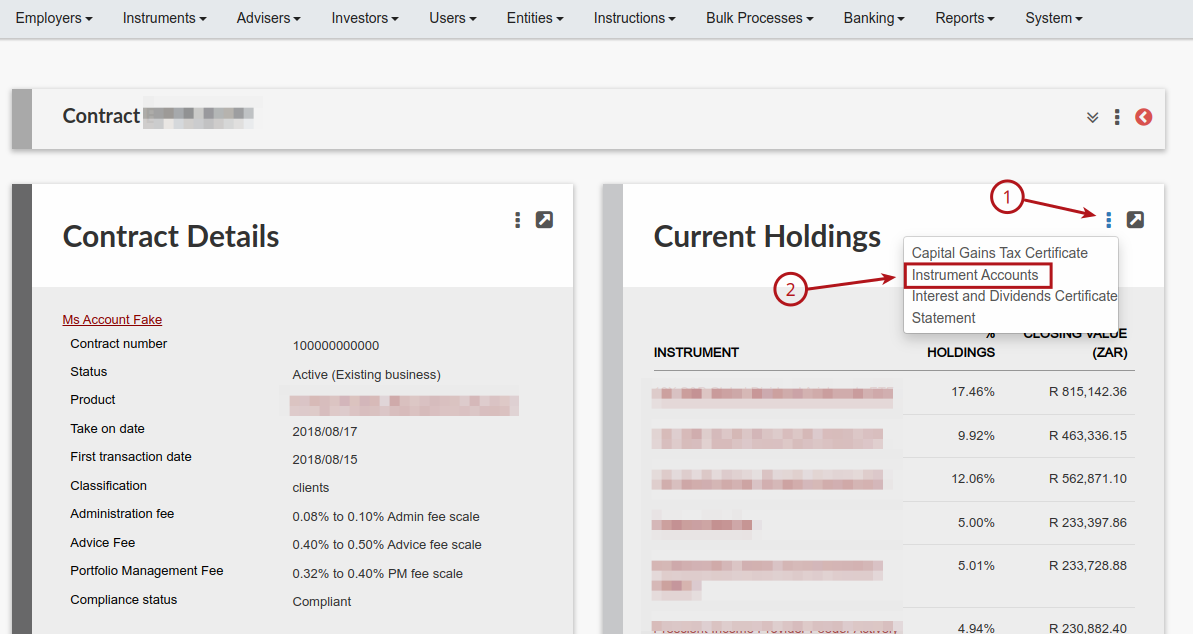
2. On the contract go to Current holdings card and from the “More Options” (3 dots) select “Instrument accounts”
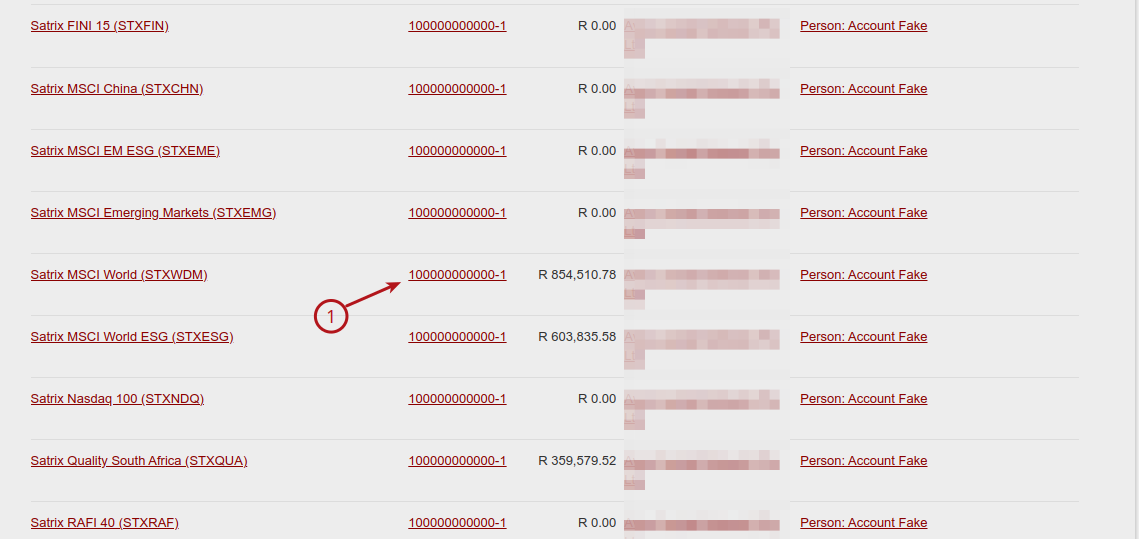
3. Select the instrument account
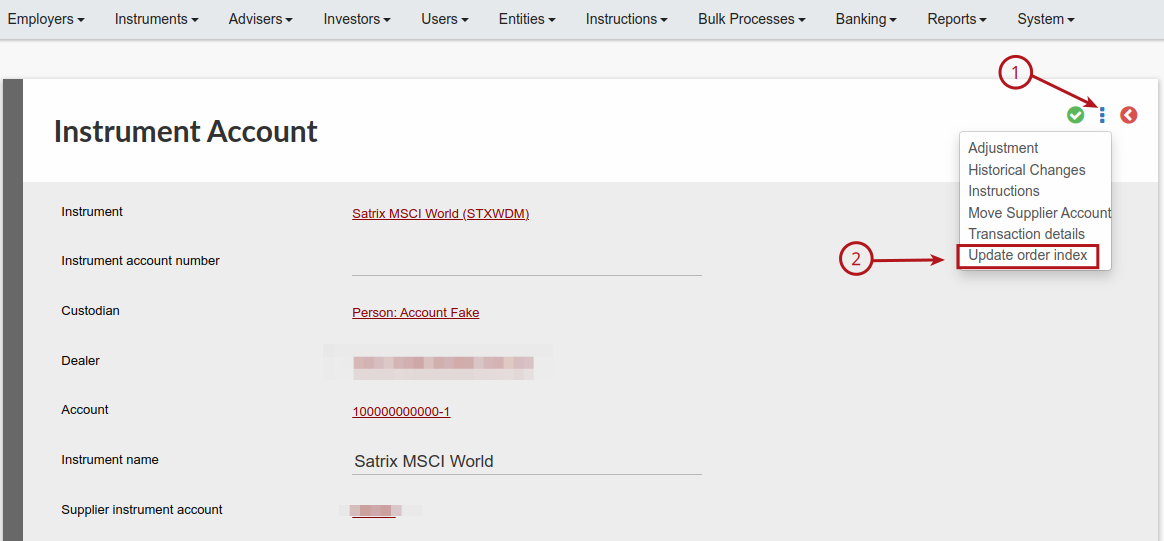
4. Once the instrument is open select “More Options” (3 dots) -> “Update order index
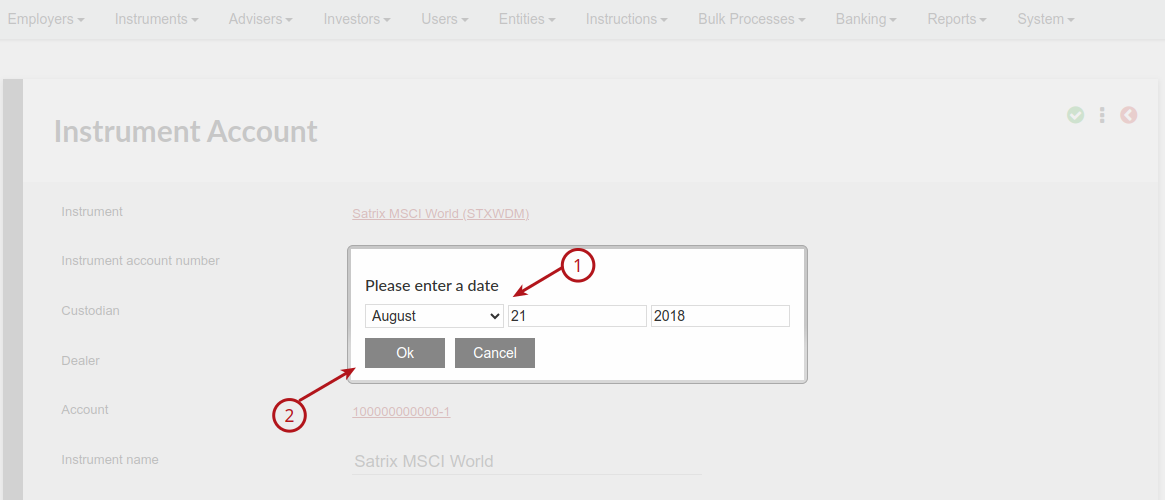
5. Select the date of the transaction you want to edit/reorder.
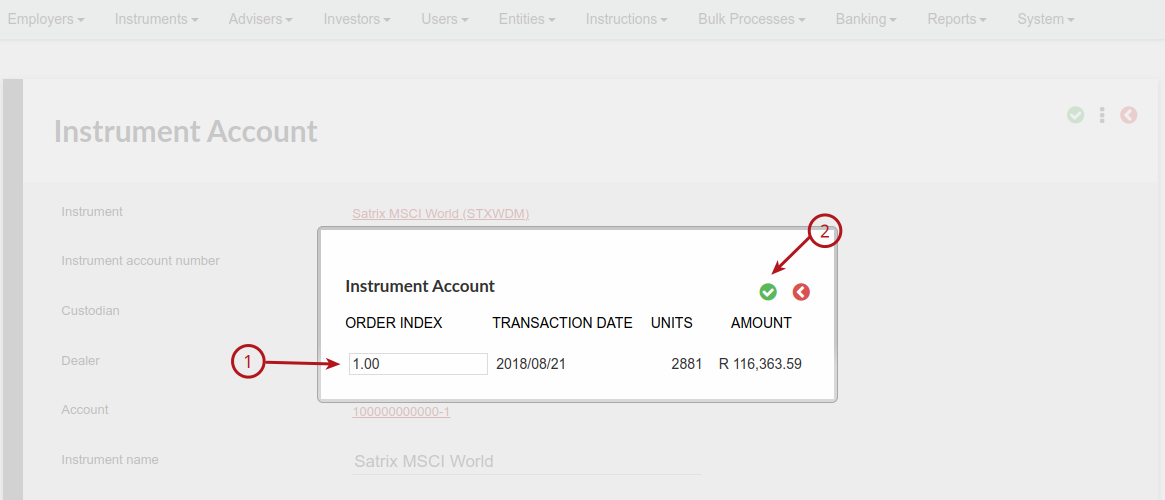
6. An editable table will open up, where you can edit the order index of all transactions on that date by changing the order number to the left of the transaction.
Press “Save” the green check mark to complete.