
Tax rate calculation method
The purpose of this functionality is to select the tax rate calculation method at an Entity level on recurring withdrawals/annuity payments.
The following Tax Rate Calculations options are available:
- Tax Table (this default will apply if no tax calculation method is set up) – this option takes past and future income into consideration when calculating tax.
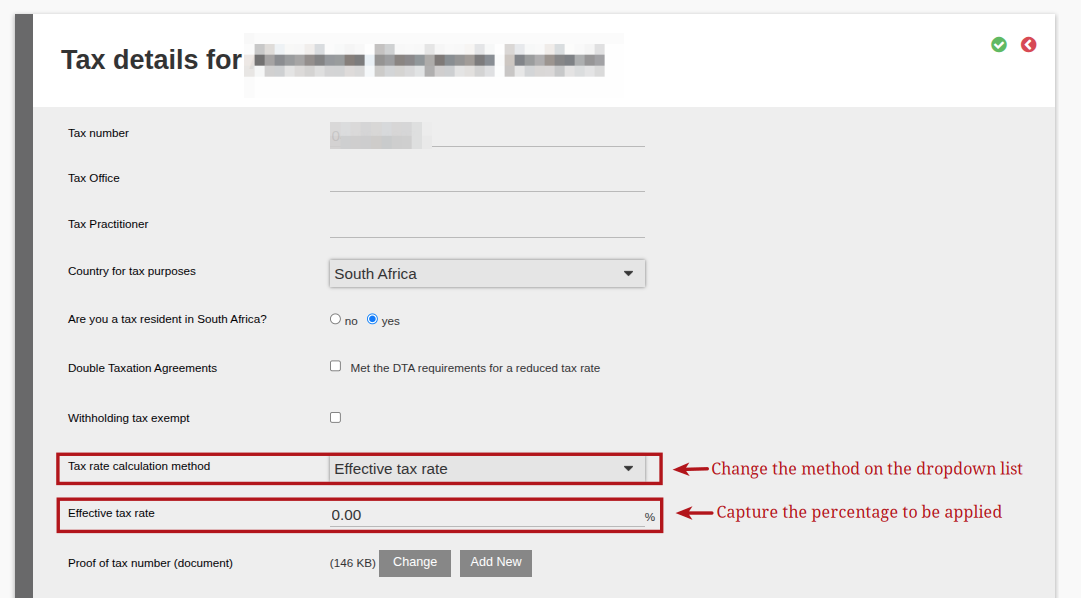
- Effective Tax Rate – this option is applied when a client has a fixed tax rate and past and future income is also taken into consideration when calculating tax.
- Percentage of Monthly Income – this option calculates tax as a fixed percentage on the monthly income.
Steps to follow:
On entity level , on the “Personal Details” card of the investor select the (1) More Actions and then select (2) Tax Details.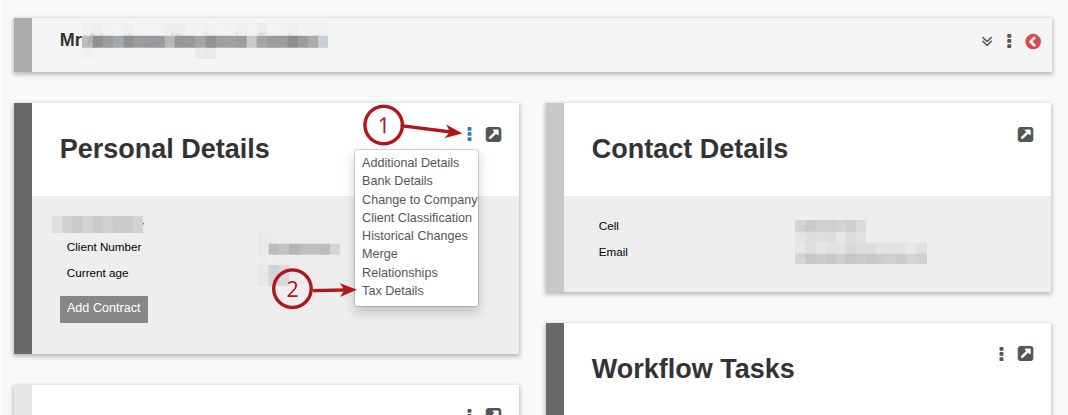
By default the “Tax rate calculation method” is set to use the tax tables that are loaded in the system.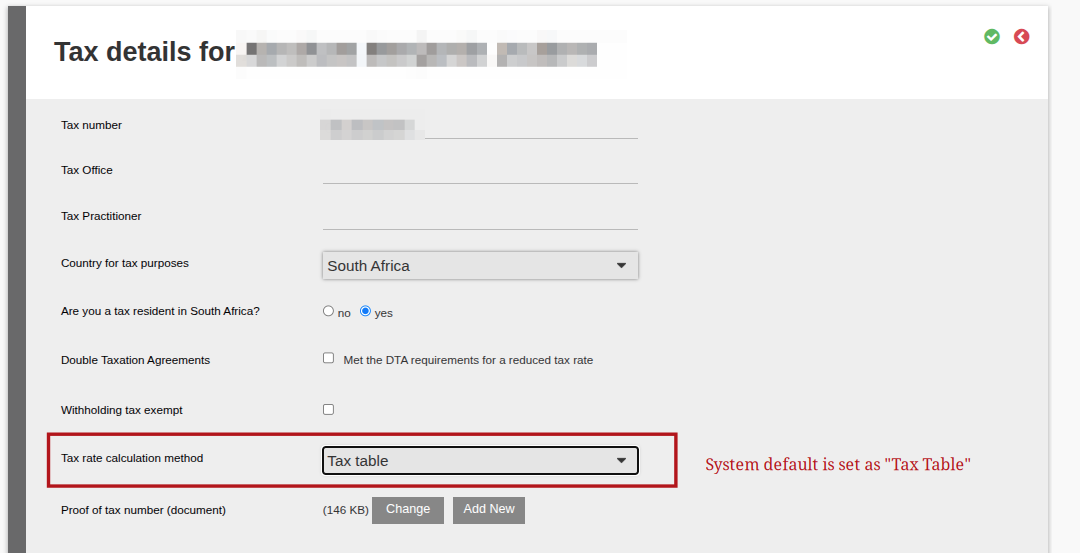
To change the Tax rate calculation method to “Effective tax rate” method, select this from the drop down list and capture the effective percentage required.
To change the Tax rate calculation method to “Percentage of Monthly Income” method, select this from the drop down list and capture the percentage required.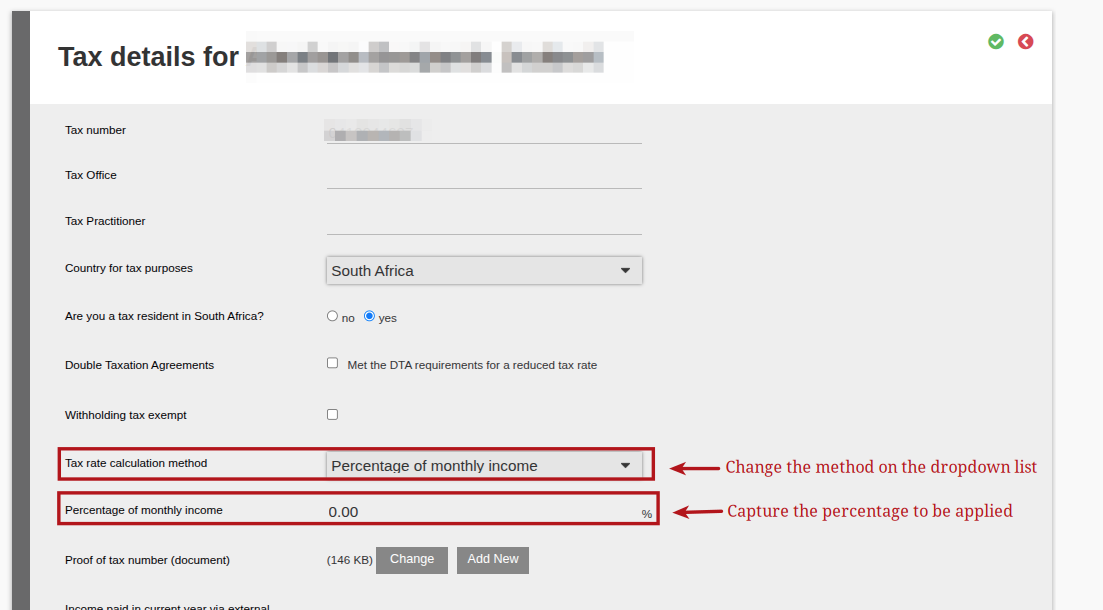
To apply these changes, Save (green check) to close the “Tax Details” section.
NOTE:
If the Effective Tax Rate or the Percentage of Monthly Income is 0.00%, a pop up will appear on screen, requesting the user to confirm the 0.00% before they are able to save the details.
Last Updated on 6 days ago by Jamie Chinsamy