
Tax Rate (Recurring) withdrawals – ‘Default tax amount’
The purpose of this functionality is to change the tax applied when a recurring withdrawal is created.
Some investors have many monthly withdrawals, each wanting a different, fixed tax amount, the ‘Amount of monthly withdrawal’ must be set for each withdrawal individually.
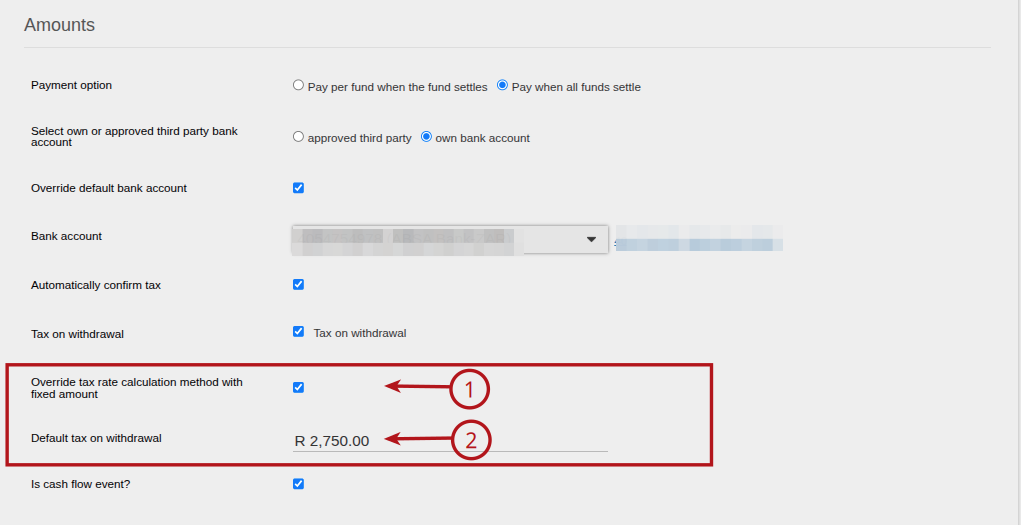
As such, a new field ‘Default tax on withdrawal’ has been added to Withdrawal
- this will override the tax calculation method as setup on the client.
- the ‘Default tax on withdrawal’ is propagated to the next recurrence if set meaning the following withdrawals will have the same rate applied.
- the default can be overridden in the manual tax calculator.
Steps to follow:
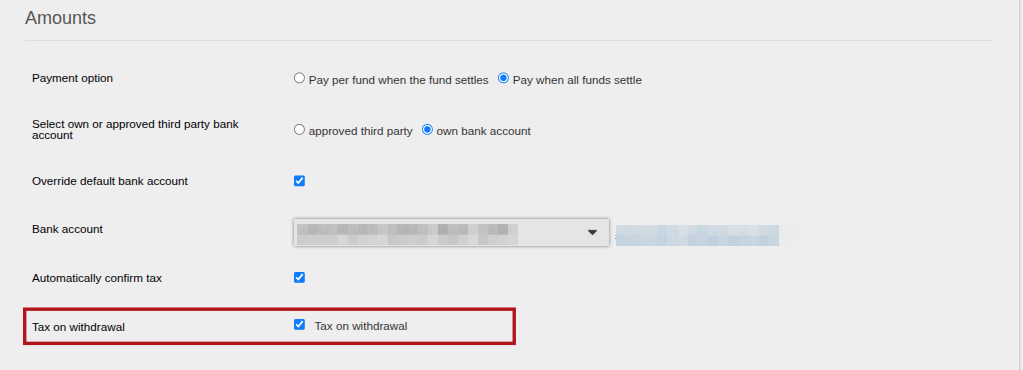
1. When creating a withdrawal instruction ensure the “Tax on withdrawal” is selected.
2. Ensure the Override tax rate calculation method with fixed amount is ticked (1), then (2) Capture the desired “Default Tax on withdrawal” amount, note this is to be a numeric value not a percentage.
3. Complete your instruction as per normal, the instruction and follow-up instructions from it will have the indicated rate.
4. If there is an existing “Recurring Withdrawal/Annuity Payment” that does not have a custom tax amount set, the following needs to be done.
Click into the instruction that states “Ready to Recur”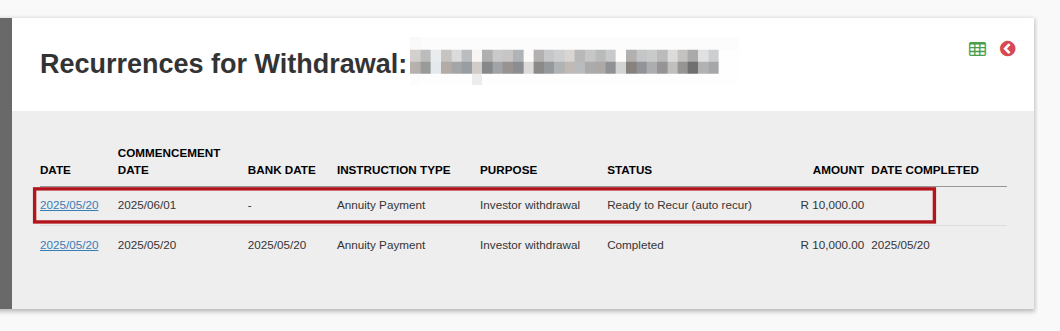
5. When in the instruction, click on the “More Actions” and then select “Reject Instruction” in order to be able to edit the instruction.
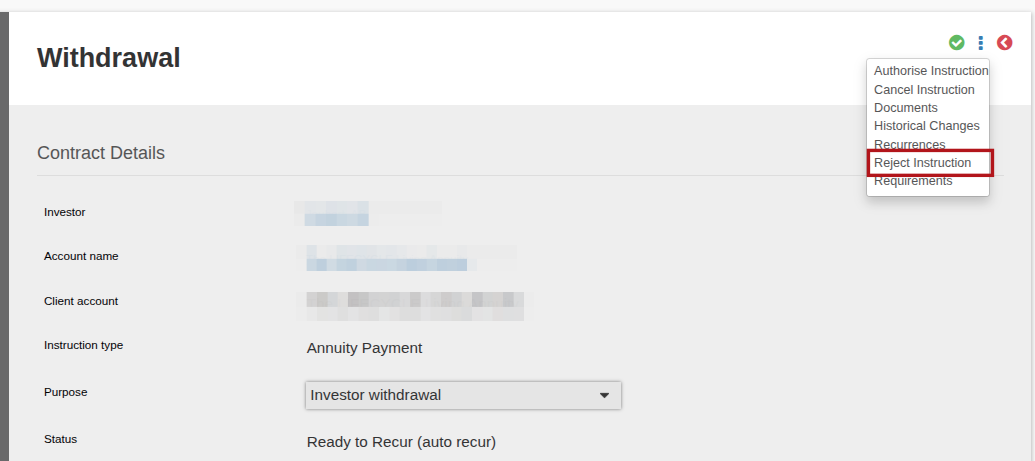
6. The status will now reflect as “Rejected” click into it and it will be editable , allowing the tax rate to be captured.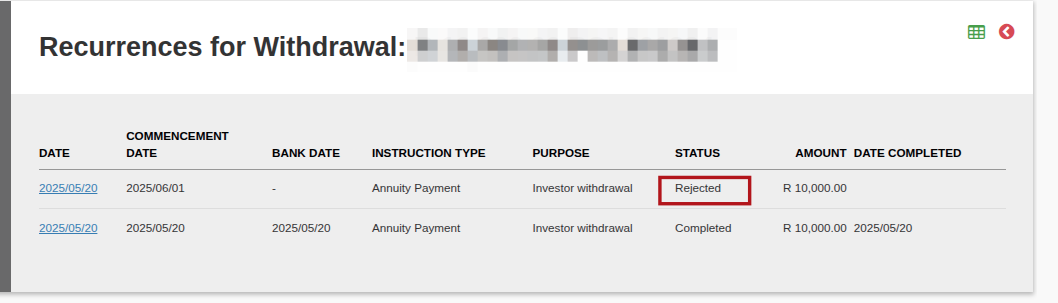
7. Capture the tax amount desired on the instruction, and then follow the process as per normal to submit and authorize the instruction.
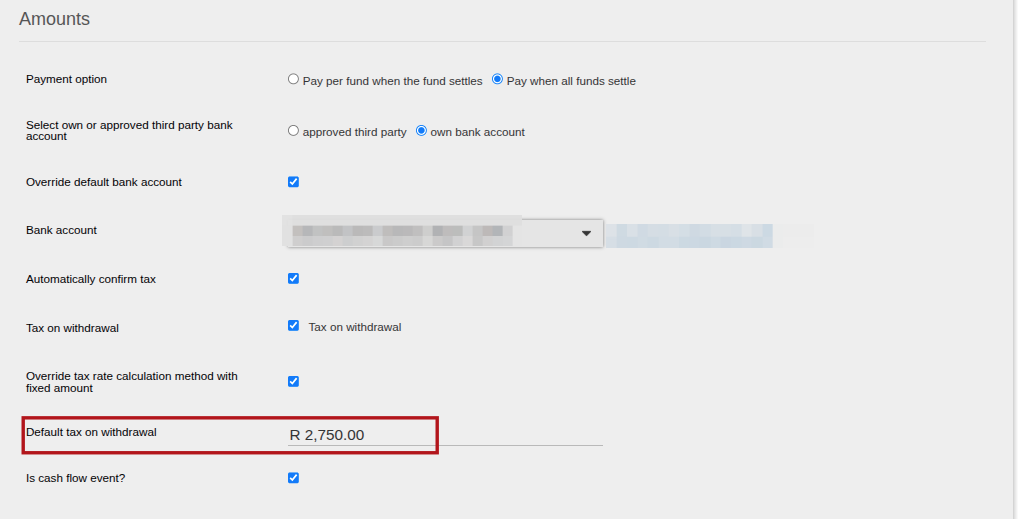
8. The instruction and all follow-up instruction on it will then have the newly captured tax amount.
Last Updated on 1 year ago by Debra Hart