
Unit Reconciliation
It is important to do regular reconciliations between the units in a fund as per Finworks and the units held at the fund manager. This will ensure that liabilities and assets balance, which is for instance important when a distribution is declared on the relevant fund.
How to go about the process of identifying where/what causes a discrepancy between the assets and liabilities on a fund:
Go to the relevant instrument


The ‘Reconciliation for supplier instrument account’ screen includes the following filters:
- ‘From’ and ‘To’ date
- Only show dates with discrepancies (by default this checkbox is selected when accessing this screen)
- Exclude transactions with zero value (by default this checkbox is selected when accessing this screen)
- Show transactions:
- All problematic (this is selected by default when accessing this screen) – unmatched/unreconciled and mismatched transactions
- All – all transactions applicable to selected date or range of dates
- Non problematic – only transactions that are correctly reconciled in the date range
- Only mismatched – only transactions that are matched, but to different supplier instrument accounts
- Only unmatched/unreconciled – only transactions not fully reconciled in the date range
Select a date range, and the required filters before selecting ‘search’ to continue.

In this instance (see 3 above), the assets and liabilities difference occurred prior to the date range selected. Move the ‘From date further back to be able to identify the date where the difference started.

To isolate/see only transactions that occurred on the date the reconciliation resulted in a difference, change the start date to the first date that the reconciliation shows a difference and expand the date on which the reconciliation went out by clicking on it.
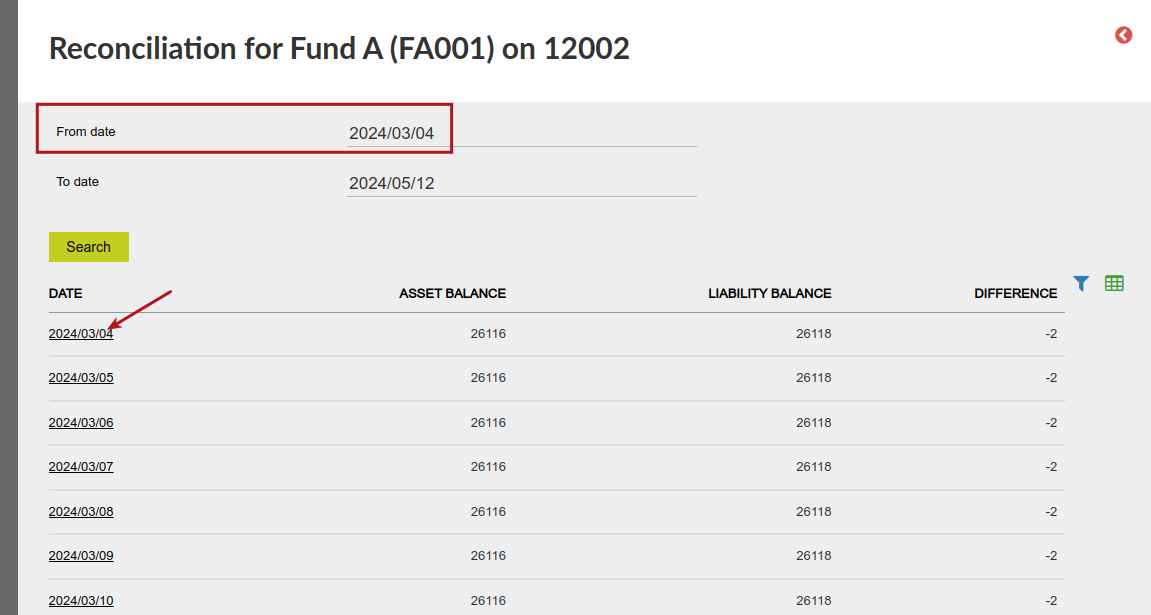
Click on the transaction displayed to identify the transaction/instrument instruction that resulted in the difference.


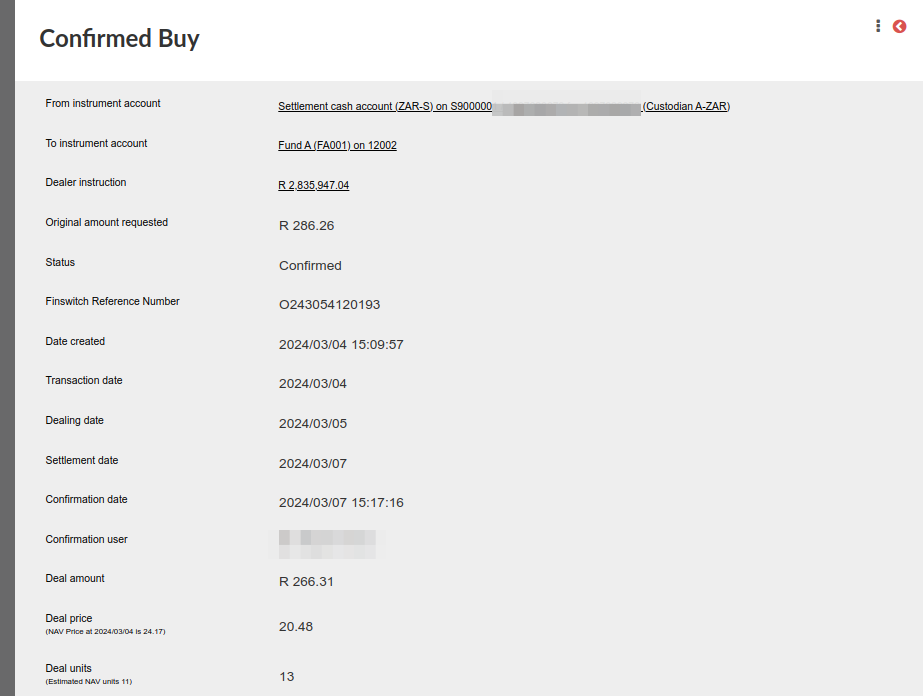
Click into the instrument instruction to identify the details of the instrument instruction that resulted in the difference.

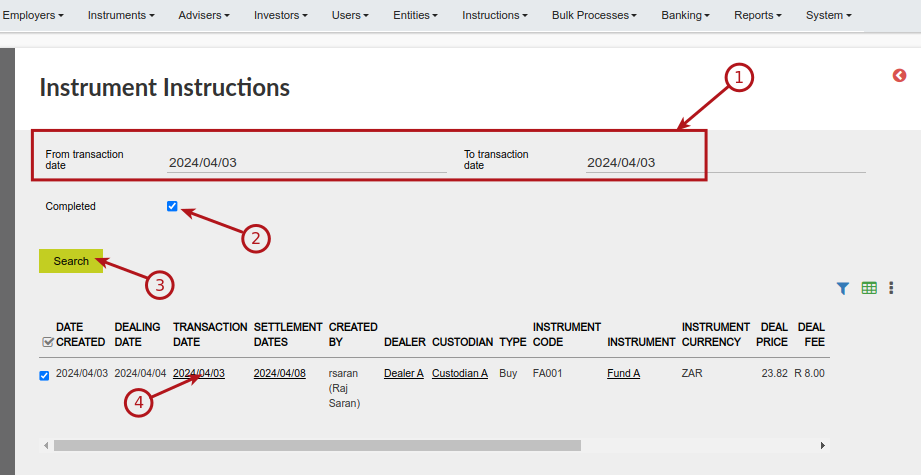
When the date on which the reconciliation resulted in a difference has been identified (in this example 4/3/2024), the related instrument instruction (if the transaction refers to an instrument instruction) can also be identified by going to the Instrument Instructions card on the supplier instrument account and accessed from here for further scrutiny:

When the instrument instruction (or in some instances another transaction, for instance a distribution transaction) that resulted in the difference has been identified, compare the contract note/information received from the fund manager with the information processed in the Finworks system and make the necessary changes to reconcile on the date in question.
NOTE: Start chronologically to identify and correct discrepancies in the reconciliation.
In some instances a discrepancy might correct itself within a few days due to timing and can be ignored. If the date between the correction and the discrepancy coincides with the declaration date of a distribution, it will be necessary to correct the transaction date in the system to match the fund manager units on the declaration date.
Last Updated on 2 months ago by Hayley Jerram