
Unmatch payments/deposits on confirmed instrument instructions
Note: This functionality is only available to finworks users
Confirmed instrument instructions that are unmatched provide the possibility for finworks users/developers to more easily make changes to the instrument instruction, for instance changes to units, price and amounts.
A. For Buy instrument instructions
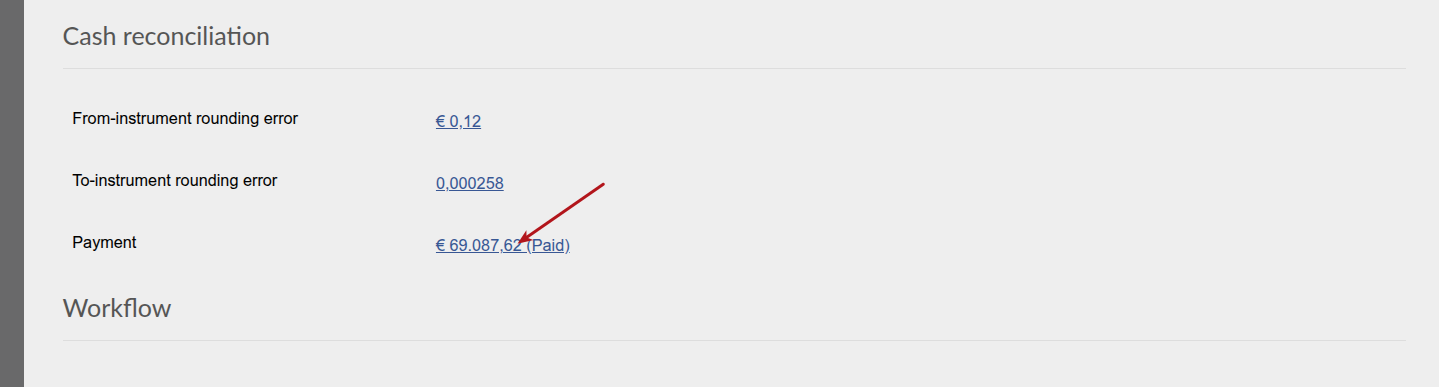
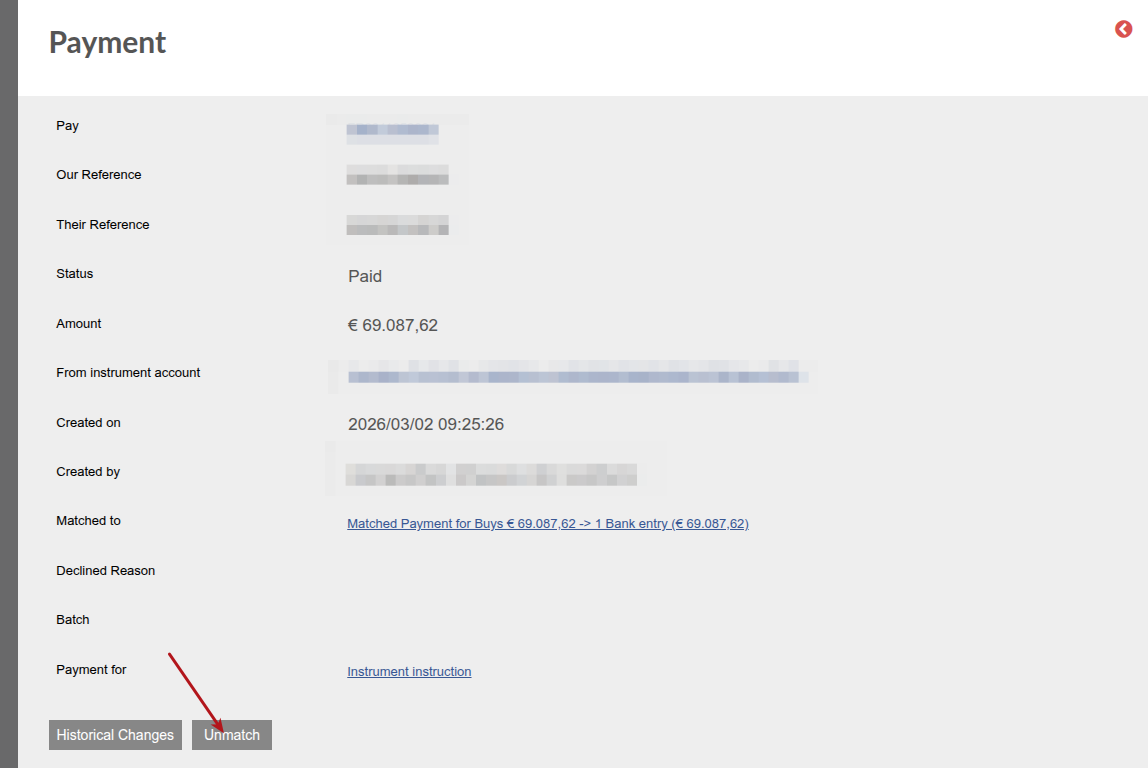
When unmatched the payment will return to Status ‘Ready for payment’ and the Buy instrument instruction from ‘Confirmed’ to ‘Allocated not paid’. On rematch the payment will return to Status ‘Paid’ and the Buy instrument instruction from ‘Allocated not paid’ to ‘Confirmed’.
B. For sell instrument instructions

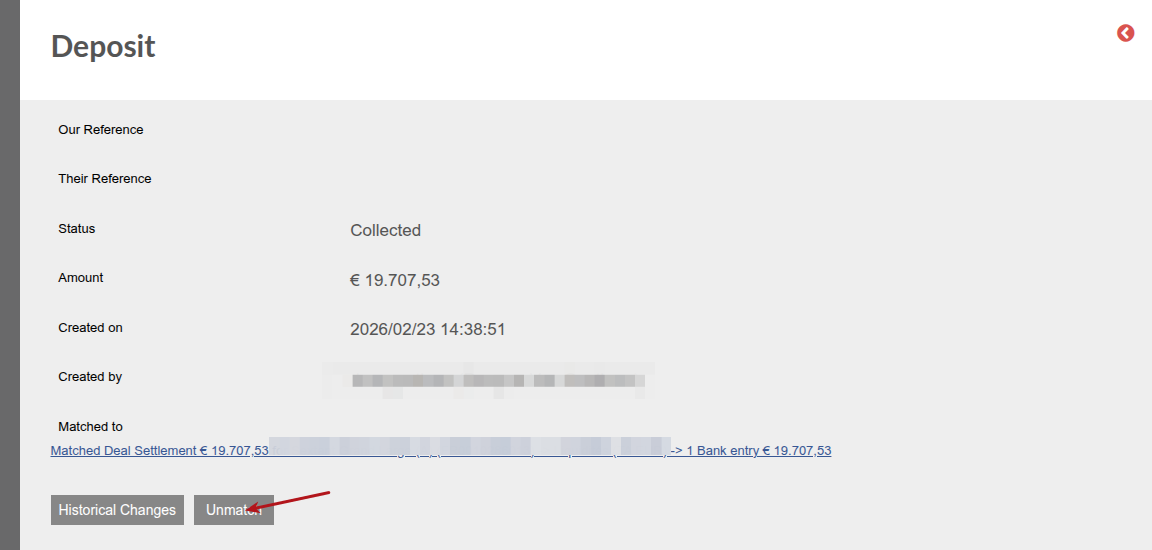
When unmatched the Deposit will return to Status ‘Created’ and the Sell instrument instruction from ‘Confirmed’ to ‘Allocated not paid’. On rematch the Deposit will return to Status ‘Collected’ and the Buy instrument instruction from ‘Allocated not paid’ to ‘Confirmed’.
C. Applicable to buy – and sell instrument instructions
The unmatched instrument instructions can be rematch:
- The amount to rematch with need to be inline with the applicable amount on the instrument instruction
- Partial rematches can not be done (amount larger or smaller that the applicable amount on the instrument instruction)
- Two or more amounts can be rematched, if the amounts add up to the applicable amount on the instrument instruction
Client users can rematch instrument instructions that have been unmatched.
Last Updated on 7 months ago by Antoinette Van Meyeren