
Unprocessed Fee Report
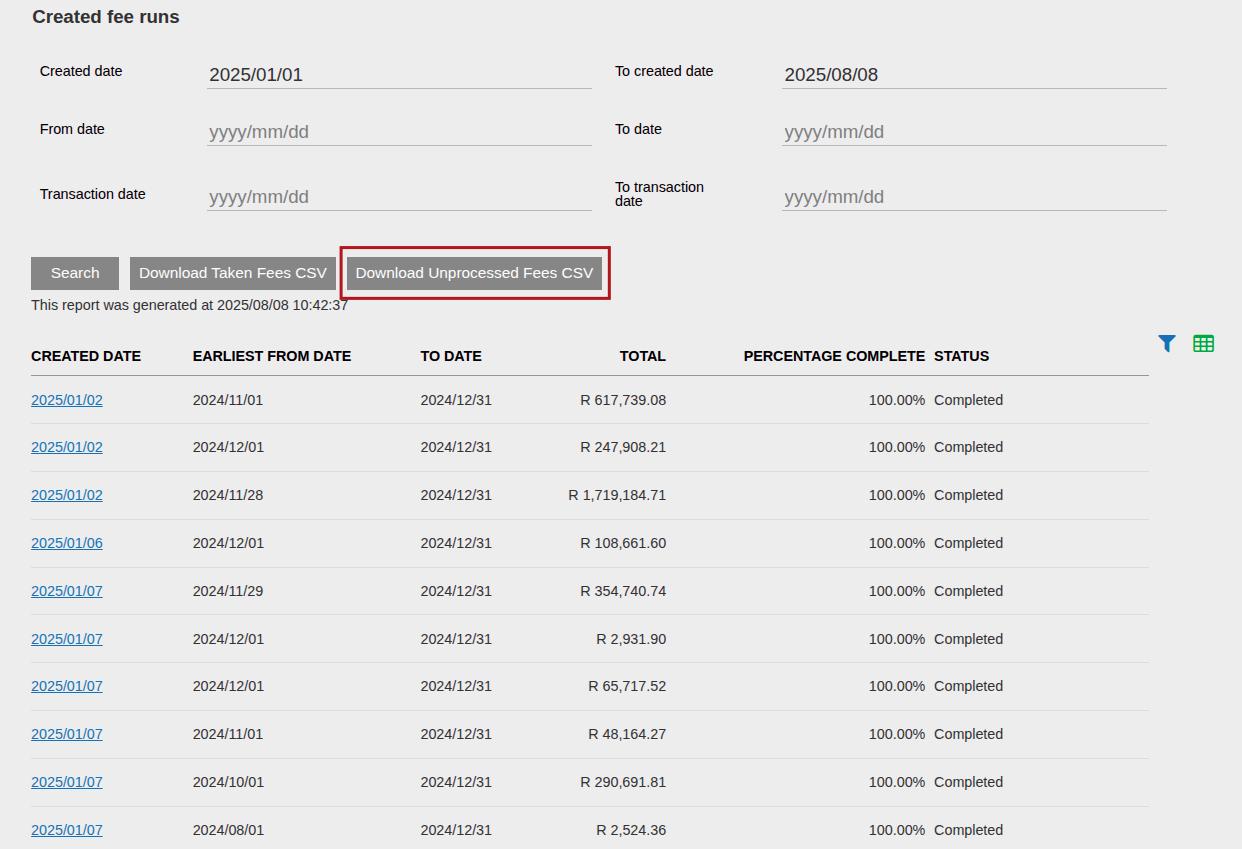
If you navigate to Bulk Processes -> Fees -Annual and under the section called Created Fee Runs, you can search on a specific date range and when the results have populated, you can click on Download Unprocessed Fees CSV. This will then contain all unprocessed fees from all fee runs created in the date range you specified.
What is an unprocessed fee?
An Unprocessed Fee is an accrued fee that could not be taken in this fee run. This is when the investor doesn’t have enough value in a specific instrument to fund a specific fee. The system will keep on trying to take Unprocessed fees from previous fee runs until it’s able to take the fee. In this case, this report will have multiple rows for each fee run where the fee couldn’t be taken.
What can I see in this report?
The report has the following columns: Transaction Date, Contract Number, Investor Name, Preferred Currency, Adviser Code, Adviser Name, Product, Currency, Taken Amount in Fee Currency, Not Taken Amount in Fee Currency, Total Due Amount in Fee Currency.
There could be a fee that was taken successfully in a specific fee run, and another fee that was not taken successfully. For example the administration fee could’ve been taken successfully but the advisor fee not. Then the Administration fee will reflect as “Taken amount in fee currency” and the Advisor fee will reflect as “Not Taken Amount in Fee Currency”. And the two fees summed together will be “Total Due Amount in Fee Currency”. The total due can be used to see what would’ve been taken at that point in time, if all fees were successfully taken.
Last Updated on 1 year ago by Adrienne Dill