
Applying VAT on fee transactions
If a Brokerage/Distributor/Financial Service Provider is registered for VAT on the system, VAT will be levied on all fee transactions. Ensure that the VAT rate is set up on the Configuration, see link.
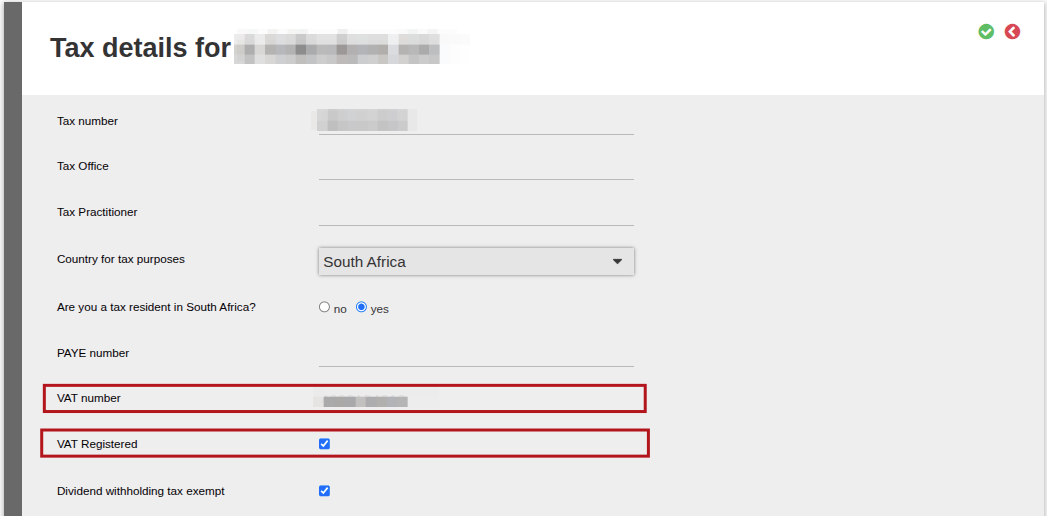
The system will look at the ‘VAT Registered’ status of the fee portfolio owner to determine if VAT must be applied.
To view if the Contract is VAT Registered, to to the Company Details Card>- More details>- Tax Details. The VAT Number and tickbox VAT Registered will be selected.
How the VAT will calculate on a fee transaction:
If a fee of 1% is levied, they system will add the VAT on top of this fee, so a total fee of 1,15% will be levied.
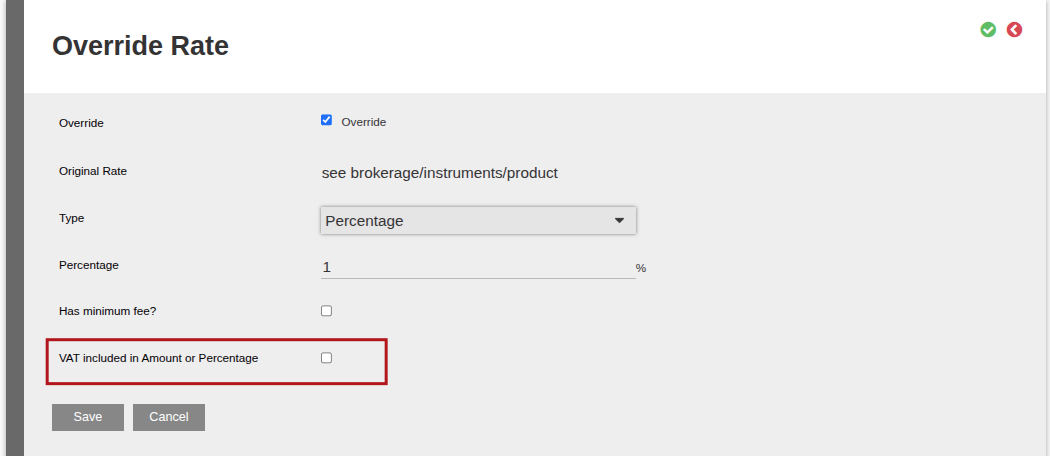
There is an option in the system to include the VAT in the fee (will not add it on top of the fee processed)
On an Advisor, go to the Fees Card, view details, then select the applicable fee required (eg: initial adviser/ongoing fee), select Change, and then select VAT included in Amount or Percentage
Last Updated on 1 month ago by Debra Hart