
Set withholding tax exemptions separately for dividends and interest
Background
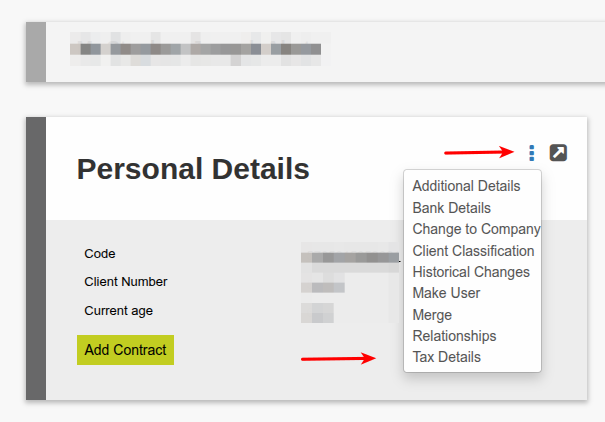
The system supports the ability to specify whether a client is exempt from withholding tax on dividends, interest, or both. These settings are managed per investor on the Personal Details Card ? More Actions ? Tax Details.
These exemptions are also dependent on how the product and distribution split categories are configured — specifically whether the product and/or distribution category is set to deduct withholding tax or not. See Dividend and Interest Withholding Tax for any tax resident type for more information.
Setting Withholding Tax Exemptions on an Investor
Navigate to the relevant investor’s Personal Details Card ? More Actions ? Tax Details.
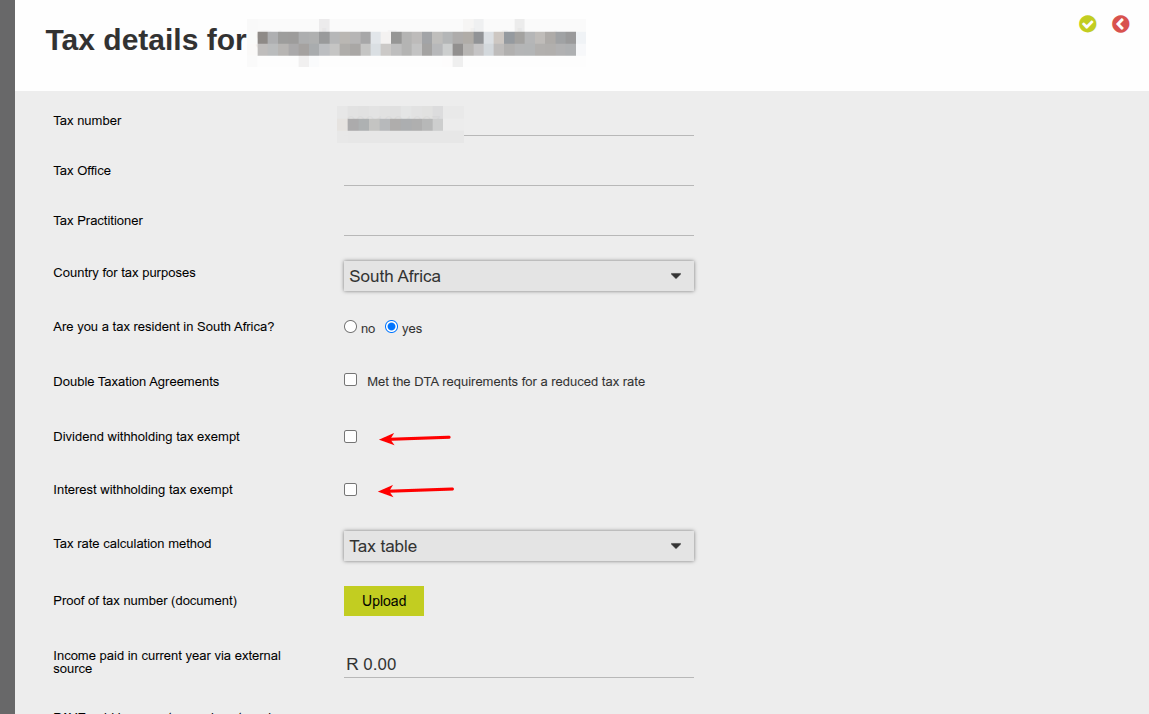
Two independent exemption checkboxes are available, these checkboxes are independent — you may set one, both, or neither:
- Dividend withholding tax exempt
- Interest withholding tax exempt
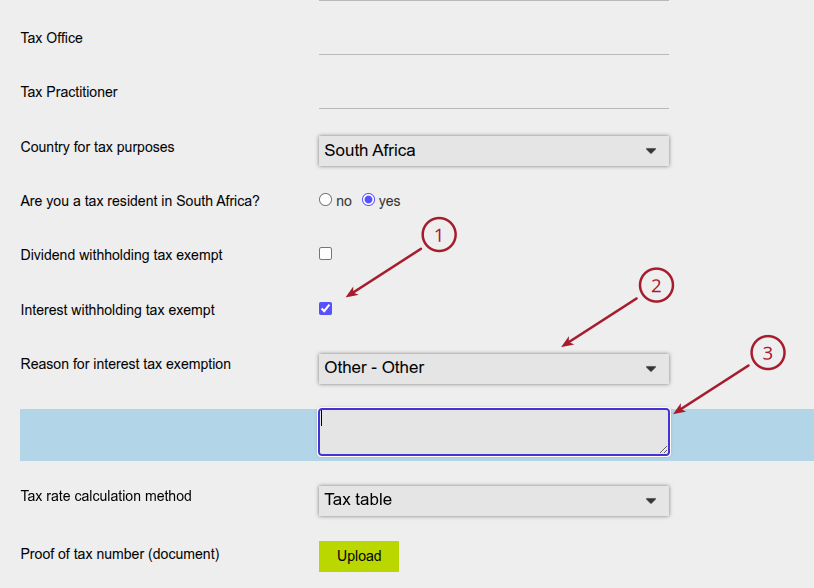
Exemption Reason Dropdowns:
- When a withholding tax exempt checkbox is selected, an additional Reason for [Dividend / Interest] Tax Exemption dropdown becomes visible for that exemption type. This dropdown is only visible when the relevant exempt checkbox is ticked. It will not appear if the checkbox is unticked.
- If ‘Other’ is selected from the reason dropdown a free-text Reason field becomes visible for the relevant exemption type. The free-text Reason field is only visible when exemption is selected AND ‘Other’ is selected from the ‘Reason’ dropdown.
- If a detailed description is not inputted in the free-text field, a warning will be displayed “If the entity is interest withholding tax exempt and “other” is chosen as the reason, please provide a detailed description for the reason”
Configuring Available Exemption Reasons
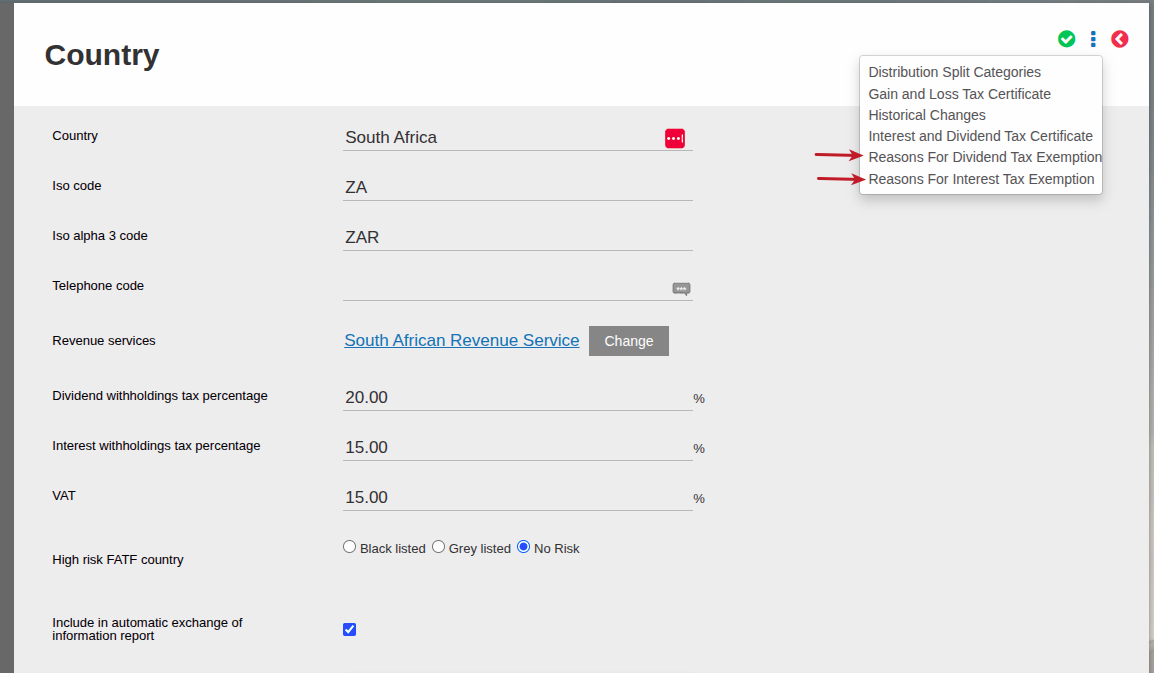
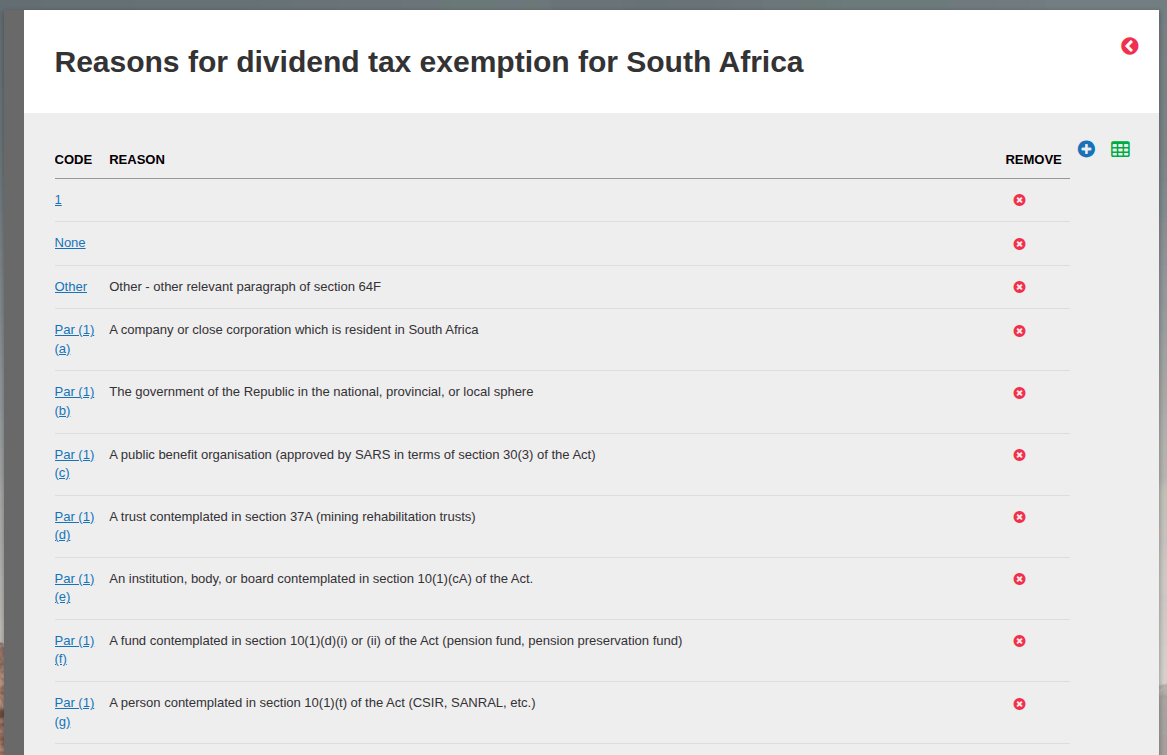
The list of available reasons is configurable. Navigate to System -> Countries -> select the relevant Country -> more actions -> Reasons for Dividend Tax Exemption or Reasons for Interest Tax Exemption.
Note: Dividend exemption reasons are only available in the dividend dropdown, and interest exemption reasons are only available in the interest dropdown. Reason lists for each type are managed separately following the set up process below.
From this screen you can add (blue plus) or remove (red cross) any of the reasons:
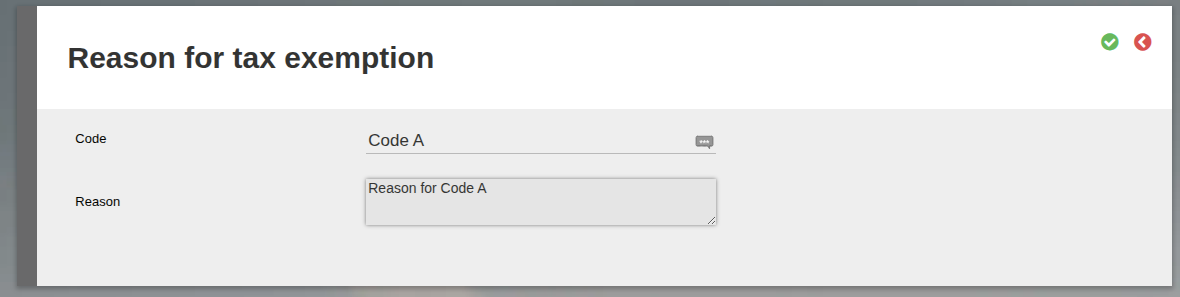
When adding a new reason you can provide a Code (a short reference code for the exemption reason) and a Reason (A description of the exemption reason).
Reasons loaded via ‘Reasons for Dividend Tax Exemption’ will populate on the available ‘Reason’ drop down if an entity is marked as dividend withholdings tax exempt, and the same will apply to reasons loaded via ‘Reasons for Interest Tax Exemption’.
Note: If ‘Other’ is selected from the ‘Reason’ drop down on the entity’s Tax Details screen, the free-text reason entered by the user is saved directly against the investor record.
These reasons for tax exemption will also populate in the SARS Distribution file (Bulk Processes -> Distributions -> Generate SARS file). See SARS File for Dividend Withholding Tax for more information.
Last Updated on 2 weeks ago by Hayley Jerram