
Add SMS
A SMS can be sent to an individual or in bulk
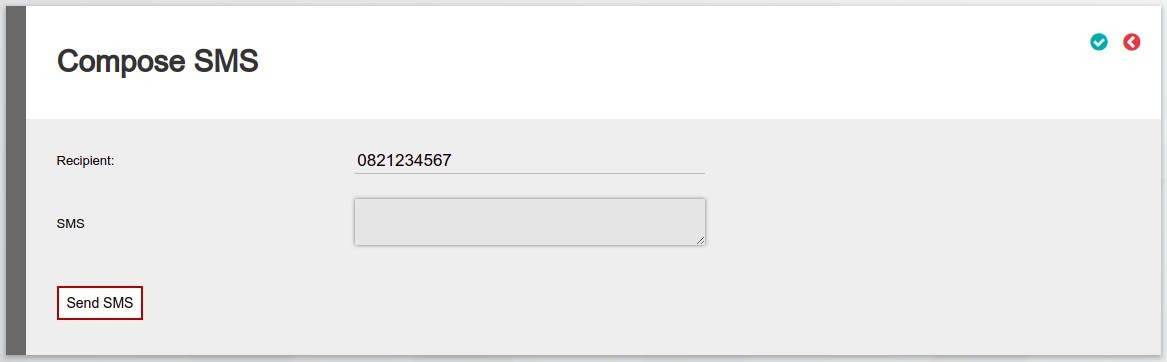
Individual
Navigate to the Communication Card – More Actions and select Add SMS
- The Recipient field will be populated from the Cell number captured on the entity. If not captured on the entity the field will be empty.
- SMS – This is the body of the SMS.
- To send the SMS select the Send SMS button.
Bulk
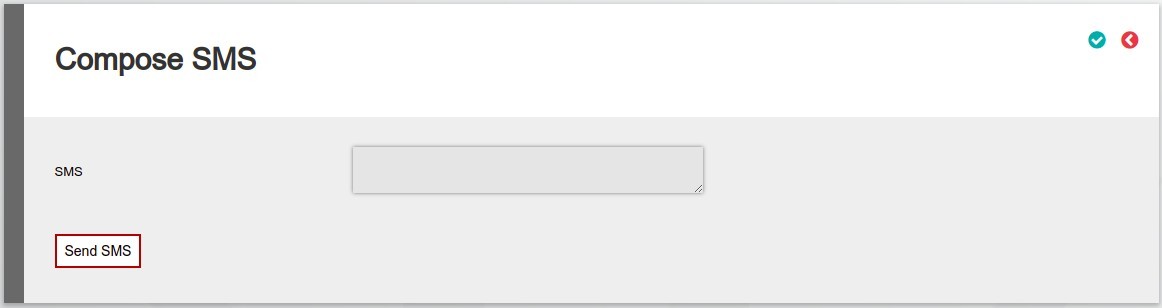
On a Bulk level we have:
- SMS – This is the body of the SMS.
- To send the SMS select the Send SMS button.
For the Recipient the Cell number captured on the entity will be used.
Bulk SMS’s can be sent from:
- All Investor Accounts Navigate to: Investors ->Contracts -> More Actions->Send SMS
- Investor Accounts on an Adviser Navigate to the Adviser Clients Card -> View Details -> More Actions -> Send SMS
- Investor Accounts on a Brokerage Navigate to the Brokerage Clients Card -> View Details -> More Actions -> Send SMS
- Investor Accounts on a Product Navigate to the Product via System -> Products -> Select the product -> More Actions -> Contracts -> More Actions -> Send SMS
- Investor Accounts on a Instrument Navigate to the Instrument via Instruments Menu -> Select the Instrument -> More Actions -> Contracts -> More Actions -> Send SMS
Last Updated on 1 year ago by Debra Hart