
Archive Inactive Employers
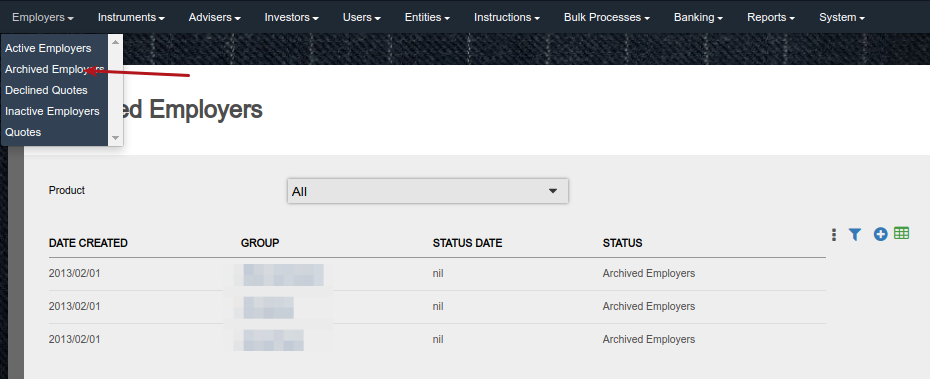
Employers with inactive statuses and whose employees have zero holdings can be archived. Archived employers will move to main menu Employers -> Archived Employers.
The status of investor contracts on an archived employer will change to Inactive – Archived.
Only users with the global permissions ‘Archived employers’ and ‘Archived contracts’ will be able to archive employers.
Only users with the global permissions ‘Archived employers’ can view archived employers.
Users also need to have the permission “Archived contracts’ to view the archived employer’s member contracts.
Go to ‘New employers’ on any one of the Employer main menu items
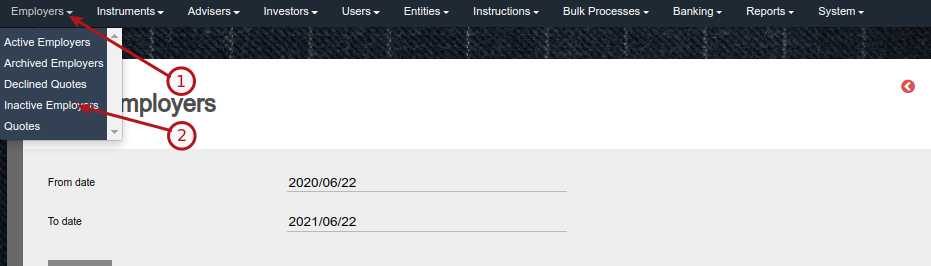
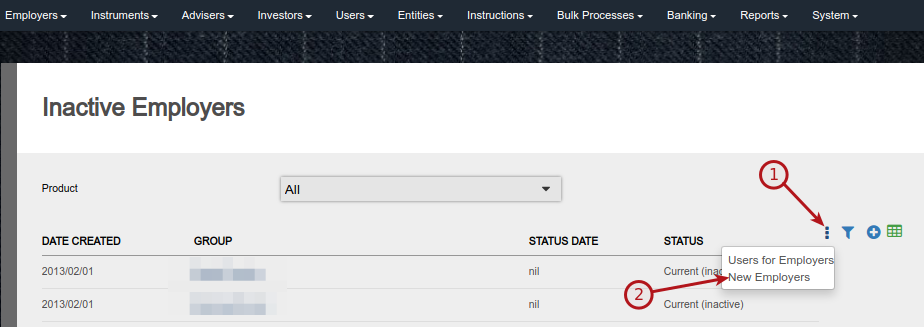
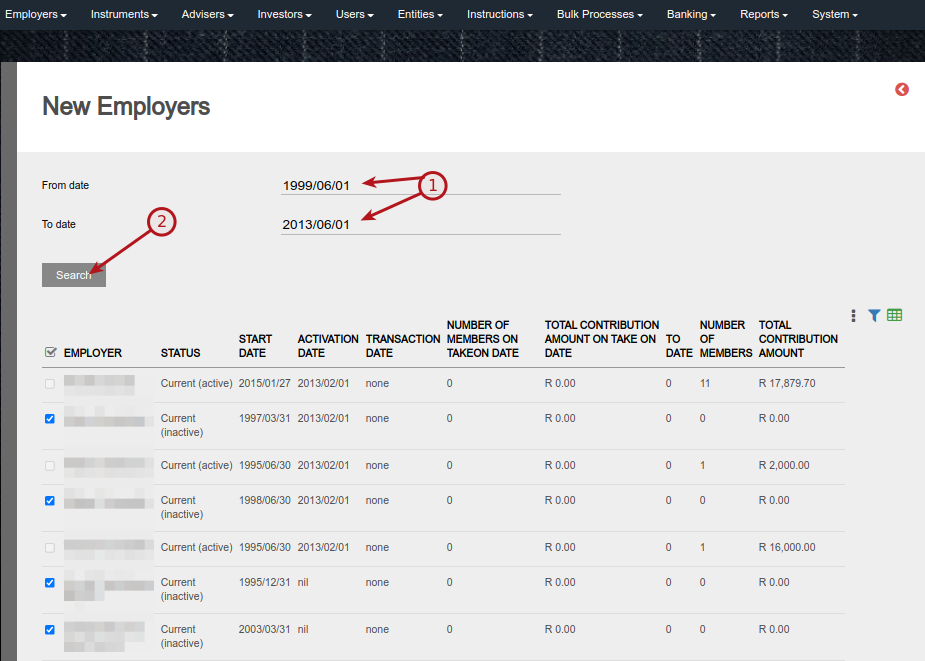
Only employers with inactive statuses can/will be selected.
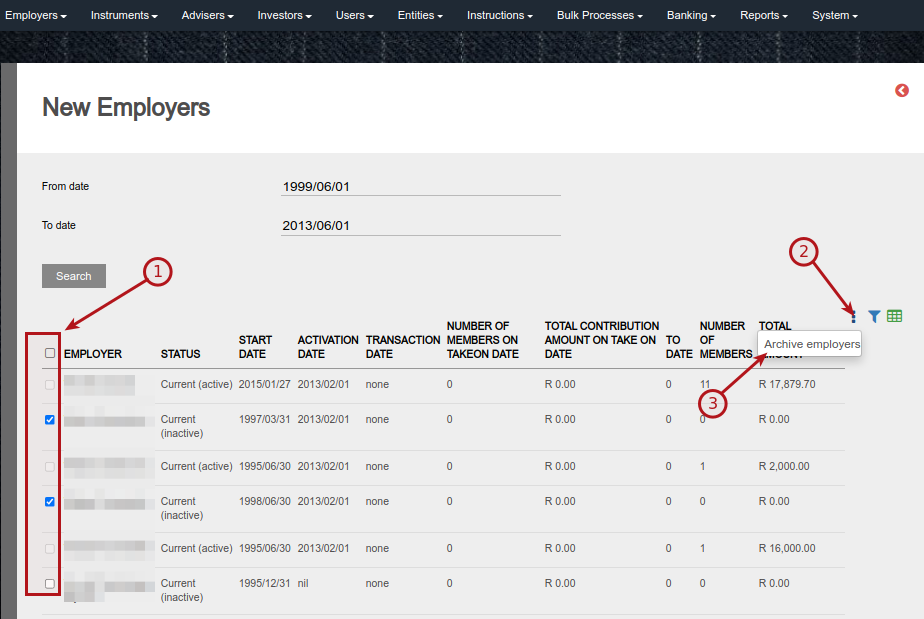
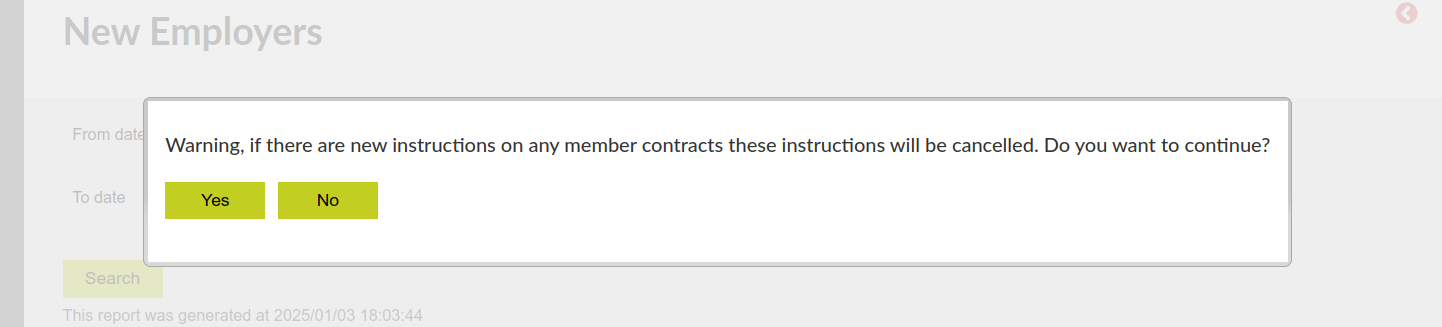
On selecting ‘Archive employers’ a warning messages will be displayed ‘Warning, if there are new instructions on any member contracts these instructions will be cancelled. Do you want to continue?
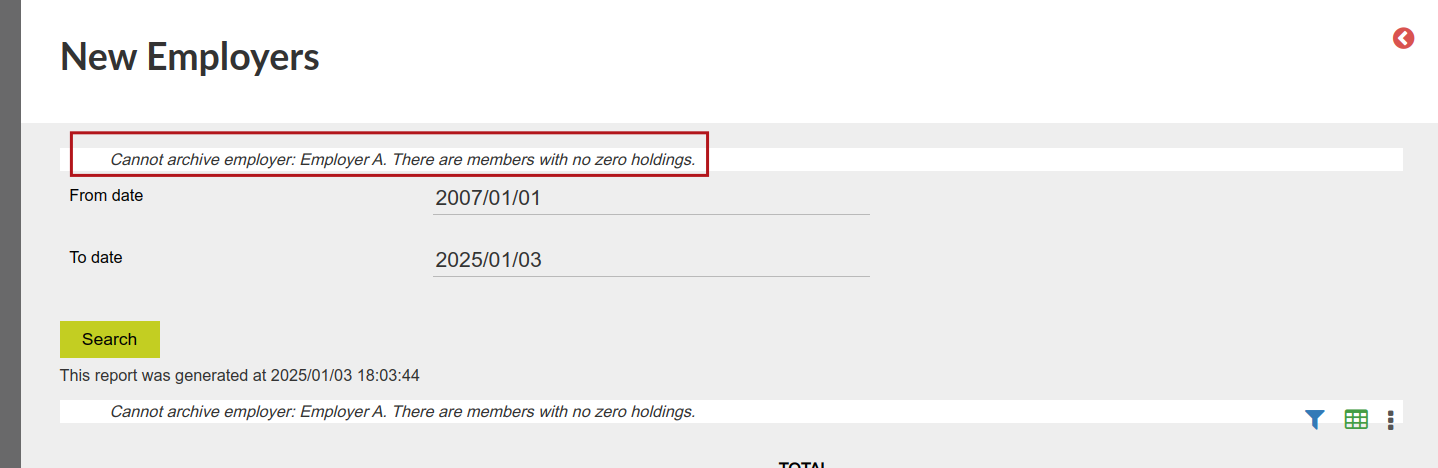
Should one or more of the selected inactive employers have employees with holdings, the holding will have to be zeroed before the employer can be archived.
Archived employers will move to the Employers->Archived Employers list
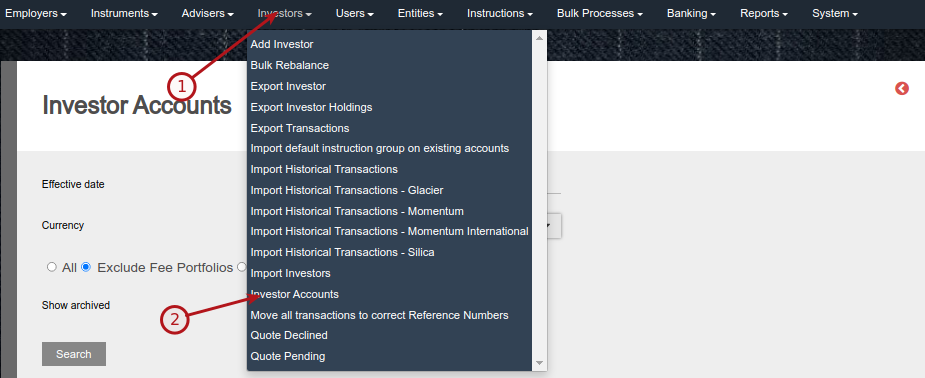
The option to see Employer archived investor contracts will only be available to users with the ‘Archived employers’ and ‘Archived Contracts’ permission
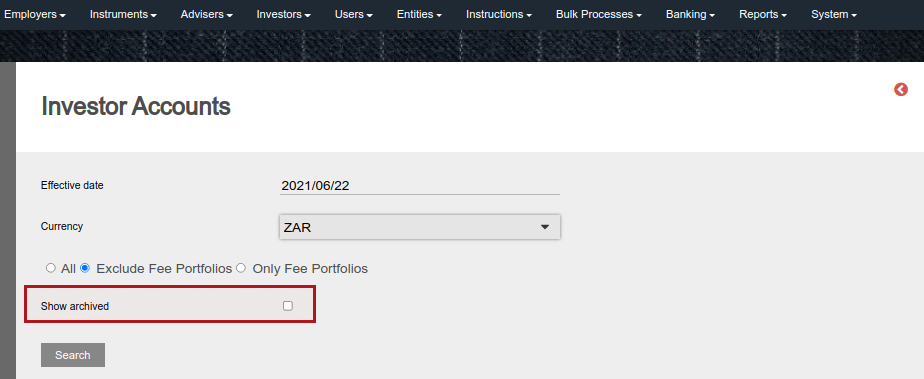
NOTE: Archived contracts can be accessed through an API and will be part of the Export Transaction Data Job’s (Amazon S3 and Azure blob) data.
Also see Archive contracts
Last Updated on 2 years ago by Antoinette Van Meyeren