
Authorisation of instructions on Non-compliant entities
For the impact on a Distribution please see this section.
On a Product
If the setting ‘Can authorise instructions for non compliant entities’ has been ticked instructions on non-compliant entities can be authorised.

On Instruction Purpose Types
In addition, on System-> Instruction Purpose Types the option ‘Allow for non-compliant entities’ can be ticked per Instruction purpose type


If the tick is ‘on’ on the product, we allow authorisation of non compliant entities’ instructions.
If it is ‘off’ on the product AND ‘on’ on the purpose type, we allow authorisation of non compliant entities’ instructions with the relevant purpose type.
If it is ‘off’ on the product and ‘off’ on the purpose type, we do not allow authorisation of non compliant entities’ instructions with the relevant purpose type.
Impact on a Distribution Allocation
The system automatically creates two Instruction Purpose Types (Distribution Payout and Distribution reinvestment) for instructions automatically created during a Distribution allocation, and then uses these Instruction Purpose Types accordingly.
If an investor’s “Distribution Option” on Contract Details is set to Payout Distribution, then the system will automatically use the Instruction Purpose Type called “Distribution Payout” when creating the withdrawal instruction during the Distribution Allocation.
Similarly, if an investor’s “Distribution Option” on Contract Details is set to “Reinvest Distribution”, then the system will automatically use the Instruction Purpose Type called “Distribution reinvestment” when creating the Reinvestment instruction during the Distribution Allocation.
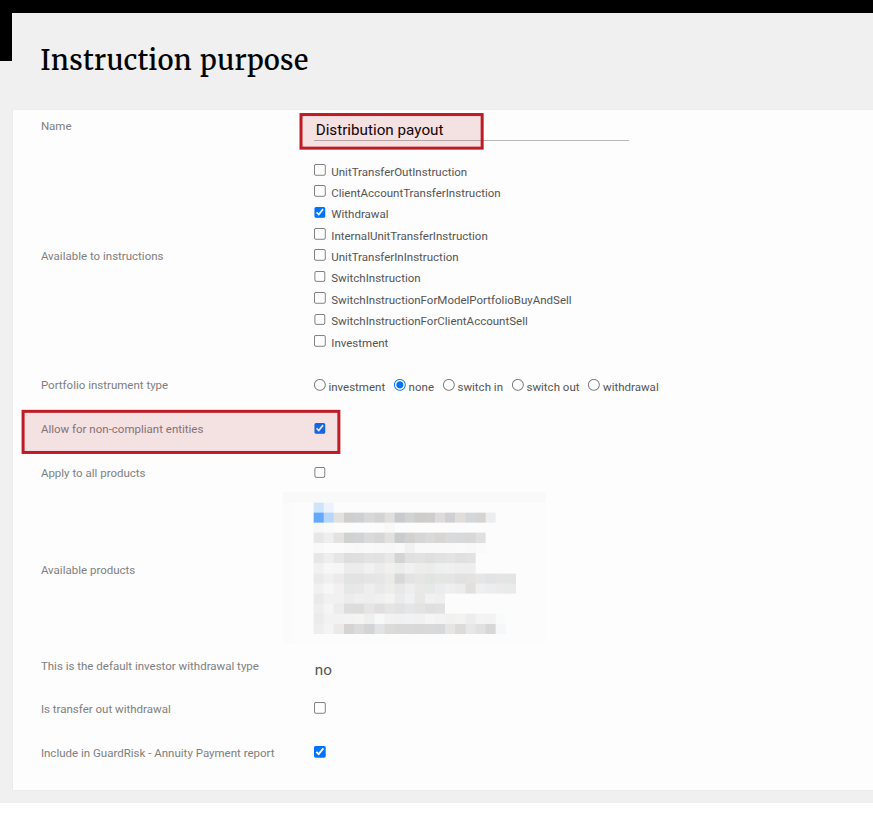
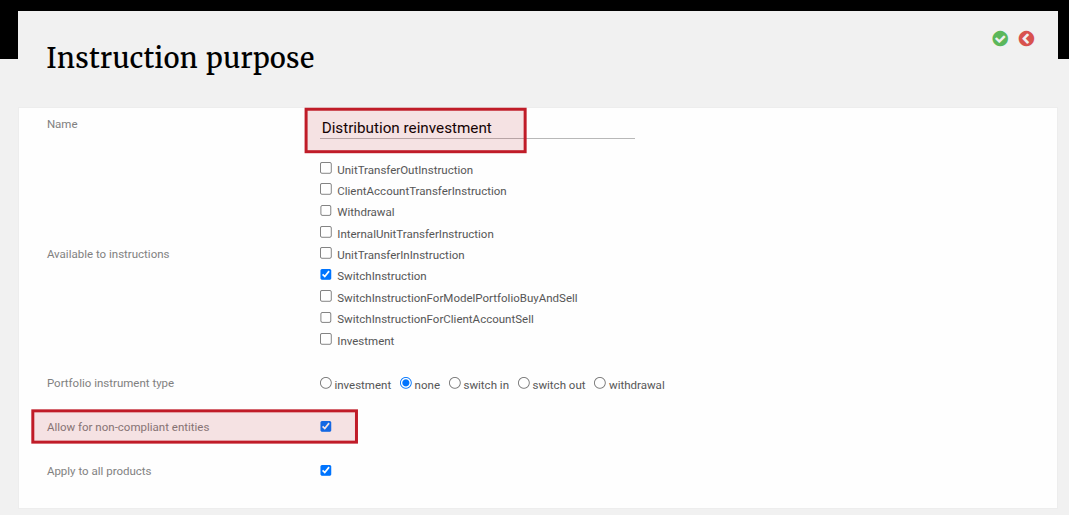
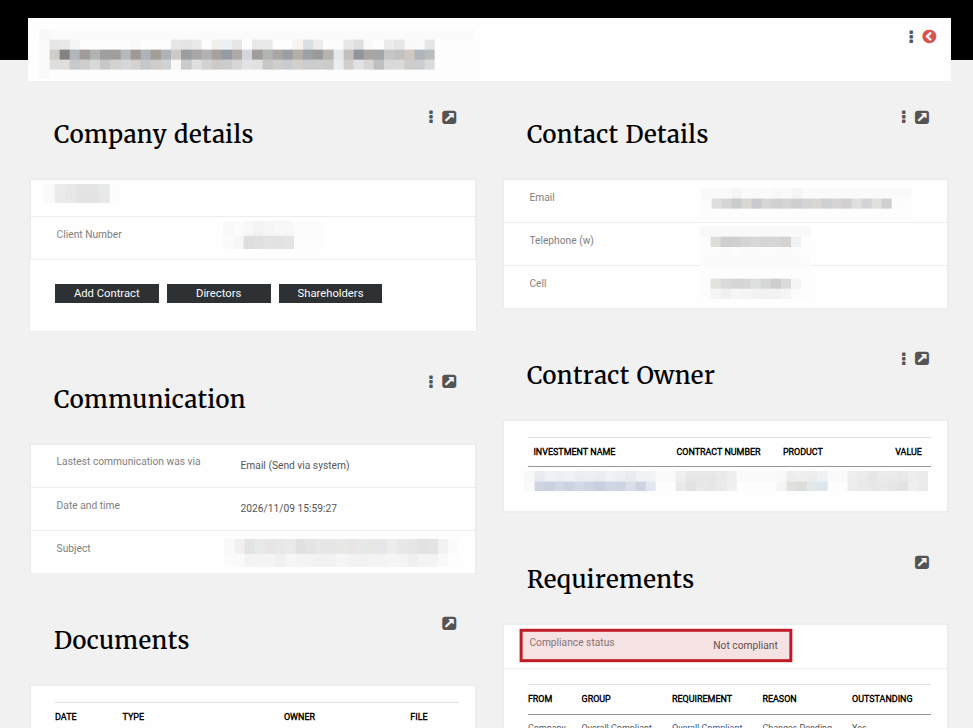
In both cases, the setting for “Allow for non-compliant entities” will be used to determine whether the investor must receive a distribution or not, when their Compliance status is Non-compliant. Navigate to the Person -> Requirements card to see an investor’s Compliance Status.
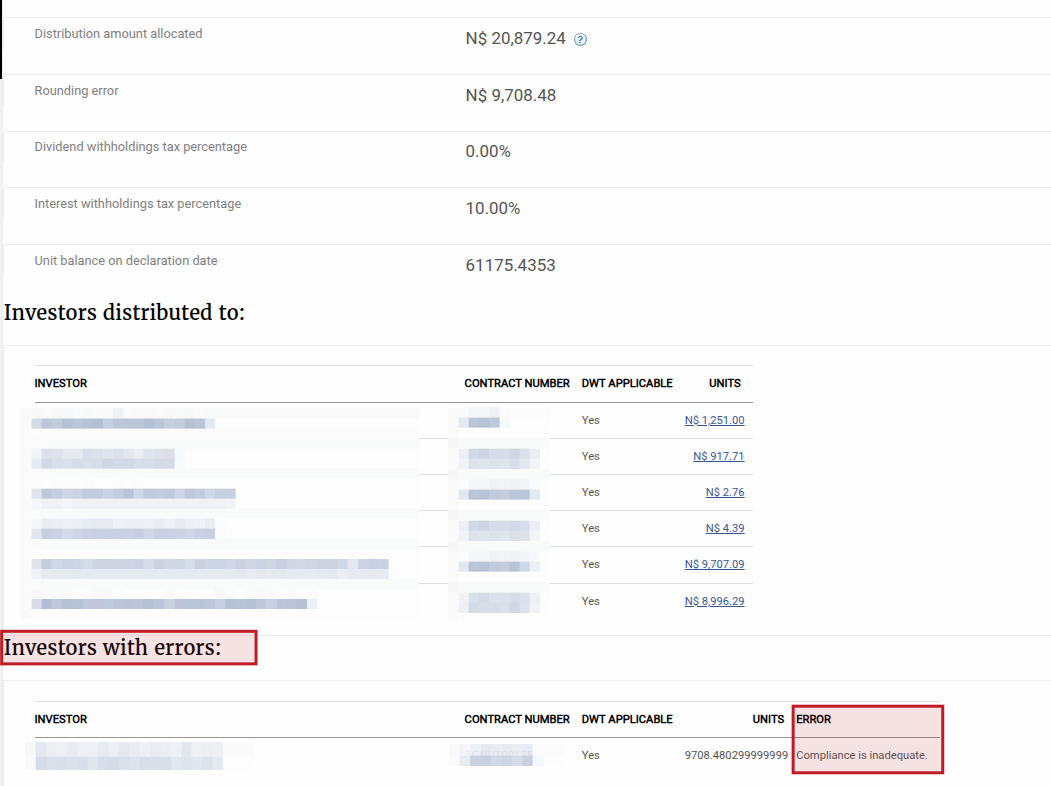
If there are investors with a Compliance Status of Not Compliant and the “Allow for non-compliant entities” is not ticked, then these investors will be listed at the bottom of the Distribution under a heading called “Investors with Errors” and the Error will be “Compliance is Inadequate”. These investors will not receive a distribution.
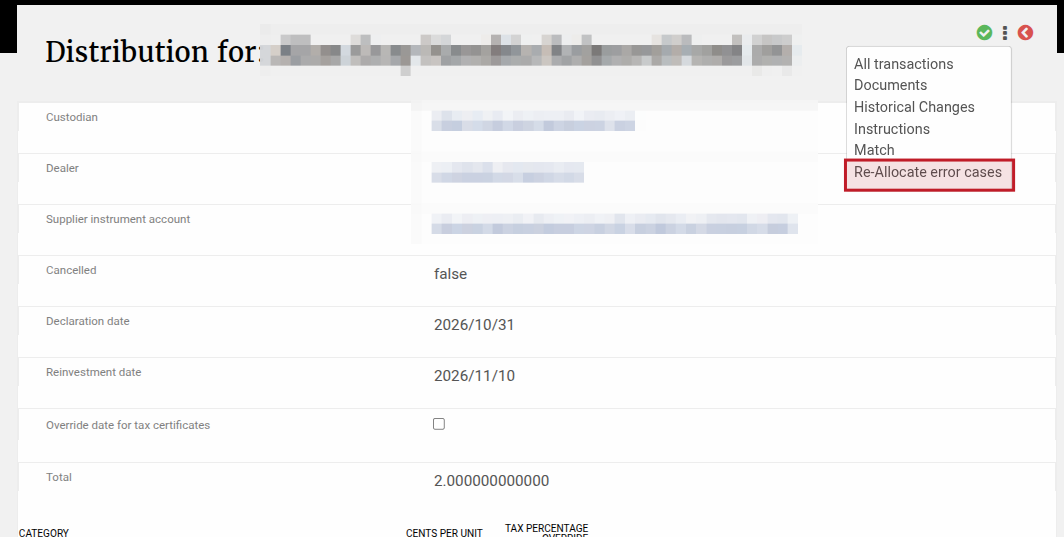
You can change the investor’s compliance status (if suitable) and re-allocate the distribution by navigating to the Distribution -> more actions -> Re-allocate Error Cases. Then the system will try to re-allocate to all the investors with errors and if the investor is compliant now then they will receive the distribution and the relevant Reinvestment or Withdrawal instruction will be created.
Last Updated on 5 days ago by Adrienne Dill