
Brokerages to Pay Out per Instrument Currency
As per this article which explains the Brokerages to Pay out report, you can additionally choose to pay a brokerage per instrument currency. This means that if fees are due to a brokerage in more than one currency, and the brokerage has an active bank account in each currency, then you can choose to pay the brokerage per instrument currency which will create a withdrawal per instrument currency on the brokerage’s fee portfolio.
Configuration required
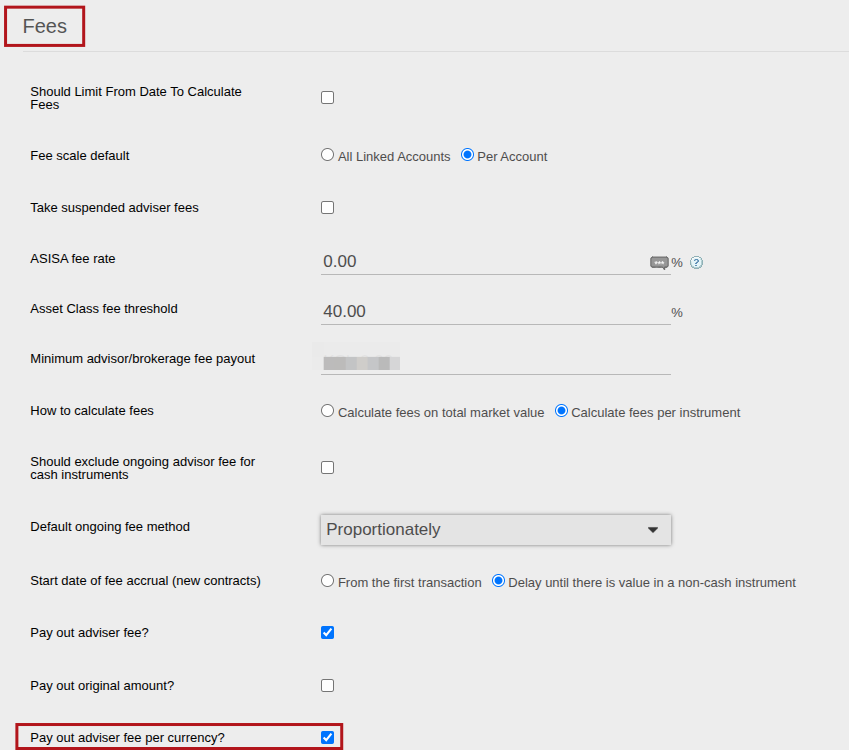
On System -> configuration you must first select Pay out advisor fee, then you will see an additional checkbox for Pay out advisor fee per currency?
Brokerages to Pay Out Report
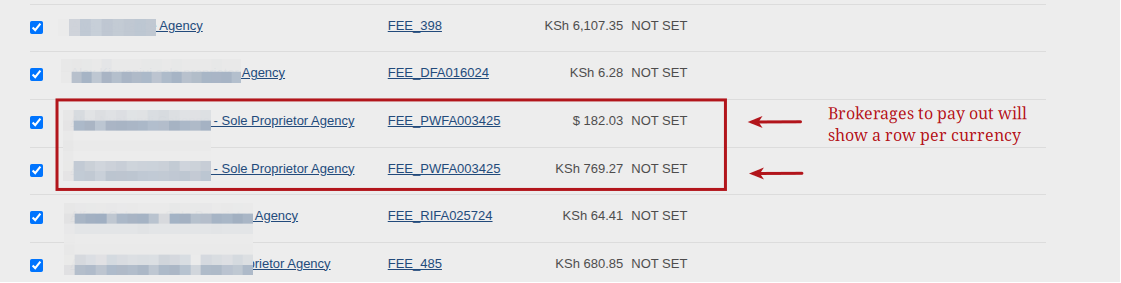
If you navigate to Reports -> Brokerages to Pay out, you will see that the results are now returned per fee portfolio per fee currency, and no longer just per fee portfolio:
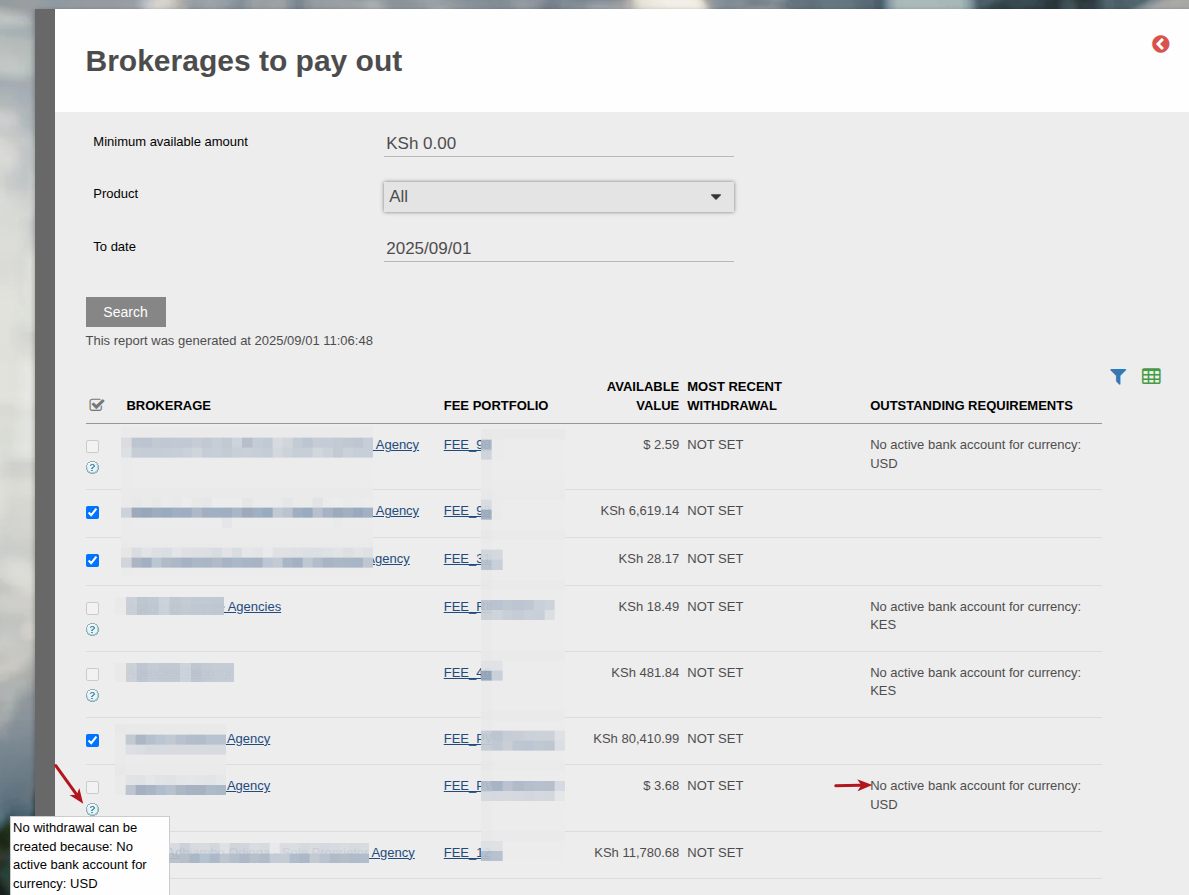
The system will warn you if there is no active bank account in the specific currency and thus won’t enable you to create a withdrawal for that currency:
Created Withdrawals
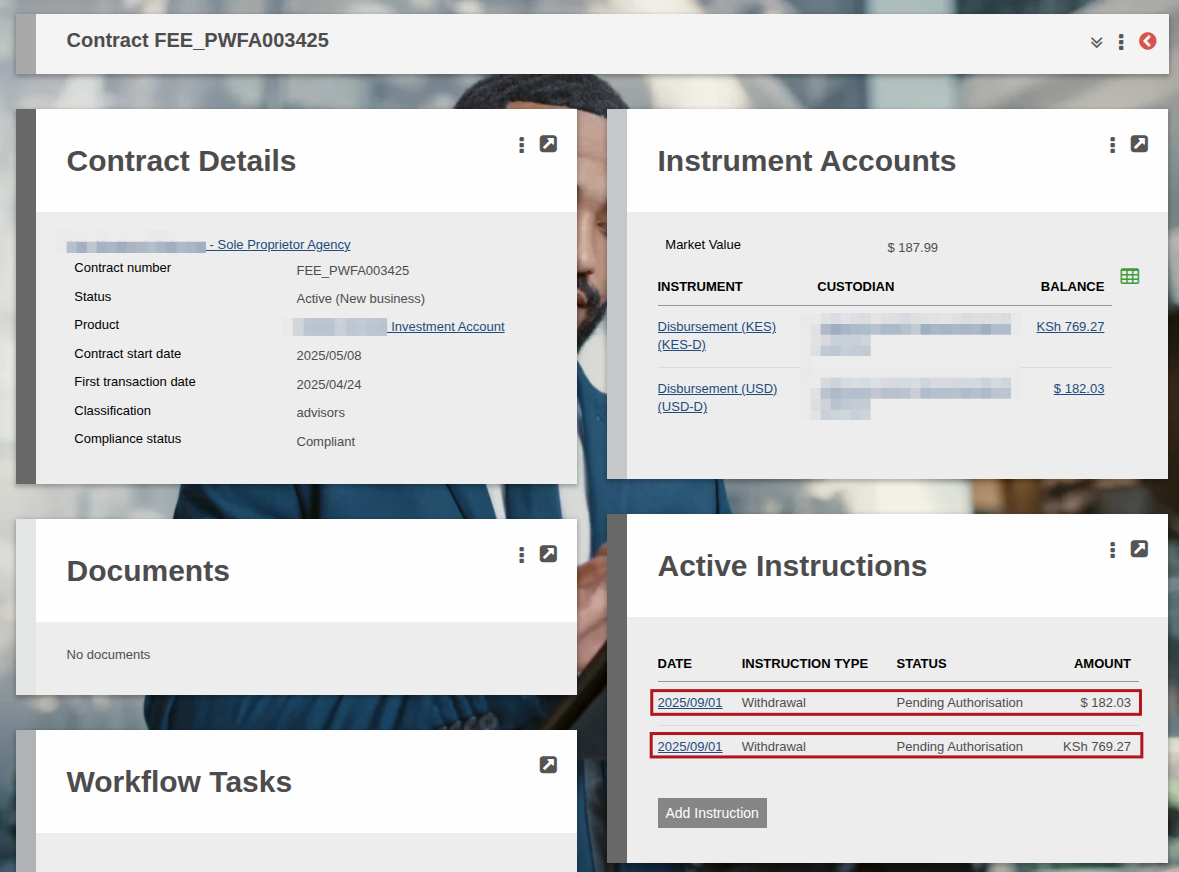
Once you’ve clicked on the Create Withdrawals on the bottom of the page, a withdrawal will be created per instrument currency:
Last Updated on 1 year ago by Adrienne Dill