
Pay out Advisors/brokerages (Report and Job)
Ensure that the Advisor is set to pay out, if this is not set, any payments due will not pull through on the Report. Go to the Financial Advisor, view the Fees Card and select Pay out advisor fee?

There are 2 ways to create withdrawal instructions to initiate payments to advisors/brokerages:
- By running the ‘Advisors to pay out’ report or in the instance where advisor fee portfolios are combined on the brokerage, the ‘Brokerages to payout’ report, and clicking on Create Withdrawals.
- Schedule the Automatic Payment of Fees Job. Just like any other job, it can be scheduled to run regularly and all the normal rules to determine whether the broker/brokerage can be paid now, will be considered before creating with withdrawal.
Rules considered before withdrawals can be created
Rules considered in either process (job and report) are as follows, and if any of the below rules aren’t met, a withdrawal won’t be created.
- Has the broker/brokerage minimum amount been met, see link for more information on setting this minimum.
- If brokerage/broker is setup to be paid per currency, does the relevant broker/brokerage have a bank account in the required currency, see link for more information on this topic.
- Has the frequency of payment requirements been met, see link for more information on pay out frequency of brokers/brokerages.
- Does the broker/brokerage have an active and verified bank account on their profile.
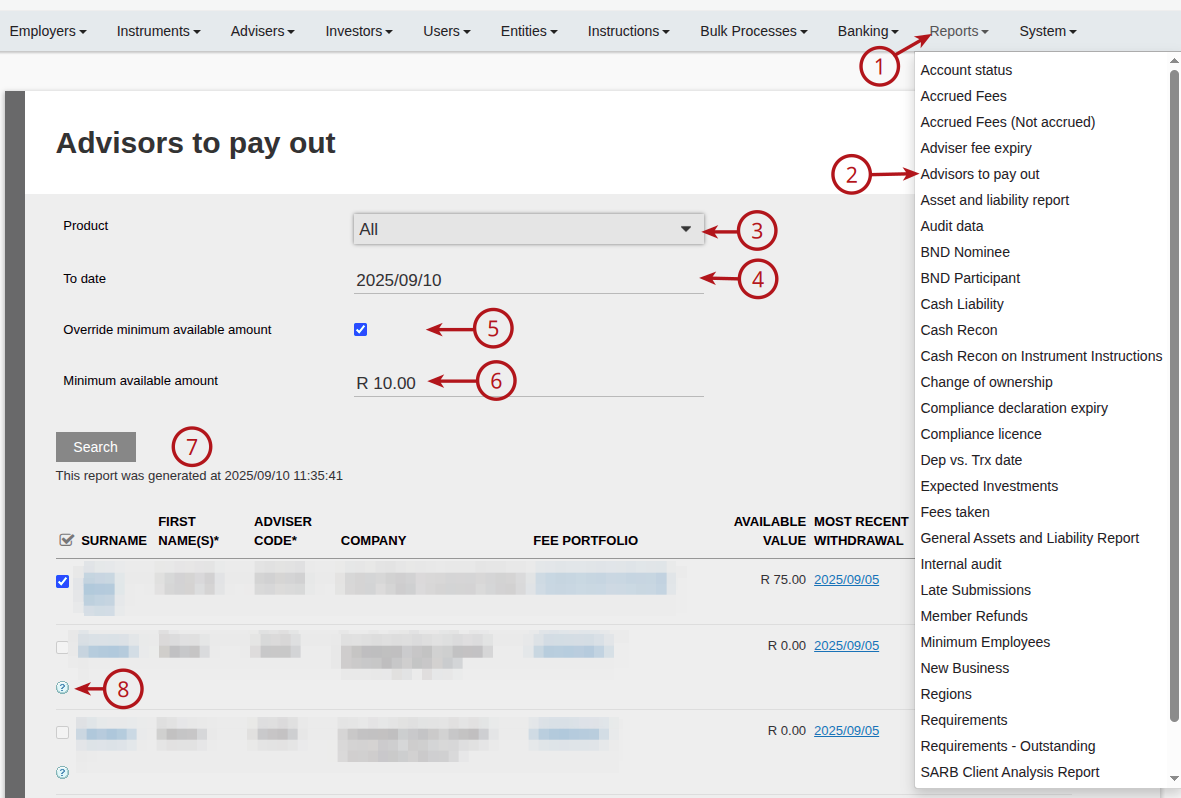
To run this report, go to (1) Reports -> (2) Advisors to pay out
- Select (3) the required product
- Select (4) the ‘To date’, which will report holdings on the fee portfolio up to the date selected and will be the payout/withdrawal amount. The date can be used to align the Fee statement ‘To Date’ with the actual fee payout.
- Select (5) Override minimum available amount if required, for more details on this, see link
- Capture(6) the minimum payment amount if required
- Then (7) Search
- (8) Some payouts will be greyed and cannot be selected. Hovering over the question mark will indicate the reason why the payout cannot be made, and will require manual intervention from an administrator. An example of such a message is: ‘No withdrawal can be created because: Insufficient cash holdings’ . The system will look at the available funds in the fee portfolio at the date the report is generated. In the example above, the administrator will have to ensure that switches to cash on the fee portfolio are completed to be able to generate the payout/withdrawal through this report.
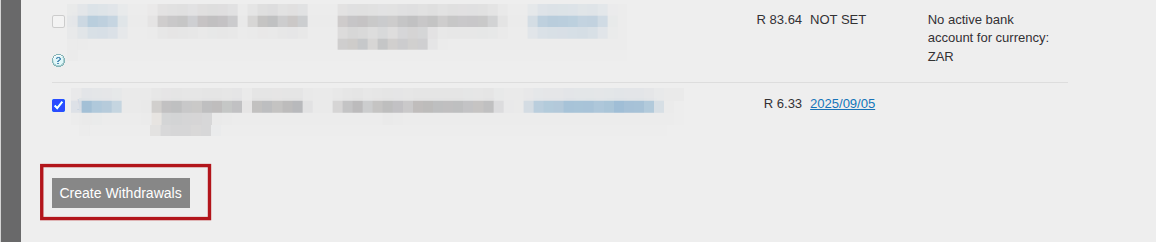
On selecting ‘Create Withdrawals’ the withdrawal instructions and subsequent payments are created
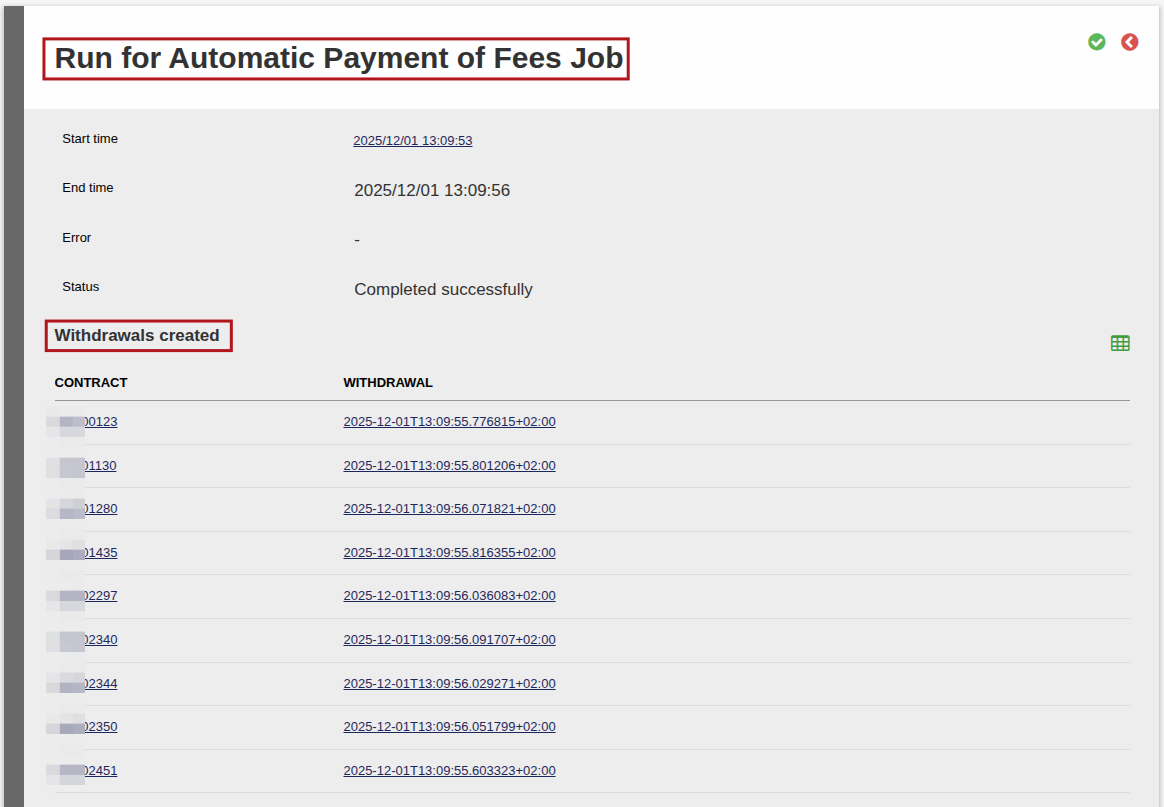
After the Job has run, you can also see on which fee portfolios withdrawals were created (the Withdrawal hyperlink will take you to the withdrawal instruction):
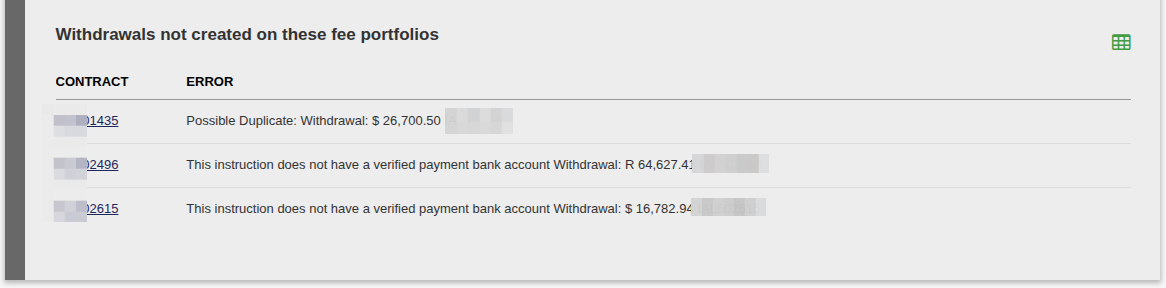
And also which withdrawals were not created:
More detail regarding rules that govern the above processes and how to make use of these features:
You can also pay brokerages per instrument currency, see link for more information on this topic.
The Advisors to payout reports make provision for ‘Minimum payment amount‘, see link
You can also define the frequency at which you pay brokers/brokerages, at a brokerage level. If configured, this will be an additional check performed before paying a broker/brokerage through either the Brokerage/Advisors to Pay out report, or through the Automatic Payment of Fees Job. See link.
Last Updated on 11 months ago by Adrienne Dill