
Setting a Brokerage Minimum Amount when Paying Fees
A minimum payment amount can be set on the fees payable to a Brokerage. Fees that are set below the minimum amount will accrue and then payout after the minimum has been reached.
These minimums can be set on the following:
- At a Brokerage level
- On the Advisors to Pay Out Report
- On the Automatic Payment of Fees Job
- On the System Configuration
Setting a minimum amount on a Brokerage
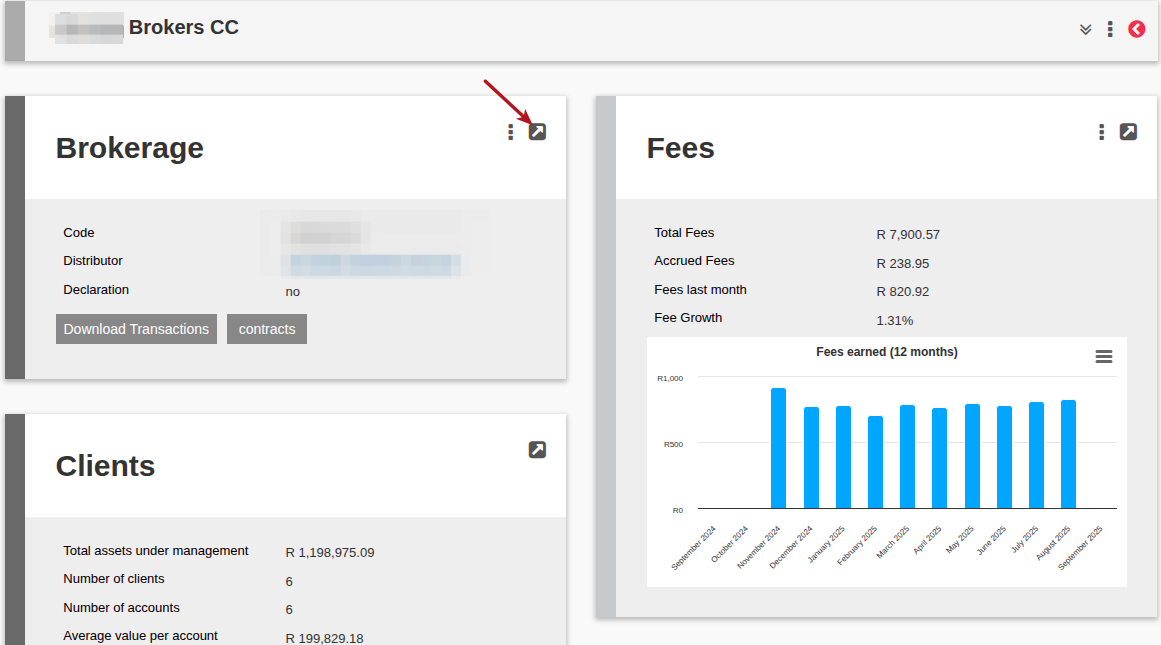
Go to the Brokerage required, select View details on the Brokerage Card
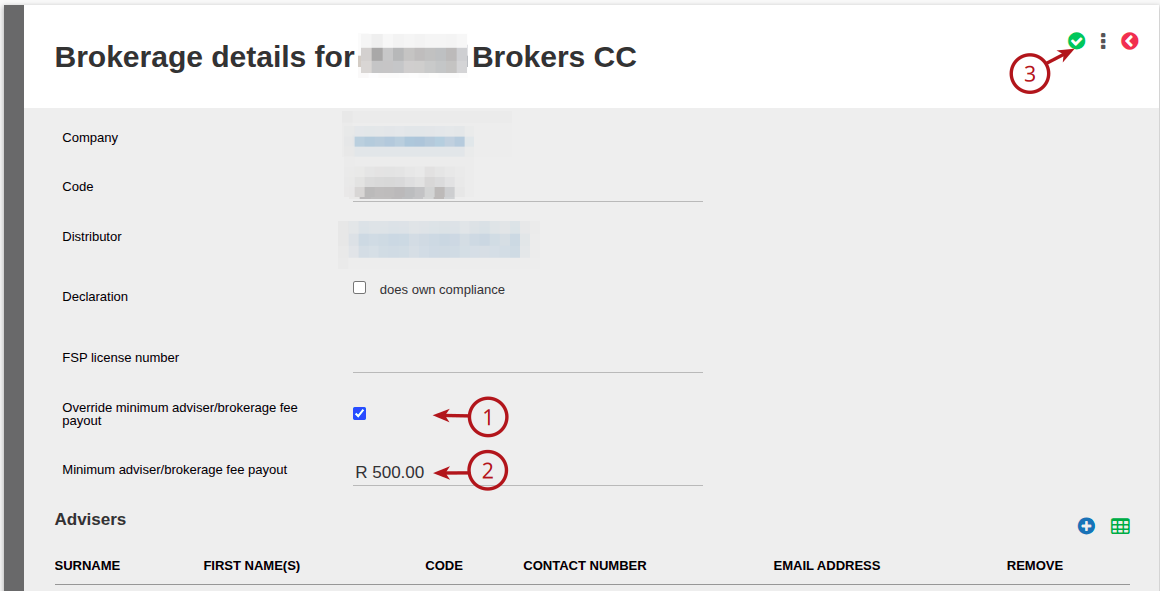
Select the (1) Override minimum adviser/brokerage fee payout Tick Box, capture the (2) Minimum adviser/brokerage fee payout amount, and (3) Save
Set the minimum on Advisors to Pay out Report
When this minimum is set on the Report it will override the minimum set at a Brokerage level as well as if the minimum is set on the Configuration. eg. If the Brokerage/Configuration minimum is R200 and the Report is set to R500, the Report will pay all fees R500 and over. Amounts below the minimum amount set will not be displayed on the report and will not be included in the Withdrawals.
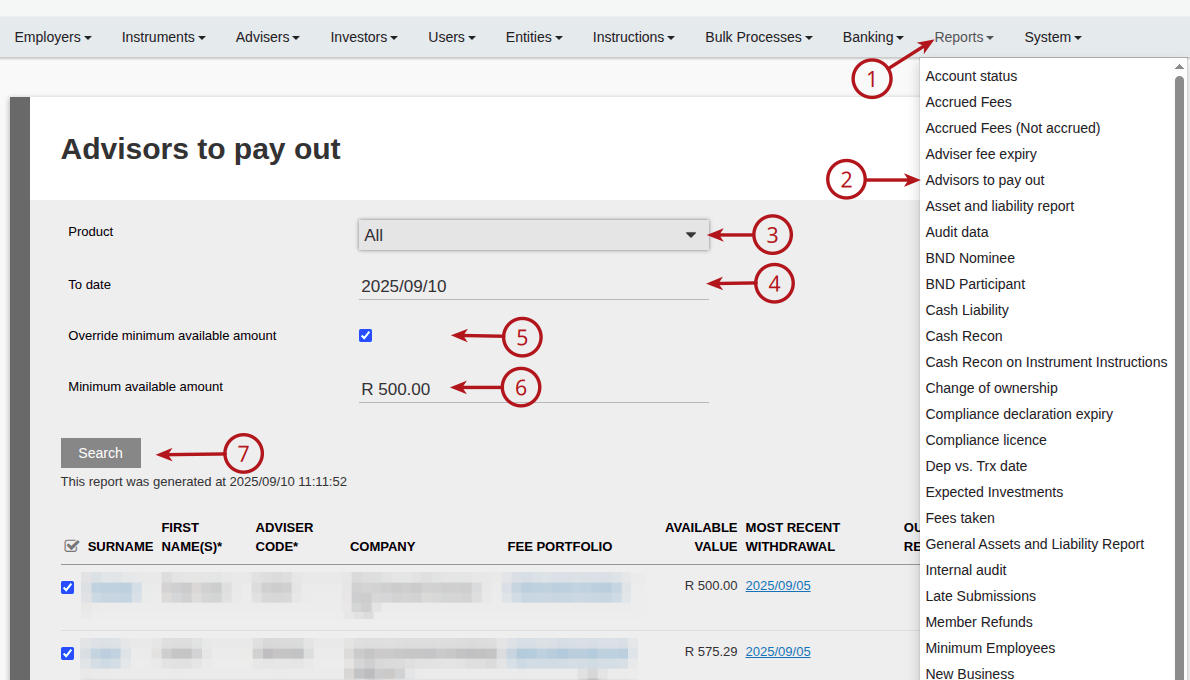
To run the Report and set a minimum, go to (1) Reports -> (2) Advisors to pay out -> Select the required (3) Product -> Select the (4) To date -> Select (5) Override minimum available amount tick box -> Capture the (6) Minimum available amount required
For further details on this report, see Advisors to Pay Out Report
Automatic Payment of Fees Job
For further details on how to set an automated job, see link
To set the minimum on the Automatic Payment of Fees job, go to (1) System -> (2) Jobs

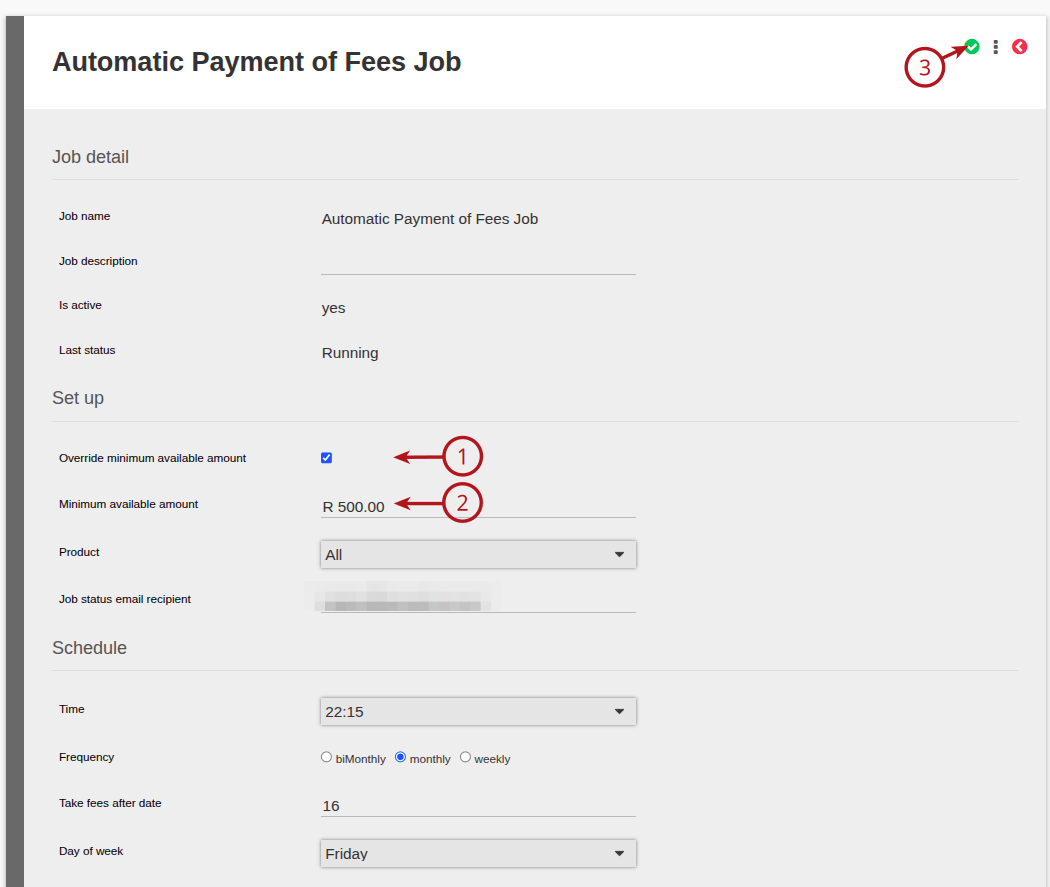
Select the Automatic Payment of Fees Job hyperlink

Select the (1) Override minimum available amount tick box -> Capture the (2) Minimum available amount required
Setting a minimum on the System Configuration
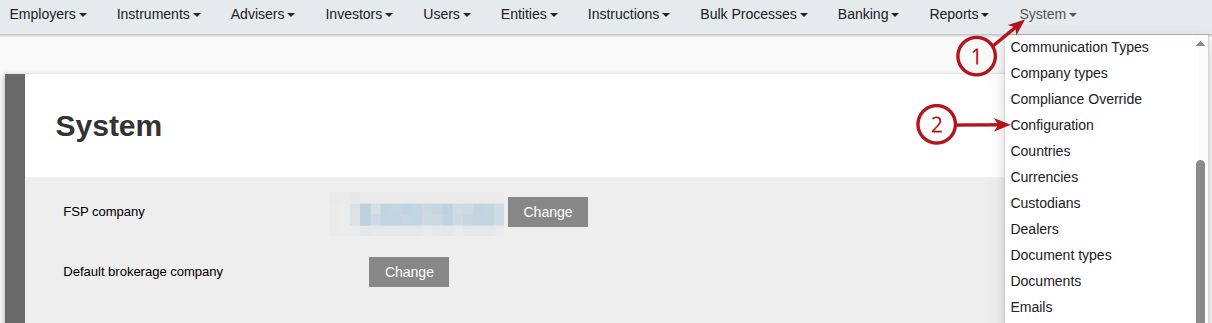
To set this up on the Configuration minimum, go to (1) System -> (2) Configuration
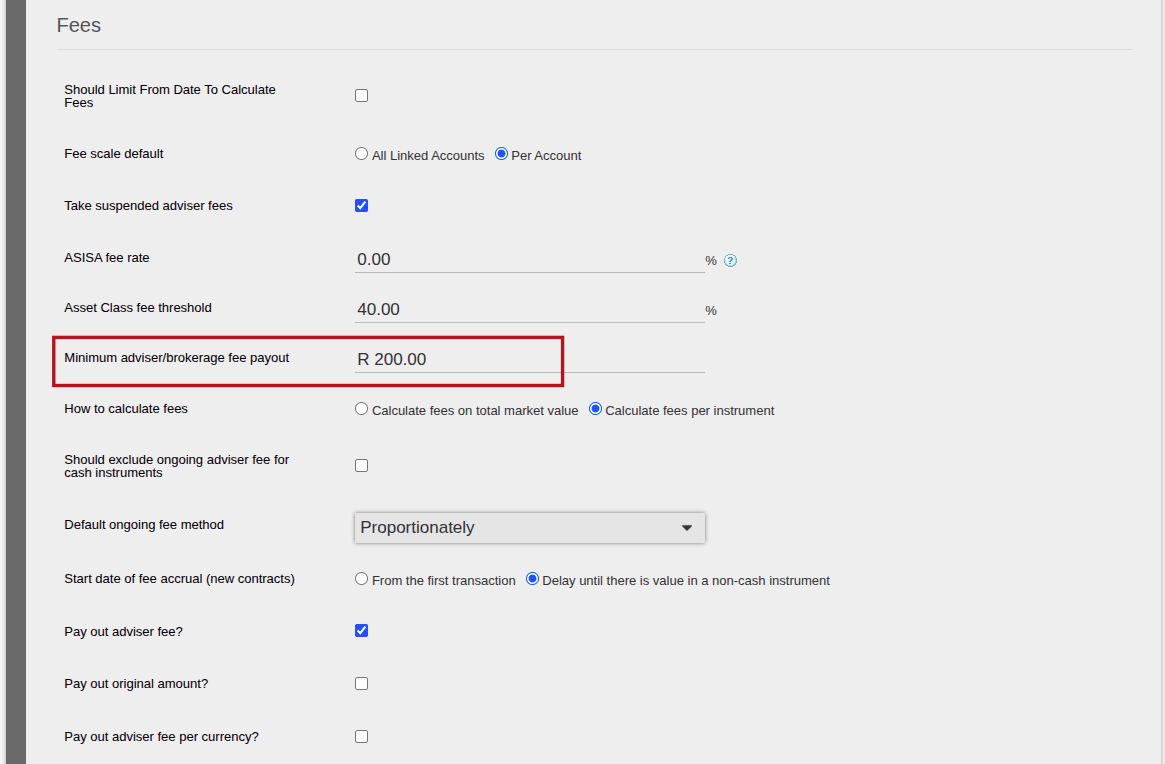
Under the Fees section, capture the “Minimum adviser/brokerage fee payout” and save
Last Updated on 1 year ago by Debra Hart