
Card Settings on Investor Accounts
Which cards to display on an investor can be activated/deactivated for all Investors on the Card Settings, to access the Card Settings select (1)System -> (2)Card Settings
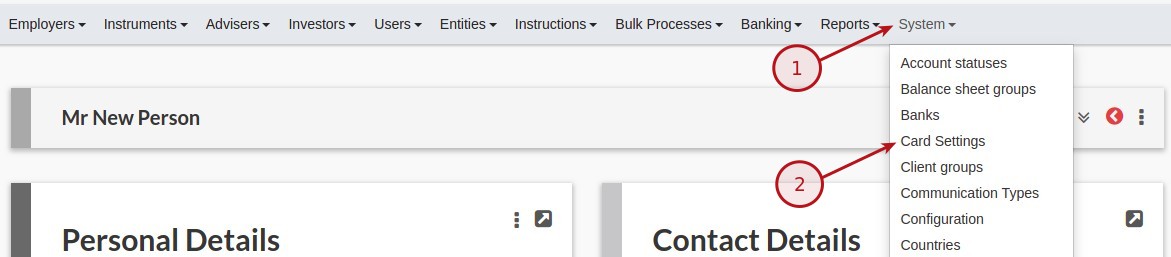
Available Cards
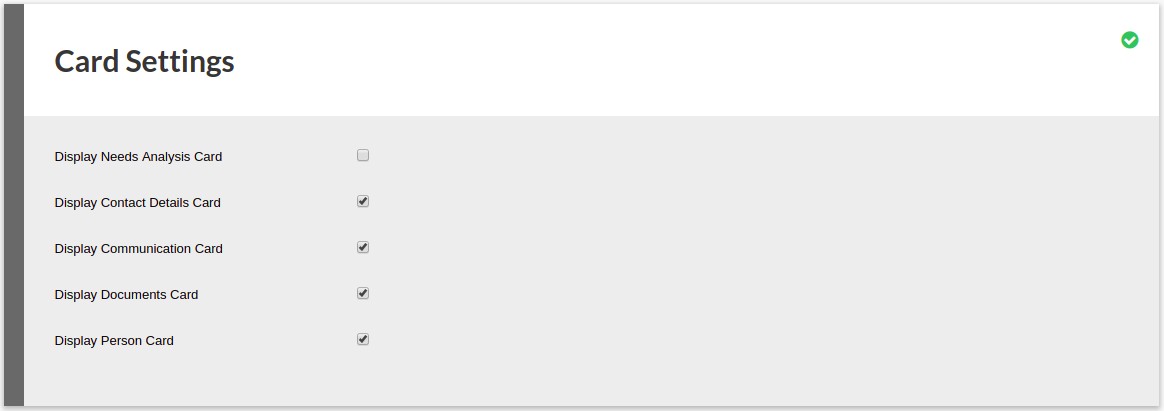
The following options are available
- Display Needs Analysis Card, refer to Needs Analysis
- Display Contact Details Card
- Display Communication Card
- Display Documents Card
- Display Person Card
Make the required selection and click on the save icon
Individual Investors
Card settings for individual Investors can be changed per investor on the investor screen
Select (1)More Actions (3 dots) and the select (2)Card Settings
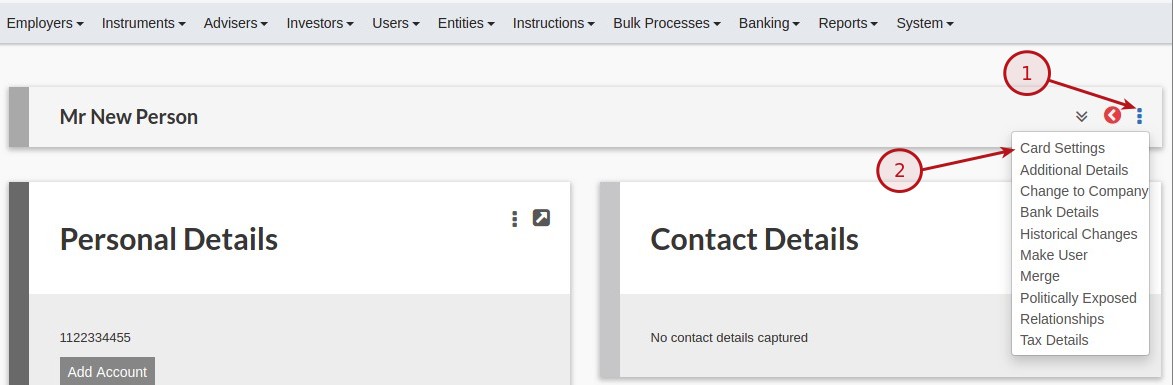
Available Cards
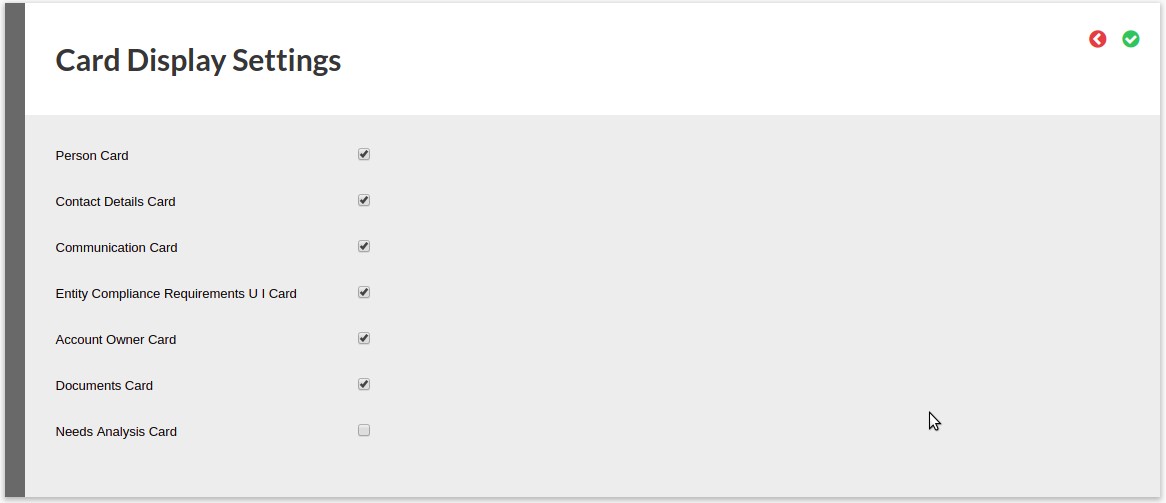
The following options are available
- Person Card
- Contact Details Card
- Communication Card
- Entity Compliance Requirements U I Card
- Account Owner Card
- Documents Card
- Display Needs Analysis Card, refer to Needs Analysis
Make the required selection and click on the save icon
Last Updated on 7 years ago by Tinus Burger