
Needs Analysis
The Needs Analysis card will appear on an investor if it has been activated, refer to Card Settings on Investor Accounts
The following items needs to be setup for the effective use of the Needs Analysis:
- Tax Tables refer to Tax Tables, Rates and Assumptions
- Needs Analysis Defaults refer to Needs Analysis Defaults
- Additional Details on a person, refer to Additional Information – Person
- Needs Analysis Groups refer to Needs Analysis Groups
- Needs Analysis – Financial Analysis refer to Needs Analysis – Financial Analysis
Needs Analysis – Cash Flows
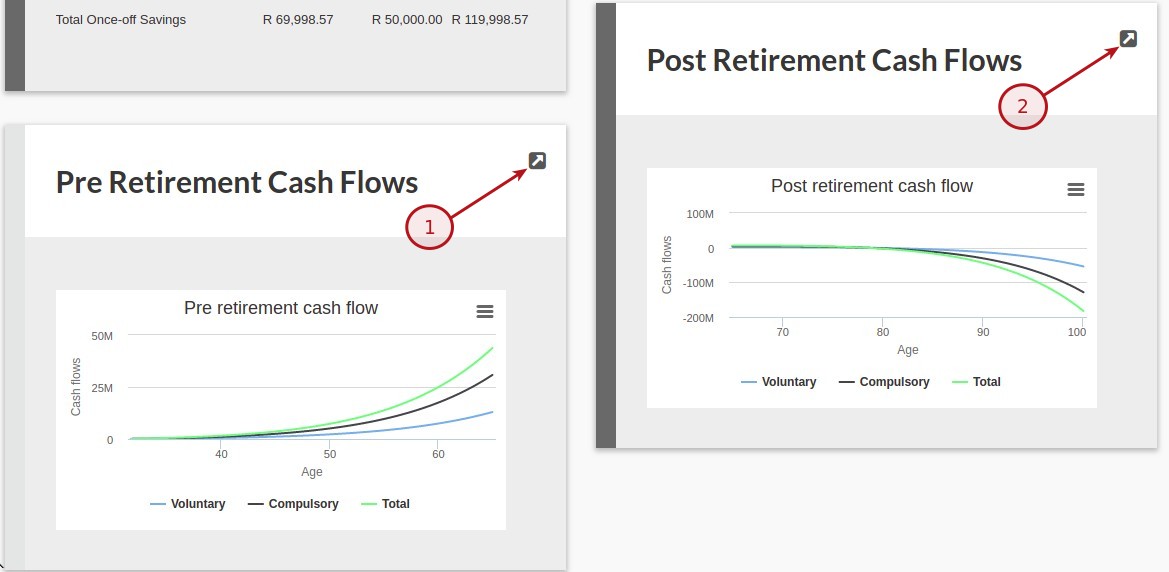
Select the (1)More Actions button on the Needs Analysis Card and then select the (2)Cash Flows button as indicated
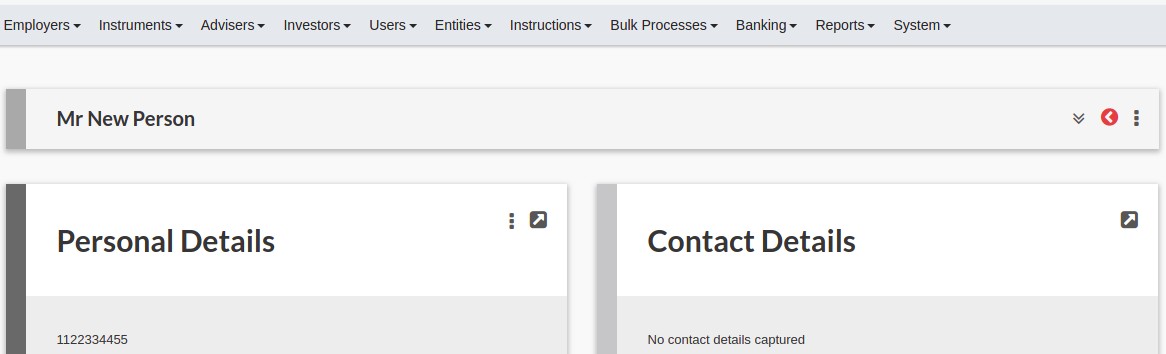


CARDS
Cash Flow Inputs Card
The Cash Flow Inputs listing information taken into consideration as an input to the Cash Flows (parameters can be set in real-time, listed below)
- General Parameters like: Date of birth, CPI assumption, Nominal portfolio growth & Increase of monthly cashflows
- Retirement Objectives
- Death Objectives
- Disability Objectives
- Severe Illness Objectives
The Cash Flow Calculations Card has 2 columns:
- REQUIRED – Indicated the values as adjusted on the Cash Flow Input Card
- DEFAULTS – Indicated the values as per the System Needs Analysis Defaults
NOTE:
- The General Parameters are applicable to all the objectives and the individual objectives are specific to the objectives
- To reset the values on the Cash Flow Input Card and the REQUIRED values on the Cash Flow Calculations Card to the defaults, select (1)More Actions and then (2)Reset defaults on the Cash Flow Inputs Card.
- The option Override maximum compulsory drawdown rate is a helpful option if an investor is only invested in Compulsory products and the investor is capped with a surplus at Life expectancy. Set the Override maximum compulsory drawdown rate to temporarily disable the CAP to check if there are an additional investment required.
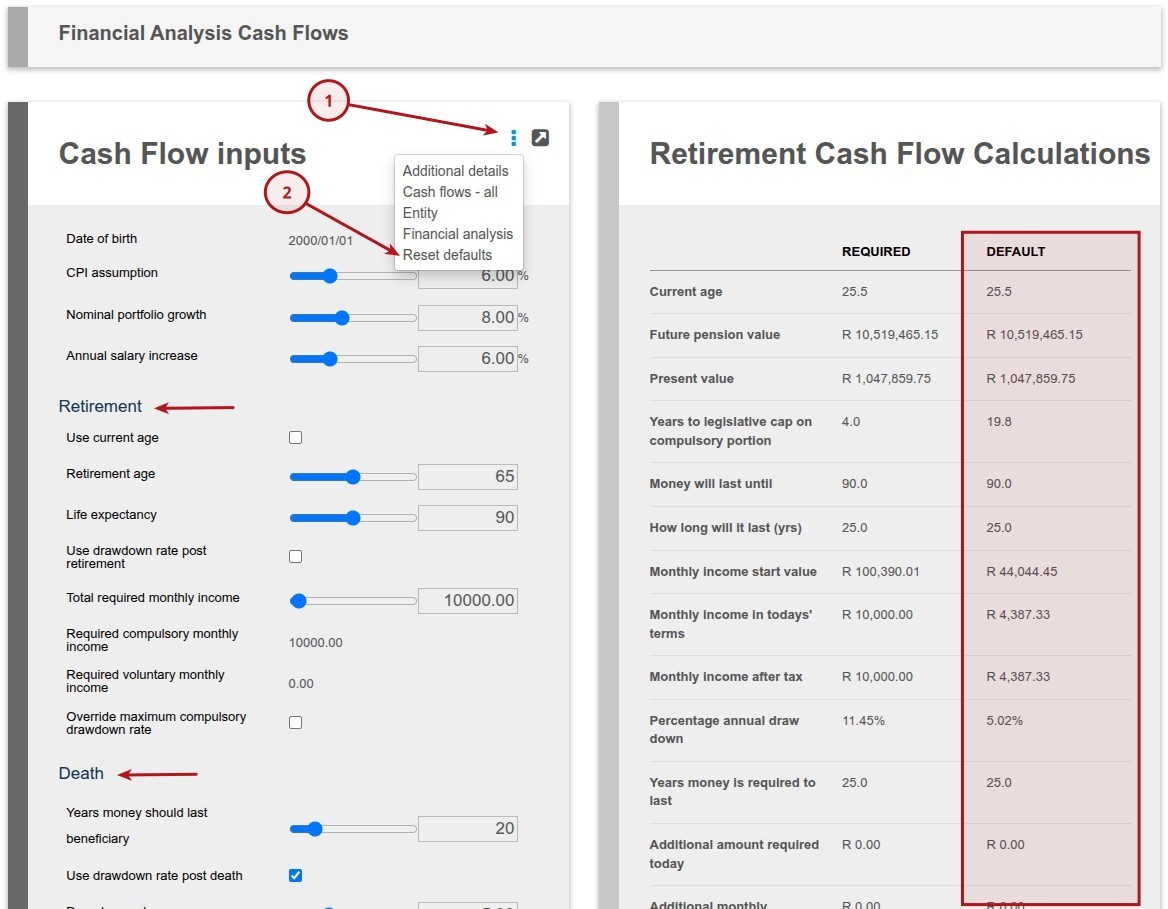
Cash Flow Calculations Card
The following Cash Flow Calculations Card are updated if the the objective has been selected on the Financial Analysis, refer to Needs Analysis – Financial Analysis for more details
- Retirement Cash Flow Calculations
- Death Cash Flow Calculations
- Disability Cash Flow Calculations
- Severe Illness Cash Flow Calculations
Cash Flows Cards
The following Cash Flows Cards are available if the the objective has been selected on the Financial Analysis, refer to Needs Analysis – Financial Analysis for more details
- Post Retirement Cash Flows
- Post Death Cash Flows
- Post Retirement After Disability Cash Flows
- Post Retirement After Severe Illness Cash Flows
- Pre Retirement Cash Flows
- Pre Retirement After Disability Cash Flows
- Pre Retirement After Severe Illness Cash Flows
Cash Flows
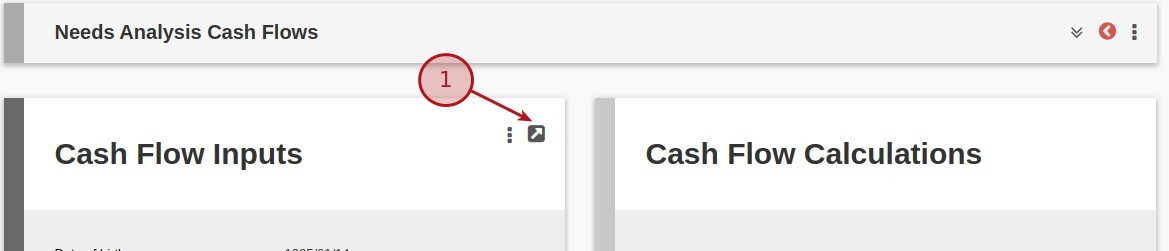
To access the table of Cash Flows select the (1)View Details button
The tables can be individually exported by selecting the green Download icon
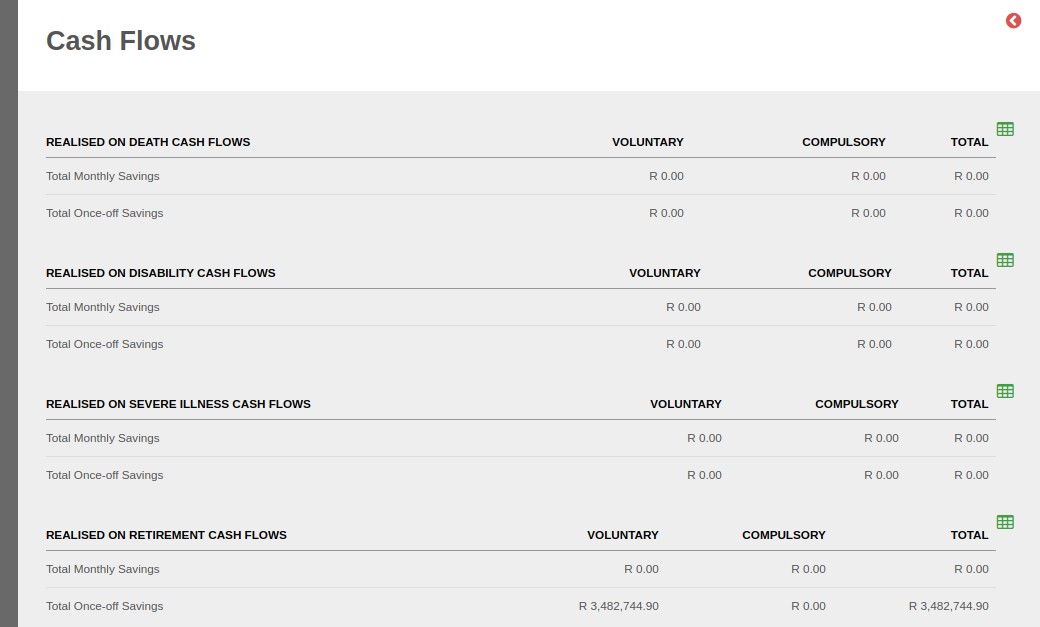
Objective – Cash Flows
The Cash Flows (graph and values) for the individual objective works the same, for this example we will use the Pre & Post Retirement Cash Flows
Pre Retirement Cash Flows
- Pre Retirement Cash Flows – Indicating a graph of the Pre Retirement Cash Flows
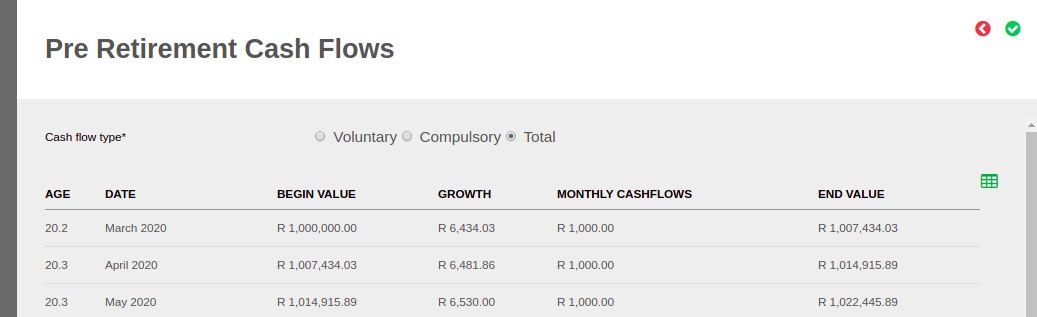
- The values for the Pre Retirement Cash Flows can be seen on selecting the (1)View Details icon on the Pre Retirement Cash Flows Card
- Pre Retirement Cash Flows values start on the current month for today and are not back dated
Calculations
- Select the Cash flows type, either Voluntary, Compulsory or Total Cash flows
- GROWTH = BEGIN VALUE x ((1 + [Nominal portfolio growth percentage])^(1/12)-1)
- END VALUE = BEGIN VALUE + GROWTH + MONTHLY CASHFLOWS
Post Retirement Cash Flows
- Post Retirement Cash Flows – Indicating a graph of the Post Retirement Cash Flows
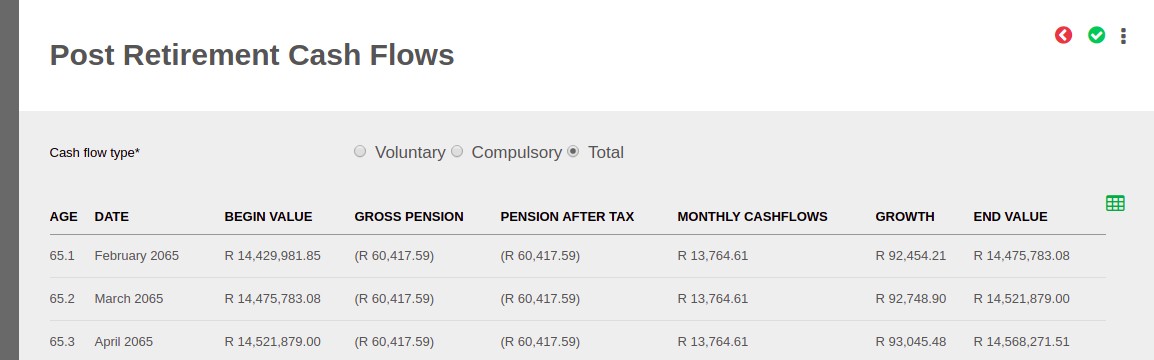
- The values for the Post Retirement Cash Flows can be seen on selecting the (2)View Details icon on the Post Retirement Cash Flows Card
- Select the Cash flows type, either Voluntary, Compulsory or Total Cash flows
- Tax is calculated for Post retirement Compulsory cash flows only
- Tax increase annually in March
- Gross Pension increase annually in January
Calculations
- PENSION AFTER TAX, Note: Values need to be converted to today’s terms to calculate tax. (GROSS PENSION / (1 + CPI Assumption)^Age until retirement)
- For the tax tables refer to Tax Tables, Rates and Assumptions
- GROWTH = (BEGIN VALUE + GROSS PENSION) x ((1 + [Nominal portfolio growth percentage])^(1/12)-1)
- END VALUE = BEGIN VALUE + GROSS PENSION + MONTHLY CASHFLOWS + GROWTH
Document
- To get access to the Needs Analysis document click on the (1)View Details on the Needs Analysis Card
- Refer to Needs Analysis Defaults for the Needs Analysis Document Defaults
- The content of the document is displayed on the screen, at the bottom of the screen there is a (1)Download Document button to download the .pdf document.
- The annual growth is calculated as follows: Annual Growth = End Value – Begin Value – Gross Pension – Monthly Cashflows

Last Updated on 1 year ago by Tinus Burger