
Needs Analysis Groups
NOTE: This items form part of Needs Analysis, refer to Needs Analysis
As an integral part of Needs Analysis functionality you are able to set up default Needs Analysis Groups, to access the Needs Analysis Groups select (1)System -> (2)Needs Analysis Groups

Group Types
The following type of Groups can be created
- Asset & Liability (Balance Sheet)
- Income
- Insurance
The Balance Sheet is divided into Assets and Liabilities and the setup procedure is similar for both
The process of creating these Groups are the same, for this example, we will be creating an Asset (Balance Sheet Group)
Creating an Asset
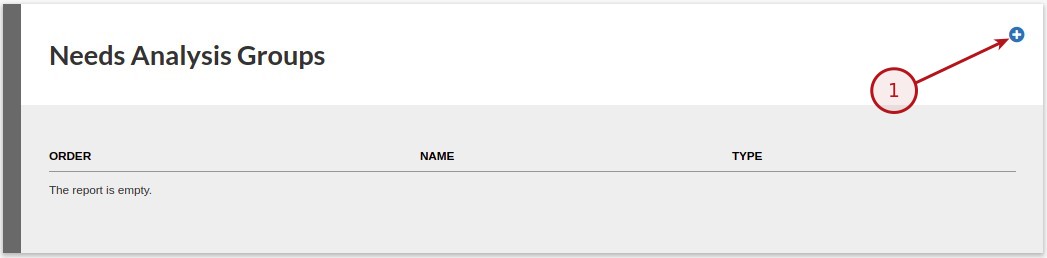
Click on the (1)Add button
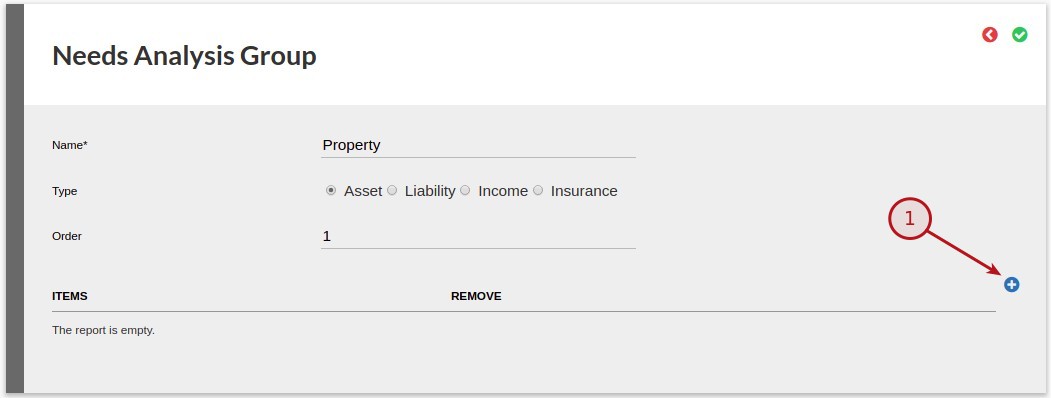
The following fields are available
- Name – Type a name for the group i.e. Property
- Type – Select if the type is an Asset or Liability
- Order – The order is the display order in the report
To add an Item to this group click on the (1)Add button
A Pop-Up “Please enter an item:” will appear where you are able to (1)Enter a name for the item i.e. Primary Residence
Select the Ok button to save
Click on the (1)Save button to save the new created Group and Items
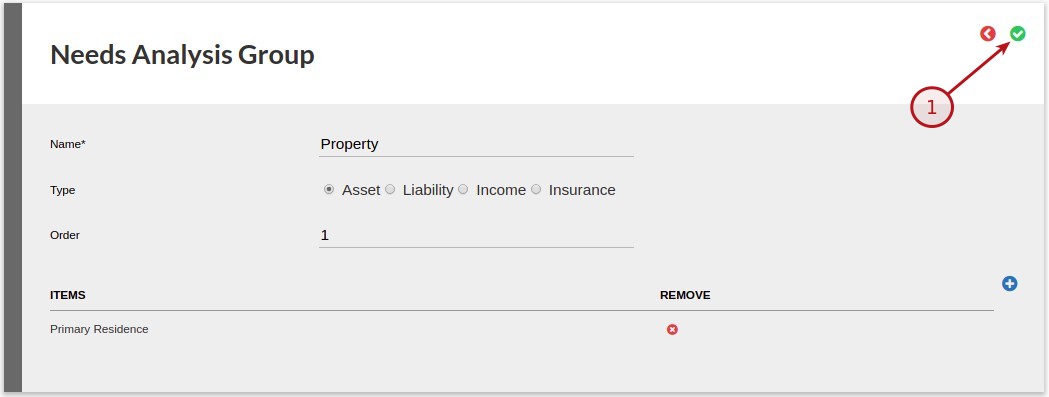
NOTE: Group Items can be removed from the group
To remove an item click on the Remove icon(image above)
Last Updated on 7 years ago by Tinus Burger