
Needs Analysis – Financial Analysis
- This items forms part of the Needs Analysis, refer to: Needs Analysis – Cash Flows
- The Needs Analysis card will appear on an investor if it has been activated, refer to Card Settings on Investor Accounts
- Needs Analysis Groups can be configured under the System menu, refer to: Needs Analysis Groups
- For capturing a Retirement Funds on the FNA refer to: FNA Retirement Funds
Financial Analysis
Select the (1)More Actions button on the Needs Analysis Card and then select the (2)Financial Analysis button as indicated

Add new Financial Analysis
The Financial Analysis is divided into 3 categories:
- Balance sheet items (Asset & Liability)
- Income items
- Insurance items
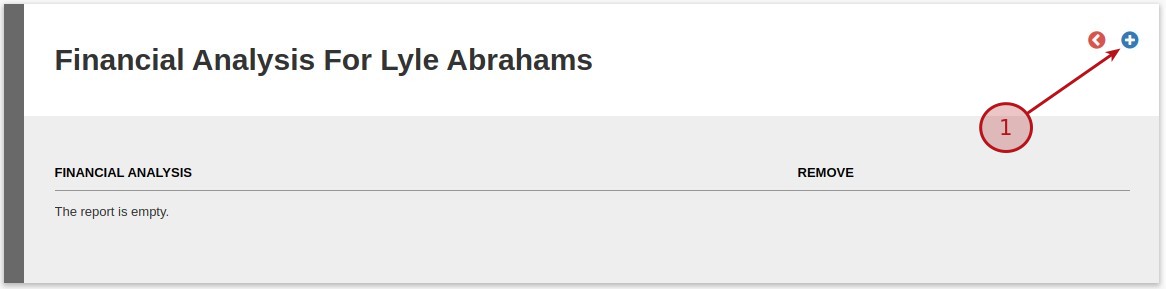
Select the (1)Add button to add a new Financial Analysis
Options
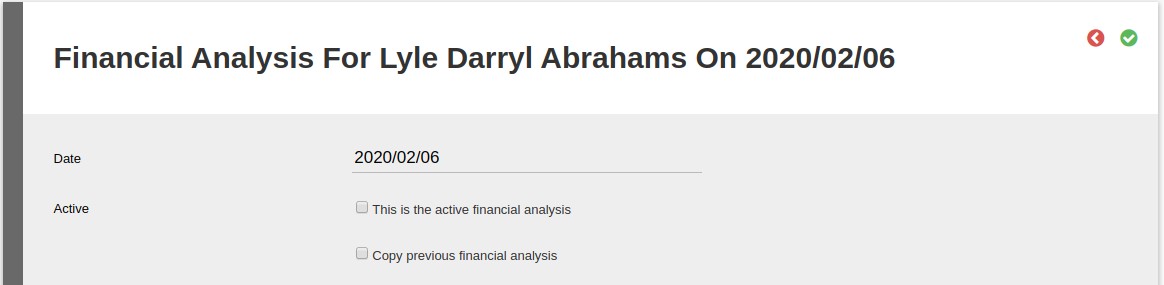
- Date – Enter a date for the Financial Analysis
- This is the active Financial Analysis – You are able to have multiple Financial Analysis but only the active Financial Analysis information will be used for the Cash Flows
- Copy previous Financial Analysis – This function is to create a copy of the previous Financial Analysis.
NOTE
- The first Item of each Group created on the Needs Analysis Groups will be added by default
- The process of adding Groups are the same, for this example, we will be adding a Balance Sheet Item
Balance sheet items
- The existing investments (existing balance as a Once-off value and recurring investments as Monthly value) will be shown on the Balance Sheet. The default Group and Item can be set on the product in the Needs analysis section.
- If a relationship has been linked to the person and the option “Include in balance sheet” was selected those linked investments will also be show on the Balance Sheet
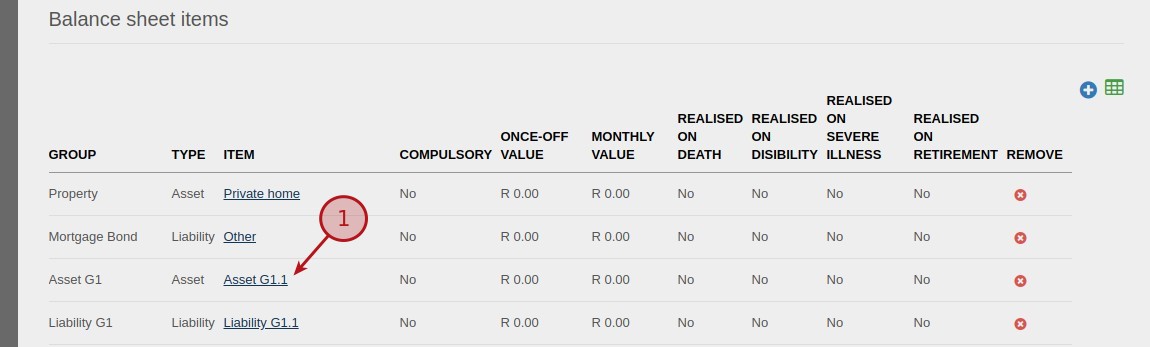
Table Headings
- GROUP – Refer to the Group name on th Needs Analysis Groups
- TYPE – Asset or Liability
- ITEM – Name of the Item
- COMPULSORY – Is it a Voluntary or Compulsory contribution, Note 2
- ONCE-OFF VALUE – Is it a Once Off value
- MONTHLY VALUE – Is it a Monthly value
- REALISED ON DEATH – Does it realise on Death
- REALISED ON DISIBILITY – Does it realise on Disability
- REALISED ON SEVERE ILLNESS – Does it realise on Severe Illness
- REALISED ON RETIREMENT – Does it realise on Retirement
Item
Select the (1)Item to edit (Image above)

Options
- Group
- Item
- Enter free text for item – If selected You have the option to rename the Item, refer to the image below
- Compulsory
- Once-off value
- Monthly value
- Sections (for each section the user have the ability to select if the section needs to be included in cash flows)
- Retirement
- Death
- Disability
- Severe illness
If Include in cash flows on e.g. Include in cash flows on retirement has been selected the following options will be available:
- From date (date from which the item should be included in the calculation)
- For Once off items e.g. Balance sheet items – Once off the following options are available:
- Life Expectancy (Default)
- Specified date
- Note: This will also be applicable on: Income items – Once off and Insurance items – Once off
- For Monthly items e.g. Balance sheet items – Monthly the following options are available:
- Life expectancy
- Retirement (Default)
- Specified date
- Note: This will also be applicable on: Income items – Monthly and Insurance items – Monthly


Save
Select (1)”This is the active financial analysis” and then the (2)Save icon

Sample of – Income items

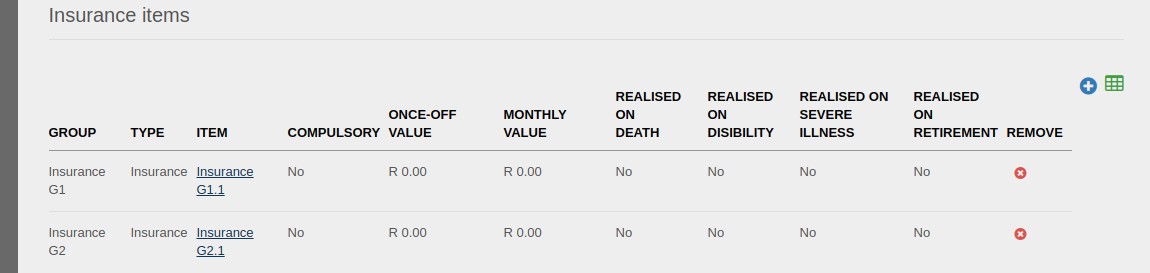
Sample of – Insurance items
Last Updated on 2 months ago by Tinus Burger