
Cash Flows on an Investor account
-
- The Cash flows are reflected in the Investment summary for statement period and the Investment summary since inception on the Investor Statements.
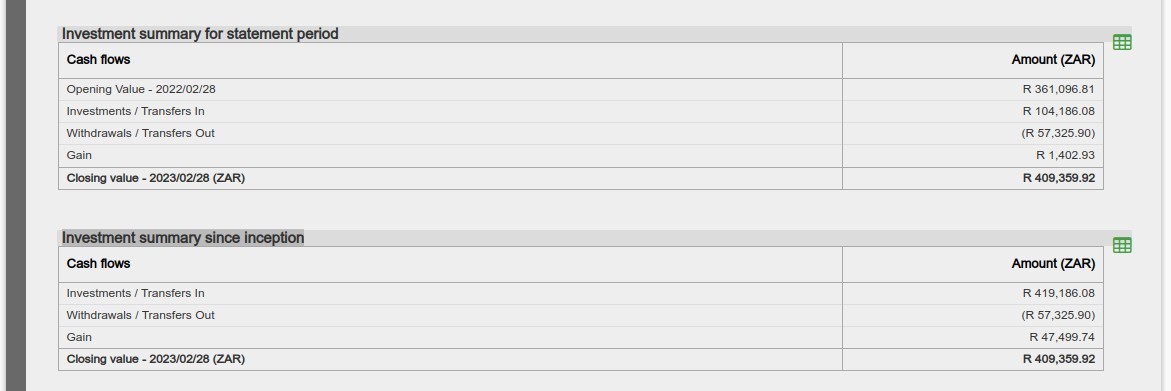
- For more information regarding Investor Statements refer to Investor Statements
- To get a list of transactions contributing to the Cash flows follow, the process below:
Cash Flows on the Returns Card
-
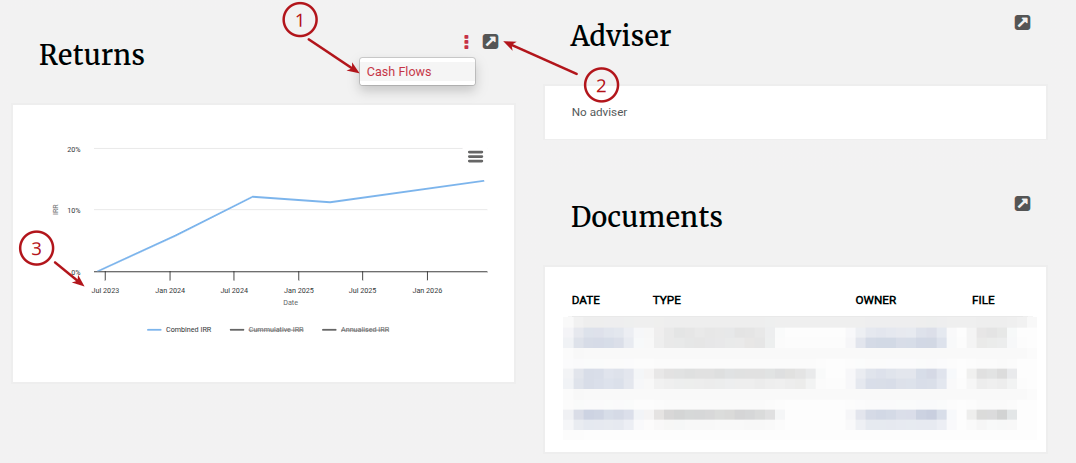
- Navigate to an Investor account
- Select the Return card’s menu -> Cash Flows to view individual cash flow transactions
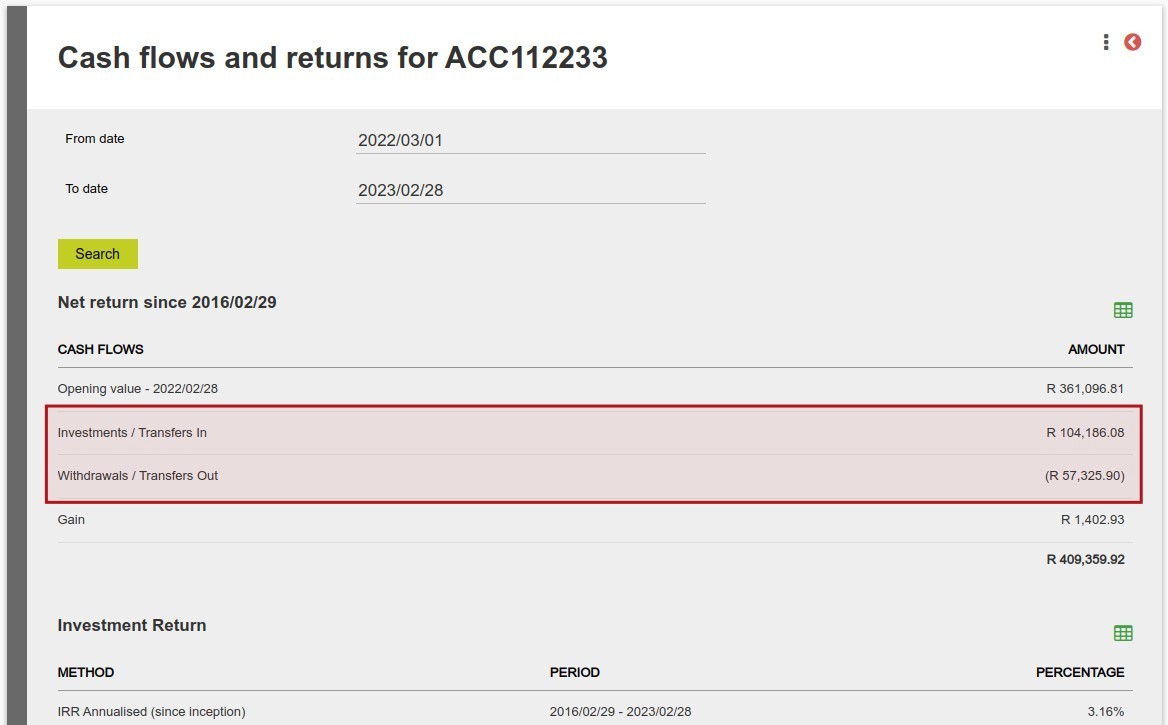
- Select View Details on the Returns Card to view the Cash flows and returns screen
- The date range for returns data displayed on the Returns card is for a period of three years
Cash flows and returns screen
-
- The Cash flows and returns screen defaults to the last calendar year, enter the From date and To date if an alternative date range is required and click Search
- The Cash Flows for the selected period will be shown
- For more information with regards to the individual transactions follow the process below:
Cash Flow Transactions
-
- From the Cash Flows on the Returns Card select More Actions (3 dots) -> Cash Flows

-
- Enter the From date and To date and click Search
- The list of the Transactions will be displayed
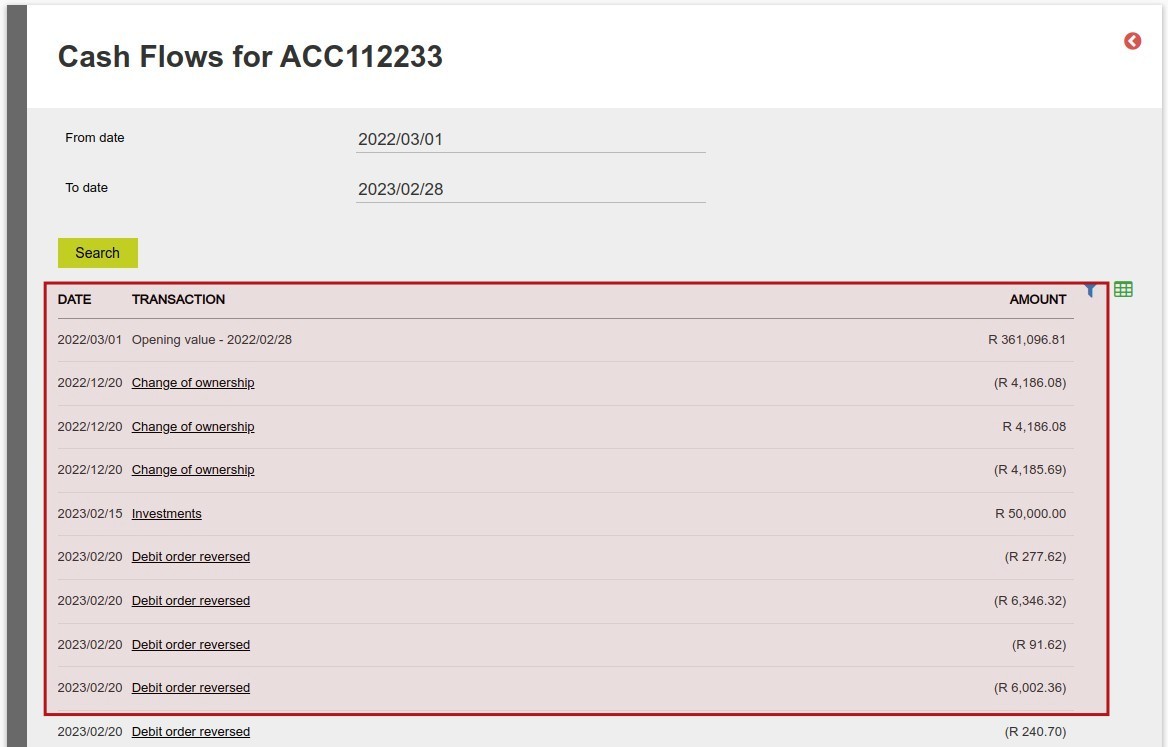
- The list of transactions can be exported by clicking on the green download icon
Last Updated on 4 months ago by Hayley Jerram