
Cash Provision
Cash provision adds the ability to manage certain levels of cash for fees or annuity payments.
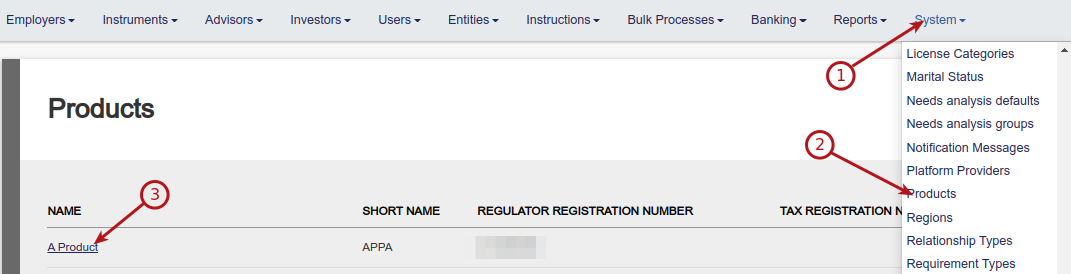
A. On a product level
Setup the intended expected cash provision and the Low-Cash provision. The Low-cash provision can be equal or lower than the Cash provision setup.
This is a percentage, for instance 3% cash for fees, or 17.5%/12*1.2 = 1.75% for annuity payment allowing 20% for market movement.

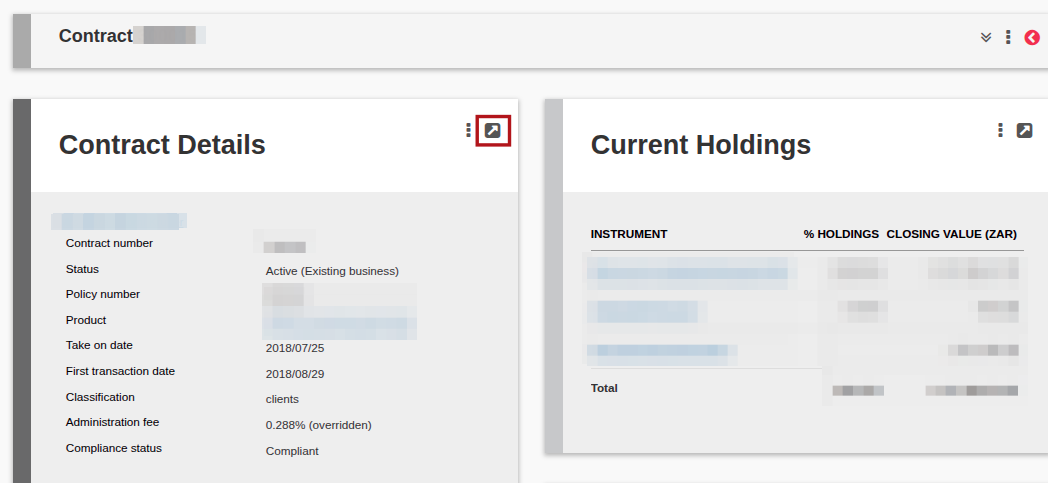
B. On an investor contract
The default cash provision and Low-cash provision on the product can be overridden on a contract level and a reason for the deviation captured.
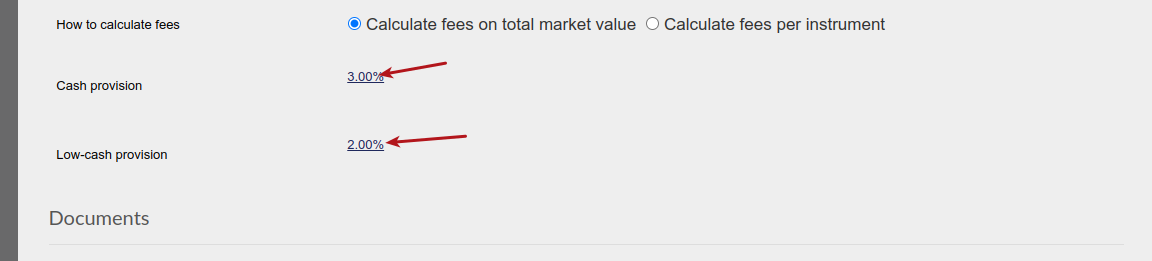
Select the percentage hyperlink to override the percentage
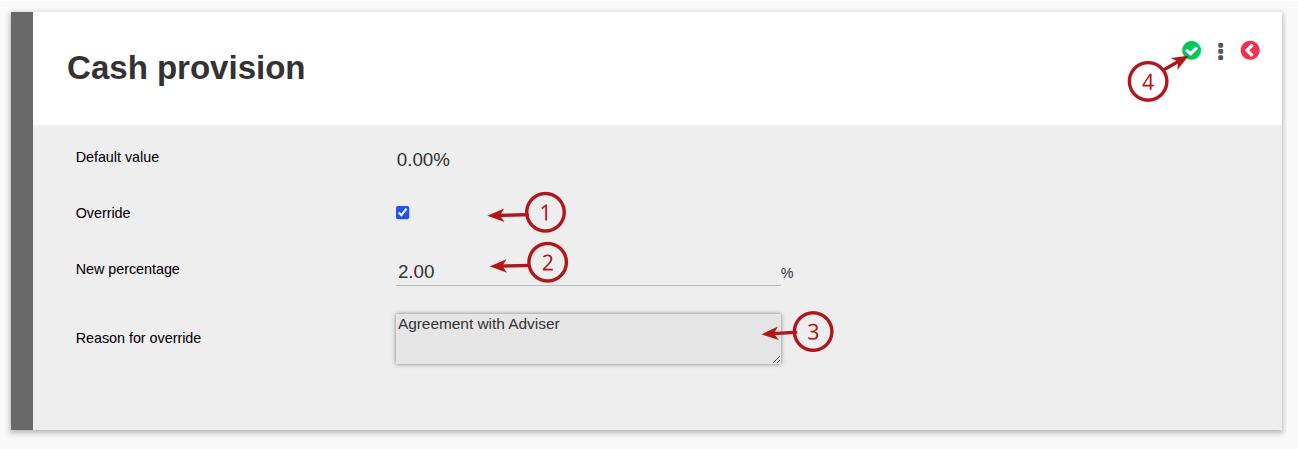
Select (1) the Override tick box, Enter the (2) New percentage required, update the (3) Reason for override and then (4) Save
C. Low-cash provision
If a Cash Instrument Withdrawal or cash Switch Instruction is submitted that will result in the cash balance going below the Low-cash provision level as setup on the investor contract a low Cash Warning will be displayed on screen.
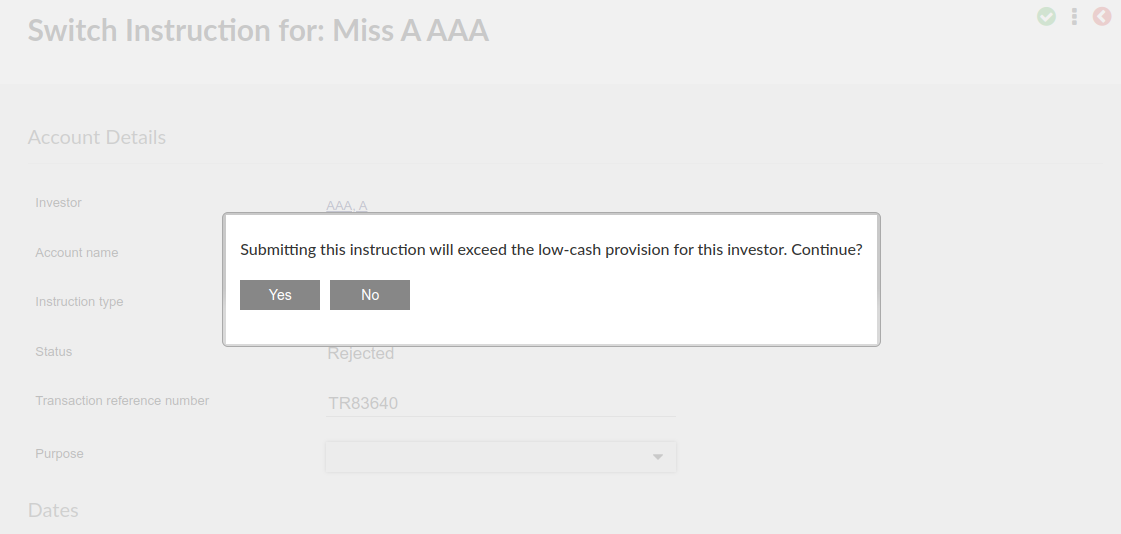
If ‘Yes’ is selected, the instruction will proceed and the system will create a workflow task, assigned to the user who submitted the instruction with subject ‘Cash below minimum’. See Workflow tasks for more information on workflow tasks

D. Reporting
A report with the cash provision values can be generated under Investors -> Contracts -> More Actions -> Cash provision Report.
Example:
Market value = 100000
Cash = 2000
Cash provision: 3%
Actual cash: 2%
% over/under =-33%
The fields Cash provision %, Override cash provision, Reason for cash provision override are available under Import Investors and Export Investors, as well as the same fields for Low-cash provision.
NOTE: Only users with the global permission ‘View cash provision details and report’ will have access to this functionality (view or change cash provisions on an investor accounts and the Cash provision Report)
Last Updated on 1 year ago by Debra Hart