
Advisor – Client transaction notification preferences
To enable an Advisor to be updated as to his client transactions “Client transaction notification preferences” needs to be set.
More information with regards to sending transaction notifications refer to Sending transaction notifications
From the menu (1) Advisors -> Financial Advisers, navigate to the specific advisor’s Advisor Card

On the Advisor card select (1) View Details

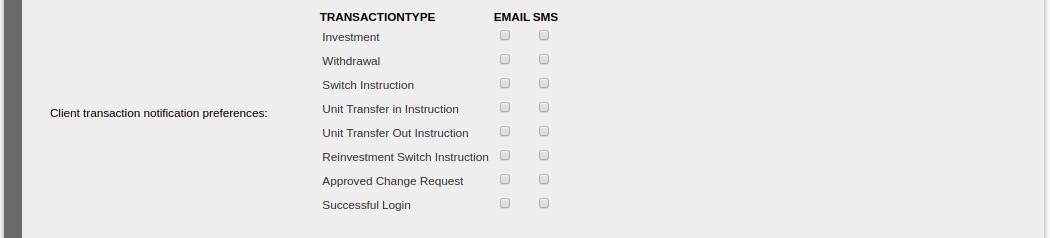
Scroll down to the “Client transaction notification preferences:” section, and set the required preferences, email and SMS
Transaction Types
Below is a list of some of the transaction type that can be selected (depending on the configuration)
- Investment
- Withdrawal
- Switch Instruction
- Unit Transfer In Instruction
- Unit Transfer Out Instruction
- Reinvestment Switch Instruction
Other Notifications
Non transaction related notifications include:
- Approved Change Request
- Successful Login
Last Updated on 7 years ago by Tinus Burger