
Company Types
- If a Company Types has Entities (Companies) linked to the Types the Company Types cannot be removed
- For more information on adding and or editing a company refer to Adding and or Editing a Company
Create a new Company Type
Go to System-> Company types-> Add
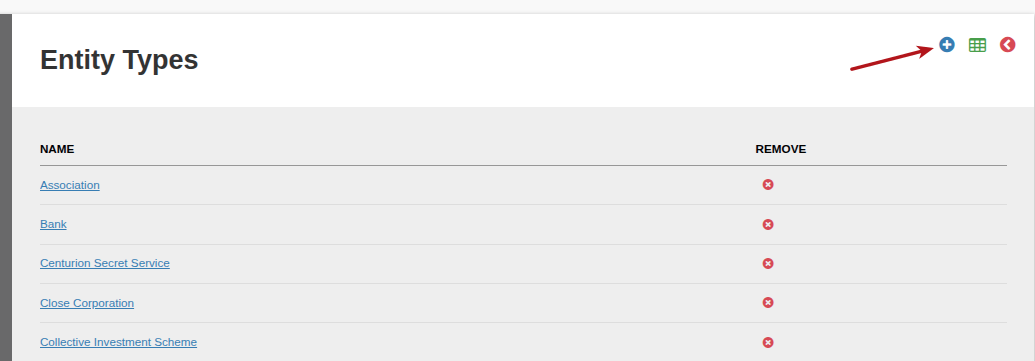
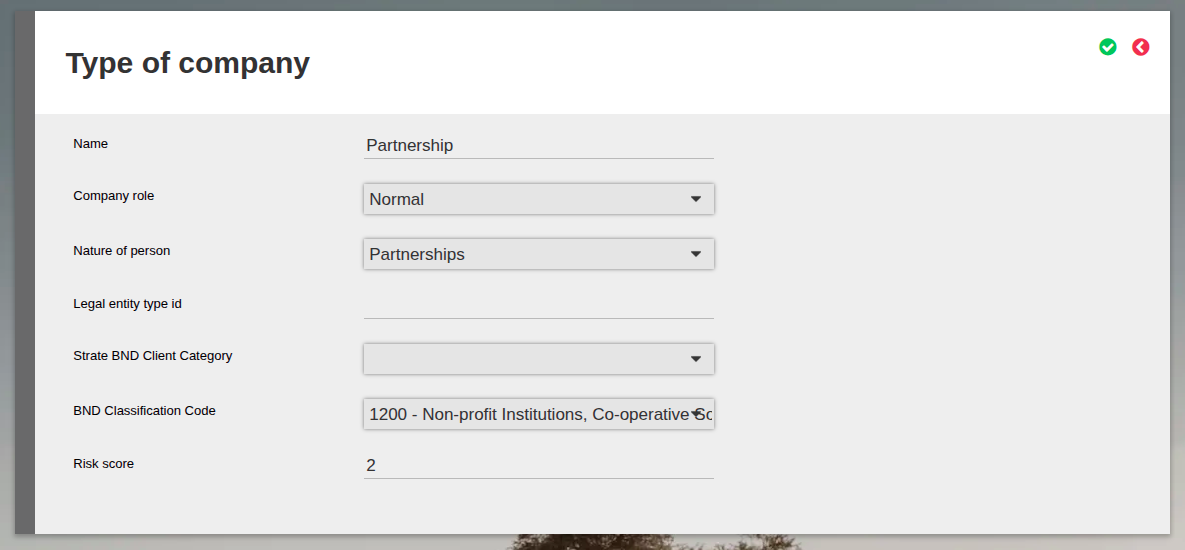
Update the Company Type Name, then select the Company Role and Nature of Person.
Note that Nature of Person is specifically used in the various SARS IT3 files to populate the Account Holder Nature of Person code. The Nature of Person drop-down on Type of company contains all possible SARS Nature of Person types and will map to the appropriate code in the IT3 file.
A Fiduciary Role is applicable to Trusts, Executors, Guardians/Conservators etc, when this role is selected, the Company Details Card will provide the option to load details for: Trustees/Protectors/Settlors

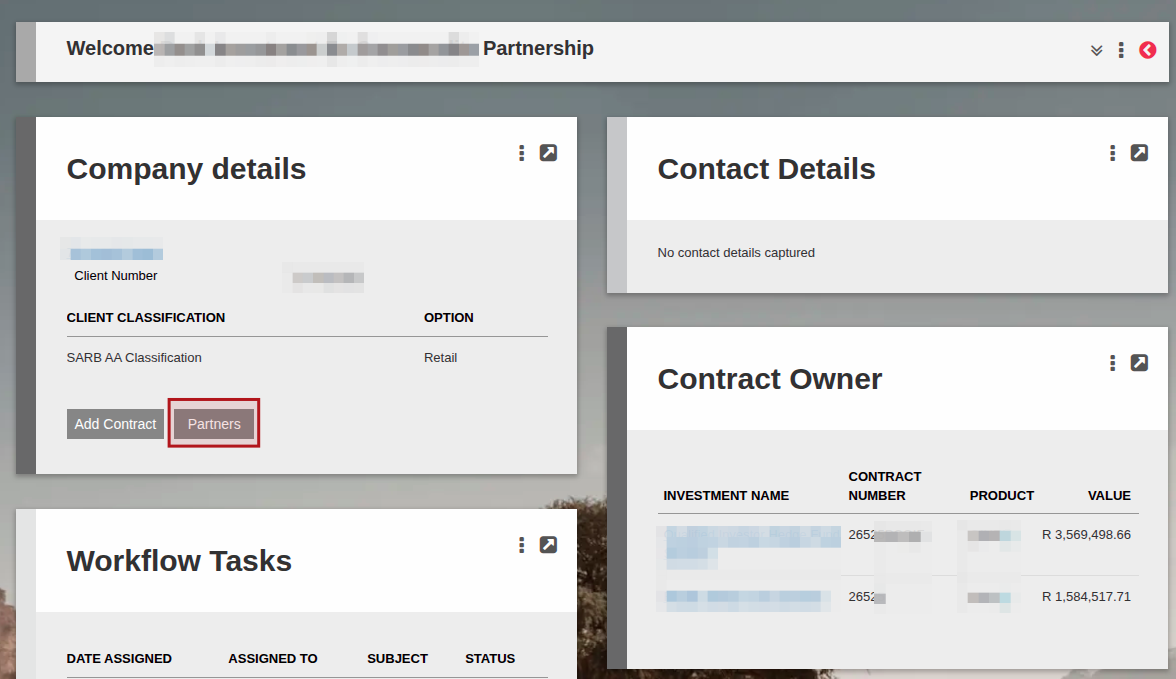
Similarly, if Nature of Person Partnership/(s) is selected for the Company Type, then the Company Details card will have a button to add Partners (these can be existing entities on the system, or you can create a new entity).
When Partners have been added, these will populate in the SARS IT3 files in the PNR row indicating data of a Partner of a Partnership.
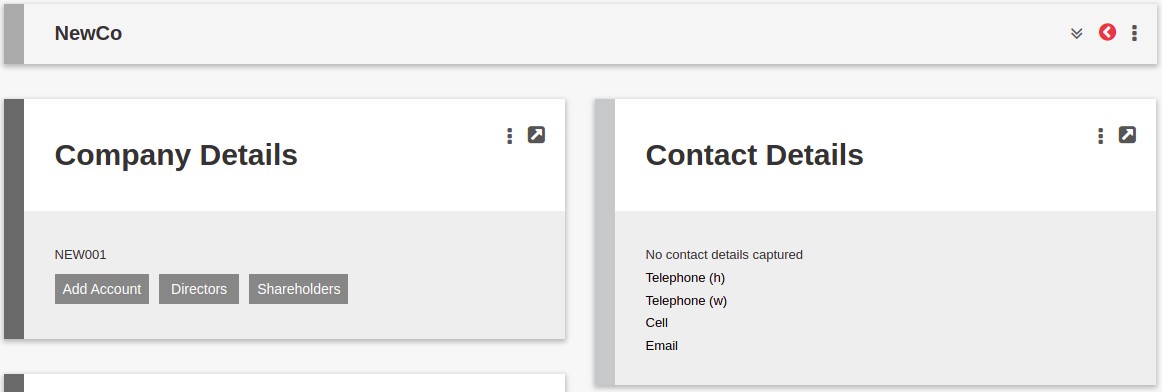
For all other Company Roles the Company Details Card will provide the option to load details for: Directors/Shareholders
If selecting a “State Owned Enterprise (SOE)” or “Regulated Financial Institution (RFI)” role, a new Company Type must be created in order for the Risk Calculation on the Risk Assessment to reflect accordingly. For more information see RBA Wizard Risk Assessment
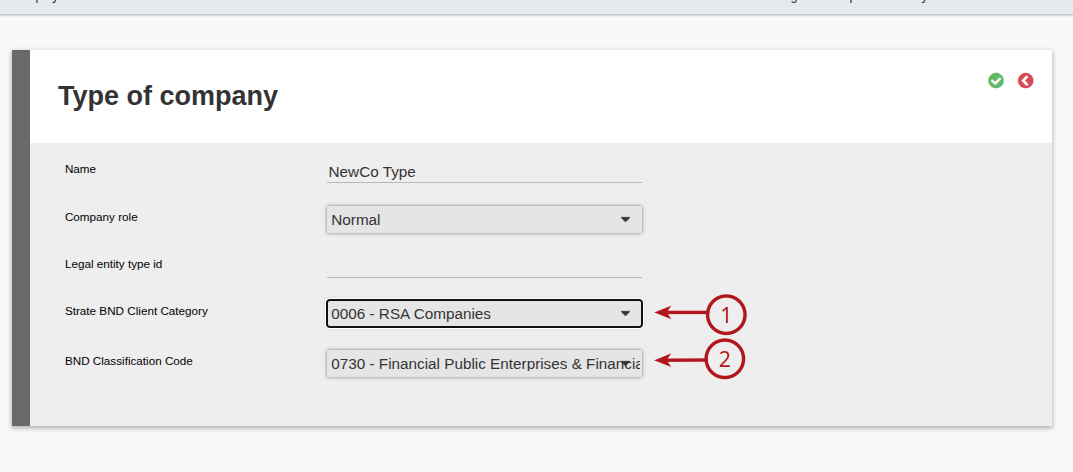
Update (1) Strate BND Client Category and (2) BND Classification Code from the applicable drop downs
Last Updated on 7 months ago by Adrienne Dill