
Contracts and mixed Model portfolios
The concept of a contract, which can contain one or more client accounts has replaced the concept of an investor account. This is especially useful in instances where a client invests on one account, now named contract, into different model portfolios. The different Client accounts under the same contract can be link to different model portfolios, as well as client accounts not linked to a model portfolio.
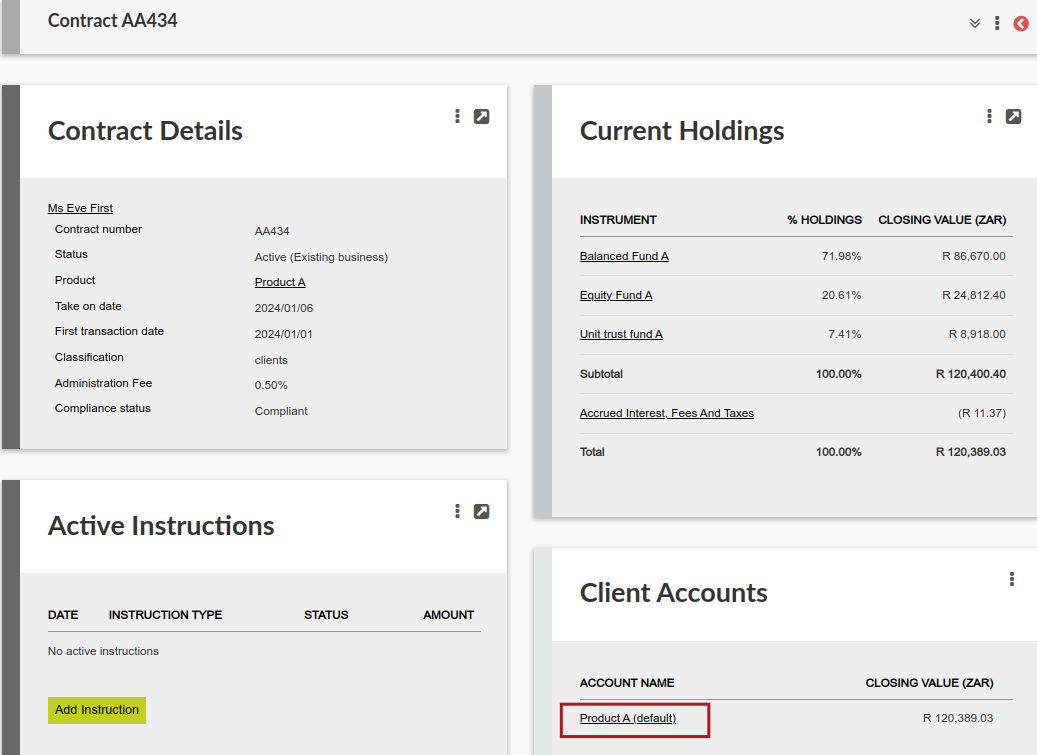
In instances where a contract does not invest in model portfolios, the display on contract level will contain only one client account:
Where a contract invests in one model portfolio only, the contract will contain 2 Client accounts:
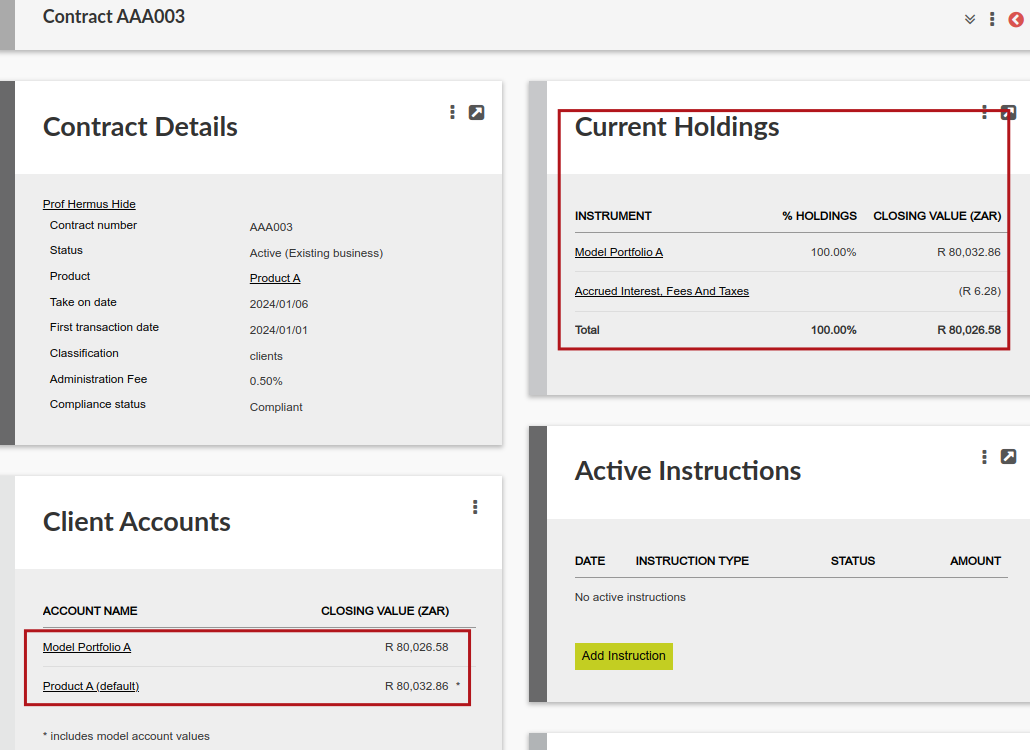
On a contract level the Current Holdings card will display holdings as in the default client account, which will contain all holdings on the contract, it will however only display the value in the Model portfolio/s as a whole.
The underlying instruments in the Model portfolio can be viewed by selecting the Model Portfolio client account:

Where a contract contains more than one client account, when adding an instruction, the client account to which the instruction is applicable must be selected on the instruction:

Where a contract has investments in individual funds as well as 2 model portfolios, the contract will contain 3 client accounts. The individual funds invested in will be displayed as part of the default client account, together with the total holdings in each of the model portfolios:

NOTE: The Client accounts card will only be visible to users with the permission ‘View Client Accounts List Card’
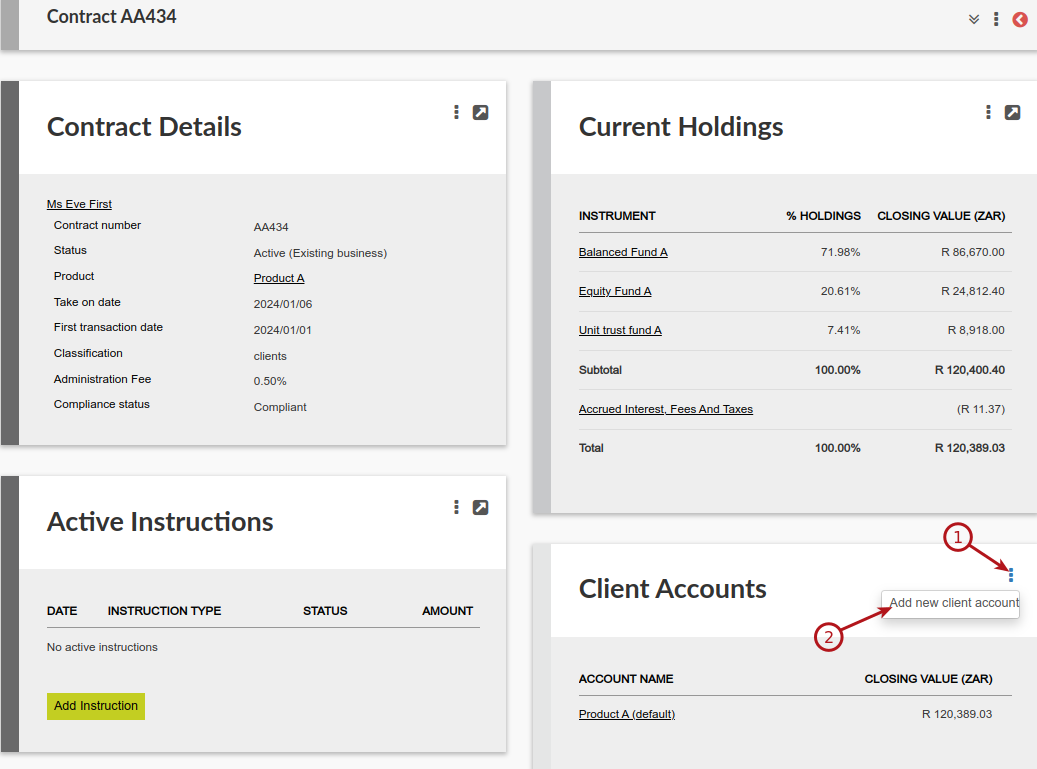
To be able to add another Client account to a contract the user needs to have the permission ‘Detailed view of Client Accounts List Card’. Also see Movement between Client Accounts
Withdrawals
Withdrawals from a model portfolio client account will sell available instruments proportionally, if a re-balance/switch is in progress on the model portfolio client account.
The system will use cash in the cash account (if any in the model) first and sell proportionally over the available instruments the amount necessary to supplement the cash.
If there is enough cash available in the model portfolio client account to cover the sell amount, a switch instruction will not be created and the available cash will be used for the withdrawal.
Investments
When there is already a re-balance in progress on a model linked client account, and a new investment is authorised another re-balance on the model linked client account will not be created. Instead a switch will be created that buy the model portfolio’s instrument composition directly.
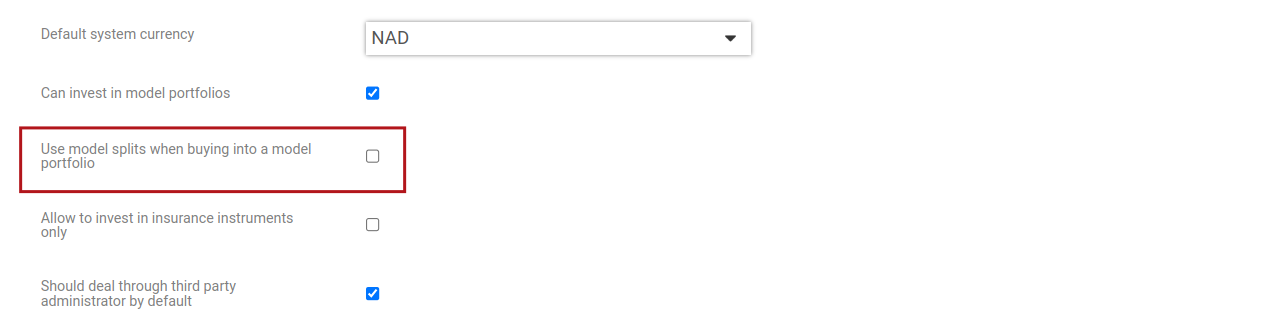
If ‘Use model splits when buying into a model portfolio’ (System->Configuration) has been ticked, on an investment (even when no re-balance/switch is underway on the model client account) the investment into the model client account will create a switch that buy the model portfolio’s instrument composition directly and not do a re-balance on the model client account.
NOTE: Buy and sell instructions related to model portfolio client accounts will be visible on contract level, while the related re-balance/switch instruction will be visible on the model portfolio client account.
Also see Debit order Reversals/rematch on a contract buying into client accounts
Last Updated on 2 years ago by Antoinette Van Meyeren