
Movement between Client Accounts
A client might have funds in the default Client account on a contract, where some or all of the funds need to be moved to a model portfolio client account on the contract.
Go to the relevant contract and add a new client account

Link the created client account to a model portfolio and save

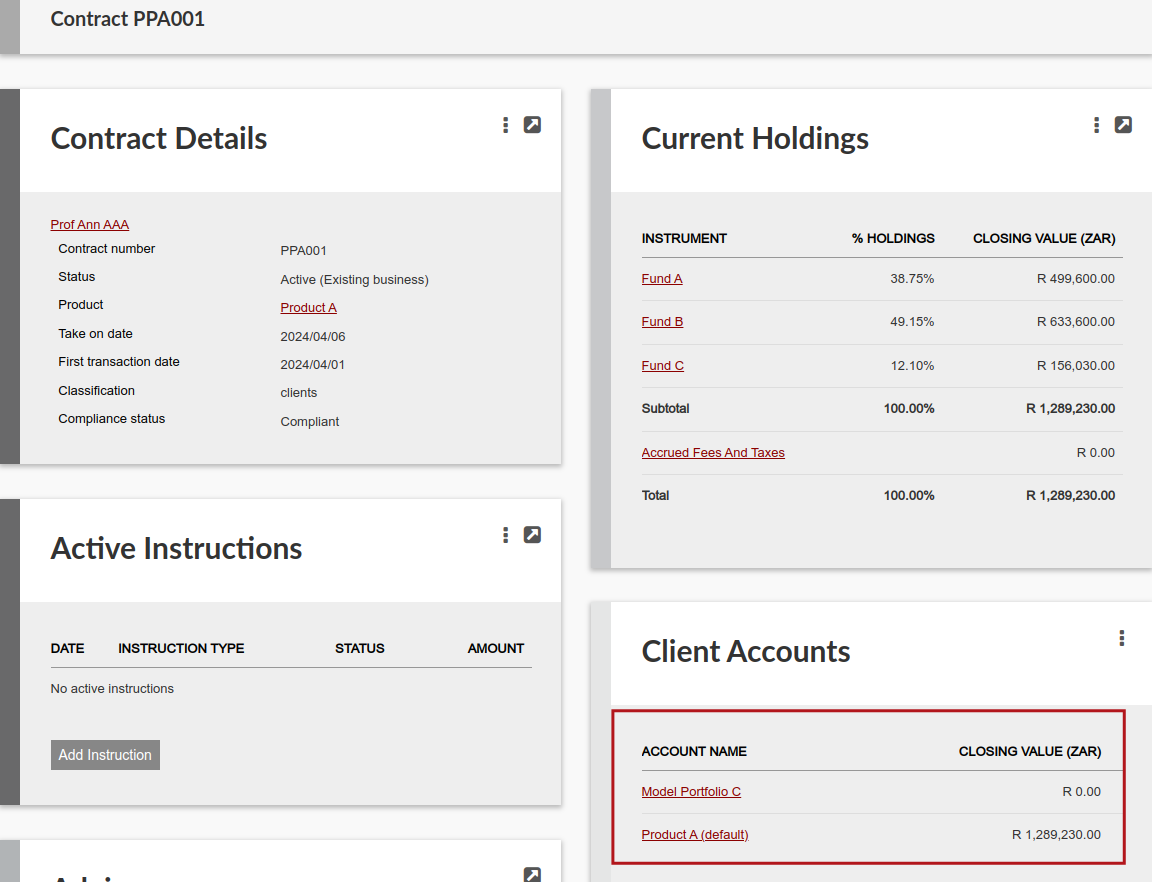
Add an instruction on the contract level with instruction type ‘Client account transfer’


On the instruction select the ‘From client account’ and the ‘To client Account’ and indicate the funds that need to be transferred to the ‘To client Account’
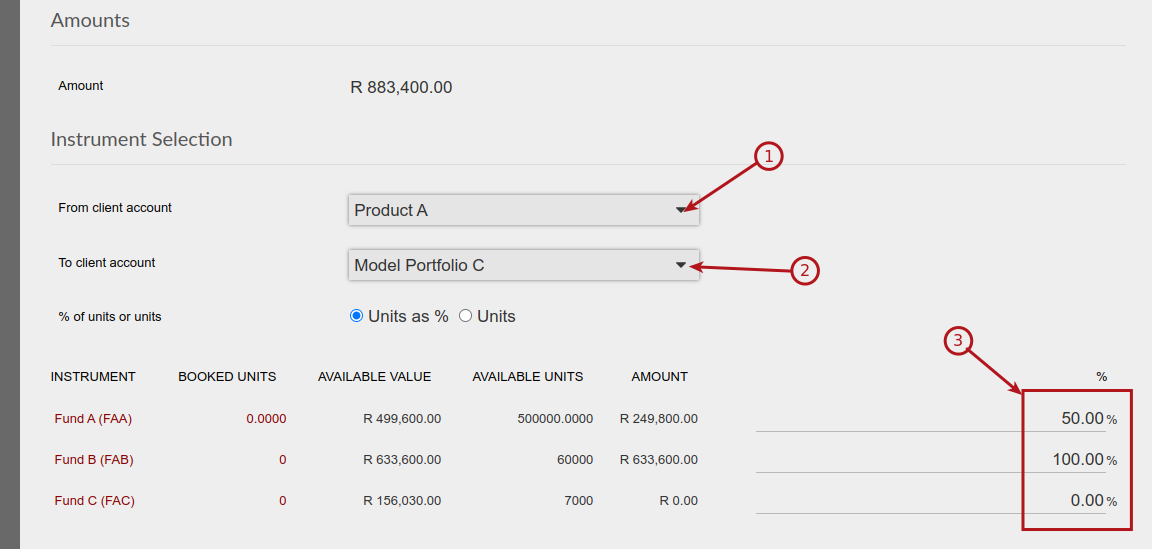
Submit and authorise the ‘Client account transfer’ instruction. On authorisation the selected funds will be transferred to the ‘To client Account’

Add an instruction on the contract level with instruction type ‘Switch’

Select the Client Account to which the switch instruction should apply

The switch instruction will populate automatically to create a re-balance that will sell and buy the funds in the model portfolio client account inline with the composition of the relevant model portfolio and can be submitted and authorised to initiate the relevant sells and buys when a dealer instruction is created

Also see Contracts and mixed Model portfolios
Last Updated on 3 years ago by Antoinette Van Meyeren