
Create a default instruction group on a product
Some products (for instance insurance products) require a series of different recurring instructions that should follow one another as the required number of recurrences on the previous instruction completes.
To simplify the loading of such instructions a Template account can be setup for the product on the Financial Services Provider (FSP). A default instruction group can then be created on the template account and used to populate the instructions on individual accounts.
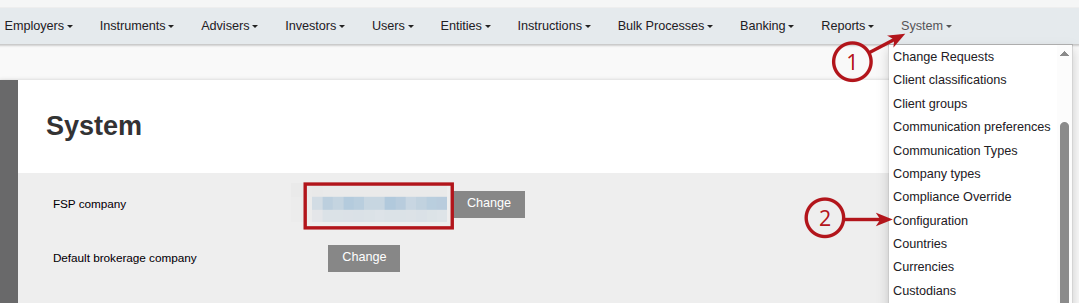
Go to the FSP:
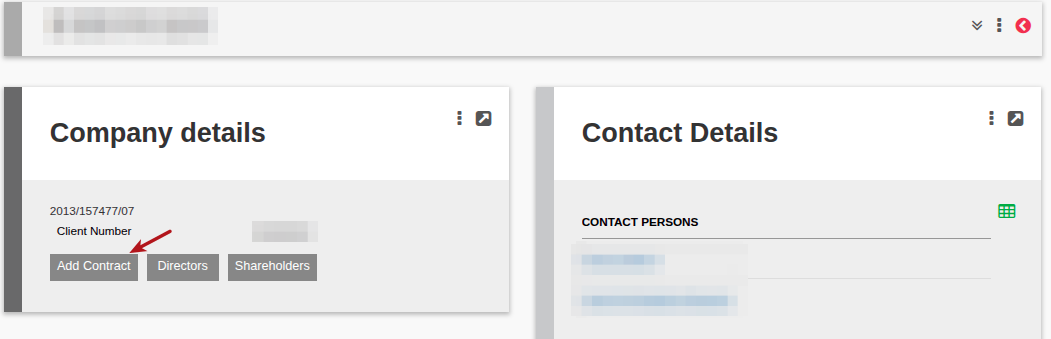
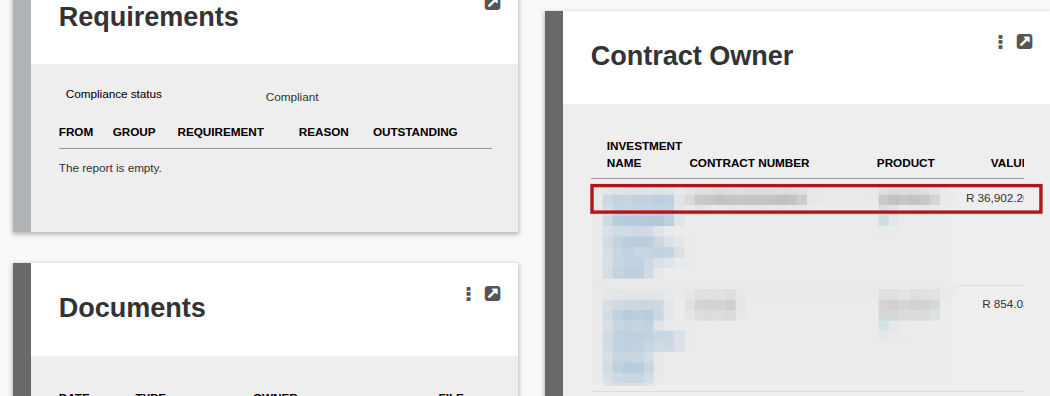
Add and rename an account in the relevant product
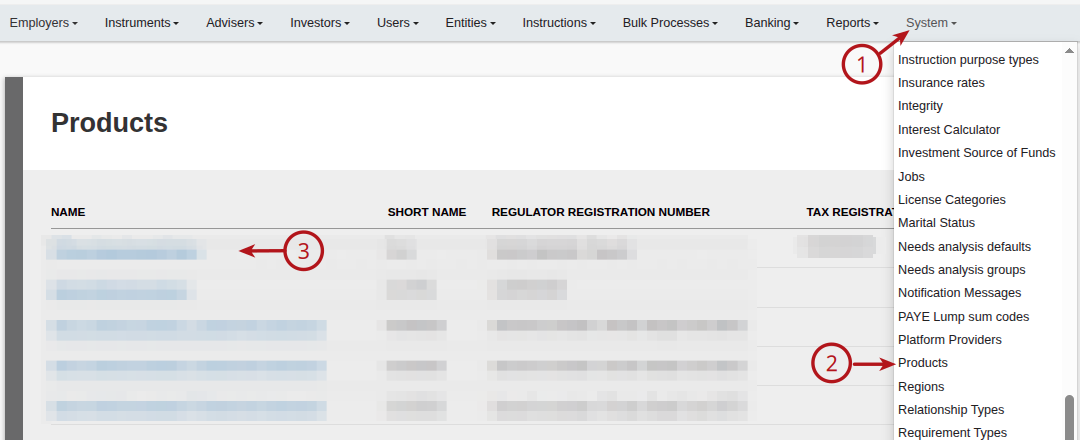
Go to the product and link the account as the template account for the product

Return to the Template account and load the relevant instructions on the account with the required recurrences (for instance ‘Use Table or until age) and authorise the instructions.
Go to instruction Group on the account
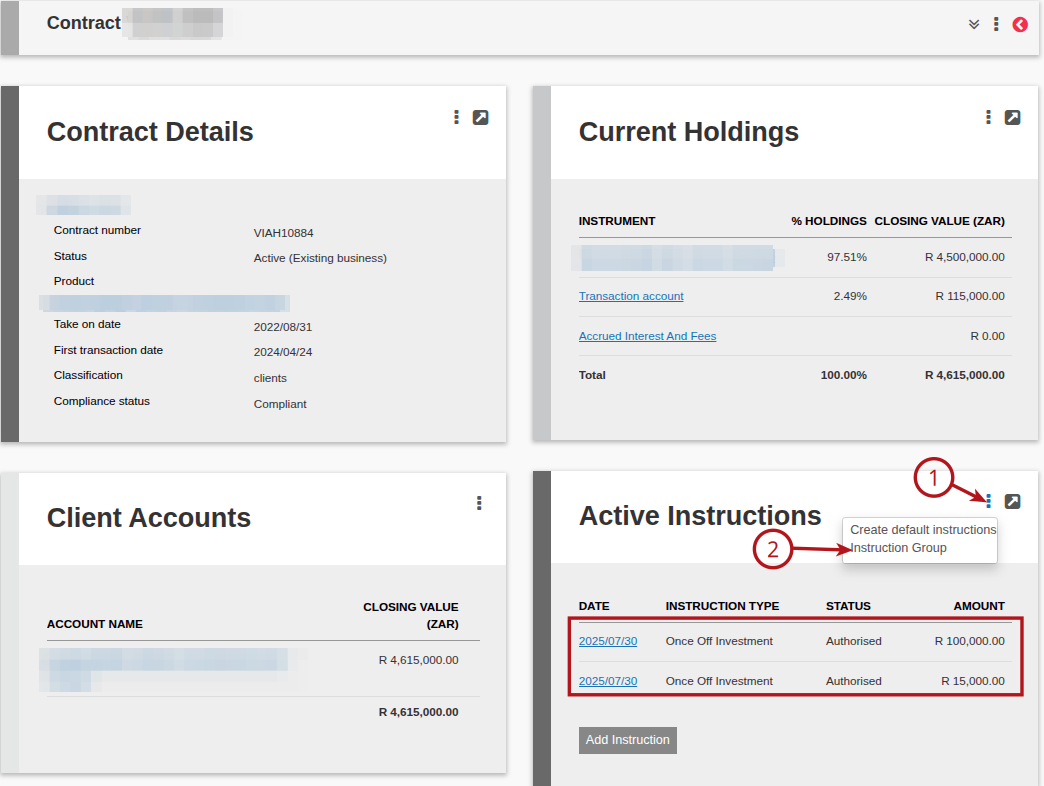
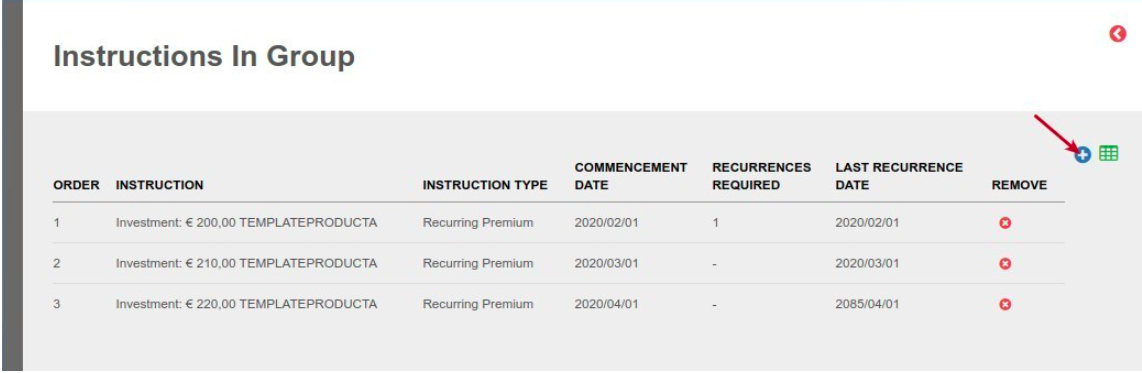
Add the instructions in the order in which they need to be executed
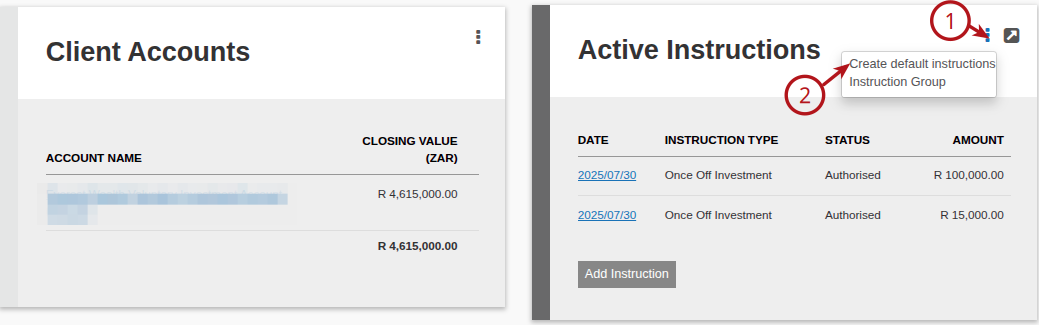
The instruction group can now be added to an investor account in the same product
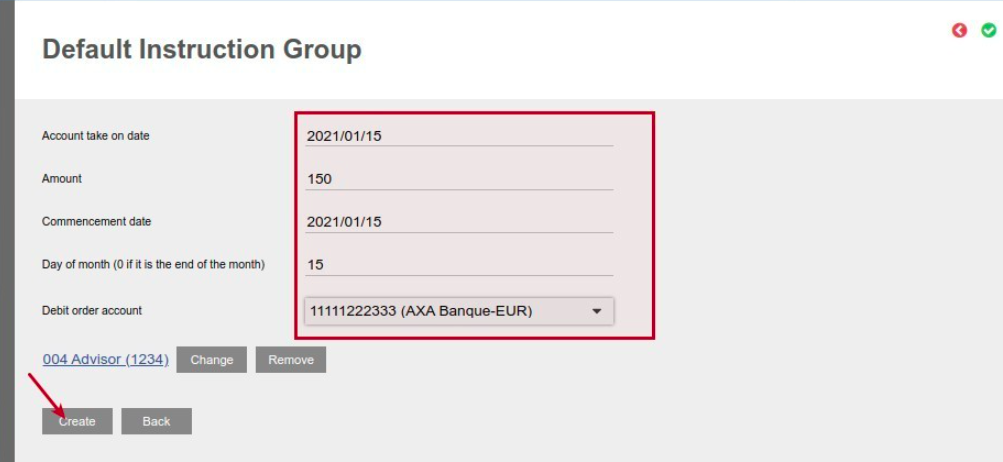
A screen will popup to be populated/updated with the required information to use in creating the default instruction group on the account
The instructions will appear on the account with the correct commencement – and last occurrence dates as per the selection on the instructions. 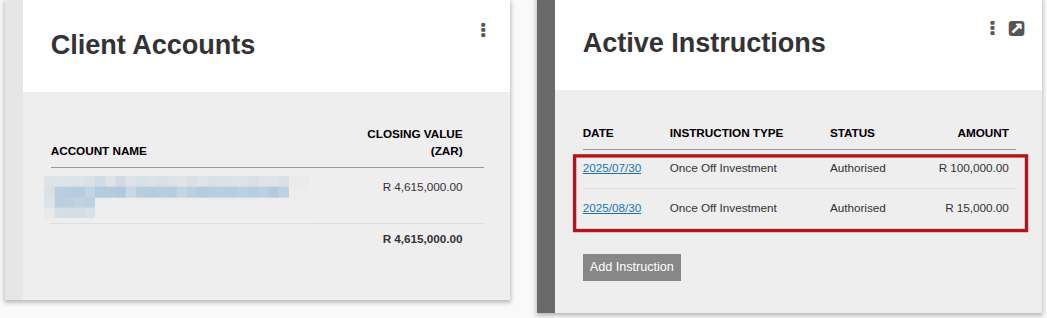
The instructions will also appear under instruction group on the active instructions card
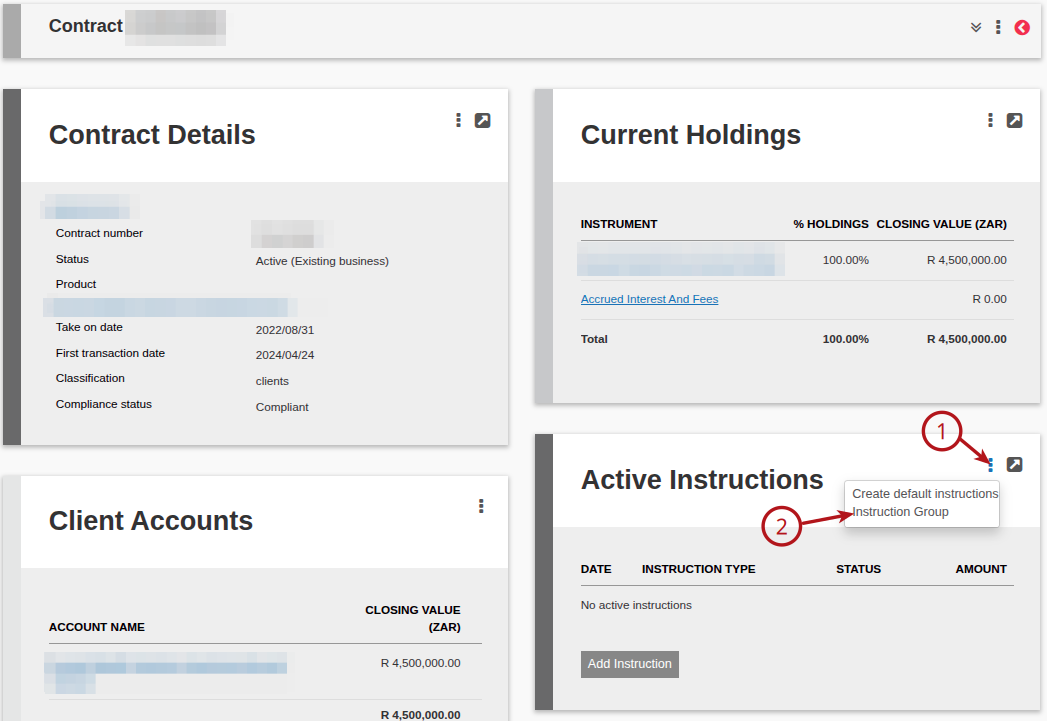

Also see Instruction groups on importing and adding accounts
Last Updated on 1 year ago by Debra Hart