
Instruction groups on importing and adding contracts
See Create A Default Instruction Group On A Product
Where a template contract and default instruction group has been linked to a product, the instruction group can automatically be added to the contract when a new investor is created
A. With Add Investor

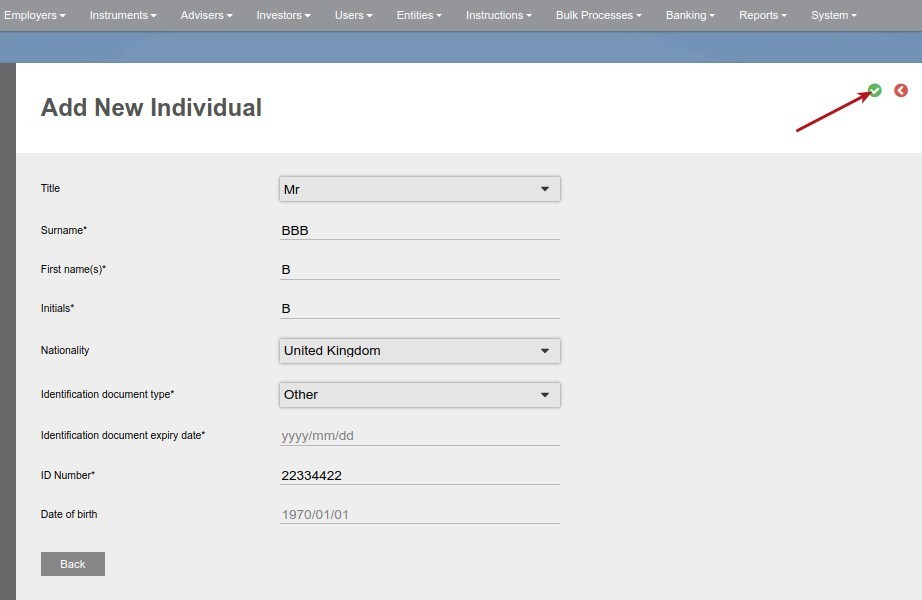
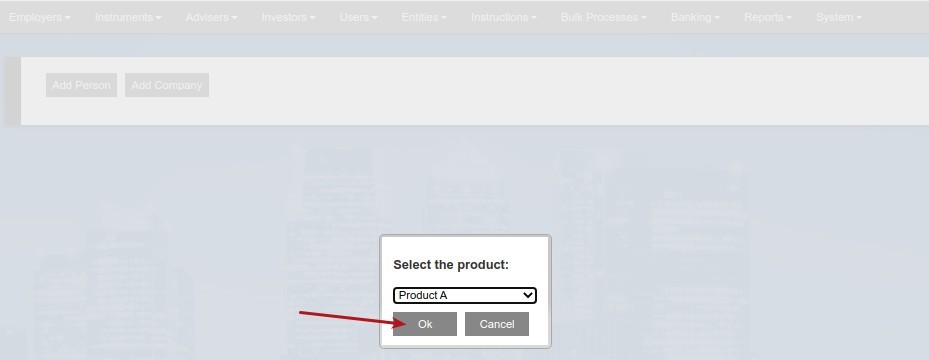
If the selected product has been linked to a template account, the default Instruction group screen will popup. Populate the required information and select create.
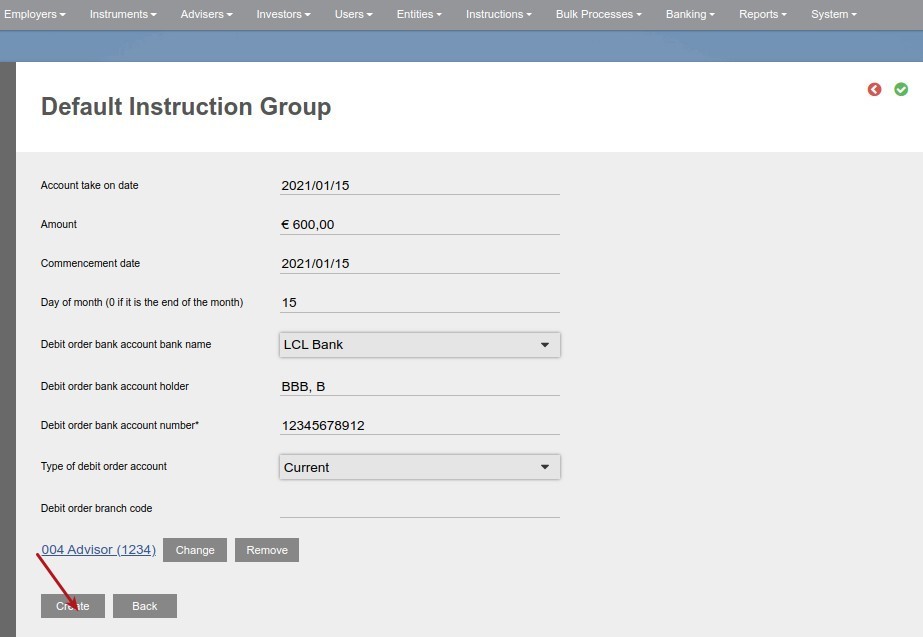
The account will be created with the default instructions in accordance with the parameters set above.
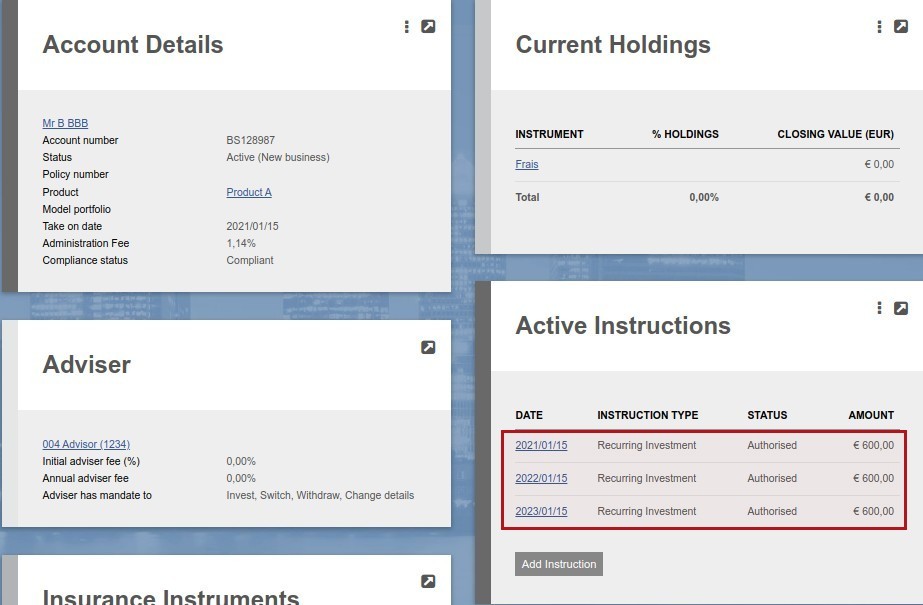
B. With an import
Columns J, AF, AG and AH in the example import file InstructionGroupImport will be used as parameters to create the instruction group on the new account. The content of column J will be the ‘display code’ of the white label model portfolio to be used.


Last Updated on 1 year ago by Antoinette Van Meyeren