
Cash Flows Card on Adviser and Brokerage
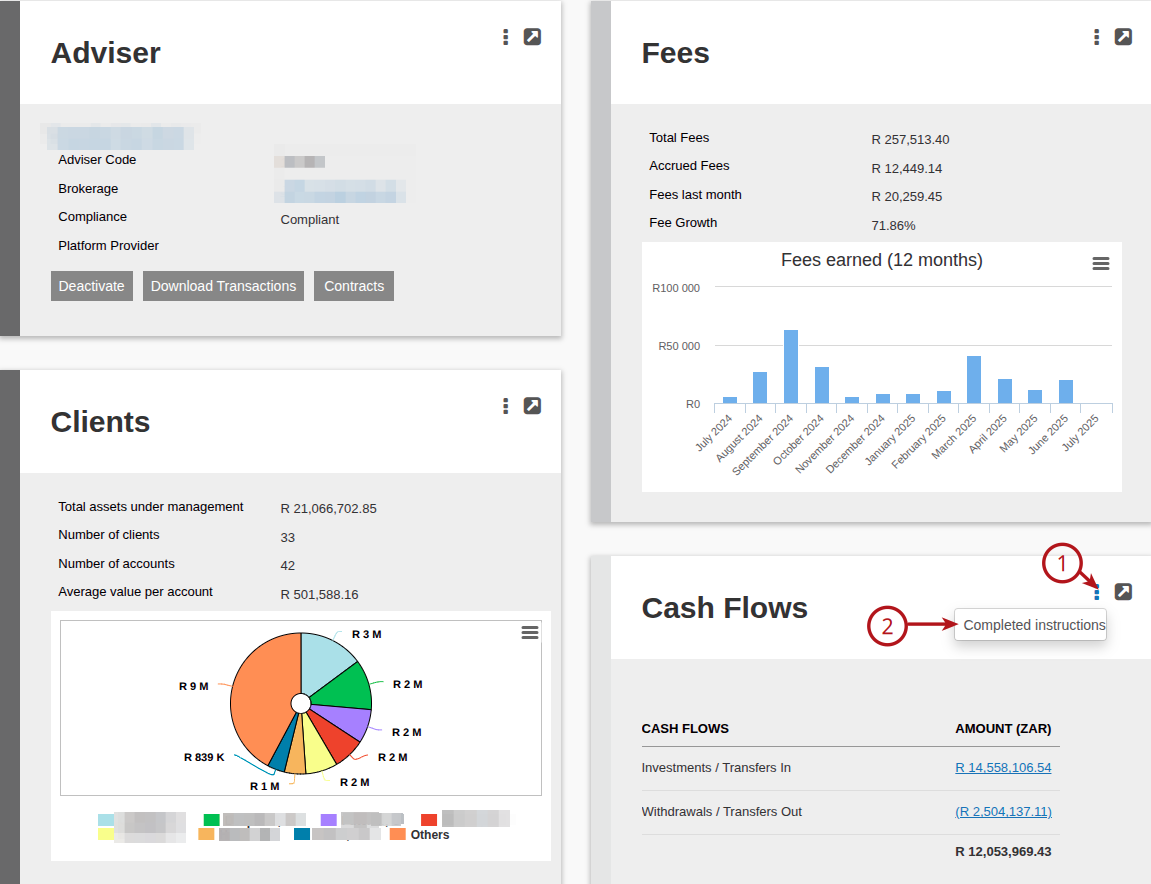
- The Cash Flows card forms part of the Brokerage / Adviser Client Management, refer to Adviser Dashboard
- The Cash Flows card was added to reflects the Net Flows (Investment – Withdrawals) for the Adviser and Brokerage
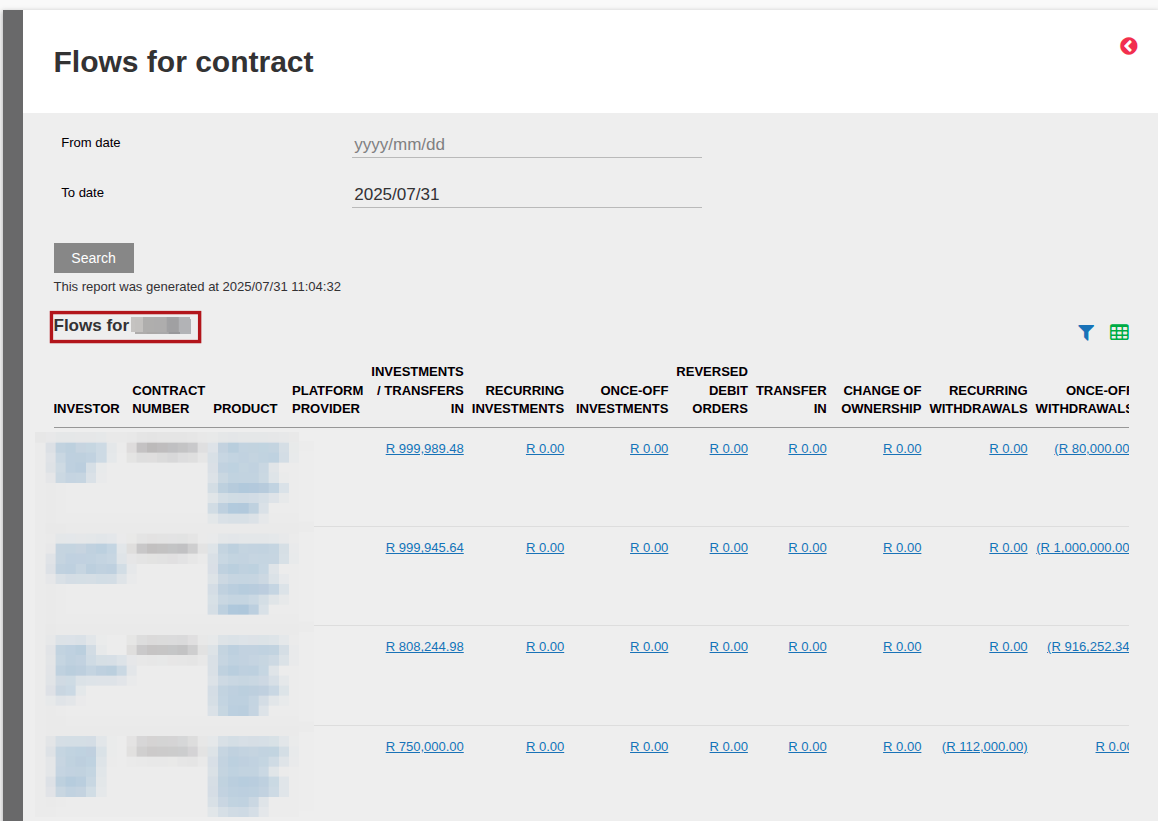
- The Cash Flows card – Details is available on the “Adviser Flows Detail Rows” card by selecting View Details on the Cash Flows Card
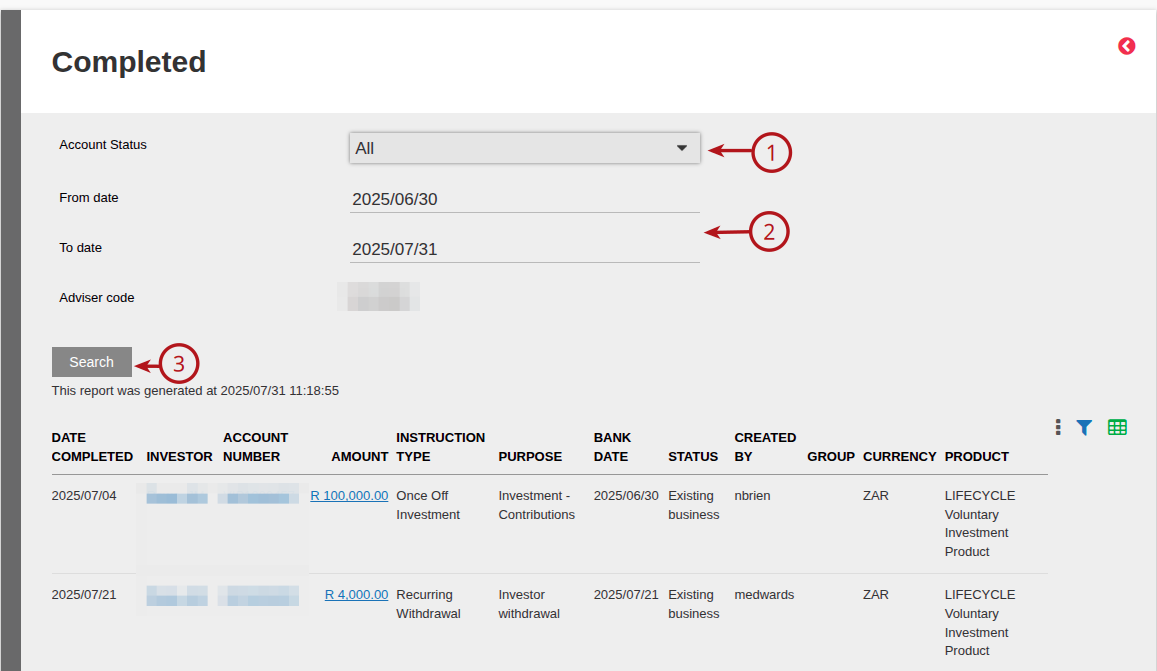
- The list of completed instructions has also been moved to the Cash Flows card – Completed Instructions, accessible via the More Action -> Completed instructions from the Cash Flows card
Cash Flows card

Cash Flows card – Details
NOTE:
- Cash Flows card on a Brokerage will also reflect the Adviser Code and Adviser Name
- The Contract details with the Transaction Type will reflect i.e. Investments/Transfers, Recurring/Once Off Investments, Reversed debit orders, Withdrawals/Recurring Withdrawals and Historical Transactions
Cash Flows card – Completed Instructions
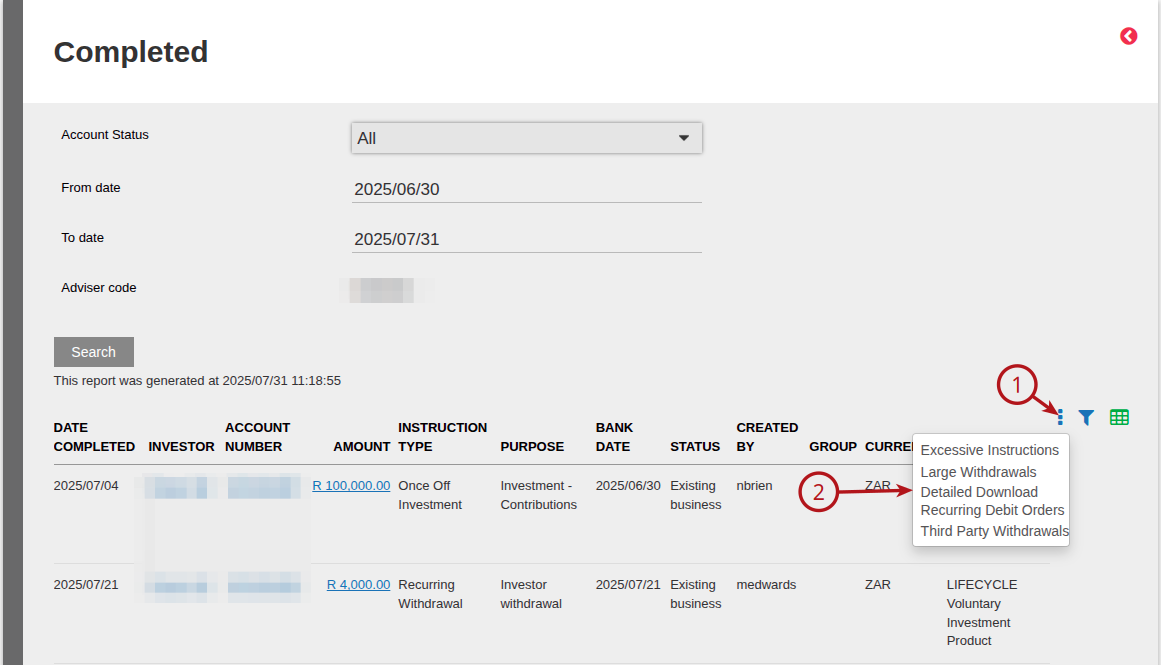
Additional extracts are available on these completed Instructions
Last Updated on 1 year ago by Debra Hart