
Generate and email Surrender letters
Also see setup surrender letter
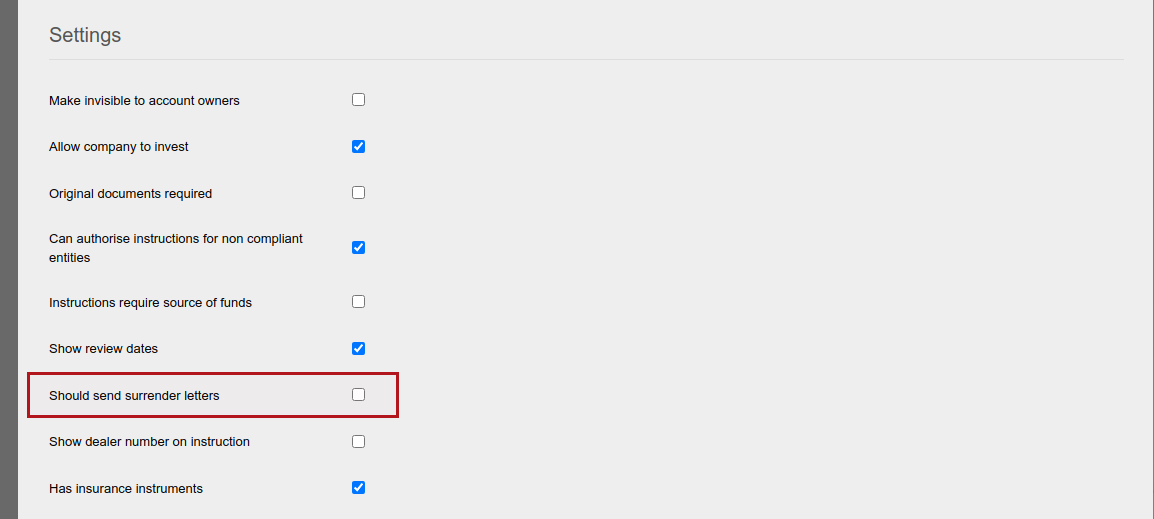
Surrender letters will be generated and attached to the documents card on the investor, when ‘Should send surrender letters’ has been ticked on the product and a 100% withdrawal for a contract in the product has been completed.
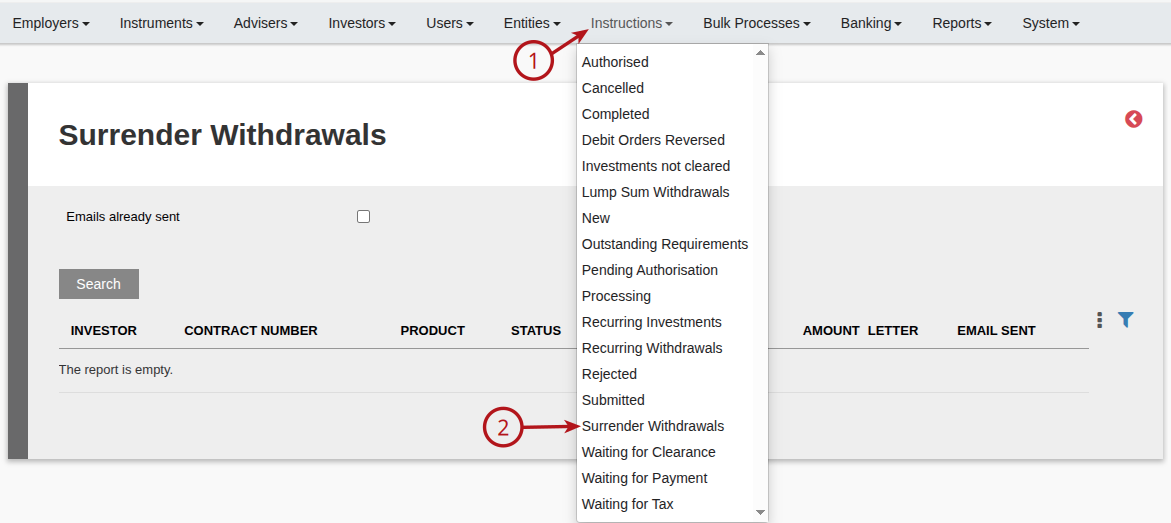
A list of contracts where surrender letters have been generated can be viewed under the Instructions main menu
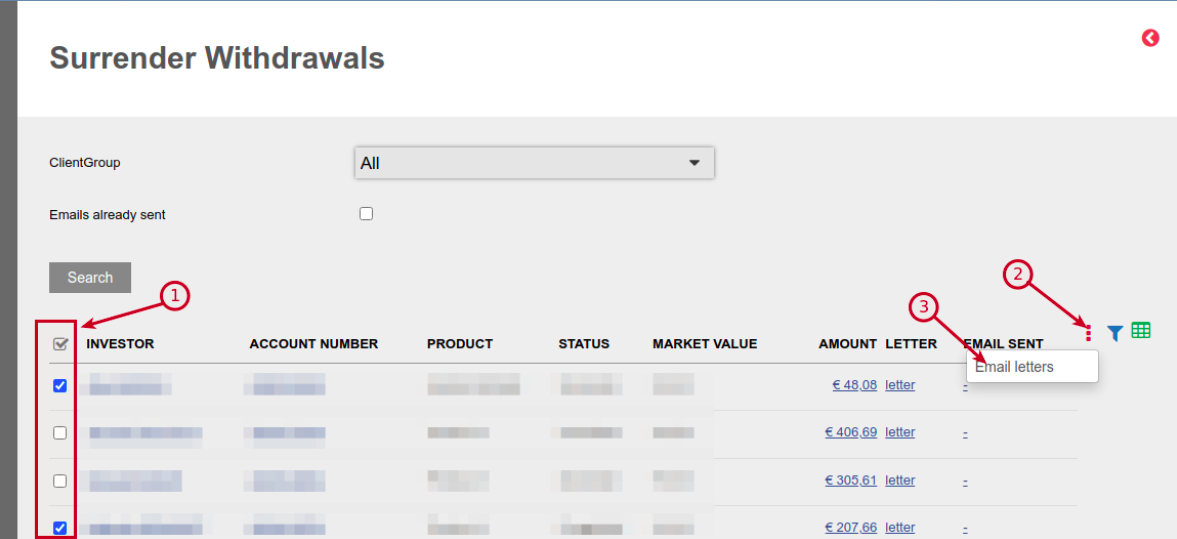
The surrender letters generated can be emailed from this screen to the recipient/s as setup on the surrender letter template on the product
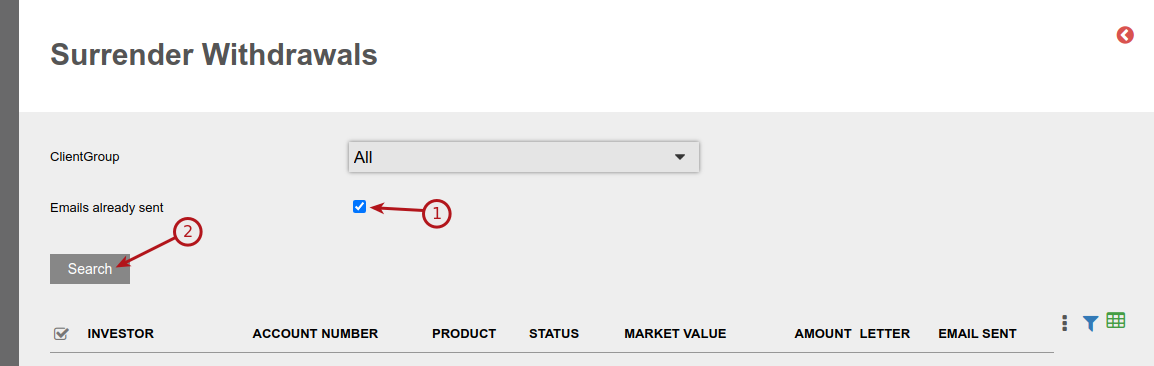
Selecting ‘Emails already sent’ and search, will display the list of contracts where surrender letters emails have been sent
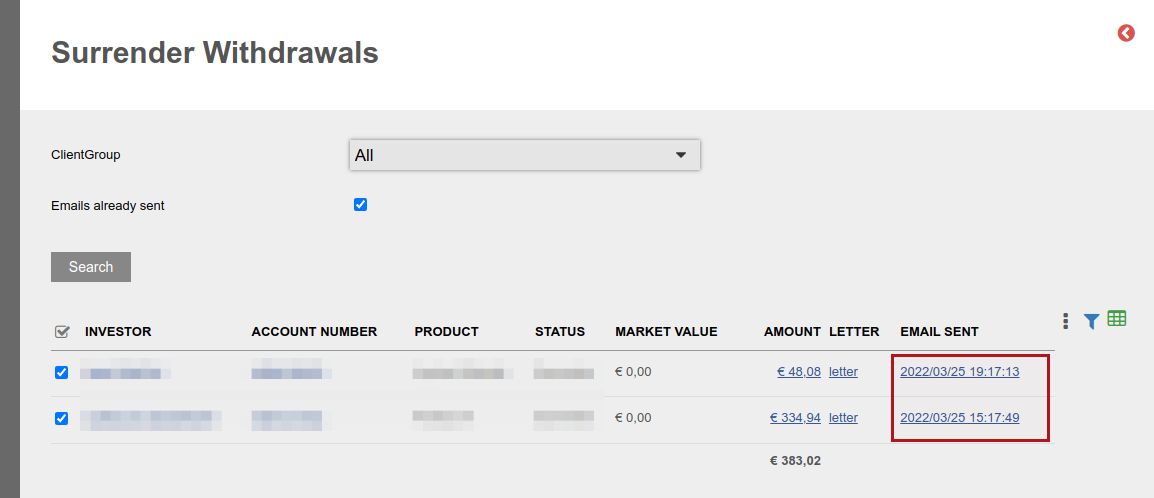
The emails send will use the Notification Message ‘Surrender Withdrawals’. Also see Overriding Notification messages.
NOTE: The system will only generate the Surrender letter where ‘Is final withdrawal (full surrender)?’ is set to ‘Yes’ on the 100% withdrawal.
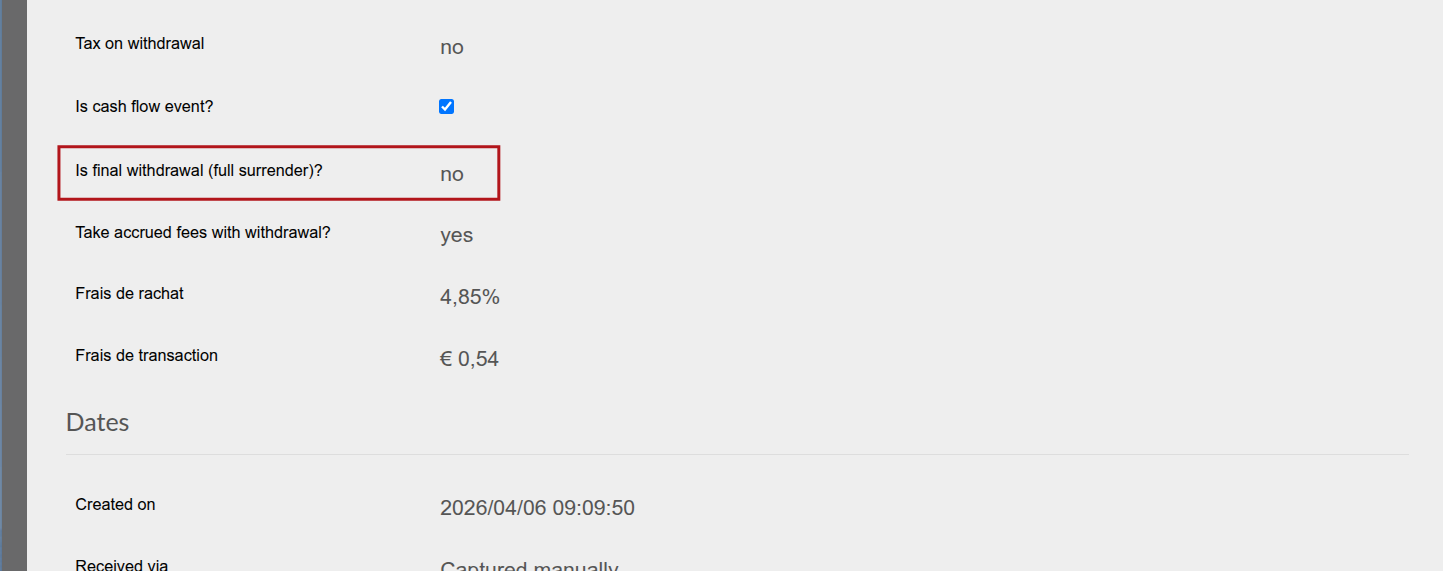
This option cannot be selected if a 100% Surrender is submitted while there are still other instructions in progress on the contract.
In such instances a popup message will be displayed when trying to submit a 100% surrender.
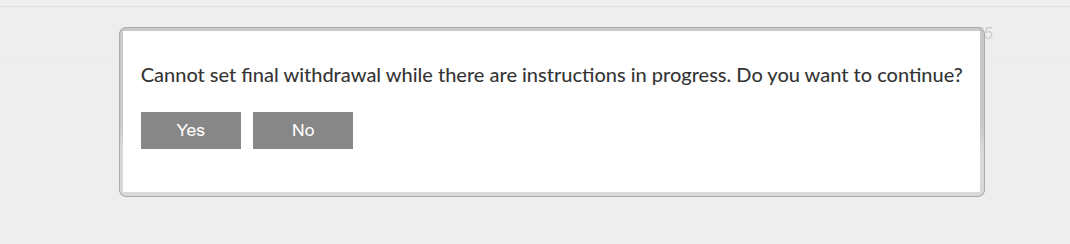
‘No’ should be selected and the instruction/s that are in progress should be completed before the 100% surrender is submitted.
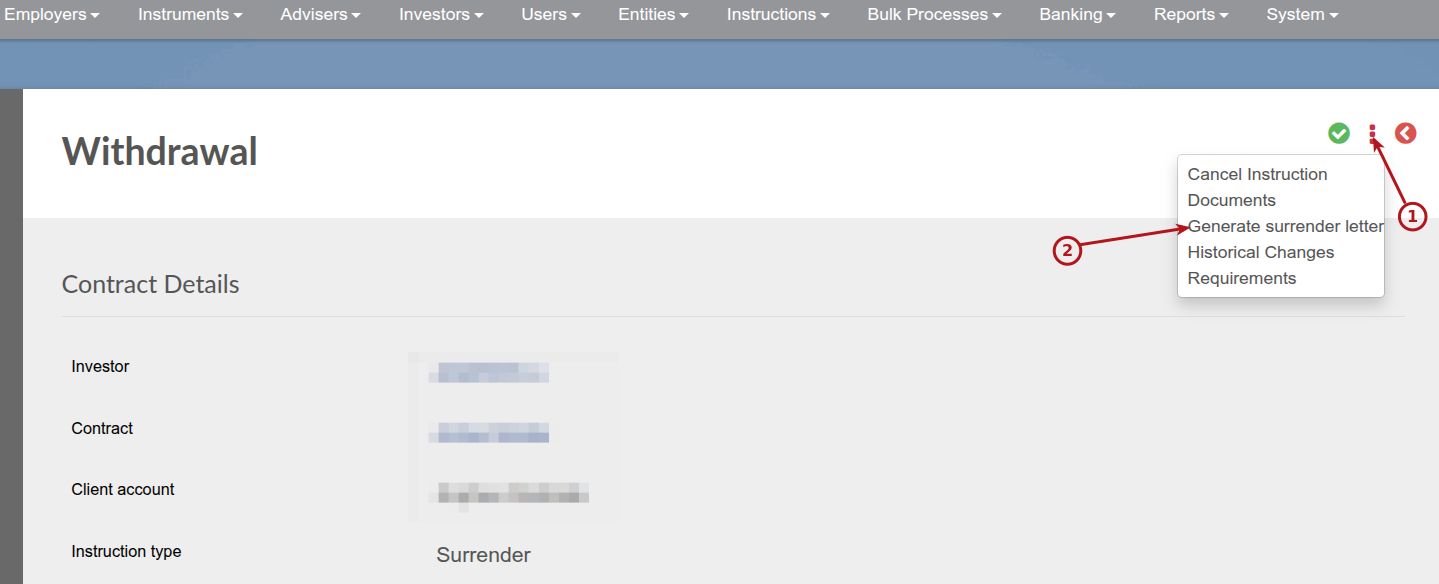
Where ‘Yes’ was selected, the system will not automatically generate a surrender letter.
The administrator then has the option to generate the surrender letter manually:
Last Updated on 6 months ago by Antoinette Van Meyeren