
Generating SARS interim and annual IT3 files
Please ensure you have done the set up for the SARS files
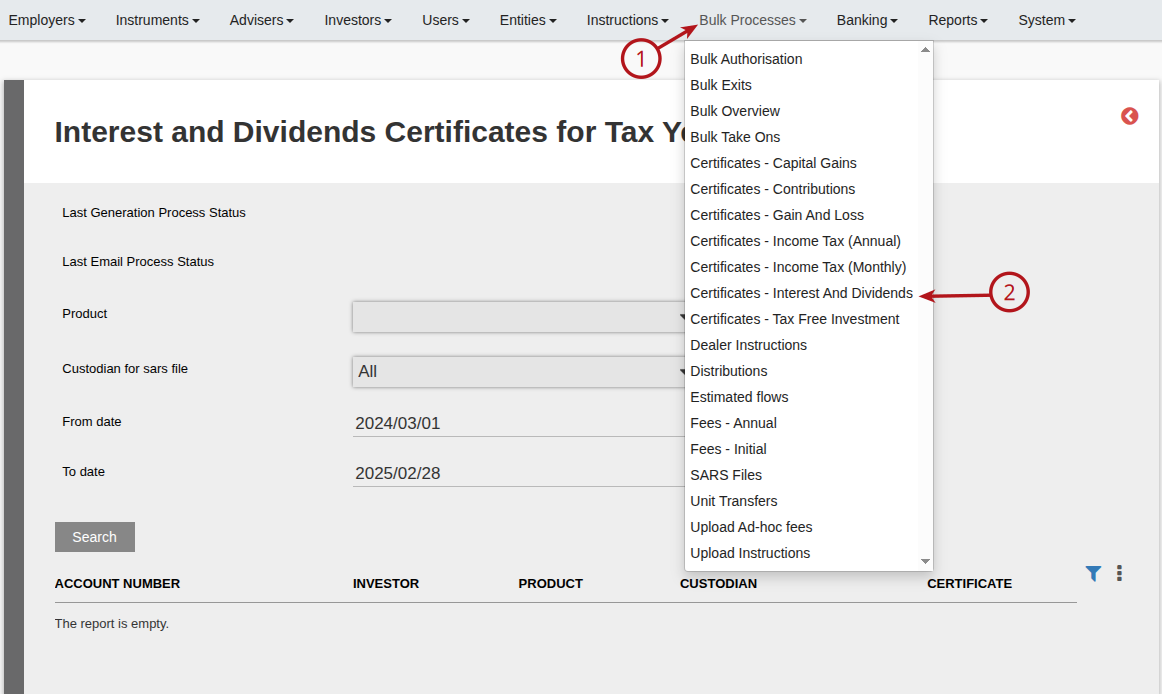
To generate interim or annual SARS IT3 Files go to Bulk Processes, Certificates – Interest And Dividends (IT3b) or Certificates – Capital Gains (IT3c) or Certificates – Tax Free Investment (IT3s), depending on the IT3 you wish to generate.
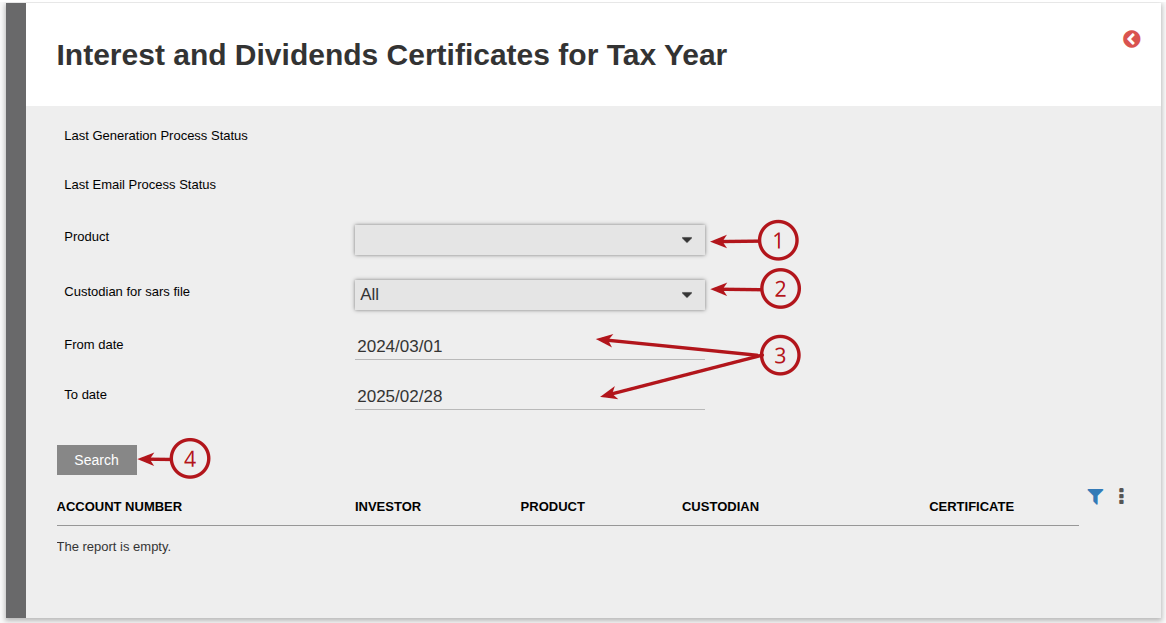
Choose Product and Custodian. If generating the interim file, change To date. If generating the annual file, From and To dates will default to the financial year start and end dates automatically. Press Search button.
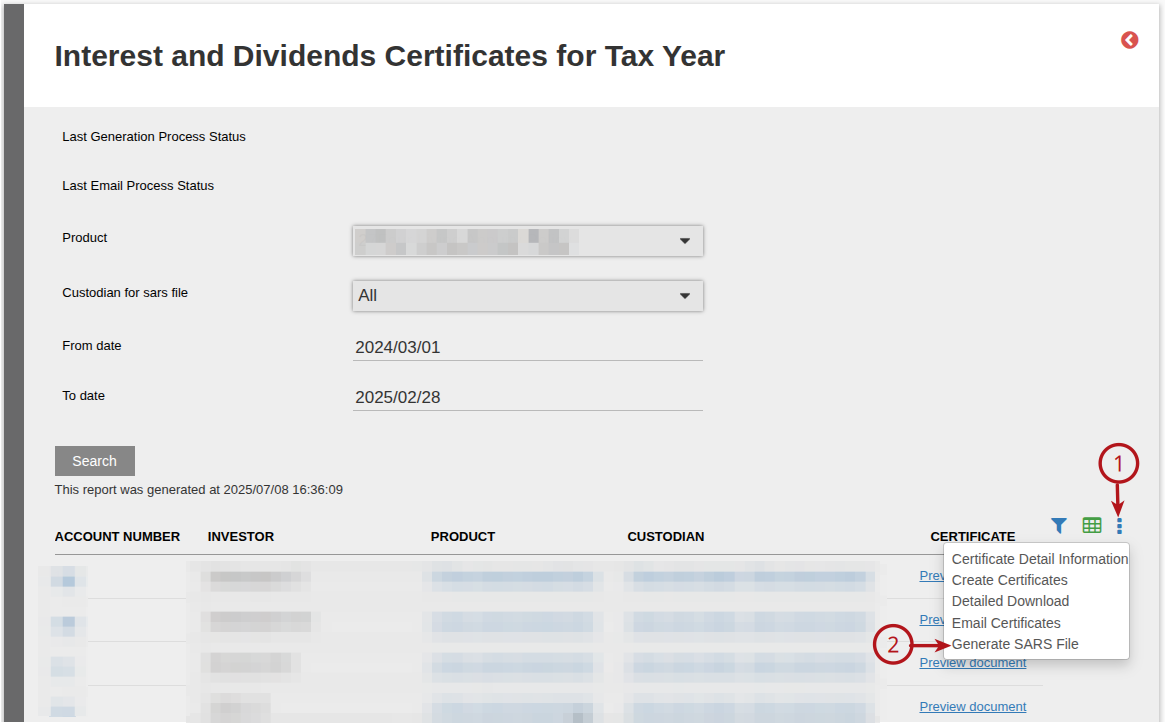
Go to More actions and Generate SARS File
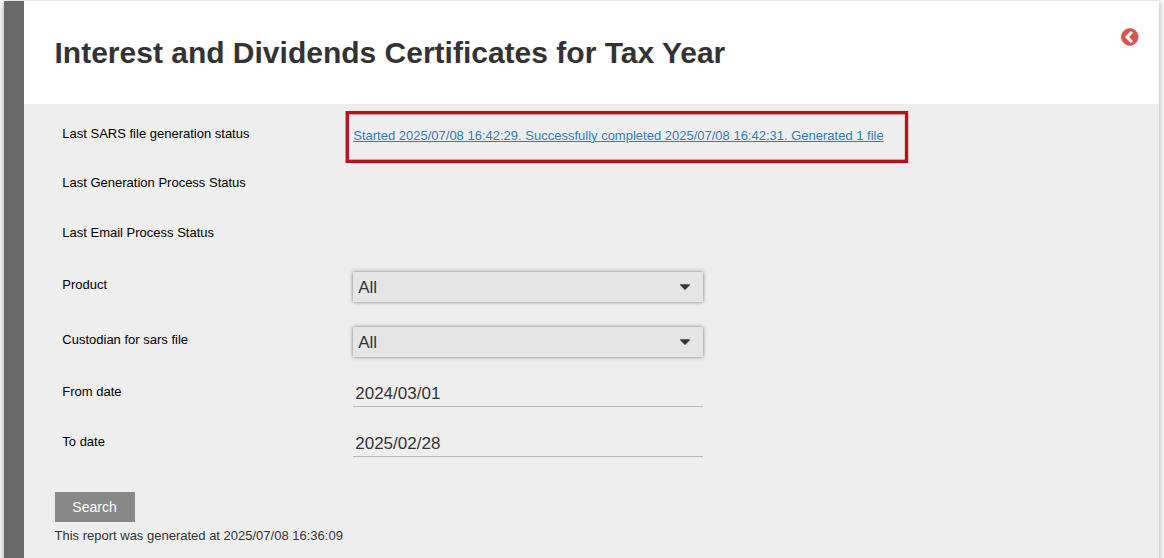
The file will start generating in the background, which means the user may navigate away and work from other menu items, while the process is busy.
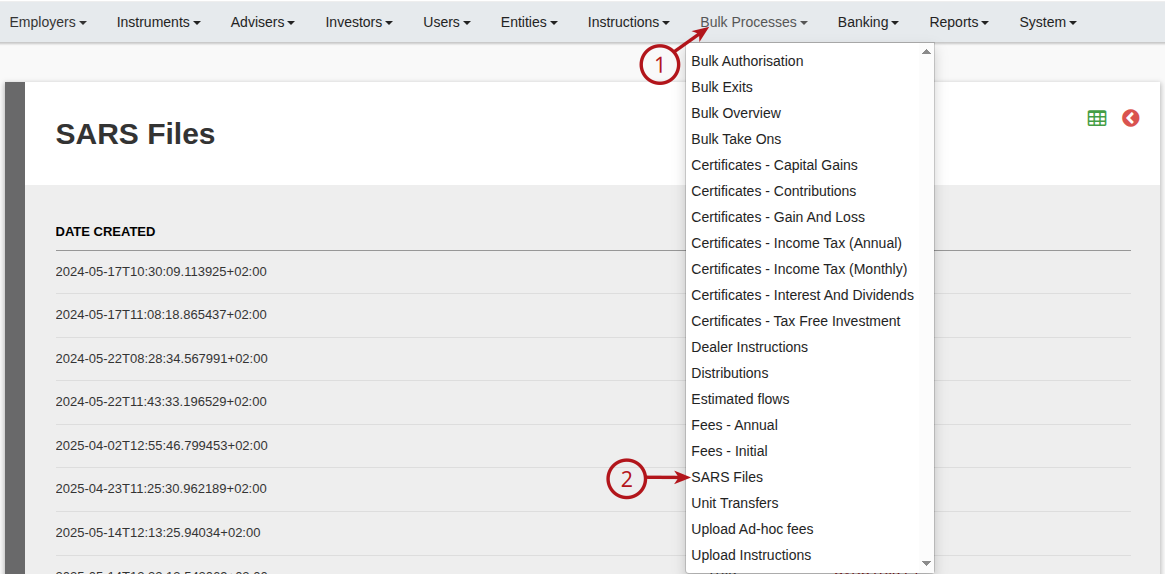
To find the generated IT3 SARS file go to Bulk Processes, SARS Files
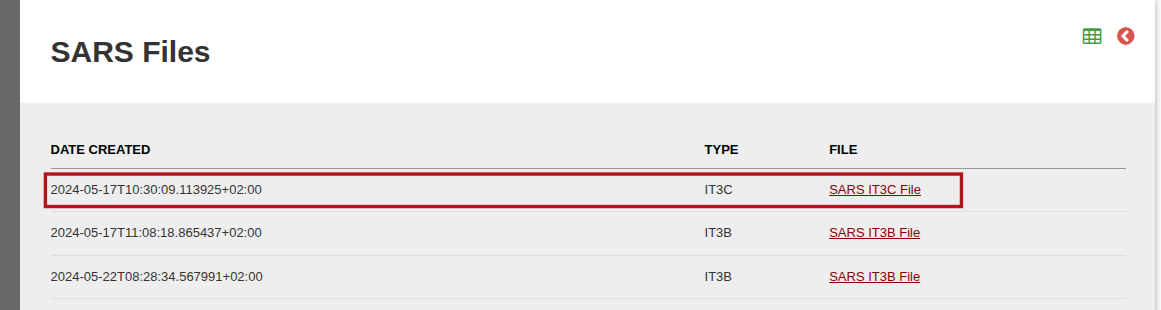
Here you will find a list of all SARS Files. Look for the file under Date created and Type. Select the SARS File and download.
Contracts included in the IT3C and IT3B SARS files
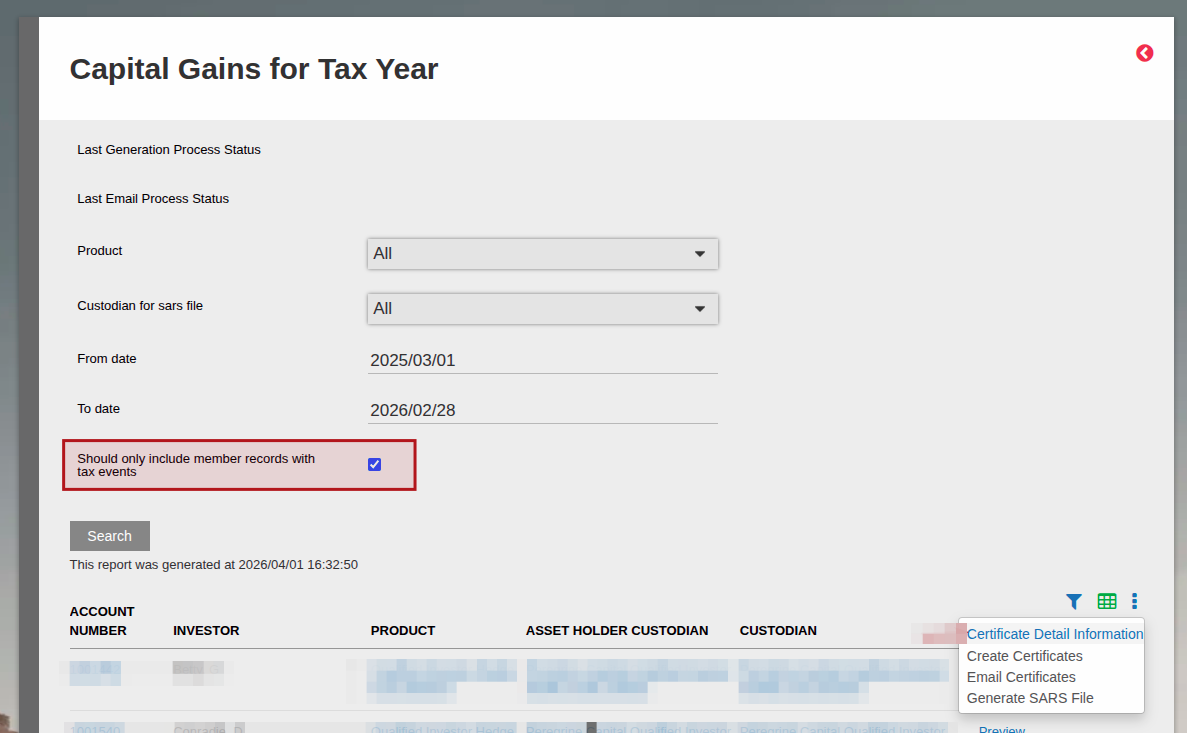
The IT3C SARS file will by default contain all investor contracts where there has been at least 1 transaction in the past. In order to generate this file for clients who have had a capital gain/loss event only, you can check the tickbox called “Should only include member records with tax events”. In this case a tax event is defined as any gain or loss on the contract.
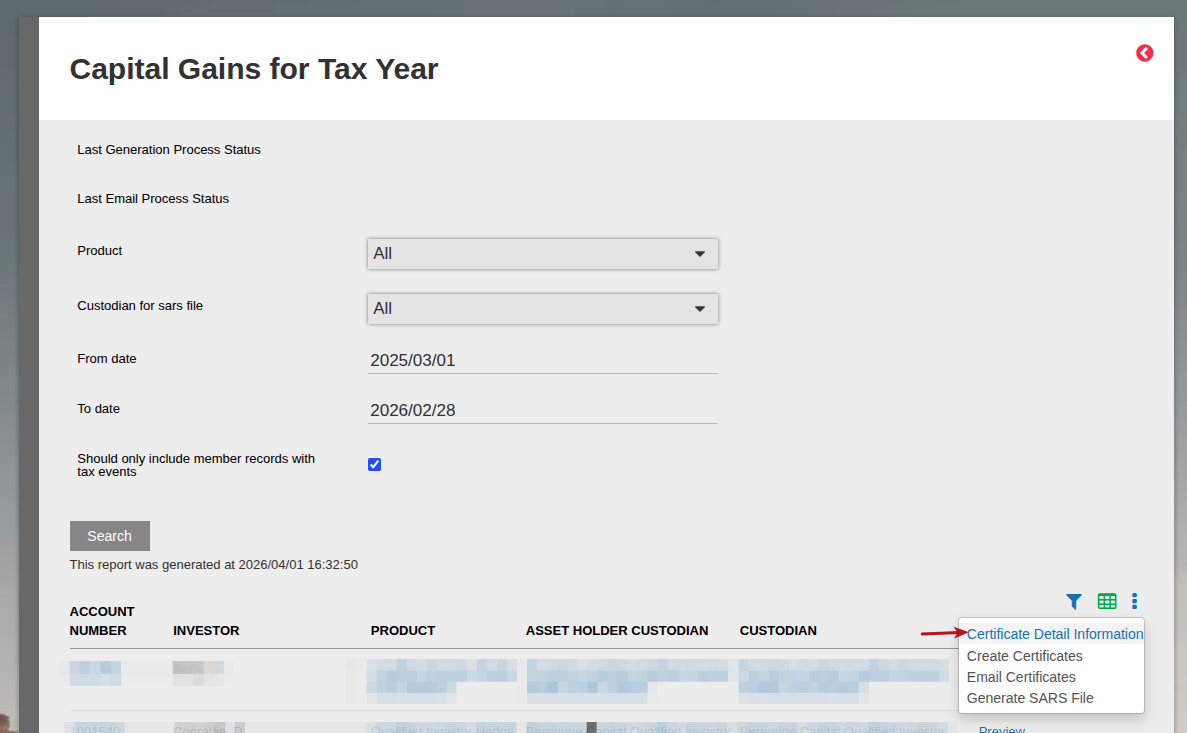
The Interest and Dividends SARS file (IT3B SARS File) only contains data for investors who have either earned interest or dividends in the selected period, else the contract won’t be included in the file. You can validate the data showing interest and dividend earned in the same period by navigating to the Certificates – Interest and Dividends -> once the data has loaded for the date range selected -> more actions -> Certificate Detail Information will show you all interest and dividend earned per contract for the period. And for the IT3C file (Certificates – Capital Gains ) you will see the total Gain and Loss per contract when navigating to Certificate Detail Information.
Last Updated on 7 months ago by Beryl Braak