
Internal Unit Transfer Process
Internal Unit Transfers allowing for units to be transferred directly from one contract’s holdings to that of another contract. The from and to product needs to have the same asset holder custodian. Specific number of units can be captured or a percentage of the units per instrument to be transferred. This cannot be used if the units to be transferred are in a model portfolio
The purpose of this transaction type is to move units with no impact on cash flows file or net creations file, additionally Base Cost to move between unit holders if not “Capital Gains Event” and product has “Capital Gains Event” activated on change of ownership.
The transaction type needs to be selected under the product to be viewable on contract level, from the main menu select (1) System, (2) Products

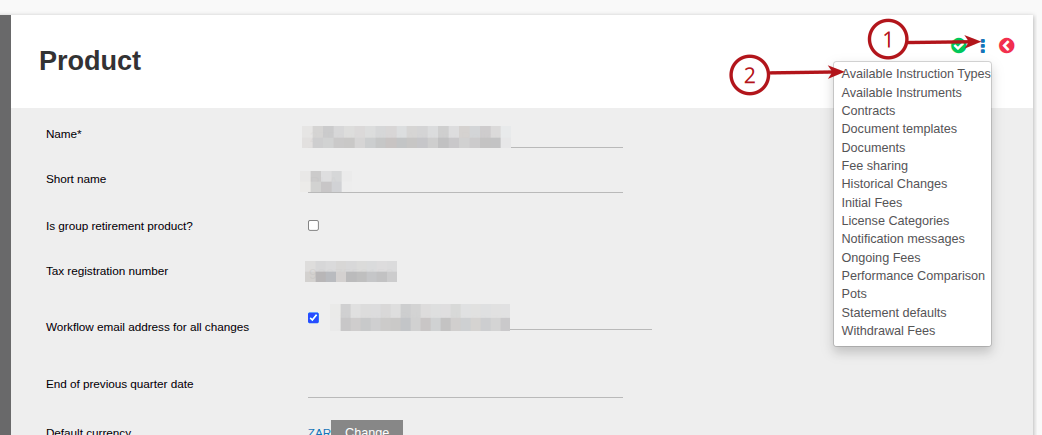
Select the applicable product, then (1) More Actions (2) Available Instruction Types
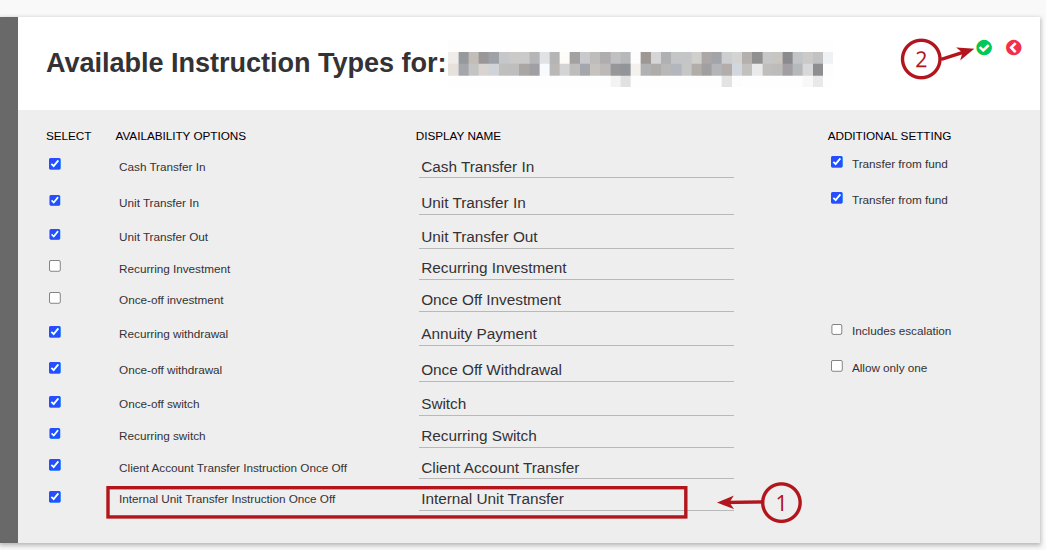
Select the (1) Internal Unit Transfer Instruction Once Off – Internal Unit Transfer, then (2) Save
Add and Submit Instruction
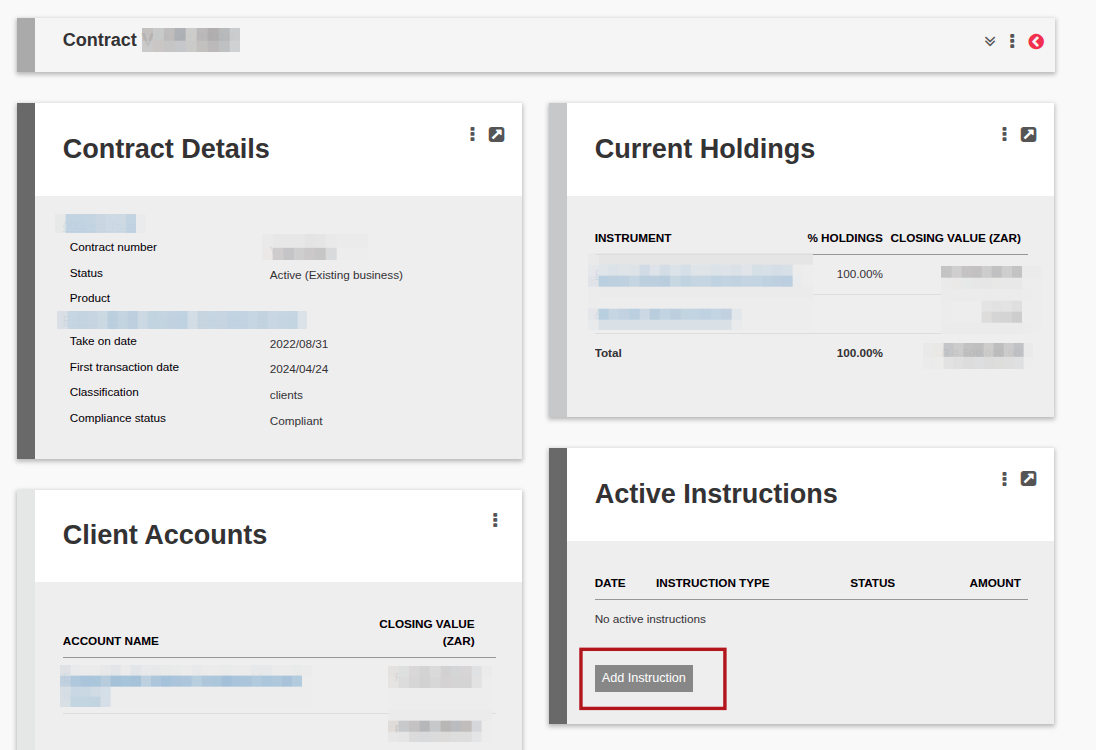
Go to the relevant investor account and select ‘Add Instruction’
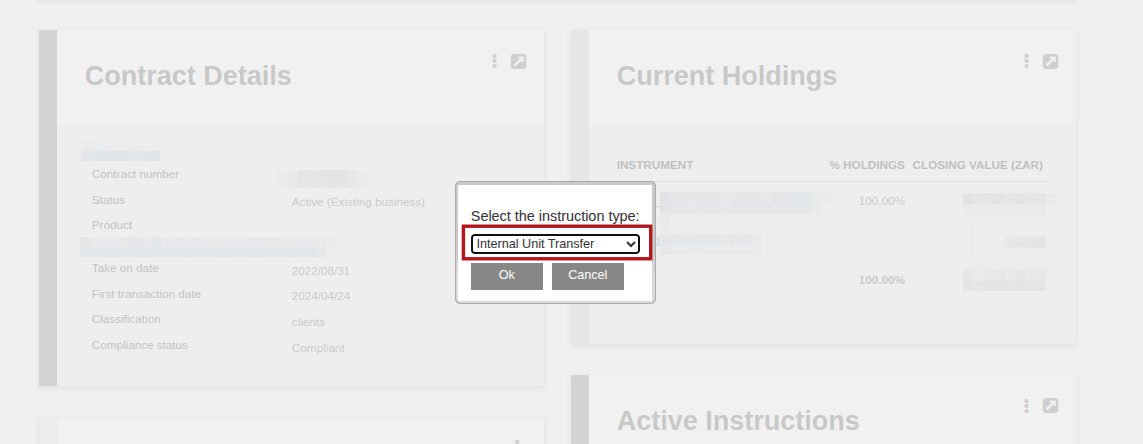
Select the instruction type Internal Unit Transfer from the drop down list:
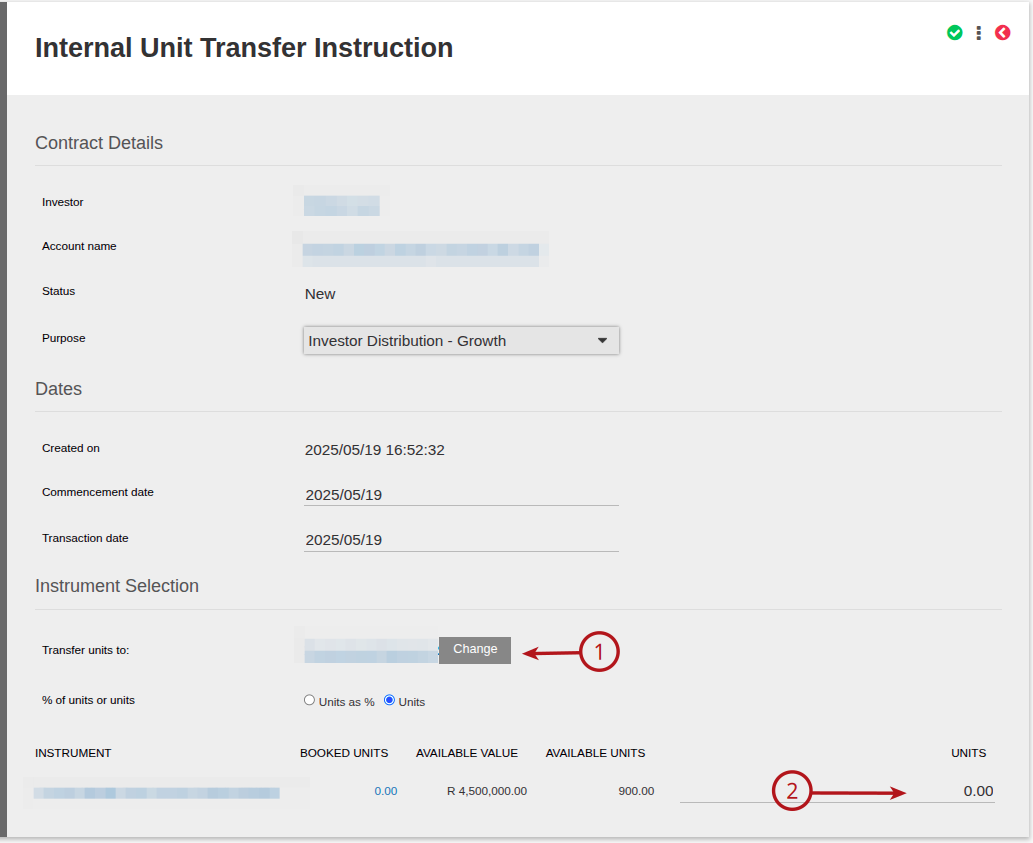
Complete the relevant information on the instruction, (1) Select the Transfer units TO Account and the (2) Unit amount/percentage to be transferred
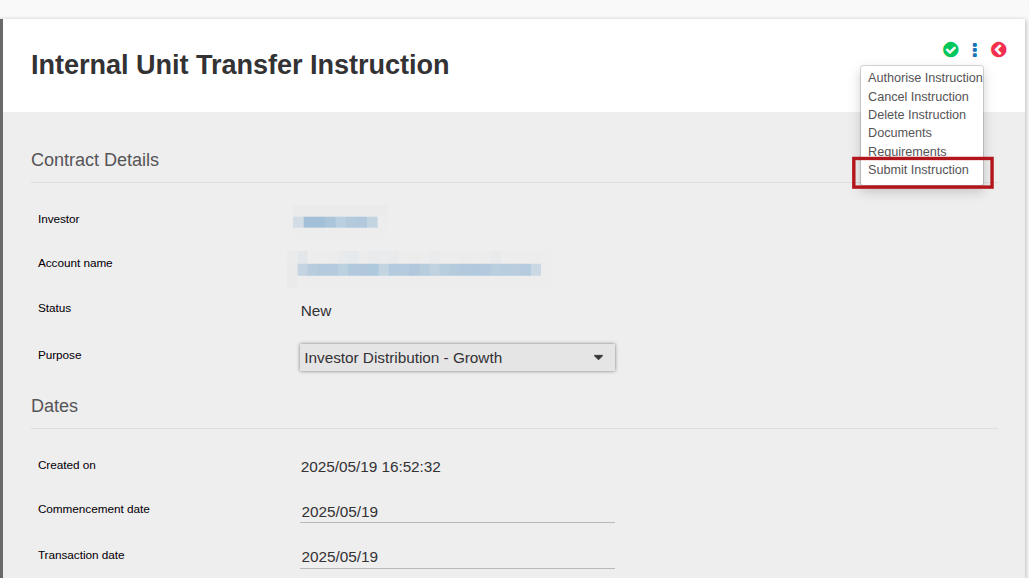
Submit the Instruction
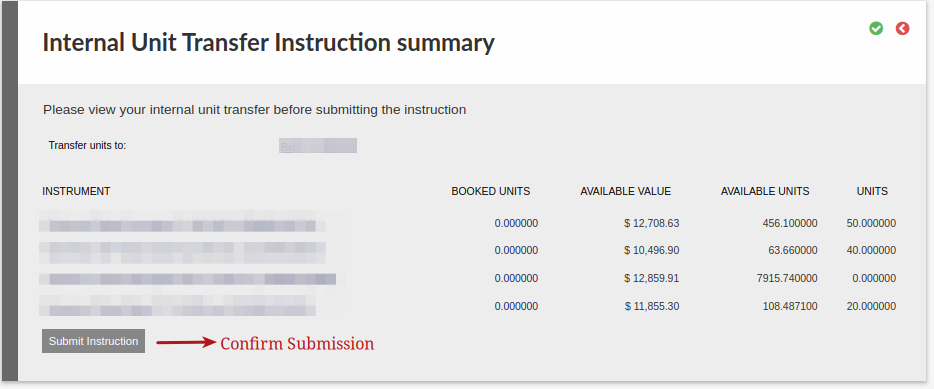
Confirm the instruction submission, select Submit Instruction
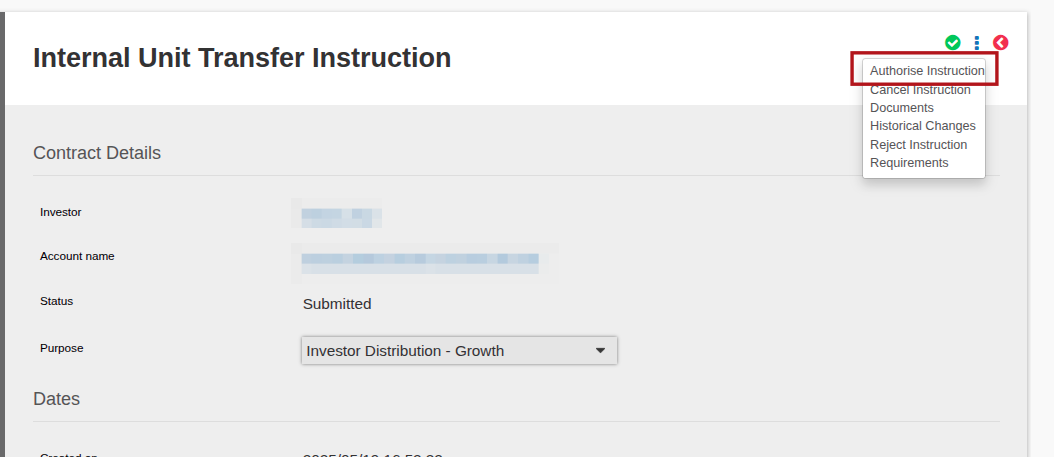
The instruction then needs to be authorised, as soon as this has been done the movement will take place.
On an Internal Transfer, if the Weighted Average Base cost on a Non Capital Gains Event needs to be amended, see link
Last Updated on 1 year ago by Beryl Braak