
Overriding Fees on Brokerage and Adviser
The system has the ability for the administrator to set different fee rates on a brokerage and/or adviser for their clients. This will only be applicable to the clients for the said brokerage and/or adviser.
- More details can be found on Overriding fees
- Depending on the fee category and fee type the fees can be overridden on the following levels:
- Instrument
- Brokerage
- Adviser
- Contract
- Client Account
- The normal path for ongoing fee overrides are as follows (keep in mind that all the steps are not applicable on all fee types):
- Product -> Instrument -> Brokerage -> Advisor -> Contract -> Client Account
- Ongoing fee (Advisor Fees)
- Product -> Brokerage -> Advisor -> Contract (Adviser Card) -> Client Account
- Initial fee (Advisor Fees)
- Product -> Brokerage -> Advisor -> Contract (Adviser Card) -> Client Account -> Instruction
- Ongoing fee (Other Fees e.g. Administration Fee)
- Product -> Instrument -> Brokerage -> Advisor -> Contract -> Client Account
- Initial fee (Other Fees e.g. Initial Platform Fee)
- Product -> Instrument -> Brokerage -> Advisor -> Contract -> Client Account -> Instruction
- Another override on Initial fees can be set on an Instruction but this is set for the specific instruction and does not form part of the override process.
Overriding Fees on Brokerage
-
- Navigate to the Brokerage
- From the Fees Card select View Details
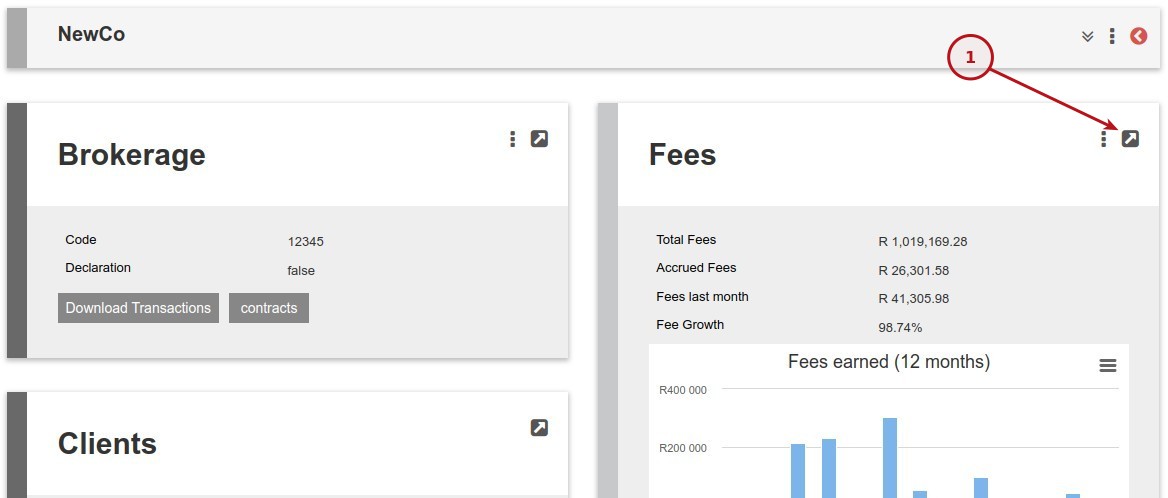
-
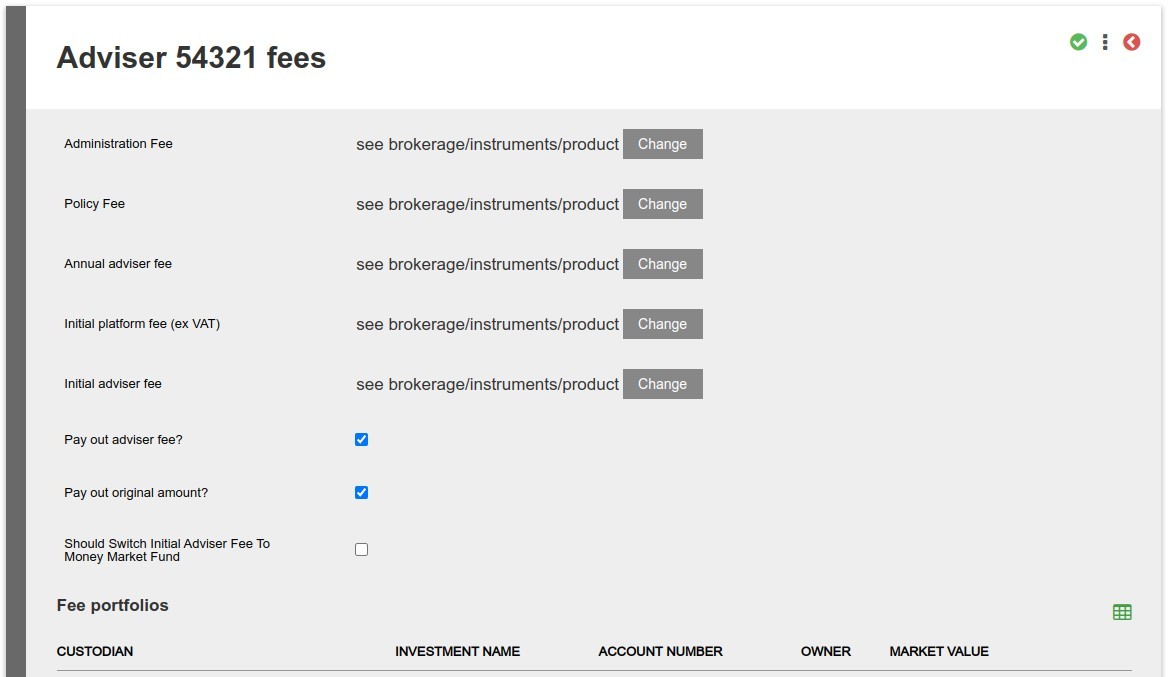
- Create the override for the selected fee by clicking on the Change button.

Overriding Fees on Adviser
- Navigate to the Adviser
- From the Fees Card select View Details
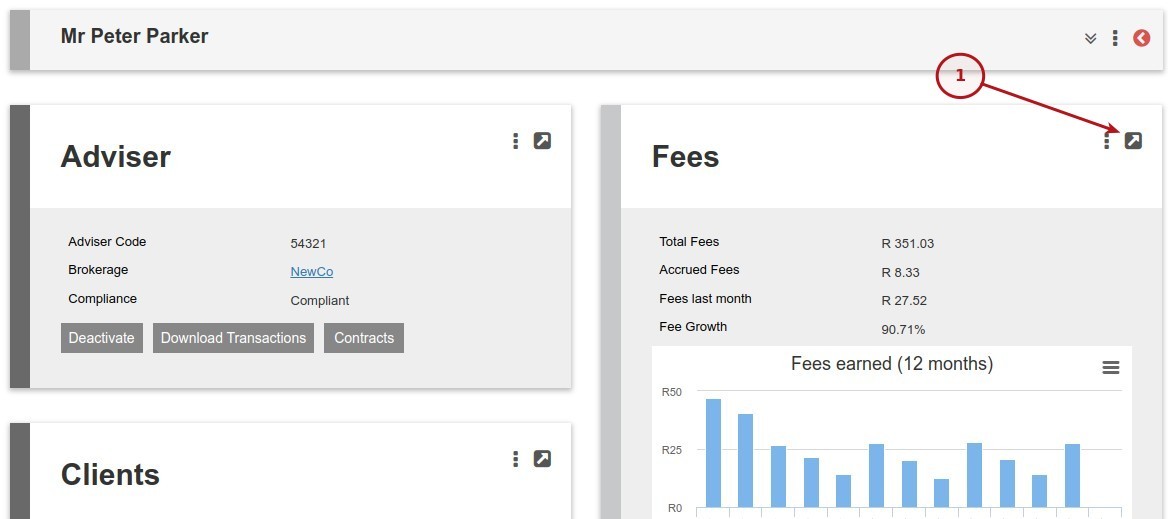
- Create the override for the selected fee by clicking on the Change button.
Notes & Warnings
-
- When overriding a fee type on an Adviser the fee type must by added to all the products for the contracts linked to the Adviser. If not you will get an error: The advisor will not accrue ongoing fees as the fee type(s) are not defined on the the advisee’s product(s)
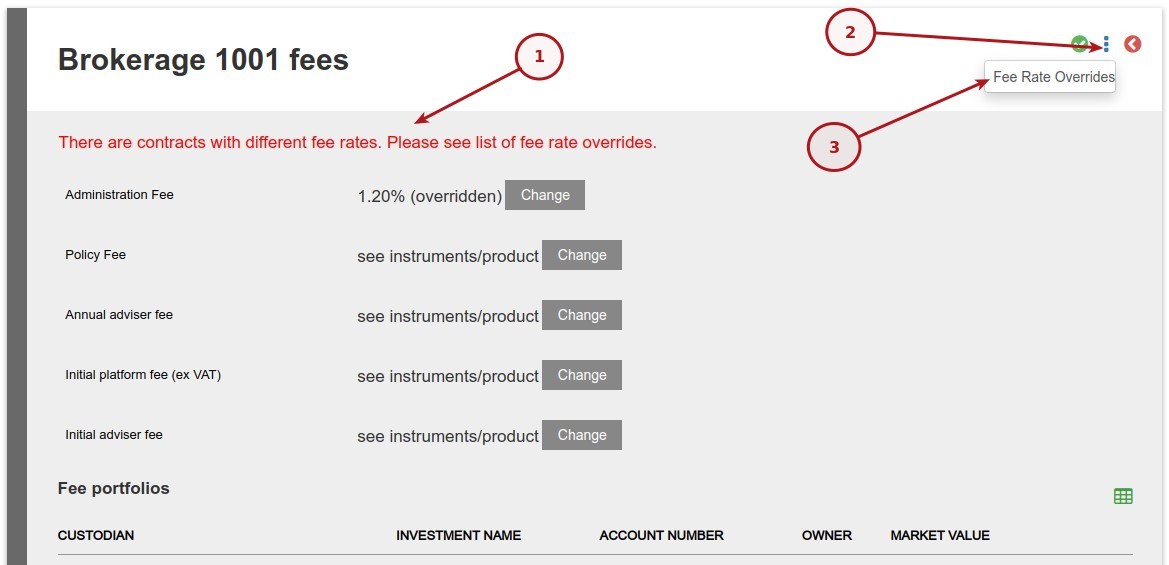
- On both the Brokerage and Adviser the system will warn if the fee has been overridden down the line of overrides. Say for example a fee has been overridden on a contract and the same fee is overridden on the adviser the fee on the contract will be used.
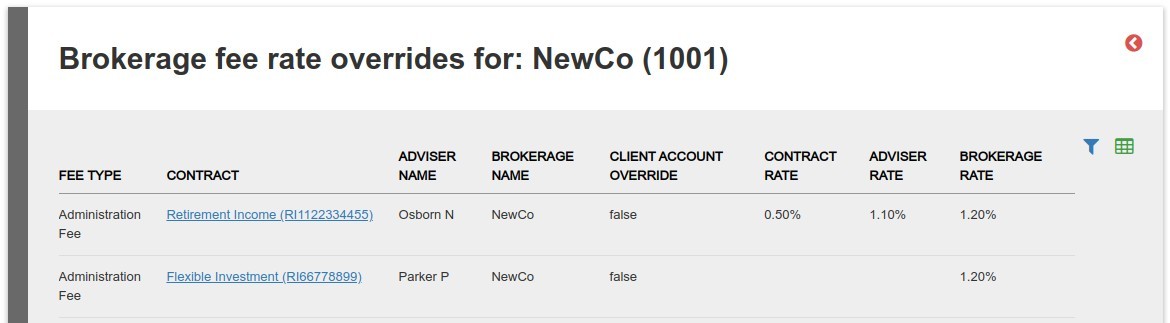
- A list of these account can be seen by navigating to the Brokerage -> Fees Card -> View Details -> More Actions -> Fee Rate Overrides
- In the image below we have 3 rates:
- CONTRACT RATE
- ADVISER RATE
- BROKERAGE RATE
- In line 1 the CONTRACT RATE will be used
- In line 2 the BROKERAGE RATE will be used as we do not have overrides on either ADVISER or CONTRACT
Last Updated on 2 years ago by Antoinette Van Meyeren