
Send Message to External System as a Communication Preference
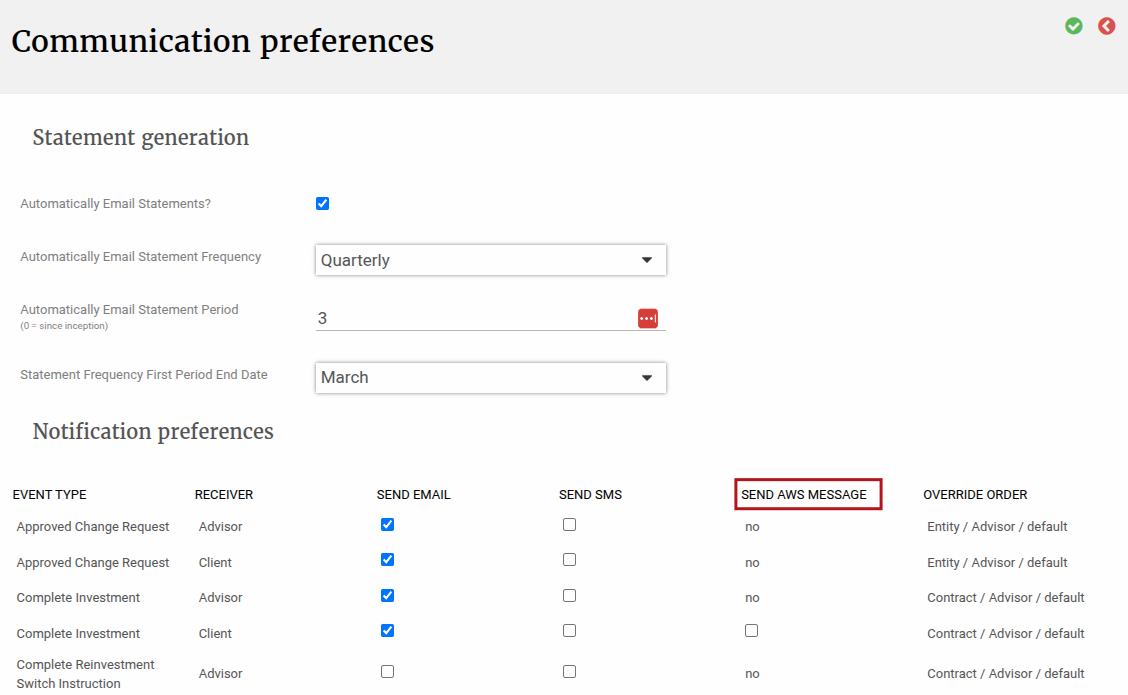
Using our existing communication preference feature, we’ve added a 3rd communication option called Send aws message. This can be setup on System level or overwritten on entity or contract or advisor, as per the normal communication preference feature.
This feature enables you to send a message to a message queue, from where a subscribing entity can then pick up the message. We can only send messages, and can’t currently subscribe to a message queue to fetch messages.
The setup of this message queue must be done on the back-end so please reach out to finworks support if you require this setup.
This article covers the following topics:
- Importing Communication Preference as AWS for a list of contracts in bulk
- Using external messages to notify of price updates
- View Historical Messages Sent
Importing Communication Preference as AWS for a list of contracts
You can also import these values at a Contract level using Import Contract, by specifying value AWS in any of the following columns: Communication preference, Complete Investment Notification Preference, Complete Reinvestment Switch Notification Preference, Complete Switch Notification Preference, Complete Unit Transfer In Notification Preference, Complete Unit Transfer Out Notification Preference, Complete Withdrawal Notification Preference. You can use Export Contract to get the list of available communication preference settings and their existing values.
Using external messages to notify of price updates
If you want to use the above feature to additionally send a message to a message queue when prices of specific funds are updated, you must do the following setup on finworks:
- On System -> configuration you must check Should notify external party of price updates?
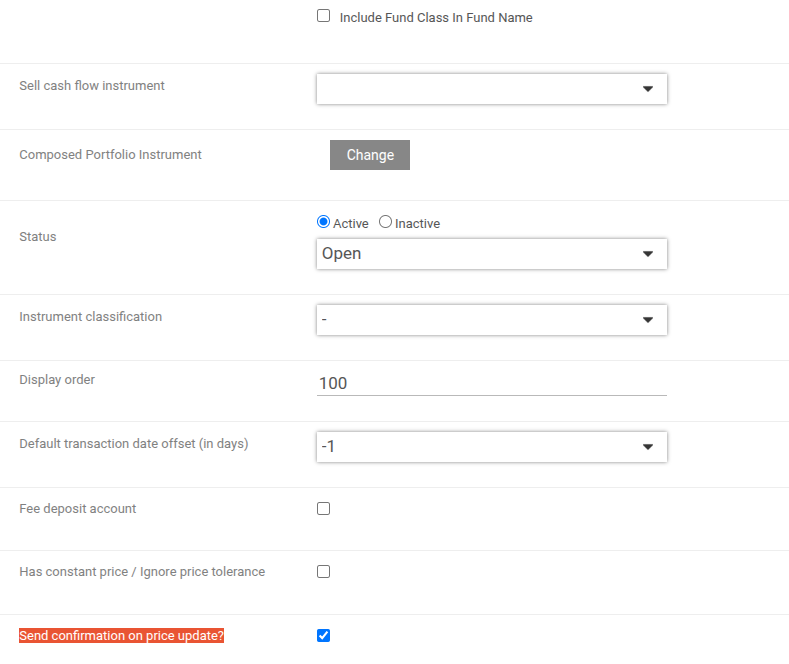
- On the relevant fund, where you want to send a message to the message queue when prices are updated, you must check Send confirmation on price update?
- On System -> Jobs there is a new job called Price update notification job via AWS SQS Job. Each time a price is updated, the notification message will be sent to the message queue immediately using this job, so you can see results on this job, but there is no need to schedule it as the trigger for the job to run is the price update. This job has to always be active, in order to send these messages.
View Historical Messages Sent
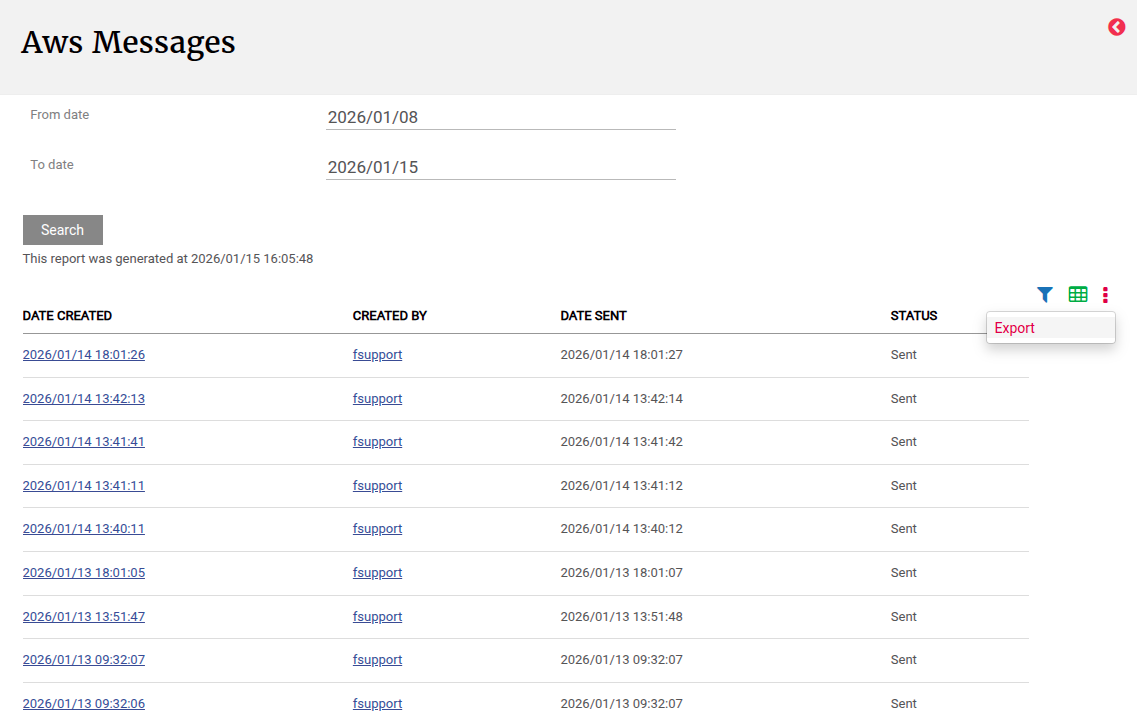
Navigate to System -> AWS Messages -> choose the appropriate date range and click on Search. This will show you all the messages that we sent to the message queue.
Note the following:
- You can export the messages sent, including the content of each message, by clicking on more actions -> Export (screenshot above). This will download a CSV to your computer which you can then filter to search for a specific message or to search for a specific result.
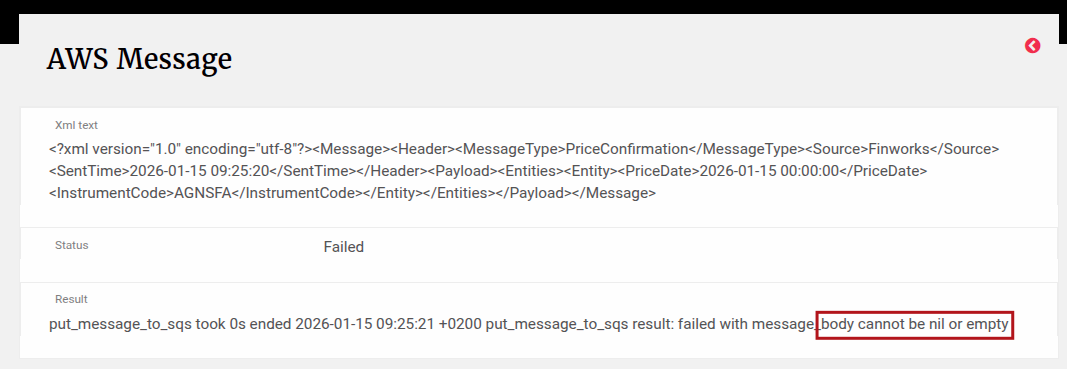
- Clicking on the Date Time stamp, will show you the content of the message that was sent:
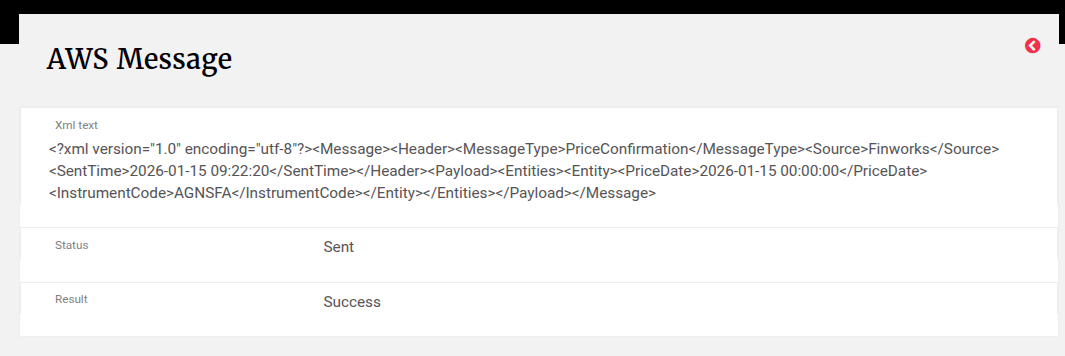
- If a message is received by the message queue, and the content confirmed as received is different to our intended message content, then the Status will show as “Failed”. In this case if you click on the Date Time Stamp, you will see the Result that we received when sending the message, which will indicate the reason for the failure:
Last Updated on 9 months ago by Adrienne Dill