
Setup Default Withholding tax percentage per Country
The system uses the Withholding tax percentages as set on the Registered country of the Custodian of the Instrument account to determine the Withholding tax percentages apply when the system needs to withhold tax.
To setup or change the default Withholding tax percentages, go to the Custodian’s Registered country (System -> Countries -> select relevant country). Complete the relevant percentages and save:
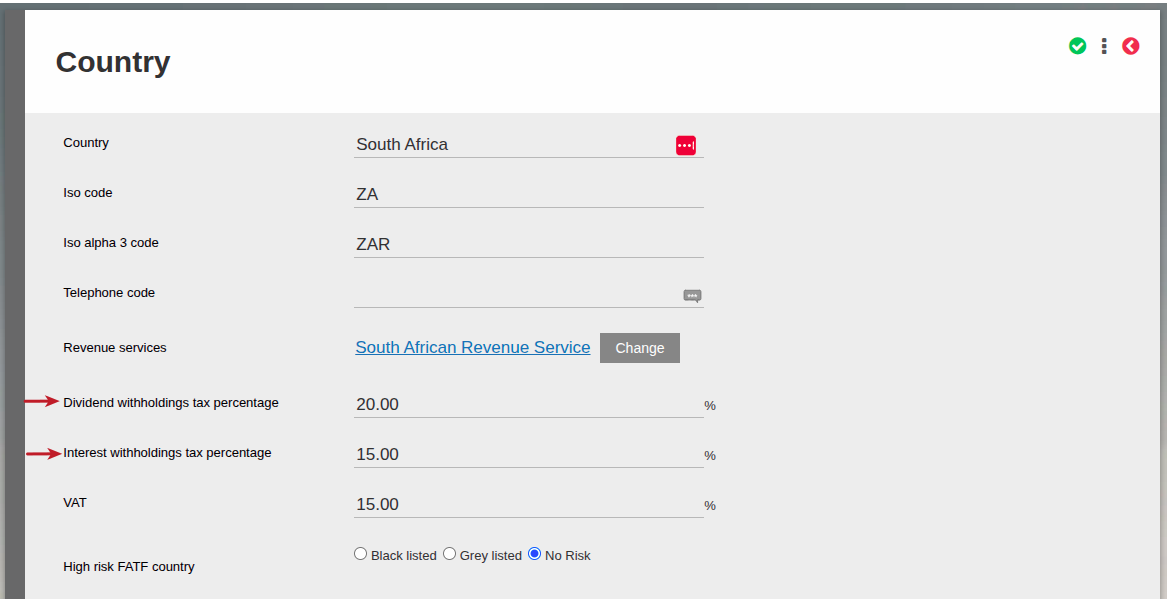
The Withholding tax percentages will now appear on distributions where the Custodian on the Instrument Account has the relevant country as registered country. The system will now move the correct withholding tax to Inland Revenue.
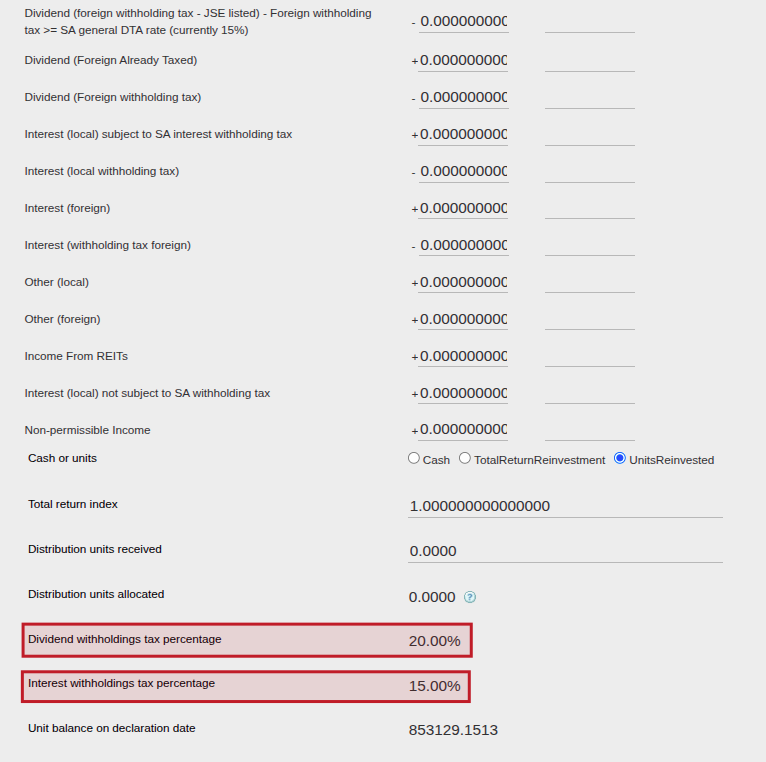
When the default withholding tax rate must be overwritten
On an investor level one can also load a reduced tax rate, or be exempt from interest/dividend withholding tax.
- For detail regarding loading an exemption on dividend or interest withholding tax, see this help file.
- For detail regarding loading a reduced dividend or interest withholding tax rate on an investor, or an a specific distribution across investors, see this help file.
Here you can see how we determine which withholding tax rate to use in any scenario where the system withholds tax.
Last Updated on 4 months ago by Adrienne Dill