
User Messages
- User Messages for part of Communication, for more information refer to Communication Card
- Users with the global permission ‘User administration’ can upload messages to be displayed for all users or an individual user, when they log into the system.
- User Messages can be sent to Messages to all users and Messages to a specific user
Messages to all users
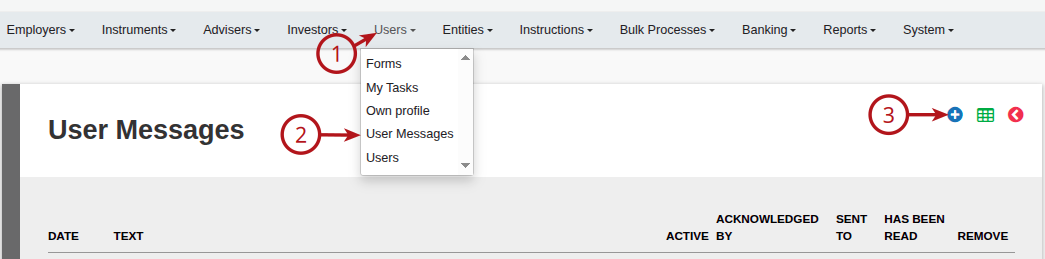
From the Users main menu go to User Messages:
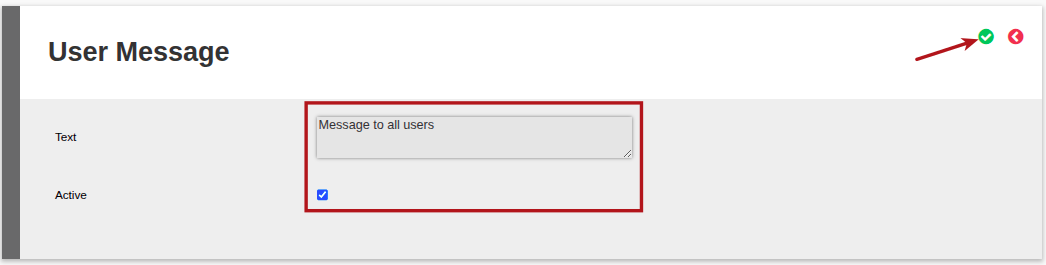
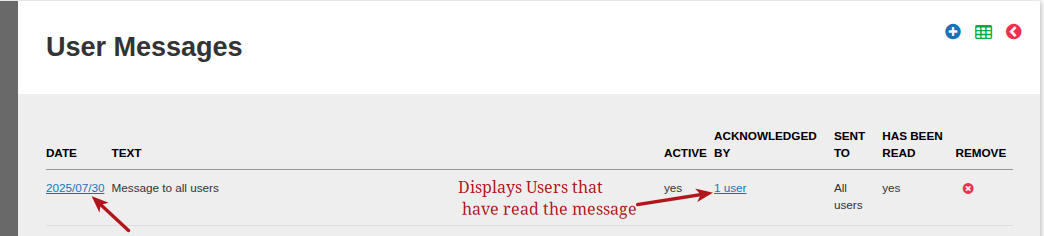
Messages can be made active/inactive by clicking into the message date
When a user login, they will be alerted regarding unread messages
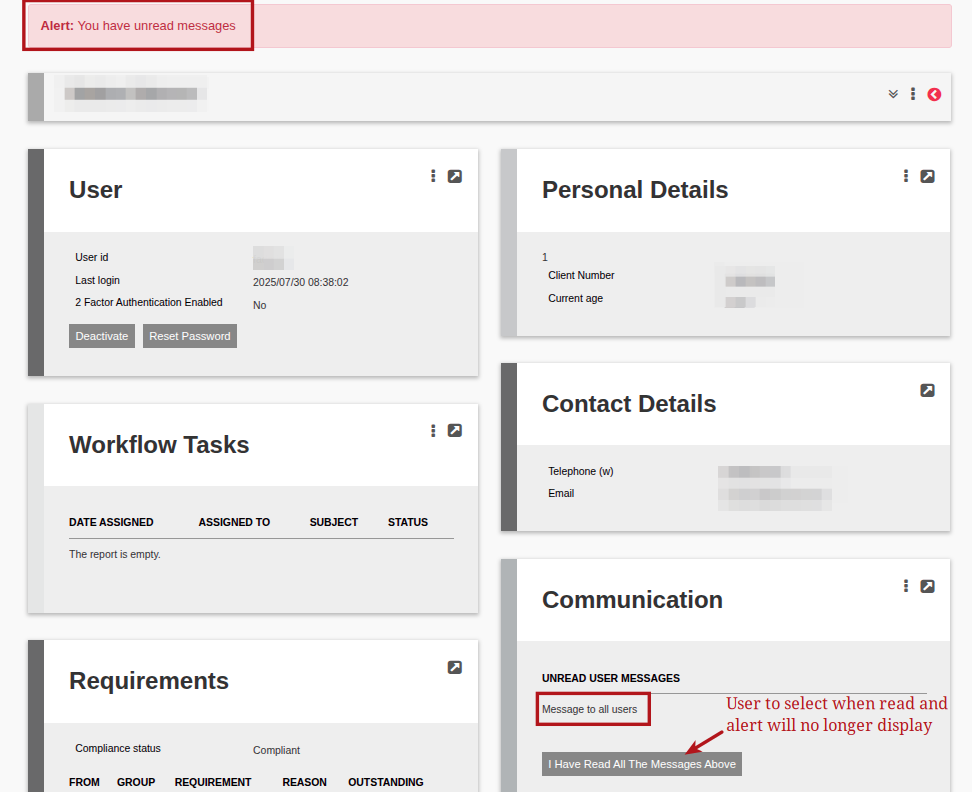
Active messages will be displayed on the front of the Messages Card.
Messages to a specific user
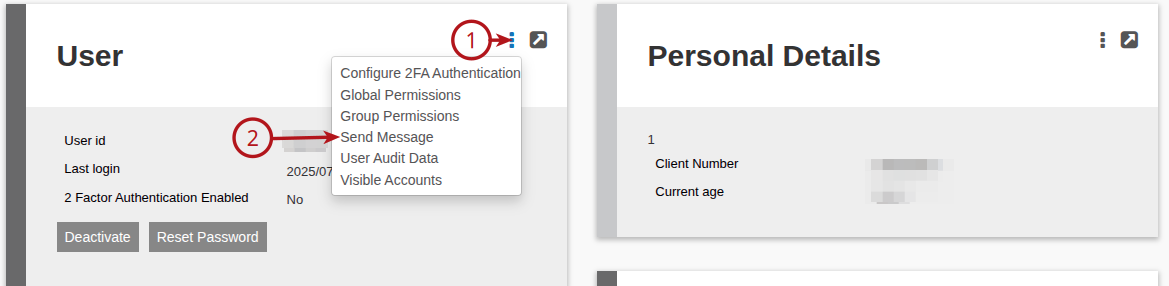
A message intended for a specific user can be added from the relevant user’s User Card:
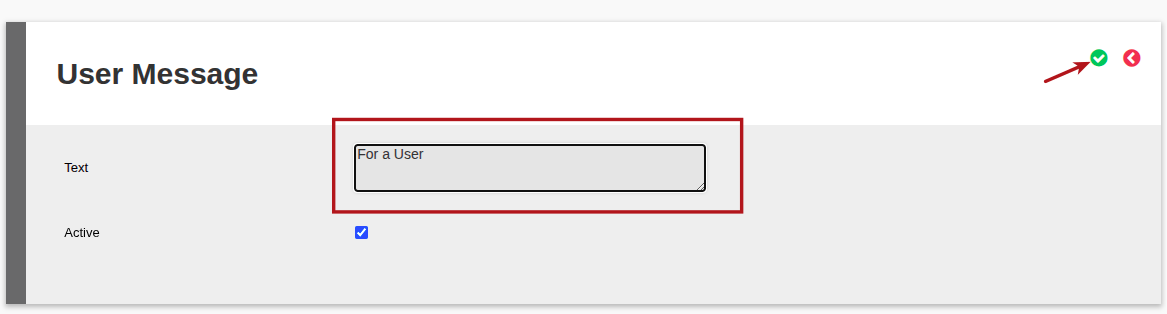
When a User logs in, they will be alerted regarding the personal unread user message.
Last Updated on 1 year ago by Debra Hart