
Applying a minimum fee
A minimum fee can be applied on a Product, an Instrument , a Contract as well as a Financial Advisor fee. This applies to initial, ongoing and withdrawal fees. The minimum amount loaded is an annual fee amount and is calculated as follows: Annual amount divided by 365 days will provide the daily fee rate.
Please note: When setting up a new fee, all contracts linked to the Product/Instrument the relevant First system fee date for the applicable fee must be updated. If the date is not updated it will result in the fee calculating from the Default first system date set up on the Contract. This First system fee date for the applicable fee can be updated using the Import Contract functionality, see link.
The fee type required first needs to be set up on the Product level, see link.
Please take note of the fee level overrides which currently apply, see link.
To set up the fee minimum on the following:
Applying a minimum fee on a Product
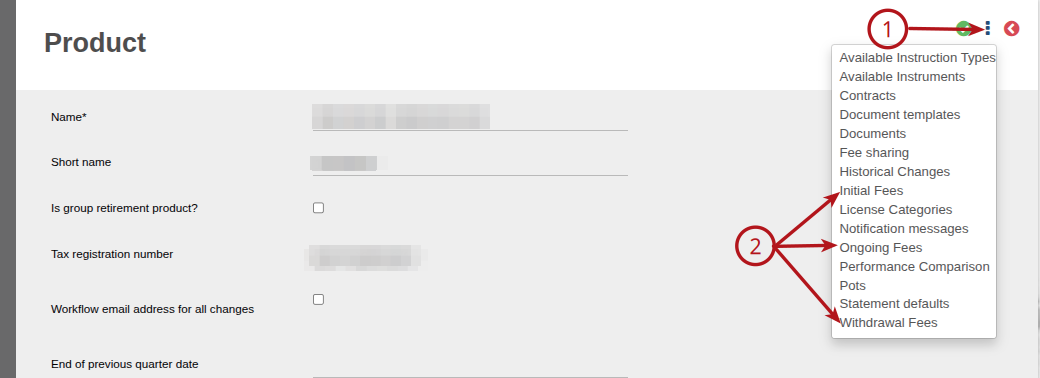
Select the required Product -> 1 More options -> Select the Initial/Ongoing/Withdrawal Fee
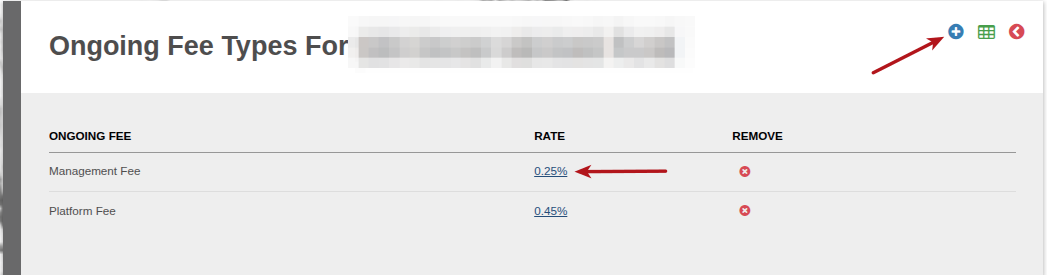
Add a new fee type or update the existing fee type required
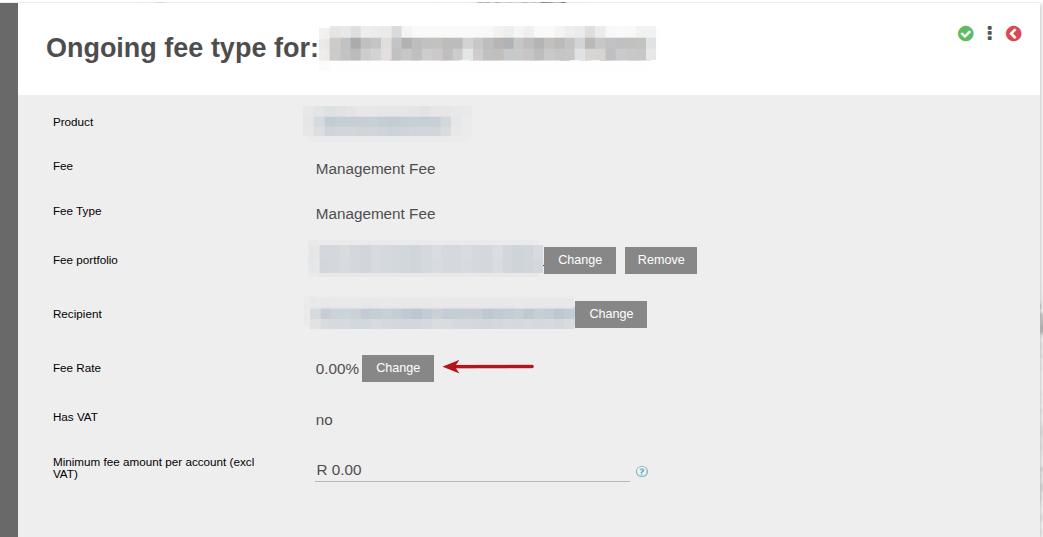
Under the Fee Rate, select Change
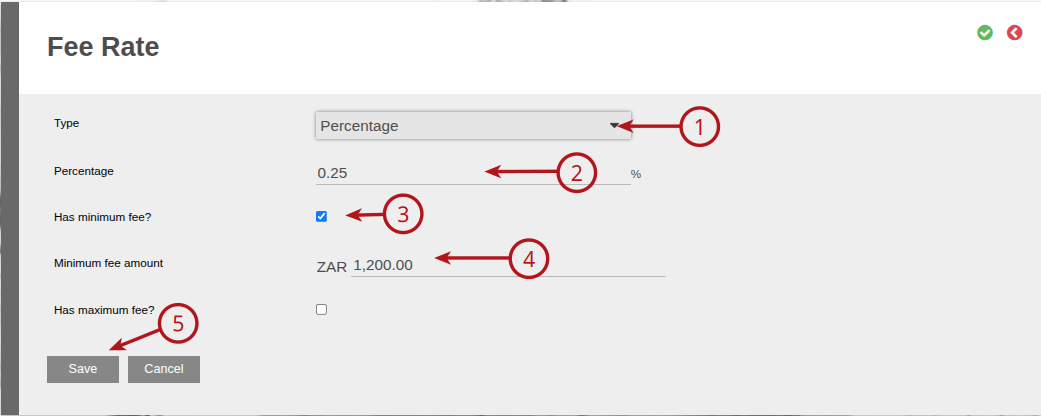
On the Fee Rate card, ->1 select Type (Amount or Percentage), ->2 Add the percentage/amount required, ->3 select Has minimum fee?, -> 4 Add the Minimum fee amount required (annual fee amount), -> 5 Save
The minimum fee will apply if the percentage of the fee is below the set minimum annual amount
Applying a minimum fee on an Instrument (will override the fee if set on the Product)
Navigate to the required instrument ->System -> Instruments
On the Instrument Card -> Navigate to fees
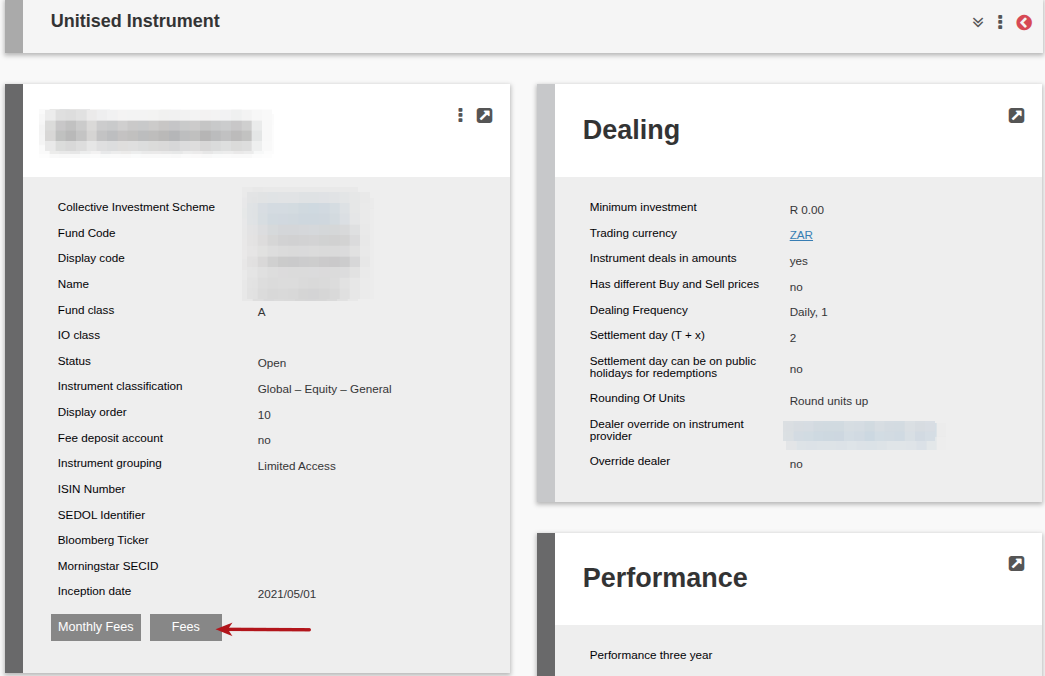
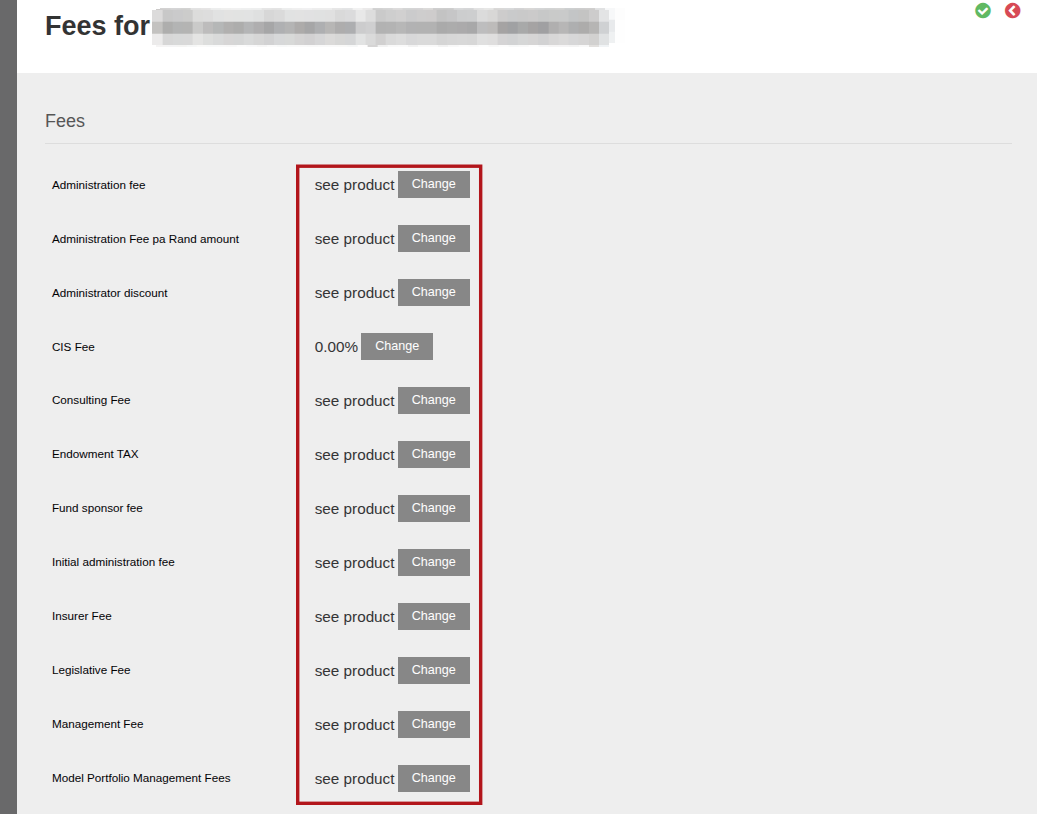
Select Change on the required fee type to add the minimum fee
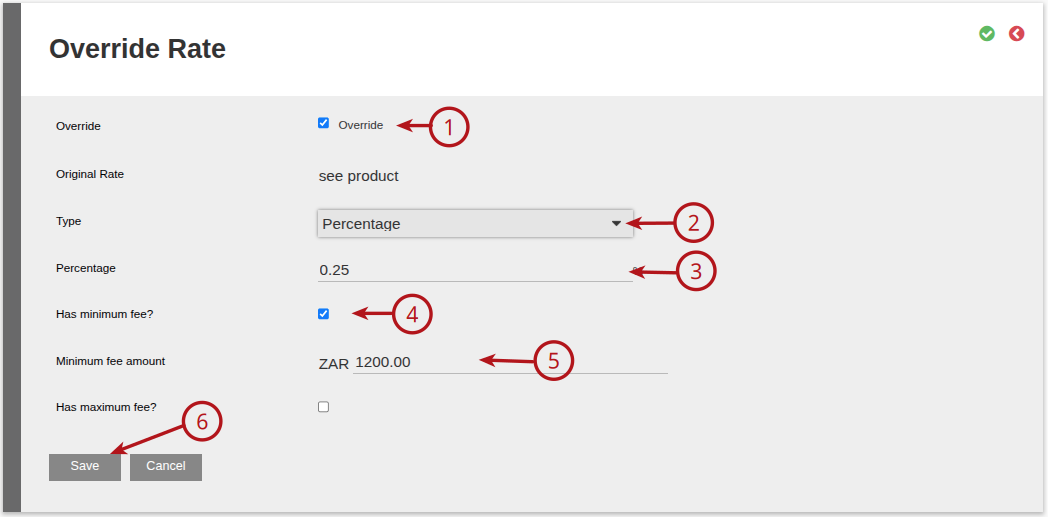
On the Override Rate card, ->1 select Override, -> 2 select Type required (Amount or Percentage), ->3 Add the percentage/amount required, ->4 select Has minimum fee?, -> 5 Add the Minimum fee amount required (annual fee amount), -> 6 Save
Applying a minimum fee on a Contract (will override the fee if set on the Product & Instrument)
Navigate to the required contract, on the contract, view details.
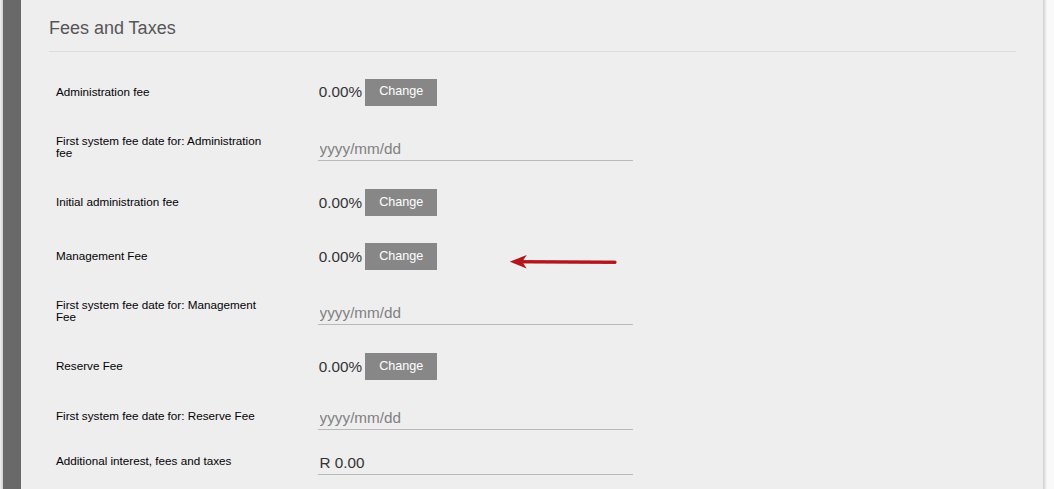
Under the Fees and Taxes section on the contract, select the required fee to change.
On the Override Rate card, ->1 select Override, -> 2 select Type required (Amount or Percentage), ->3 Add the percentage/amount required, ->4 select Has minimum fee?, -> 5 Add the Minimum fee amount required (annual fee amount), -> 6 Save
Ensure the First system fee date for: (Applicable fee) is updated to the effective date as required.

Last Updated on 7 months ago by Debra Hart