
Employer Holdings Report
- The Employer Holdings Report can be generated manually or via the Automated Jobs Scheduler
- With the Automated Jobs Scheduler the email will be sent to the Default Contact Person on the company
- When emailed the email will also reflect in the Communications card of the company, refer to Communication Card
- How to setup the employer
- How to manually genarate the employer holdings report
- How to set the automated jobs scheduler
Setup the Employer
Navigate to: Employer card -> View Details
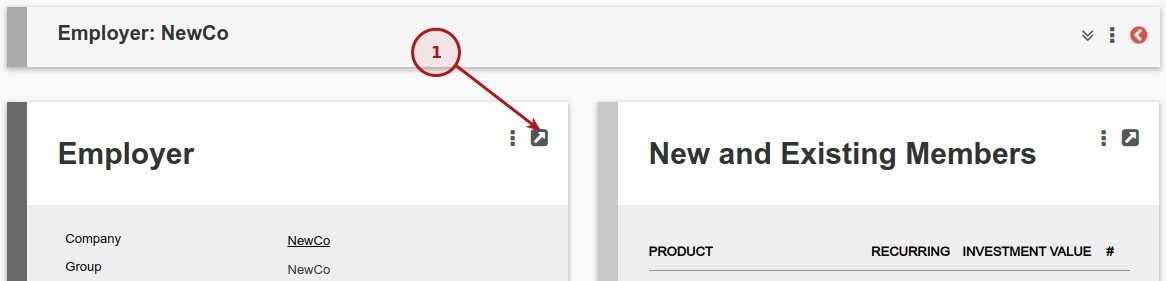
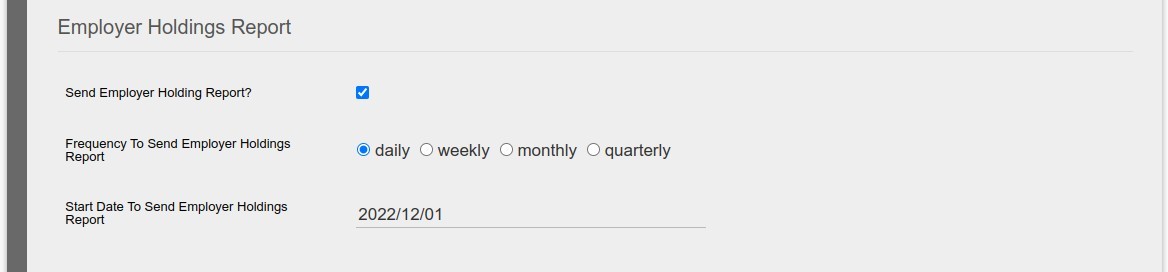
Scroll down to the Employer Holdings Report section
Set the values as required
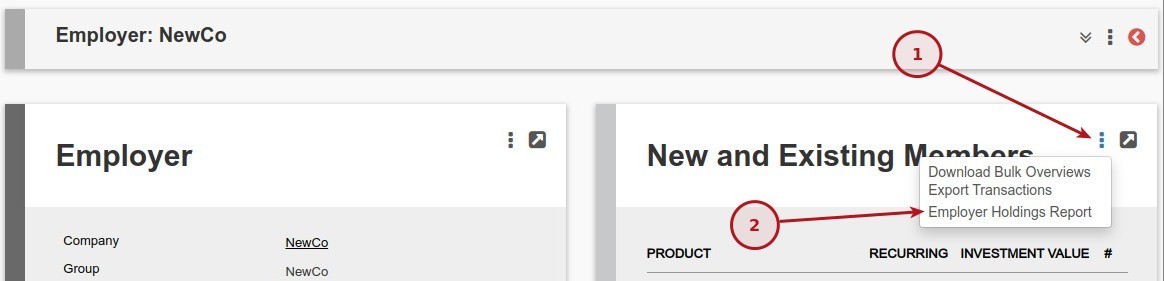
Manually Genarate the Employer Holdings Report
Navigate to: New and Existing Members card -> More Actions -> Employer Holdings Report
Set the Automated Jobs Scheduler
For more information with regards to the automated jobs scheduler refer to: Automated Job Scheduler
Set the fields as required

Last Updated on 1 year ago by Debra Hart