
Export Contract Holdings
Export Contract Holdings can be generated Manually or via the Automated Jobs Scheduler
Manually
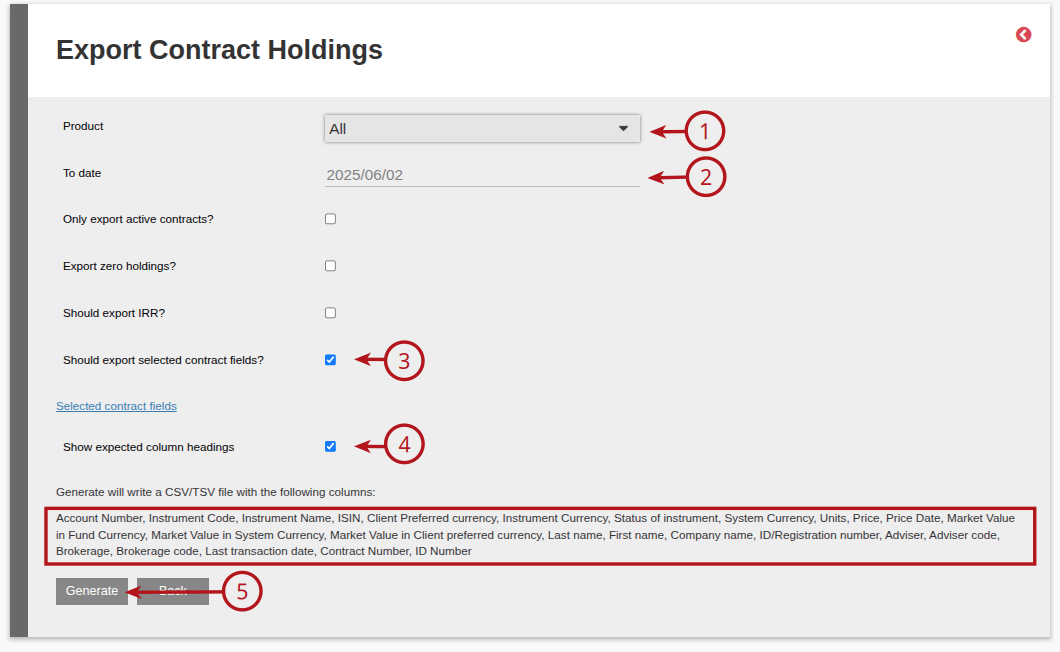
Go to Investors -> Export Contract Holdings:

Select the required (1) Product from the available drop down, update the (2) To Date required for the export, tick the (3) Should export selected contract fields? and then tick (4) Show expected column headings, this will provide the details of each column that will appear in the Export, then (5) Generate the Export.
The option exists to add additional contract detail columns to the Export Report, to do this, click on the “Selected contract fields” hyperlink

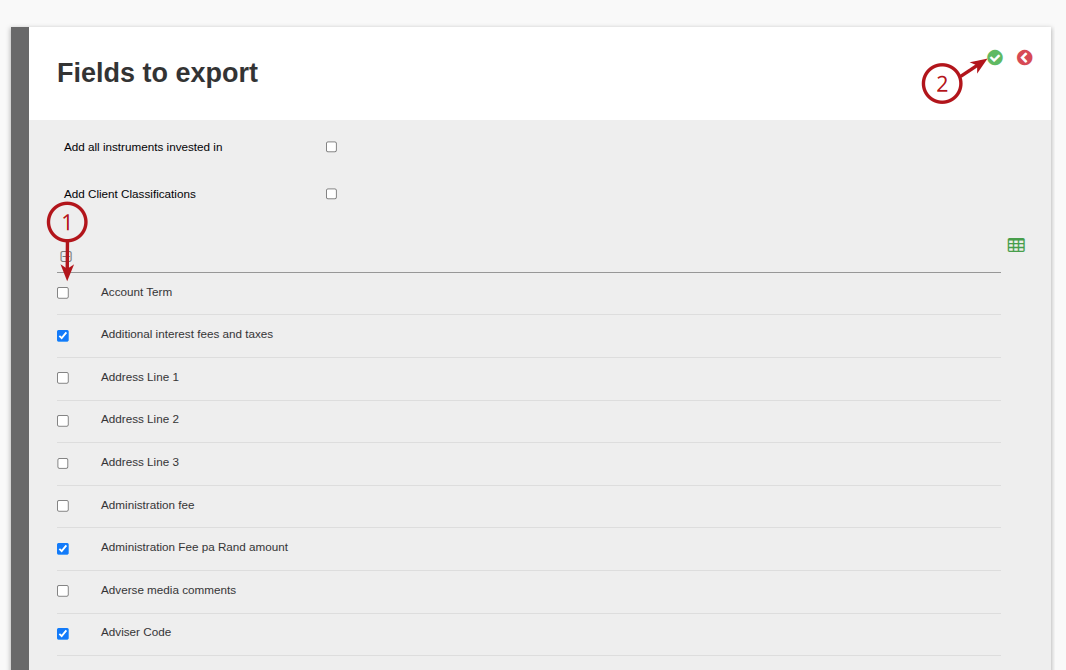
This will provide a list of all columns available to include, tick (1) the column data required, then (2) save
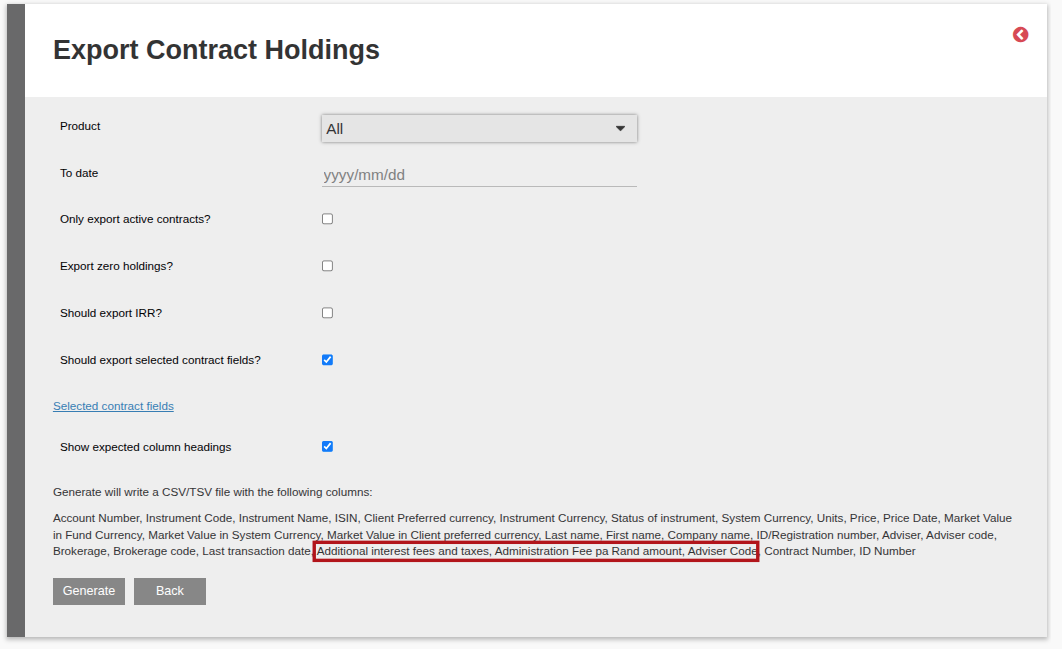
The additional columns requested will reflect under the column heading fields
Automated Jobs Scheduler
- The option is available via the Export Contract Holdings Job.
- This functionality is not standard on all configurations and need to be configured, please contact support.
- The “Set up” section on the job is the same as the Manual process, refer to Export Investor Holdings – Manual Process.
- For more details on the Automated Jobs Scheduler refer to Automated Jobs Scheduler.
Last Updated on 1 year ago by Debra Hart