
Merge existing fund to new fund
Background
If an existing unitized instrument or ETF needs to be merged to a new fund then this feature can be used which will automatically do the following for all instrument accounts that are currently invested in the from instrument (that is being merged into the new instrument)
- Create the new instrument account on each contract that had an instrument account on the original fund, for the new fund.
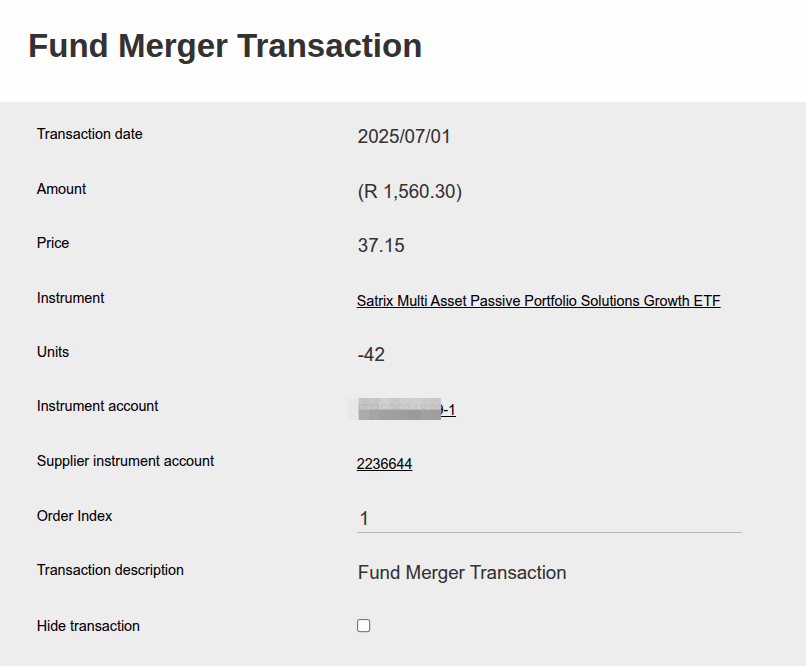
- Create a “Fund Merger” transaction on the fund where the merge is happening from. This will be a negative transaction, for the total balance leaving that instrument account.
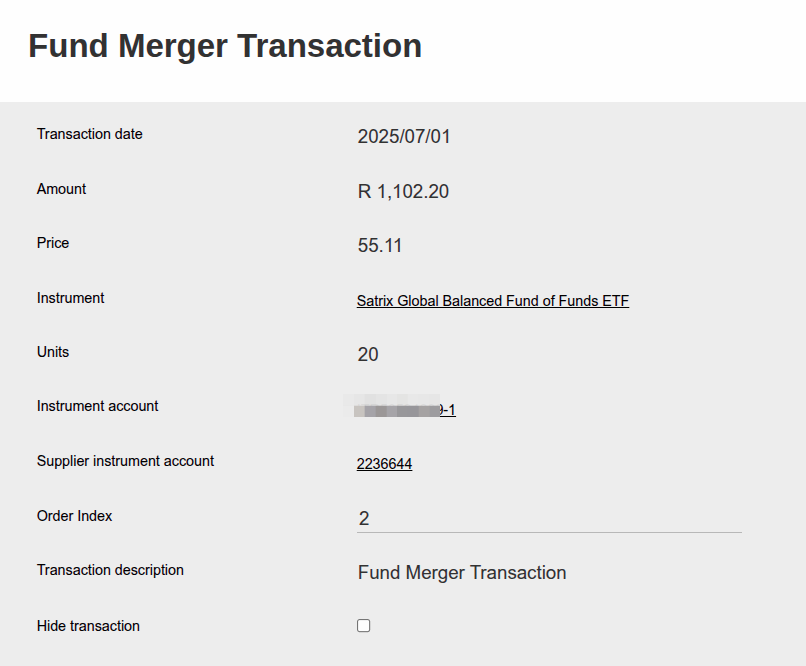
- Create a “Fund Merger” transaction on the fund where the merge is happening to. This will be a positive transaction, for the total balance that the investor is due to receive of the new instrument.
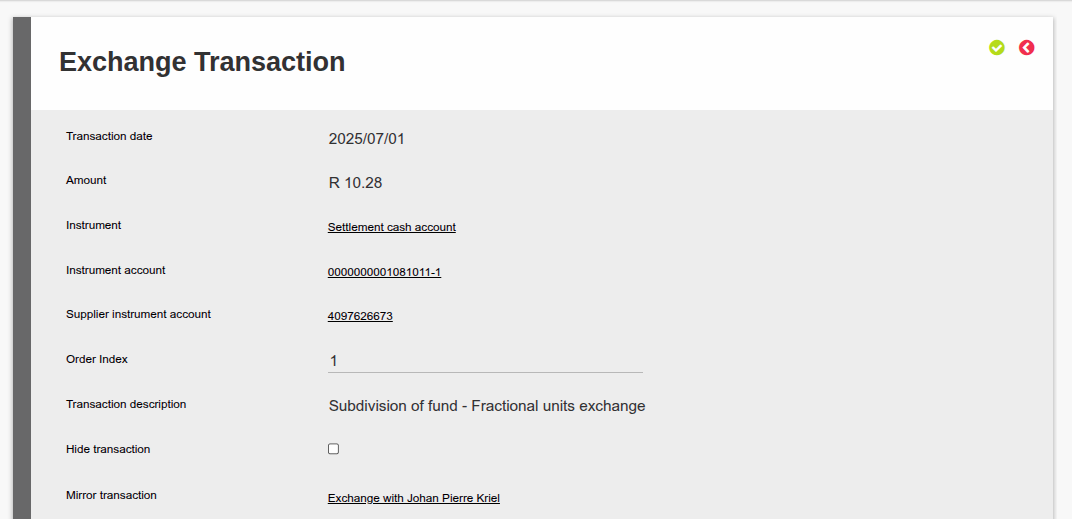
- If it’s an ETF that is being merged, and you can only buy whole units then there may be fractional values that can’t be moved to the new instrument, these will be adjusted to the investor’s Settlement Cash instrument account, from the Working Portfolio’s settlement cash account as an Exchange Transaction. This will be a cash value to the value of the fractions at the price of the newly merged instrument.
Preparation
Before executing a fund merge you must consider the following:
- Any recurring investments into the original fund, needs to be moved to the new fund by the time that buys are not allowed on the original fund anymore, to prevent an additional buy. You can use the Bulk Recurring Investment Change feature as explained here to do this before you do the fund merge.
- If the original fund will be closed going forward, remember to update the Fund Status to prevent any new buys happening on the old fund (Navigate to the Fund/Instrument -> View Details -> Status).
- When a Fund Merger is announced, a SENS communication is received, which stipulates which fund is merging into which fund. It also stipulates the “conversion ratio”. This is an important parameter to have ready before you start, since it stipulates how many units of the new fund will the investor receive. For example if the investor had 10 units of the old fund and the conversion ratio is 0.664 then he will get 6.64 units.
- Consider accrued fees. If you want to complete a fee run before the fund merger, consider transactions that will be created that will lead to sells of the instrument following the fee run. One can’t complete a Fund Merger if there are any instrument instructions that were triggered after the fund merger date, or any pending instrument instructions at the time that the fund merger is executed. (Annual fee run creates switches automatically from units to cash so that cash is written to the fee portfolio). So either complete the fee run in time, including the finalizing of the switches on the fee control account before the fund merger date, or execute the fund merger and accrued fees will build up again on the new fund and during the next fee run those fees will be taken from the new fund.
- If the instrument forms part of a Model Portfolio, update the model portfolio splits to include the new instrument. See link to update Model Portfolio splits.
- Instrument accounts with the required custodian and dealer combination/s must be created on the receiving instrument. For example, Fund A with a Supplier Instrument Account with Custodian 1 and Dealer 1 merges with Fund B. A Supplier Instrument Account with Custodian 1 and Dealer 1 on Fund B is required for the merger to be processed successfully. To create a Supplier Instrument Account, see link.
Steps to execute
Search for the instrument to be moved from, select the instrument and navigate to more actions and the select “Contracts”.

Once on the “Contracts” screen you will be presented with a selection of buttons, click on “Fund merger”.
 On the “Fund Merger” screen complete fields 1 to 3 as all are mandatory.
On point 2 use the source fund price divided by the destination fund price to obtain the “Conversion rate”.
Follow instructions on screen and once all is captured click on the “Do Fund Merger” button.
Once done you will see the following transactions:
Units deducted from the original fund’s instrument account:
Instruments added to the new instrument account for the new fund:
If it’s an ETF fund, then one can’t buy in fractional units, which means the investor could be due a certain amount, as explained in step 4 in the Background section. Using the same example as explained in step 3 of the Preparation section, one can’t buy 6.64 units in an ETF. You can only buy 6 units, and the 0.64 units are due to the investor in cash. In this case, the system will automatically create an Exchange Transaction to refund the investor the 0.64 units as a cash amount, based on the price of the new fund. For example if the new fund’s price on the day of the merge is R16.0625 then the cash amount due to the investor is R 10.28. This will be cash that is adjusted from the Working Portfolio’s settlement cash account, to the investor’s settlement cash account:
Last Updated on 3 months ago by Jamie Chinsamy