
Generate welcome letters
Welcome letters can be generated under the main menu Investors ->New Accounts. Also see Welcome letter setup
Note: Only users with the global permission ‘New Accounts’ under Investors Main Menu, will have access to this menu item.
Use the From – and To date to specify the Date Completed of the first investment instruction on an investor account. Use the filters to select for instance a specific product.
As an alternative, the checkbox Use Take on date can be ticked and the From – and To date will then search on account take on date.
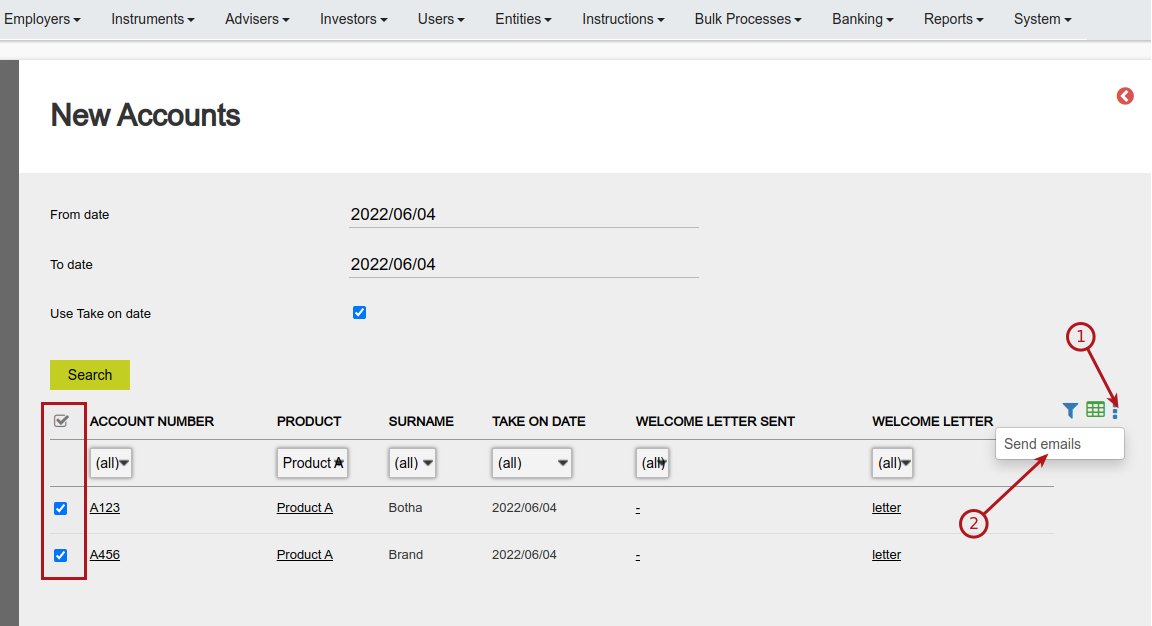
The email send to the investor will use the Notification Message ‘Welcome Letter for a New Client’ to the client.
The email can have as attachments, the welcome letter, policy document and/or statement, depending on the setup of the Notification Message ‘Welcome Letter For a New Client’ to the client.
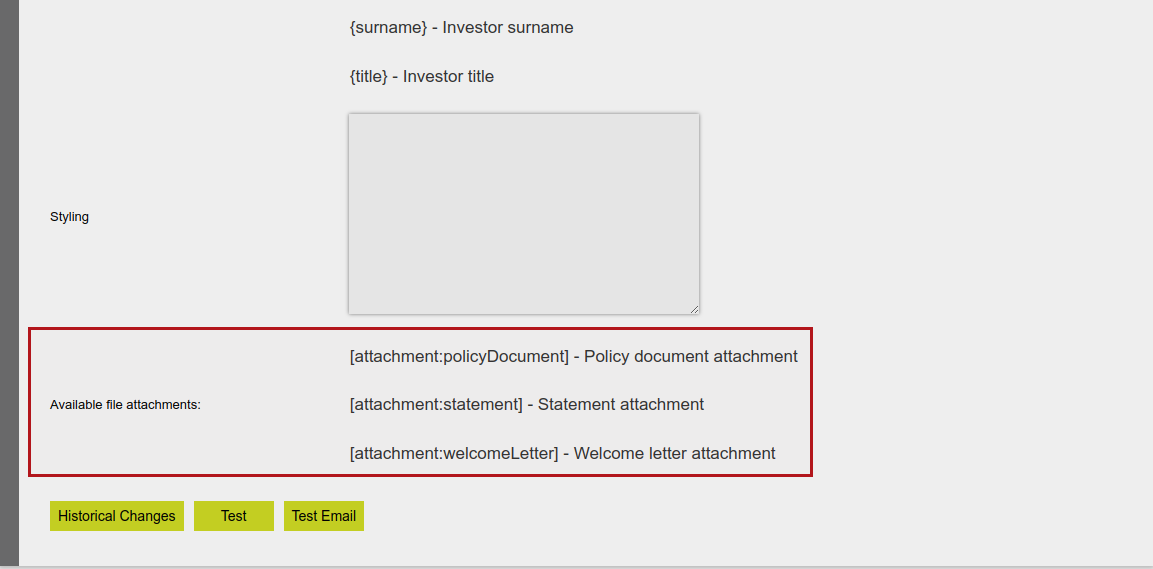
Also see setting up policy document and Overriding Notification messages.
Last Updated on 4 months ago by Debra Hart