
Import Finswitch investor Instructions
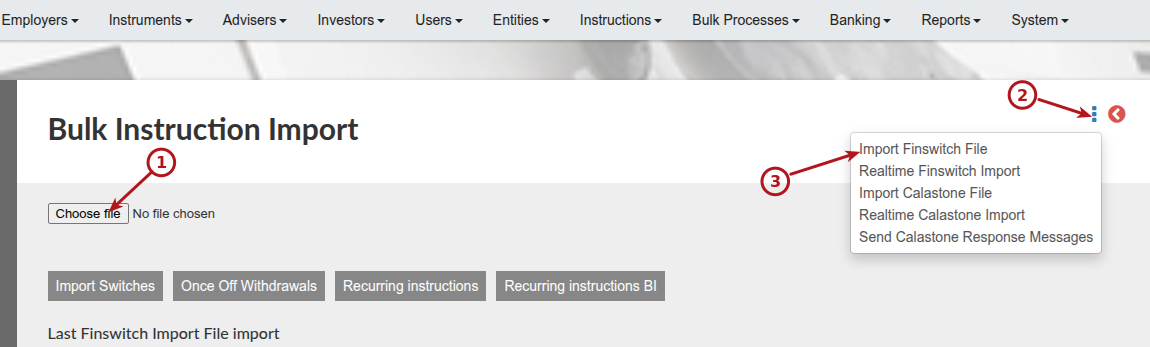
Instructions on investor contracts can be uploaded from Finswitch into Finworks in three ways.
A. Manually by uploading the Finswitch file
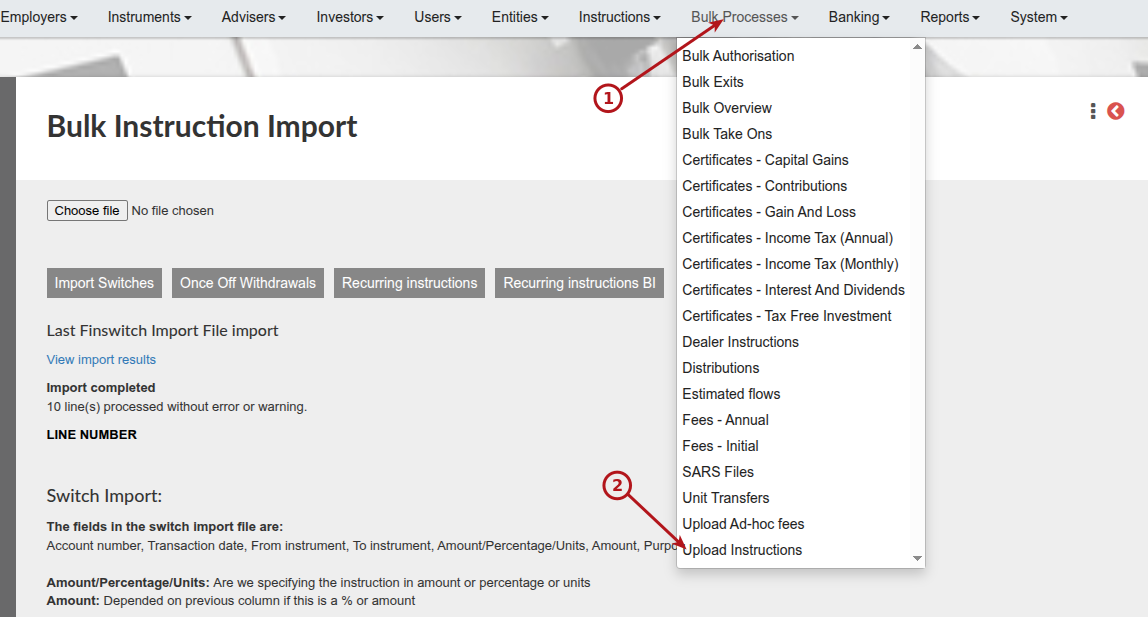
Upload the file as provided by finswitch and select ‘Import Finswitch File’
The format of the file provided by Finswitch will contain the fields as specified on the screen:

B. Manually by selecting ‘Realtime Finswitch Import’
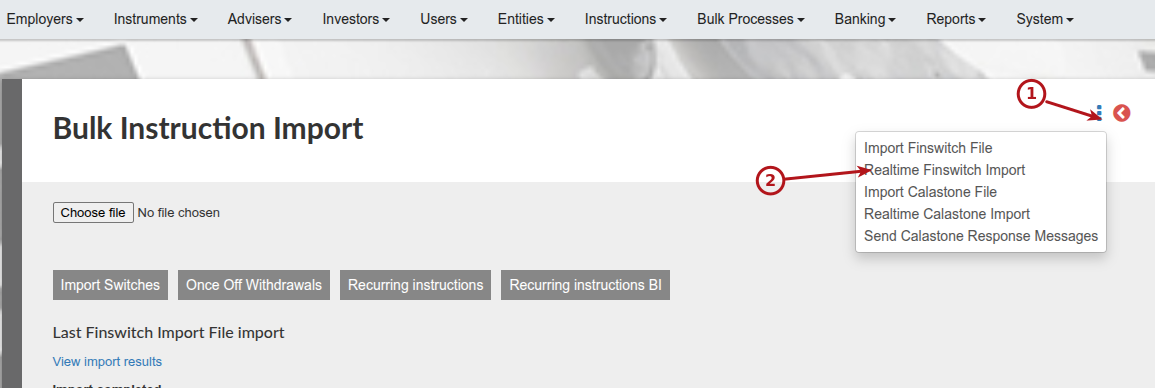
C. Automated by activating and setting up the job ‘Finswitch Realtime Instructions Import’. See Automated Jobs Scheduler
Note: To use Finswitch realtime integration functions a setup is required. See Creating a user on Finswitch for realtime integration
Validations done during the uploading of Finswitch investor Instructions
A. The system uses the ‘Reference No’ field to determine the matching ‘Switch out’ and ‘Switch in’ instructions that form part of the same switch instruction in the upload file.
Where the ‘Reference No’ in the file already exists on an existing submitted, Authorised or Completed instruction, the system will ignore these instructions and not regard it as possible matching legs for the Switch instruction in the upload file.
B. The system uses the ‘Finswitch Reference Number’ to determine if instructions in the upload file are duplicates when all other values are the same (amount/units, Reference No, Accounts No etc.). If the ‘Finswitch Reference Number’ differs the instructions will not be regarded as a duplicate and both will be uploaded.
The system will check existing instructions (Submitted, Authorised or Completed) on the system where all values are the same and the ‘Finswitch Reference Number’ in the upload file is the same, and in such an instance see the instruction as a duplicate.
Last Updated on 1 month ago by Antoinette Van Meyeren