
Pot component system
The pot component system provides the possibility to split holdings/investments into different pots/client accounts on a contract. See the section on Cash Transfers In regarding pot allocation during a sectional transfer.
When a new product is created a default pot will automatically be setup on the new product.

Where necessary additional pot components can be added
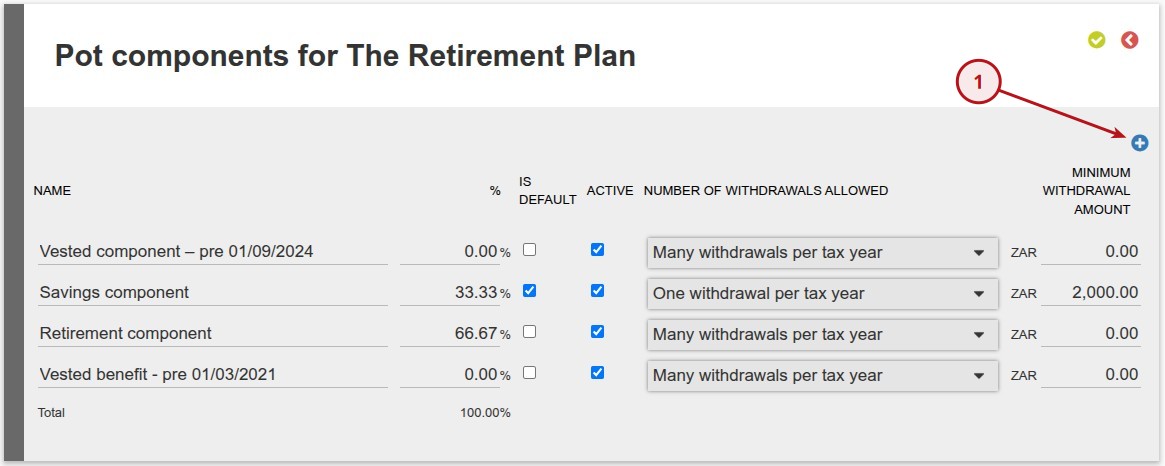
See below an example of pot components added
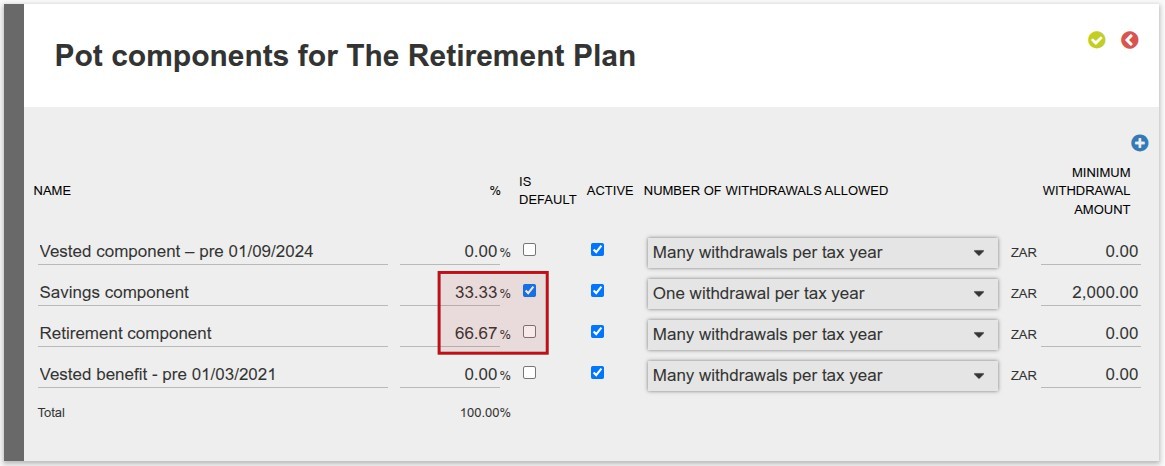 On the savings component and retirement component (as marked above in the red square) the split will be applied for new investments. All the cash will move into the default savings component and 66.67% will be moved on matching the investment to the retirement pot. Each pot (client account) will then buy into the fund selection. For the buy on the retirement pot a switch will be created to switch the cash transferred to the retirement pot into the fund selection on the investment.
In the case of the investment going into Cash instruments, this switch will not be necessary as the money is already in the Cash instrument. In this case, no switch will be created. And if it’s a partial investment into Cash, then only the non-cash investment amount will be included in the system-generated Switch instruction.
Withdrawal Options per Pot
On System -> Product -> More Actions -> Pots, each pot has two additional configuration columns:
- A drop-down with the following choices:
- One Withdrawal per tax year
- Many Withdrawals per tax year
- No Withdrawals allowed
- Minimum Withdrawal Amount – A number input field specifying the minimum rand amount allowed per withdrawal.
Default migration behavior: For products with multiple pots, the Savings component will be automatically migrated to “One Withdrawal per tax year” with a Minimum Withdrawal Amount of 2,000.00.
UI Validation: When capturing a withdrawal on a product with Pot withdrawal settings configured, the system will validate both the withdrawal frequency limit and the minimum amount. If either condition is not met at the point of submission, a warning will be displayed and the instruction will not be allowed to proceed.
Permission Override: Users with the global permission “Ignore savings pot withdrawal restrictions” can bypass both the frequency and minimum amount validations.
Also see Debit order Reversals/rematch on a contract buying into client accounts
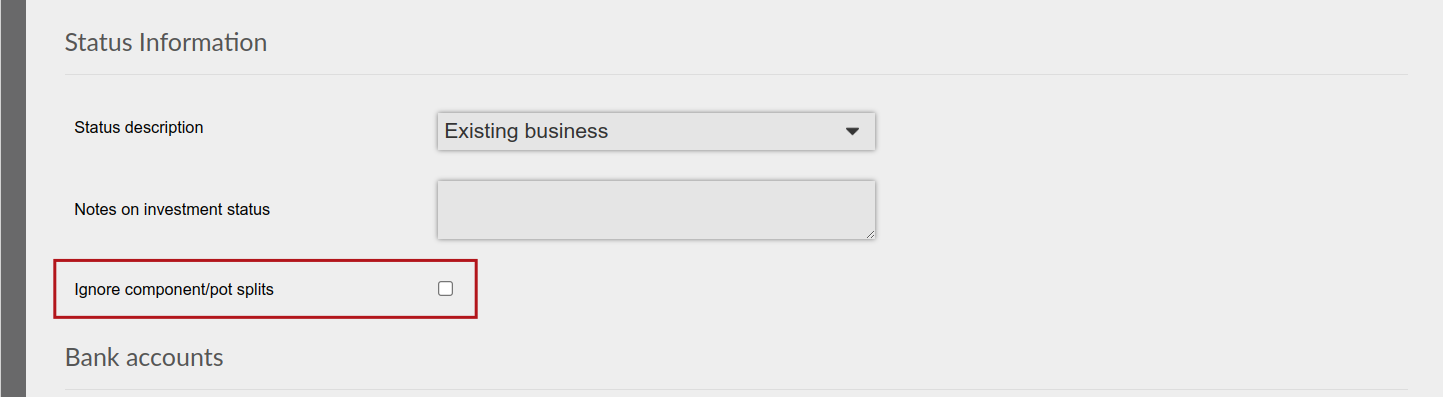
On a client contract in a product where splits (Retirement pot and Savings pot 66.67% and 33.33%) is not applicable there is an option ‘Ignore component/pot splits’, which can be selected (Contract Details card->View Details), to exclude the contract from applying the split.
See reference to Pot component system in 100% withdrawal/transfer out of a client account
Cash Transfer in during a Sectional Transfer
By default the system applies the split between retirement and savings pot which is relevant to new money. However money transferred from another institution may be allocated differently since money was invested before and thus there are varying allocations per pot per investor.
In this case, when a Cash Transfer In is created on a contract, below the Instrument Selection, there will be a Pot Allocation section:
- Choose whether you want to capture in Amount or Percentage.
- Populate the Amount or Percentage that must be allocated per pot. If you selected amount, then only amounts will be editable and the percentages per pot will be calculated automatically. Else if you selected percentage, then amounts will not be editable.
- The instrument selection will repeat in each pot, i.e. you can’t specify a different instrument selection in each pot.
- The pots available will be based on the Pot setup on the Product configuration (as explained above).
- If you populate a value for a Pot that doesn’t exist on the contract yet, then a client account for that pot will be created automatically.
- Note the totals populated below Amount and Percentage, which should be helpful in ensuring you’ve stipulated a reasonable allocation.
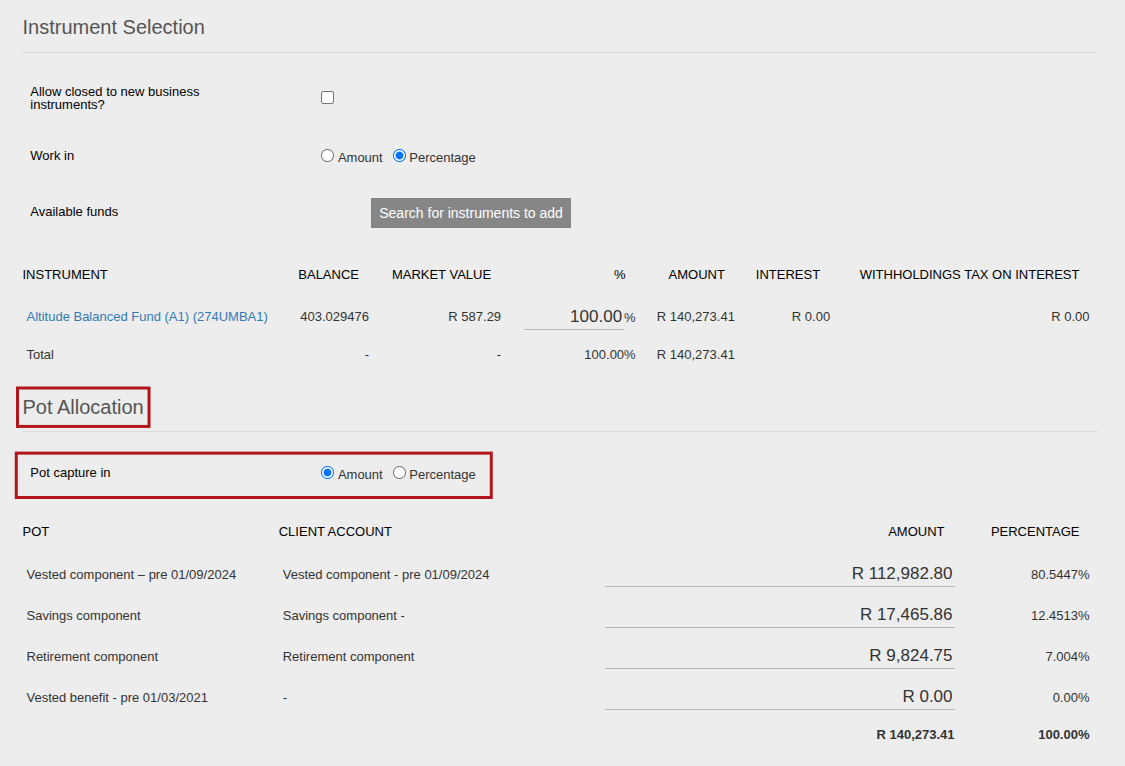
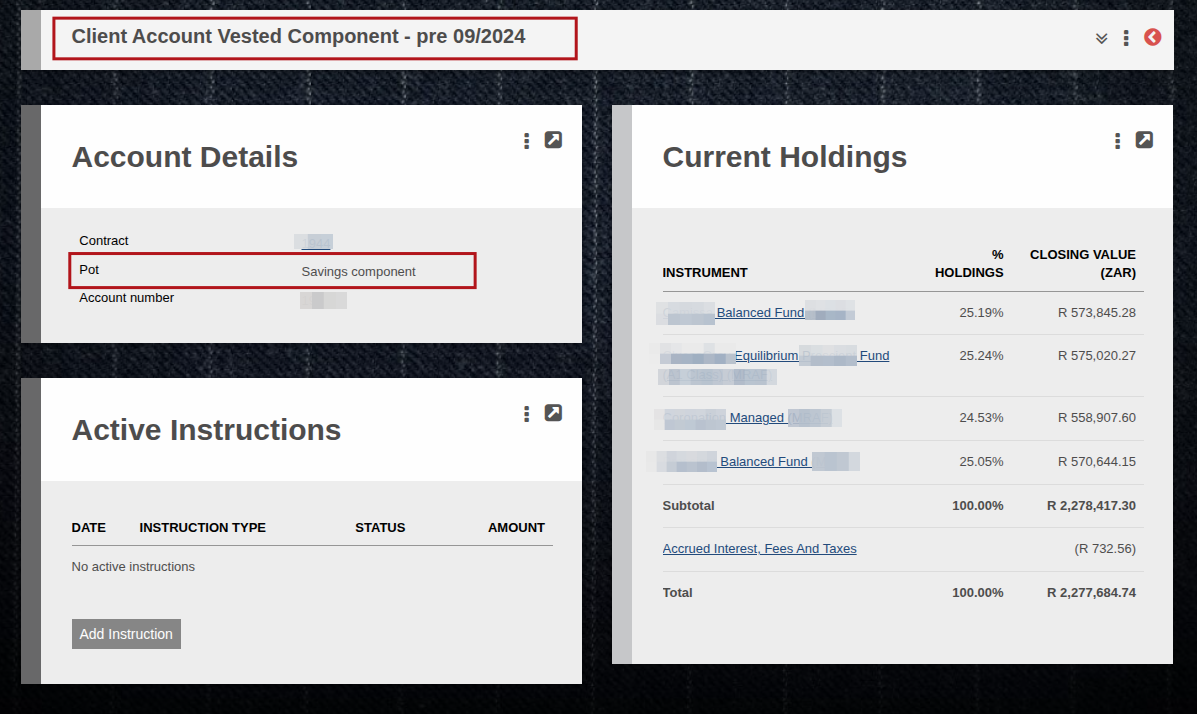
Note that if a Pot’s name and its “type” isn’t aligned, the system will use the “type” to determine whether a pot needs to be created or not, as per point number 4 above. For example in the below scenario this client account will be considered a “savings” pot and will be handled accordingly, even though its name states otherwise.
Last Updated on 5 months ago by Tinus Burger