
30 Aug Release 31 August 2019 – Sell and Buy Prices
Posted at 14:11h
in Recent Updates
Sell and Buy Prices
In this release functionality have been added to allow for Buy – and Sell prices in addition to the NAV price on unitised instruments and dealer instructions. Refer to the Dealer Instruction page for more details.
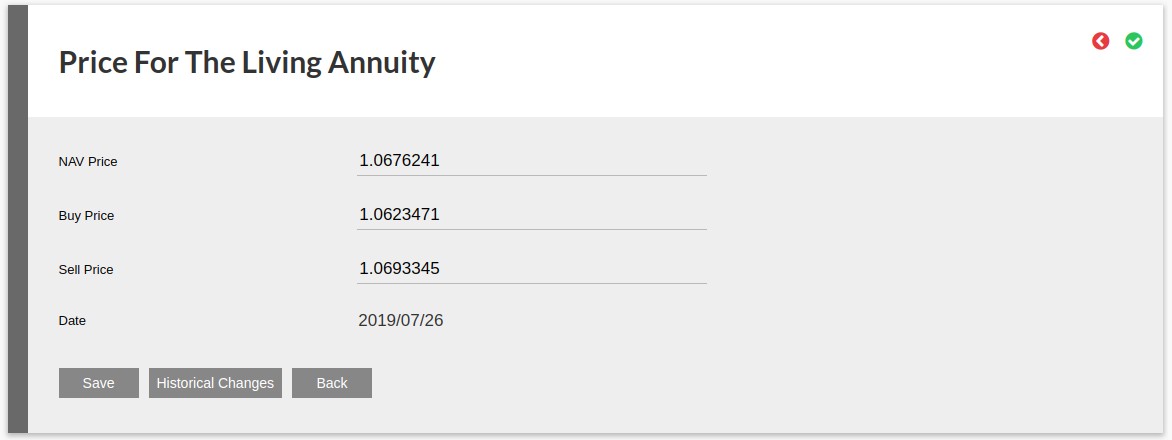
More changes include:
- Change ‘Start – and End date to filter on Take on Date for Policy Data Report (System->Product->More Actions->Investor accounts -> More Actions)
- Add validations to prevent users from adding recurring – or once-off investment to employees with zero contribution amount
- Add {outstandingRequirementsList} to the Complete Application notification message templates
- Move benchmark from Collective Investment Scheme(CIS) to instrument
- Change benchmark to a list with % each benchmark contributes, where more than one benchmark is linked to a fund
- Bulk update and confirmation of contract note
- Change “Proceed automatically if matched?” by default to ‘true’ if a new cash instrument account is created
- Show table of Annual pre – and post retirement cash flows on the Need Analysis screen and the PDF document below the cash flow graphs
- Improve dialog on Bulk statement generation screen (System->Product->More Action->Investor Accounts->More Actions->Generate Bulk Statements)
- Move Historical Changes, Instruction Document and Details to More Actions on a dealer instruction
- Create Citibank download file under More Actions on a dealer instruction
- Add dealer instruction setting options under More Actions on Bulk Processes->Dealer Instructions
- Change Bulk Investment Overview process and Overview email process.See link
- Add access for Business Development Managers (BDM) to to view his/her linked advisers and their clients
- Add functionality on import of historical transactions to correct transaction date.
- Store benefit on investment transaction and use this date in insurance and reinsurance report
- Add Annuity Payment Report to System -> Product -> Investor Accounts -> More Actions
- Reverse initial fees back to investor account on cancellation where advisor is setup to switch initial fees to money market. See link
- Create functionality to make Compliance Requirements applicable per entity (person relationship or company type). See link
- Create report to display Dealer instruction per client group. See link
- Create facility to set default country to appear at top of drop-down lists. See link
- Move date of PAYE, IT88 and IT3 payment to SARS account where no payment is made to investor to most recent transaction date of sell(s) instead of instruction created date
- Change display of instruments
Refer to your online Pivotal Tracker Project for a full list of changes and enhancements for the release.
Last Updated on 6 years ago by Antoinette Van Meyeren