
Remove a brokerage role from a company
In instances where a brokerage role has been created in error on a company, the brokerage role can be removed from the company if the brokerage is not linked to an adviser or distributor or have assistants loaded on the brokerage.
Also see Link an Assistant to a Financial Adviser, Adding and Editing a Distributor and Remove a Financial Advisor Incorrectly Linked or Duplicated on a Brokerage
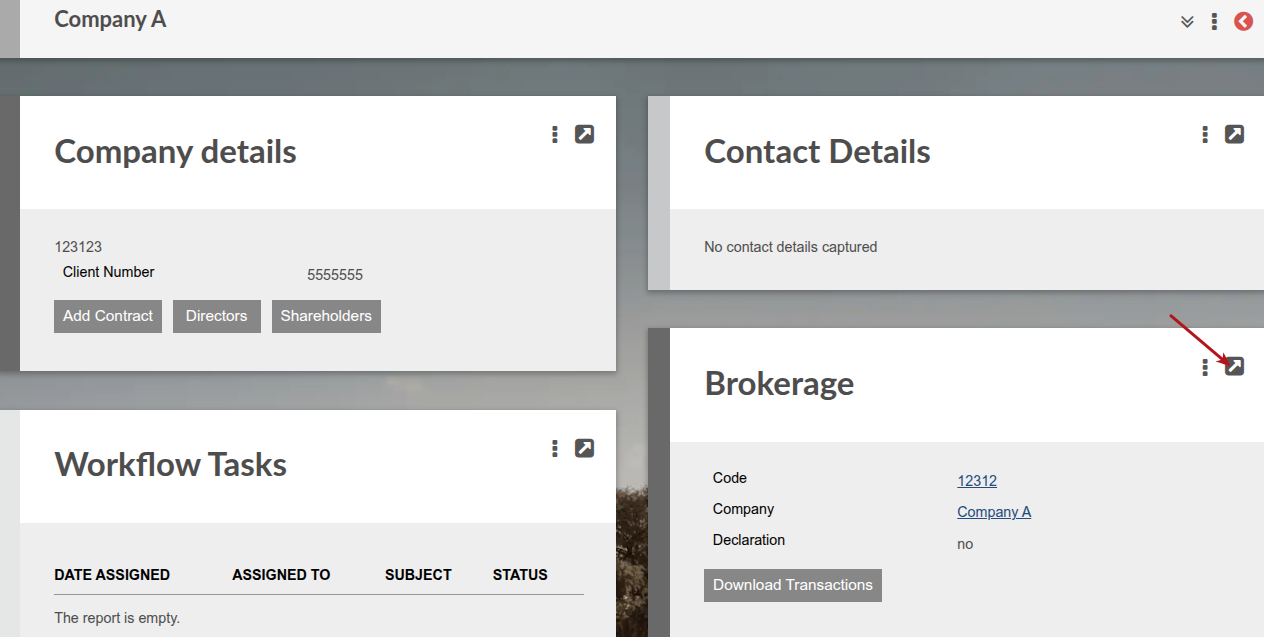
Go to the brokerage card on the company
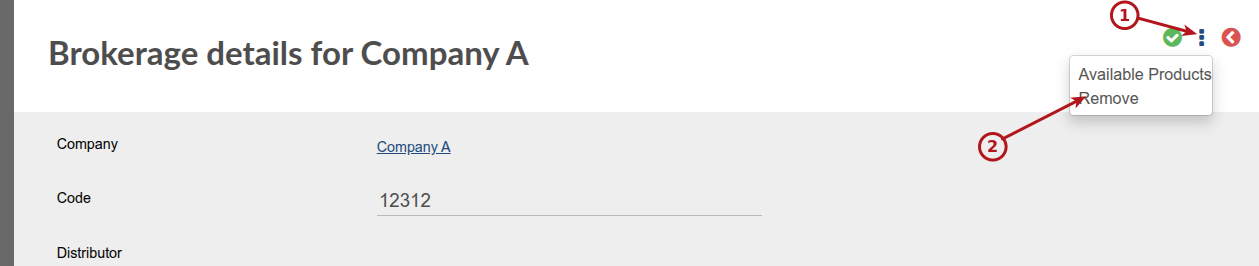
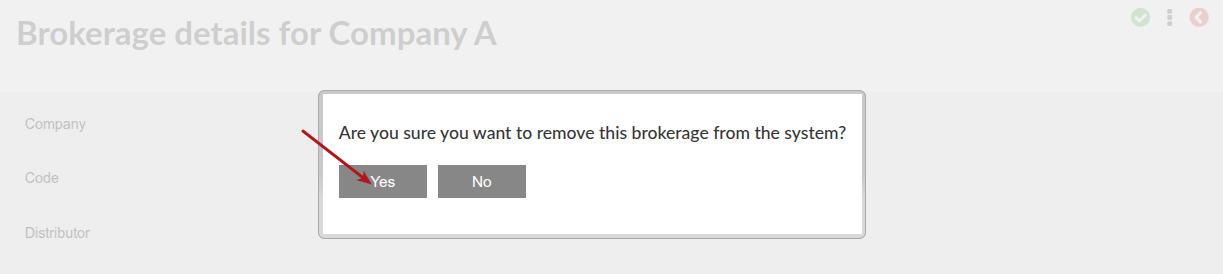
A popup message will appear and you can select ‘yes’
The brokerage role is now removed from the company
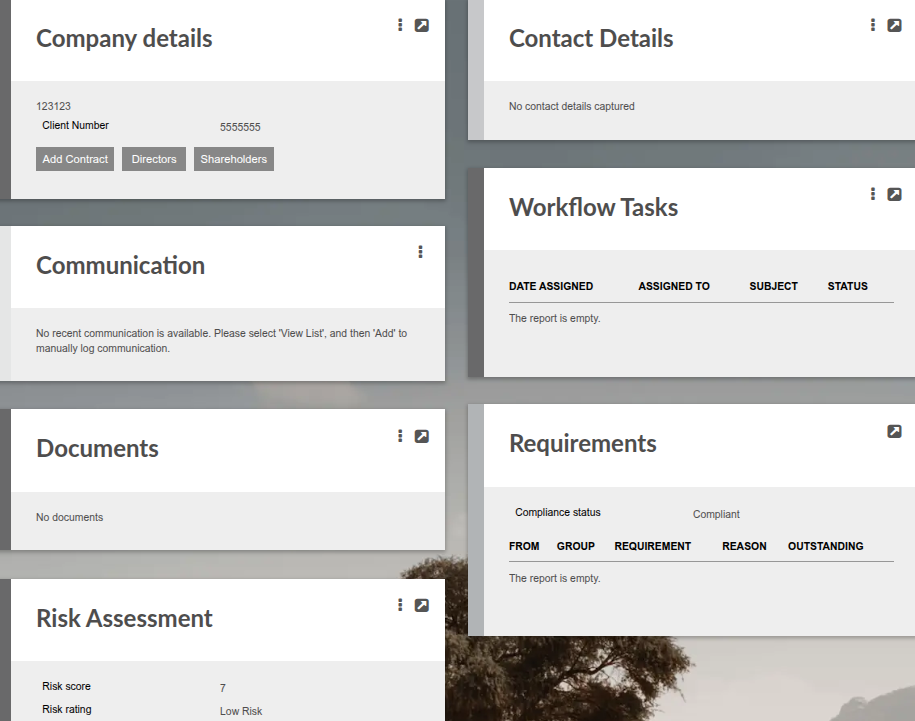
If the company have also been created in error, the company can now be removed if the company does not have a contract owner role, contact persons, documents or entity relationships linked to it.
Also see Contact Persons and Setup of Relationships
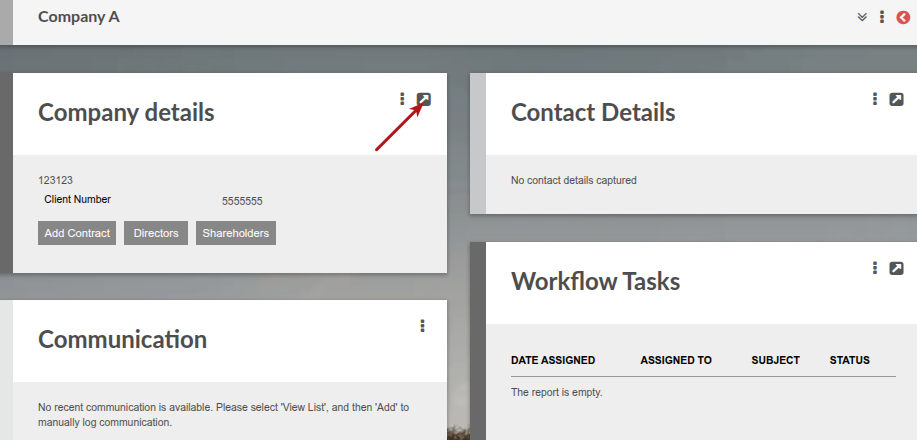
Go to the company
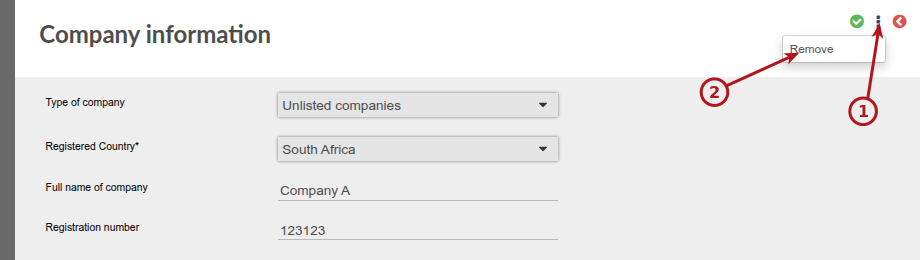
A popup message will appear and you can select ‘yes’
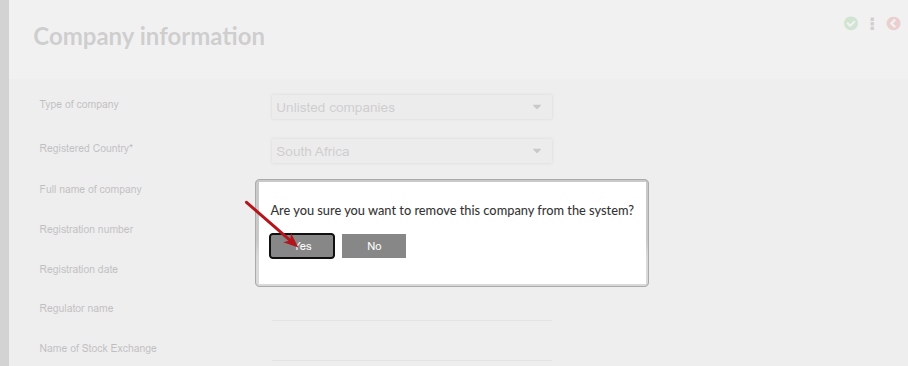
The company is now removed from finworks.
Last Updated on 4 months ago by Antoinette Van Meyeren