
Interest and Dividends Certificates
The following is discussed in this page:
- Bulk Interest and Dividends Certificates can be generated, per product, for a selected financial year
- Interim Interest and Dividends Certificates can be generated on individual investment accounts, covering a date range as selected
- Absolute Values on Interest and Dividend Certificates and the impact of “negative” split categories
Bulk Interest and Dividends Certificates
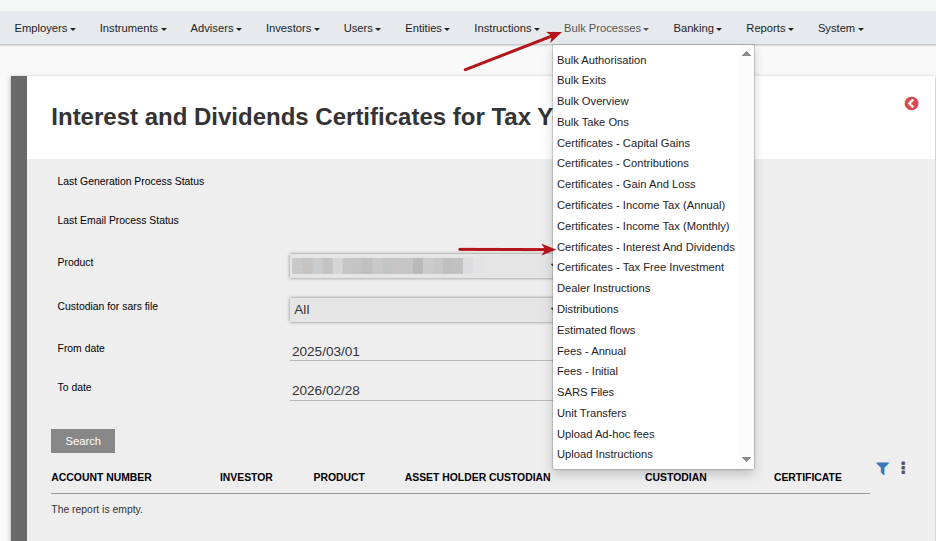
Select the required Product, Custodian for SARS file, From and To dates for which certificates must be generated, and Search.
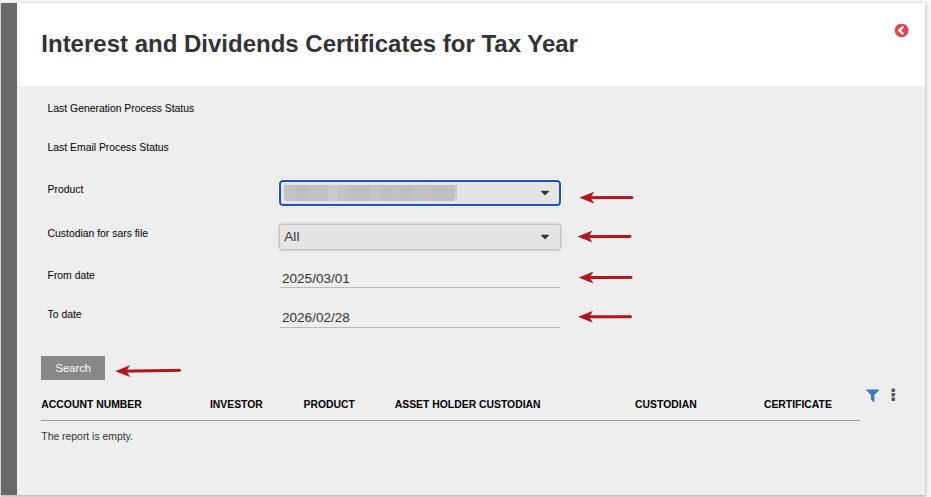
Select the “Create Certificates” button to start the background process to generate the certificates.
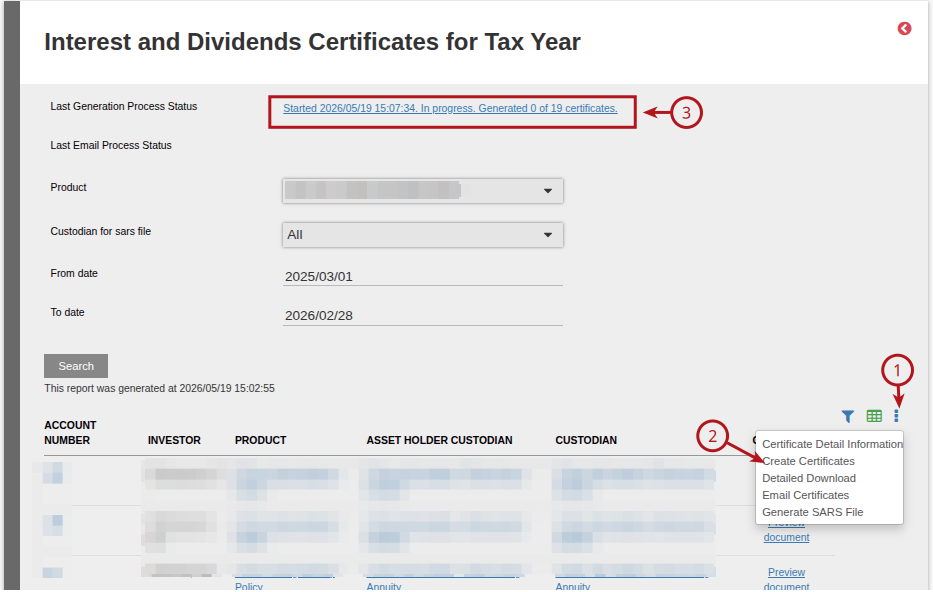
The certificates will start to generate in the background, which means the user may navigate away and work from other menu items, while the process is busy.
The progress will be updated, as the batch completes and the progress notification can be refreshed by clicking again on the “Certificates-Interest and Dividends” menu item.
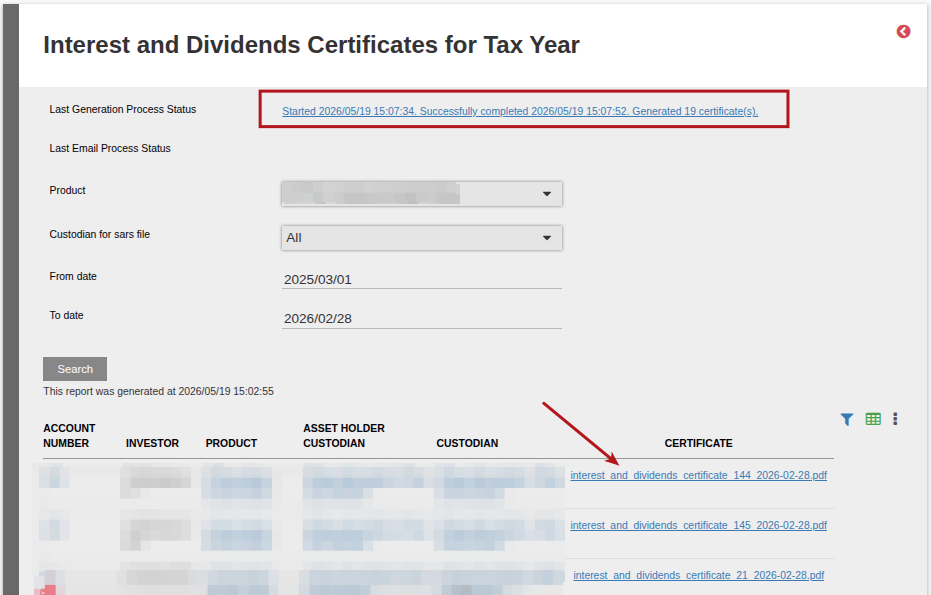
On completion, the process status will display the number of certificates generated.
In the “Certificate” column, the download links will be available for the PDF files, with the investment number and financial year in the file name.
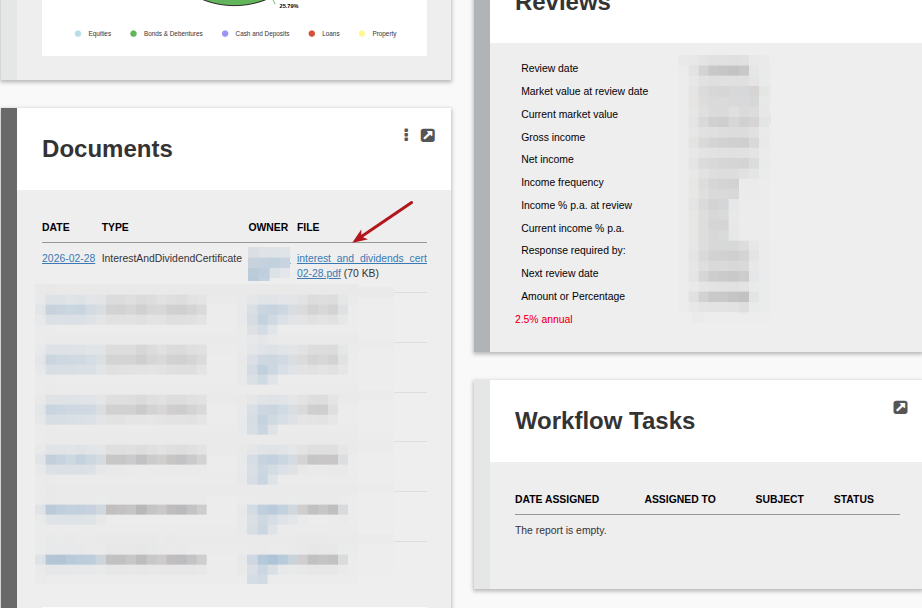
The download link for the PDF file will be available on the Document card of the individual Investor Accounts
See Add notes to Tax certificates, Add director information to Tax Certificates and Logo on statements and certificates
Setup Split category information
Setup Withholdings tax percentage
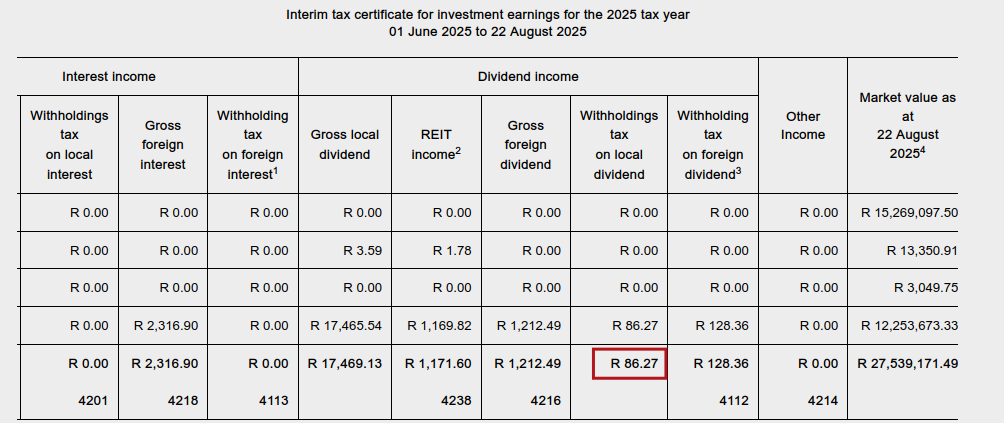
Absolute Values on Interest and Dividend Certificates and the impact of “negative” split categories
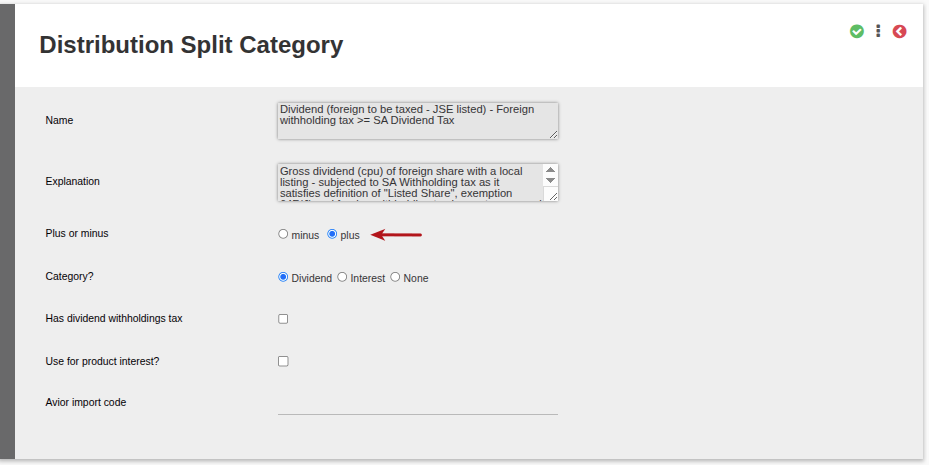
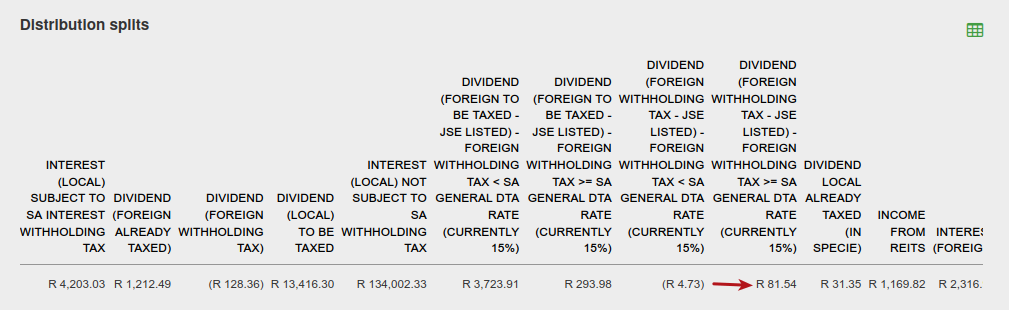
- The interest and dividend certificate will show all values as absolute values. If a split category is defined as a “minus”, it would appear on the certificate as an absolute value, and on the distribution split categories as a minus.
- Columns with zero values: All configured columns will appear on the Interest and Dividends Certificate, even if the value for a particular category is zero. Columns are not hidden or suppressed based on whether they contain a value.
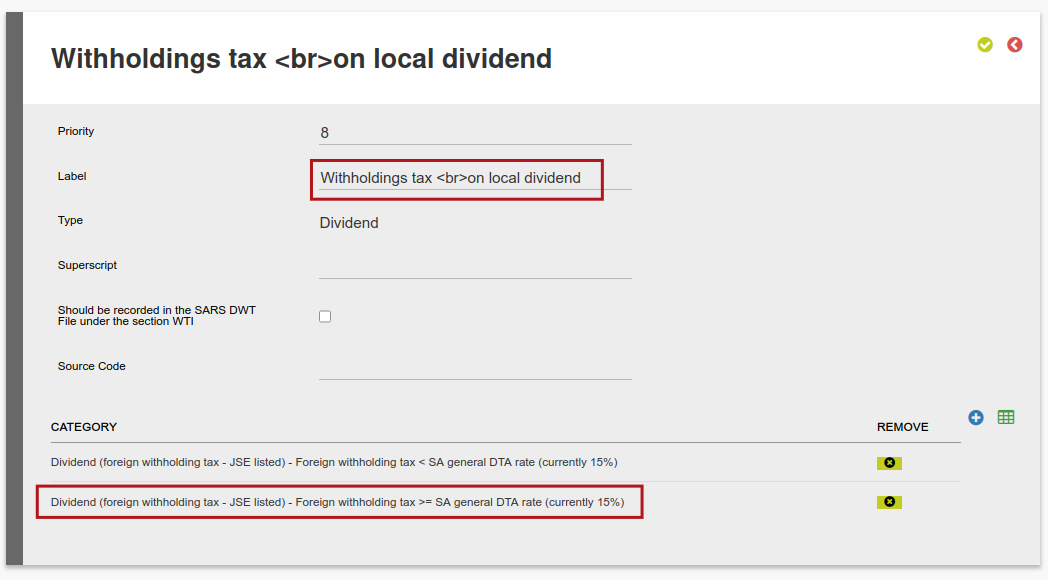
- In the case where more than one split category is contained in a “column” on the certificate, their absolute values will be summed together to show on the certificate. For example here are two split categories on one section of the certificate.
Last Updated on 5 months ago by Tinus Burger