
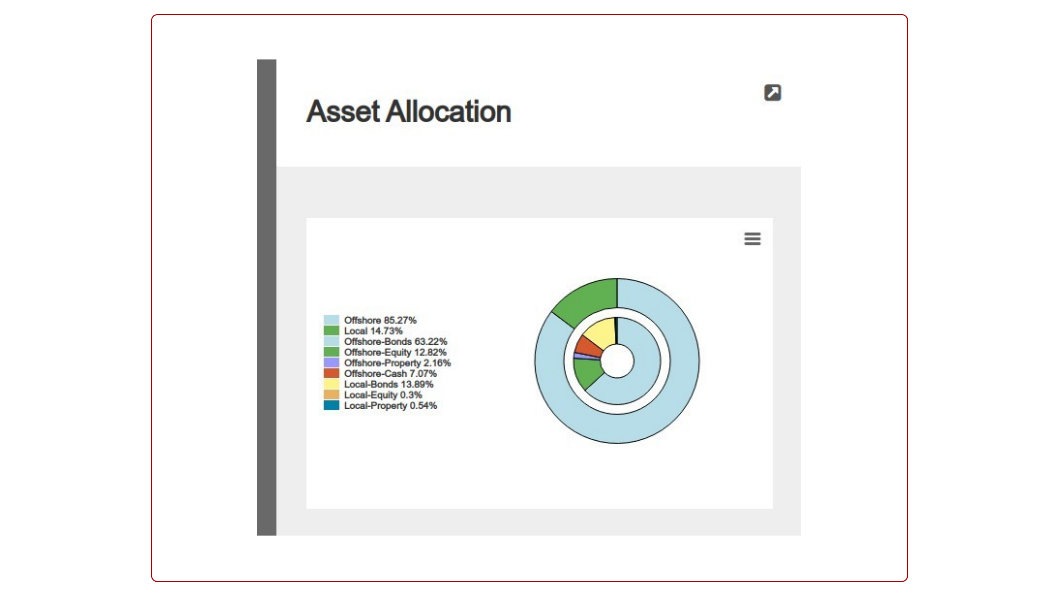
31 May Release 31 May 2021 – Sub class asset allocation graph
Posted at 00:00h
in Recent Updates
Sub class asset allocation graph
In this release we have added the option to display the asset allocation graph on an investor account and statement as a donut chart with asset classes and asset sub-classes. See link
More changes include:
- Move some employer report to Employers -> Active Employers -> More Actions
- Add investor account number to distributions and rebates
- Add functionality to copy system statement defaults to product override defaults
- Ignore negative amounts when auto-matching debit orders
- Add ability to calculate Regulation 28 on a max per fund variable
- Create functionality to attach a PDF contract note and instruction document to a dealer instruction
- Make changes to include more statement sections on combined statements
- Add Investment summary graph as a section to display on statements
- Create Tax free investments certificates. See link
- Add Instrument status and client preferred currency to Investor Holding Report
- Split minimum, maximum or amount bank charges on money transfers proportionately to buys where more than one buy allocation per client is involved. See link
- Change Insurance instrument to buy through a control account. See link
- Add columns for 1,3,6 months to Performance comparison. See link
- Add BDM list to Distributor card->More Actions
- Add notification options to debit order reversals. See link
- Add Middle Names to Investor import and Investor export
Refer to your online Pivotal Tracker Project for a full list of changes and enhancements for the release.
Last Updated on 4 years ago by Tinus Burger