
Tax Free Investment Certificate
- Tax Free Investment Certificate reflects the investment value of your Tax-free Investment at the end of a particular tax year.
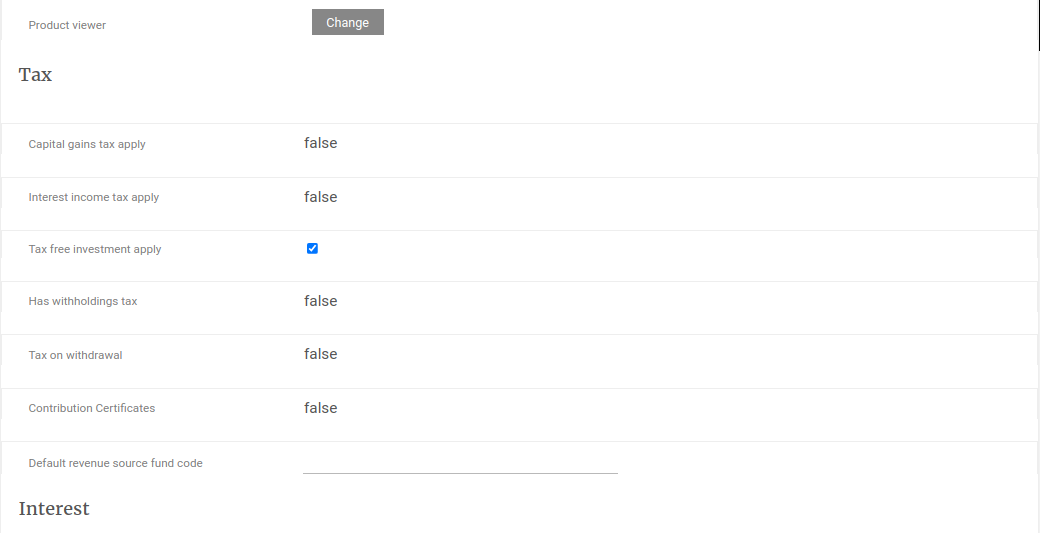
- Tax Free Investment Certificate can only be generated if ‘Tax free investment apply’ has been ticked on the relevant Product.
- A logo can be uploaded on a product to be displayed on the Tax Free Investment Certificate for the product, refer to Logo on Statements and Certificates.
- The Tax Free Investment Certificate notification email template can be setup under the System Main menu similar to the Contribution Certificate.
- Bulk Tax-free Investment Certificates can be generated, per product, for a selected financial year.
- Interim (Individual) Tax-free Investment Certificate can be generated on individual investment accounts.
- For more information on the fields reflected on the Tax Free Investment Certificate refer to Tax Free Investment Certificate Fields.
- Certificates can be deleted on the Documents card of individual investors, refer to Delete Certificates Generated.
- To change the Logo, Notes, Footer and Styling refer to the Tax Free Certificate on Setting up templates on a product.
Product
Navigate to the relevant Product and set “Tax free investment apply”
- If “Tax free investment apply” checkbox is ticked, the other check boxes will be un-ticked.
- Capital gain will still be calculated although “Capital gains tax apply” has not been ticked. We only calculate the gain, not the tax on the gain.
- Tax will not be withheld for interest or distributions although the “Tax free investment apply” has not been ticked.
Bulk Tax-free Investment Certificates
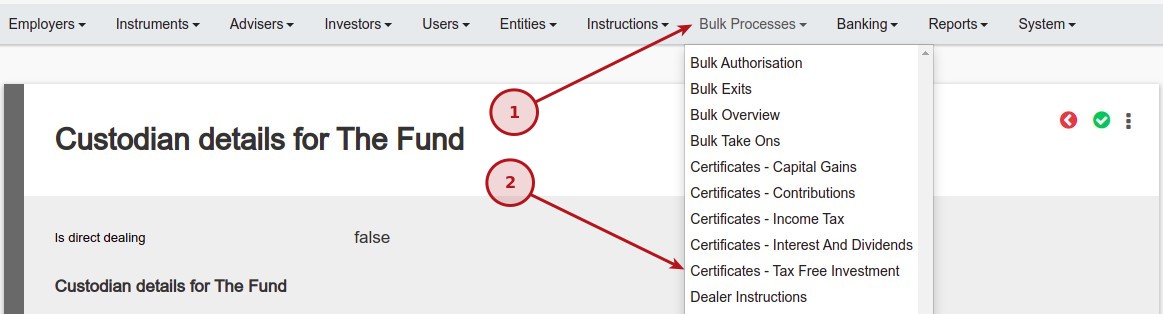
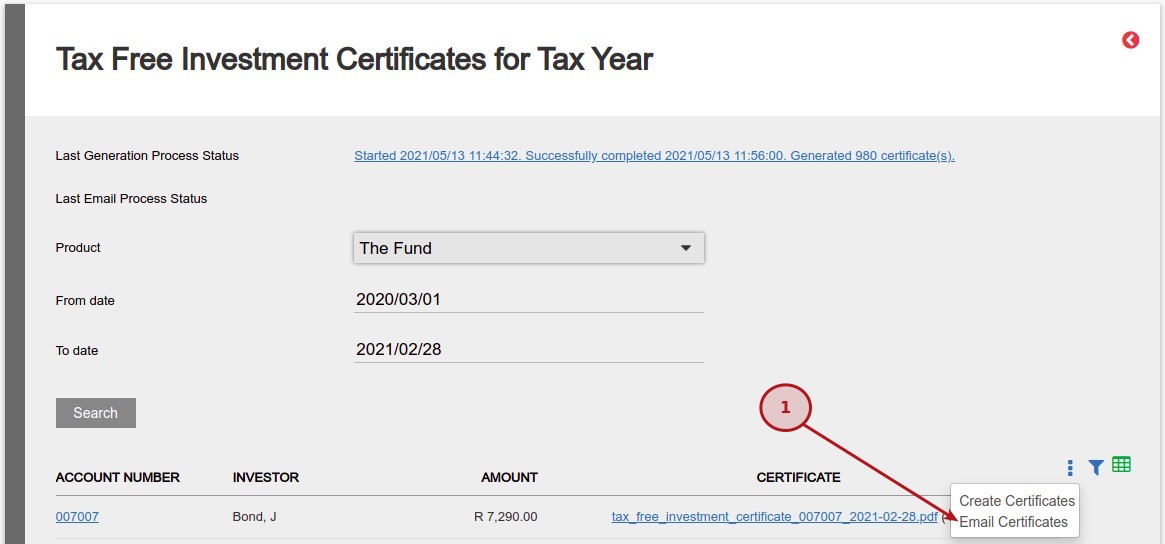
Navigate to Bulk Processes -> Certificates – Tax Free Investment.
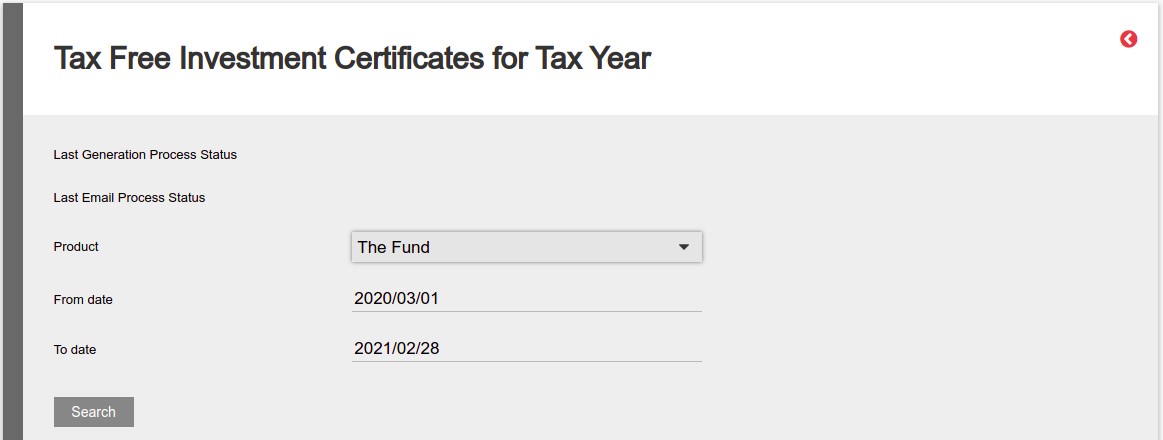
Use the product filter to select the required product and specify the date range of the tax year for which certificates must be generated.
Click on the “Search” button to refresh the list of investors.
Select the “Create Certificates” button to start the background process to generate the certificates.
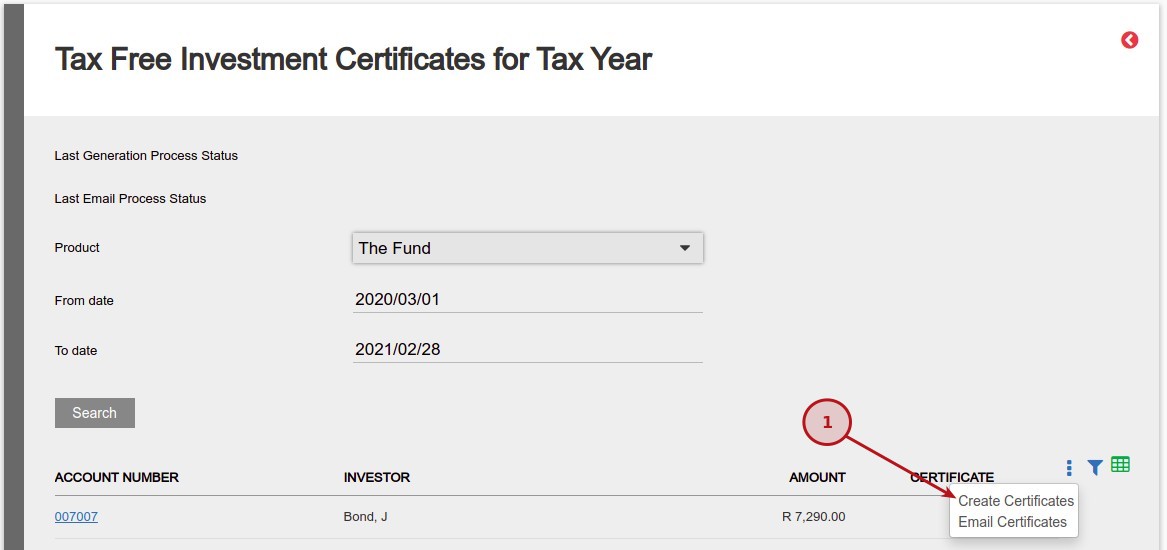
- The certificates will start to generate in the background, which means the user may navigate away and work from other menu items, while the process is busy.
- The progress will be updated, as the batch completes and the progress notification can be refreshed by clicking again on the “Certificates – Tax Free Investment” menu item.
- On completion, the process status will display the number of certificates generated.
- In the “Certificate” column, the download links will be available for the PDF files, with the investment number and financial year in the file name.

- The generated Tax-free Investment Certificates can be emailed to the individual investors.
- The certificates will start to be emailed in the background, which means the user may navigate away and work from other menu items, while the process is busy.
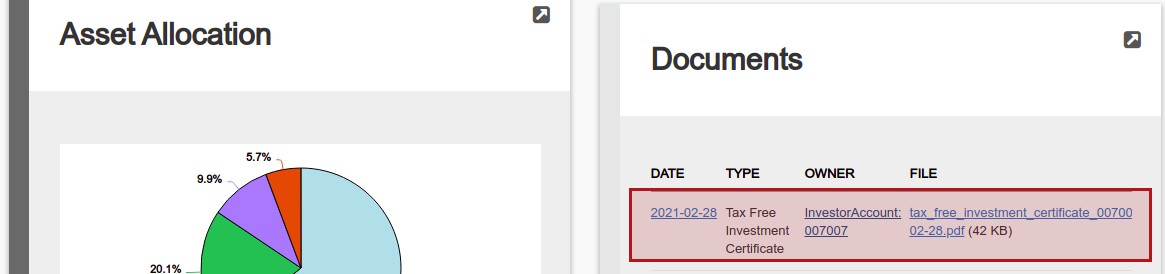
The download link for the Tax-free Investment Certificates PDF file will also be available on the Document card of the individual Investor Accounts.
Interim Tax-free Investment Certificate
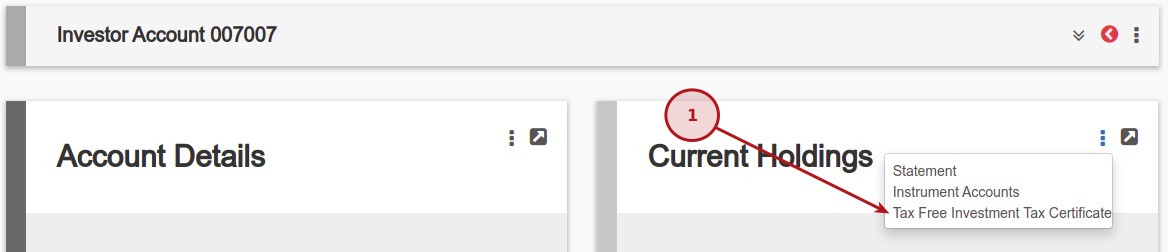
Select “More Actions -> Tax Free Investment Tax Certificate” from the Current Holdings Card on an Investor account.
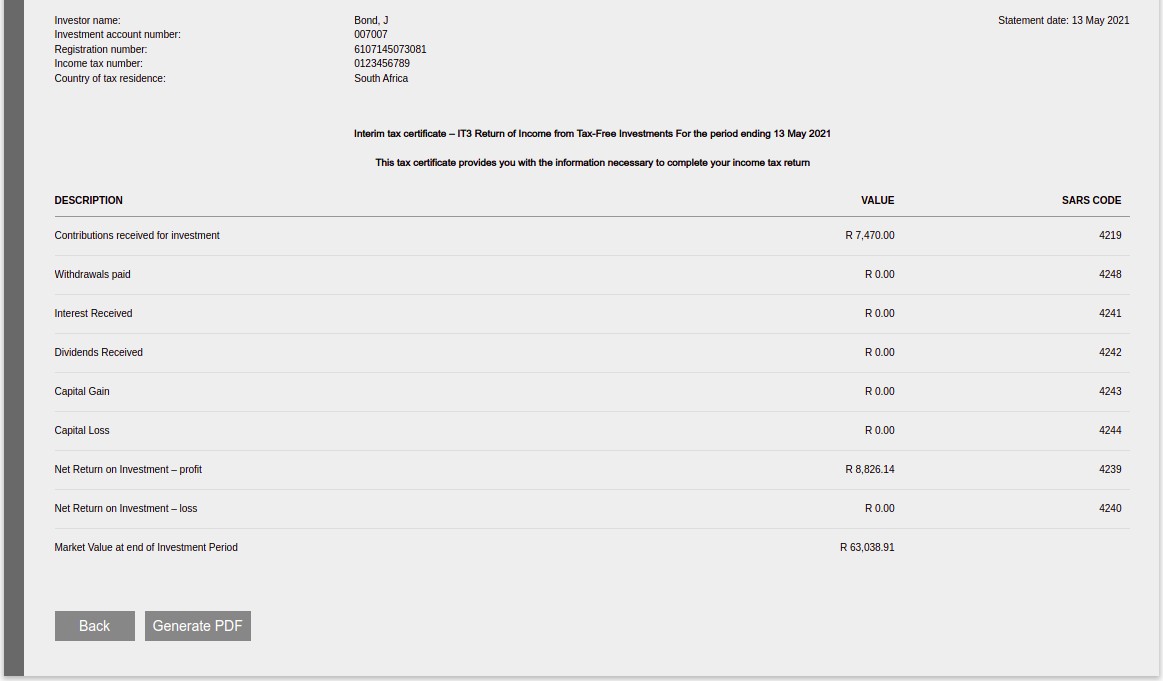
Specify the date range of the tax year for which certificates must be generated, the Interim Tax-free Investment Certificate will be displayed.

To create an PDF cetificate select the “Generate PDF” button on the bottom of the page.
Tax Free Investment Certificate Fields
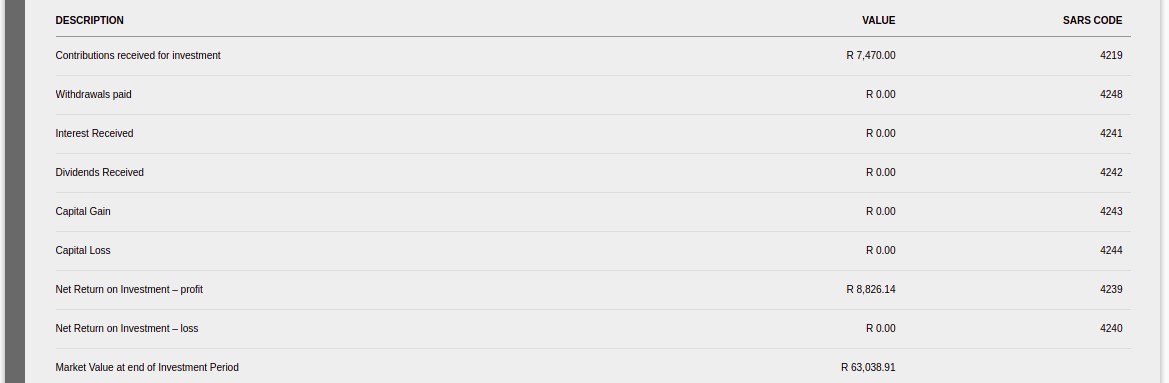
- Contributions received for investment (4219)
- This value will be the same total as you would have if you generate a contribution certificate, refer to Contribution Certificates
- This is the total of investment instructions, plus historical transactions where the field “Use In Contribution Certificates” has to be set, refer to How do historical transactions impact calculations
- Withdrawals paid (4248)
- This value will be the same as the “Income amount” on the Income tax certificate.
- This include payment transactions with “Use In Income Tax Certificates” has been set, refer to Income Tax Certificates – Include or Exclude Certain Transactions
- Interest Received (4241)
- This value will include all the system generated Interest Transactions for the period.
- No historical transactions will be used for accumulating towards the Interest Received.
- Dividends Received (4242)
- This value will include all the system generated Distribution Exchange Transactions for the period.
- No historical transactions will be used for accumulating towards the Dividends Received.
- Capital Gain (4243) & Capital Loss (4244)
- This value will be the same amount as on a Capital gains certificate, refer to Capital Gains Certificates
- Net Return on Investment – profit (4239) & Net Return on Investment – loss (4240)
- This value will be the same as the gain/loss in the ‘Investment Summary For Statement Period’ table on the statement, refer to Investor Statements.
- Note that the description for this field is setup in statement defaults – Cashflow return gain/loss wording.
- Closing Balance = Market Value at end of Investment Period + accrued fees for statement period.
- Net Return on Investment = Closing Balance – Contributions + Withdrawals – Opening Balance.
- Market Value at end of Investment Period
- This value will be the same as the Closing value in the ‘Investment Summary For Statement Period’ table on the statement.
Last Updated on 2 years ago by Tinus Burger